Best WordPress Restaurant Plugins in 2026: 7 Tools Compared
WLWPLegible EditorsLast verified 22 Nov 2026How we rank12 min read
★ Short answer
WPCafe is our top WordPress restaurant plugin for combining menus, WooCommerce food ordering, and table reservations, with 5,000+ active installations and a 4.6/5 rating. Orderable is a strong alternative for pickup and delivery scheduling, while RestroPress suits restaurants that want food ordering without WooCommerce.
How we make this list: we compare pricing pages, product documentation and public user reviews, then re-check every price before each update. No product paid for a place. Disclosure.
WPCafe combines restaurant menus, food ordering and table reservations. It has 5,000+ active installations and a regular Standard price of $99/year.
Orderable has a 4.6/5 WordPress.org rating from 40 reviews. Its free plan includes ordering menus and pickup scheduling, while Pro costs $149/year.
RestroPress supports standalone restaurant ordering without WooCommerce. Its Starter plan costs $199/year, and its free version covers basic pickup and delivery.
Food Menu by RadiusTheme has a 5/5 rating from 24 reviews. Its regular single-site Pro license costs $59/year.
MotoPress Restaurant Menu has 2,000+ active installations and free PayPal and cash-on-delivery support. Its Delivery add-on costs $49/year.
FoodBook and WooCommerce Food are paid CodeCanyon alternatives, priced at $69 and $109 respectively for regular one-time licenses.
What to look for in a WordPress restaurant plugin
Restaurant plugins serve different needs. Some display food menus, while others handle online orders, pickup schedules, delivery management, table reservations, or kitchen operations. The best choice depends on the services your restaurant offers.
For online ordering, check whether the plugin supports pickup and delivery, product modifiers, payment gateways, order notifications, and configurable business hours. Restaurants with changing menus should also consider inventory controls and scheduled availability.
For dine-in businesses, table reservations matter more than delivery functions. Look for booking forms, availability restrictions, confirmation emails, and table management. Basic booking forms may not provide detailed seating assignments or deposit collection.
WooCommerce compatibility is another major consideration. WPCafe, Orderable, Food Menu, and WooCommerce Food use WooCommerce for ordering, while RestroPress and MotoPress Restaurant Menu provide their own ordering systems.
Compare regular renewal prices with one-time licenses. Some free plugins include essential restaurant features, while advanced reservations, kitchen displays, multi-location management, or specialized delivery controls require paid upgrades.
4.6/5on WordPress.org (116 reviews, checked Nov 2026)
Paid from$99/yr
Best WordPress restaurant plugin overall
Food menusIncluded free
Online orderingWooCommerce
ReservationsSupported
Paid planStandard, 2 sites
themewinter.com
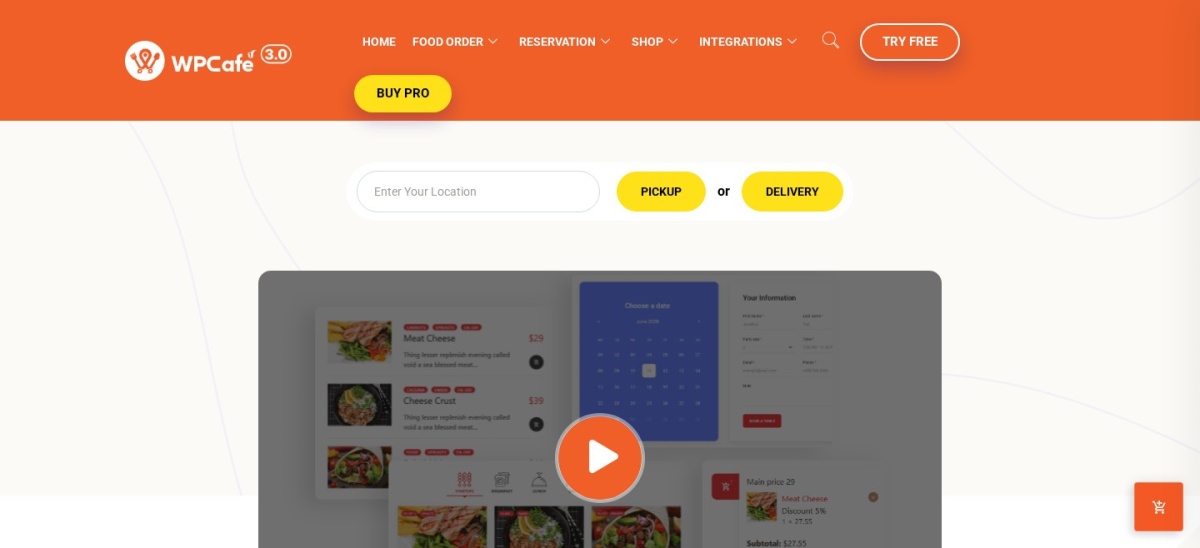
WPCafe homepage, captured Nov 2026.
WPCafe is a WordPress restaurant management plugin with 5,000+ active installations and a 4.6/5 rating from 116 reviews. Its free version combines restaurant menus, WooCommerce food ordering, and table reservation features. It also supports delivery and pickup workflows, making it suitable for restaurants that handle dine-in and takeaway services.
The trade off is that advanced reservation tools, multi-branch features, and expanded management functions require Pro. Standard has a regular price of $99/year, although a $69 promotional price is currently advertised. It suits restaurants that prefer managing menus, orders, and reservations through one plugin.
What we like
Combines food menus, ordering and reservations
Integrates with WooCommerce payments
Supports pickup and delivery operations
Premium includes staff and reservation management features
Watch out for
WooCommerce required for online payments
Advanced operational features require Pro
Setup involves several restaurant management settings
Standard adds premium restaurant tools, staff features, and advanced reservation options.Visit themewinter.com
02
Orderable
4.6/5on WordPress.org (40 reviews, checked Nov 2026)
Paid from$149/yr
Best for restaurant pickup and delivery
Ordering menuIncluded free
Pickup schedulingIncluded free
Transaction feesNone from Orderable
Paid planPro, 1 site
orderable.com
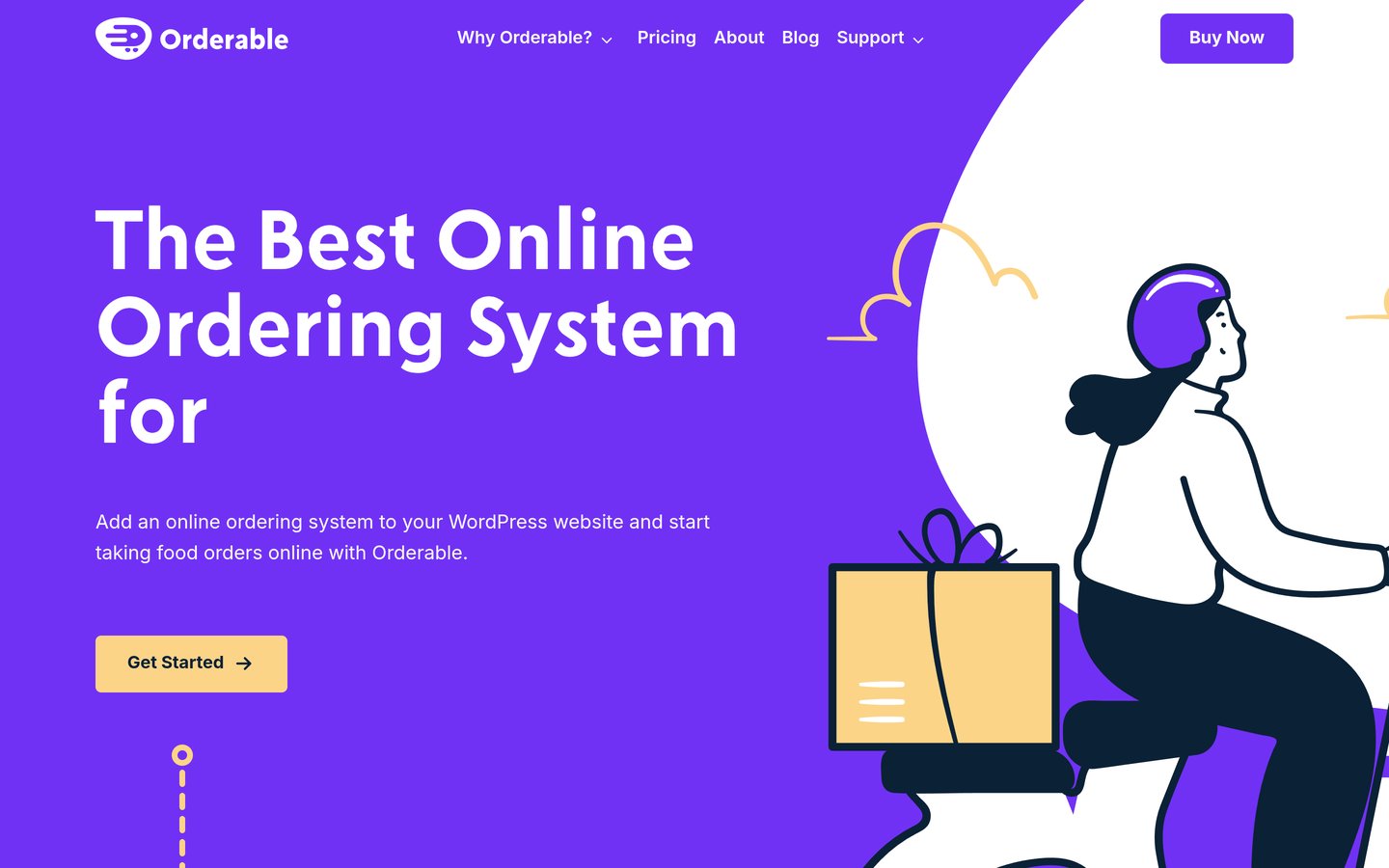
Orderable homepage, captured Nov 2026.
Orderable is a WooCommerce-based restaurant ordering plugin with 5,000+ active installations and a 4.6/5 WordPress.org rating. Its free version includes online ordering menus, pickup and delivery dates, lead times, preorder scheduling, live order management, holiday restrictions, and receipt printing. Orderable does not charge additional commissions on orders.
The trade off is that advanced time slots, product add-ons, QR table ordering, custom checkout, and multiple locations require Pro at $149/year. WooCommerce also remains necessary for payments and order processing. It suits takeaway restaurants that prioritize scheduled pickup and delivery over advanced table reservations.
What we like
Free ordering menus and scheduling features
No additional Orderable transaction commission
Live order management and receipt printing
Works with WooCommerce payment gateways
Watch out for
Requires WooCommerce
Advanced time-slot controls require Pro
Full table reservation management is not its main focus
Pro adds advanced time slots, product modifiers, table ordering, and custom checkout.Visit orderable.com
03
RestroPress
4.4/5on WordPress.org (102 reviews, checked Nov 2026)
Paid from$199/yr
Best restaurant ordering without WooCommerce
WooCommerceNot required
Pickup and deliveryIncluded free
Order dashboardIncluded free
Paid planStarter, 1 site
restropress.com
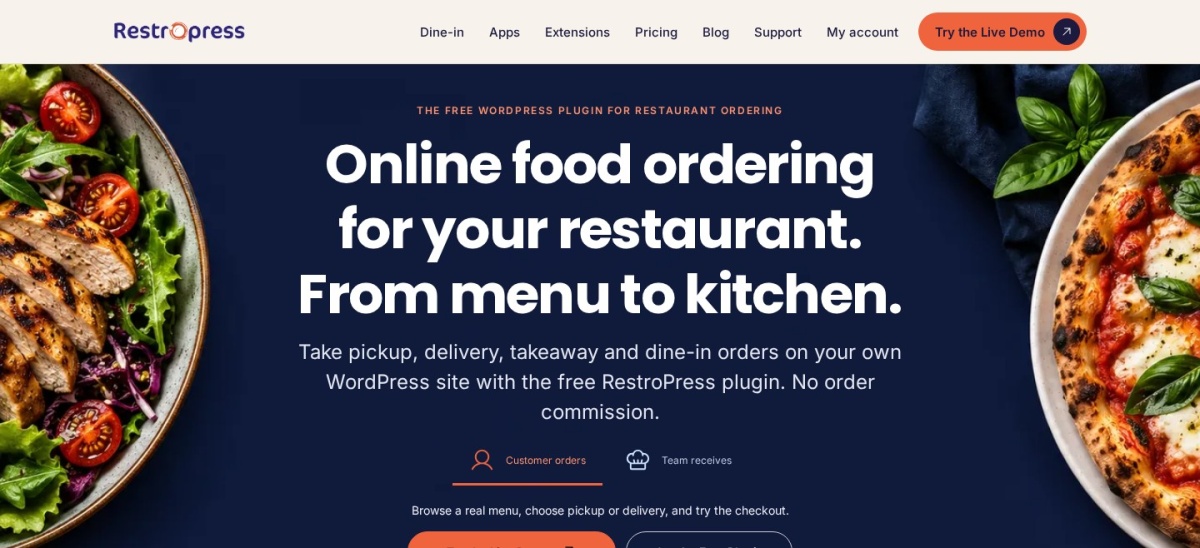
RestroPress homepage, captured Nov 2026.
RestroPress is a standalone WordPress food ordering system with 1,000+ active installations and a 4.4/5 rating from 102 reviews. Its free version supports restaurant menus, pickup and delivery orders, order notifications, and an order management dashboard. It operates without WooCommerce and keeps restaurant ordering data inside WordPress.
The trade off is that advanced delivery zones, inventory management, SMS notifications, and mobile order tracking require Starter at $199/year. More extensive kitchen and multi-location features are reserved for higher plans. It suits restaurants that want a dedicated ordering system without configuring WooCommerce.
What we like
Does not require WooCommerce
Free pickup and delivery ordering
Restaurant-specific checkout and order management
Supports menu item options and dietary information
Watch out for
Starter costs more than several WooCommerce alternatives
Kitchen display requires a higher plan
Uses its own ordering ecosystem rather than WooCommerce
Starter adds delivery zones, inventory tools, SMS notifications, and order tracking.Visit restropress.com
04
Food Menu
5/5on WordPress.org (24 reviews, checked Nov 2026)
Paid from$59/yr
Best for restaurant menu design and online ordering
Menu layouts20+ Pro layouts
WooCommerceOptional for menus
Table reservationsBasic version free
Paid plan1 Site
radiustheme.com
Food Menu homepage, captured Nov 2026.
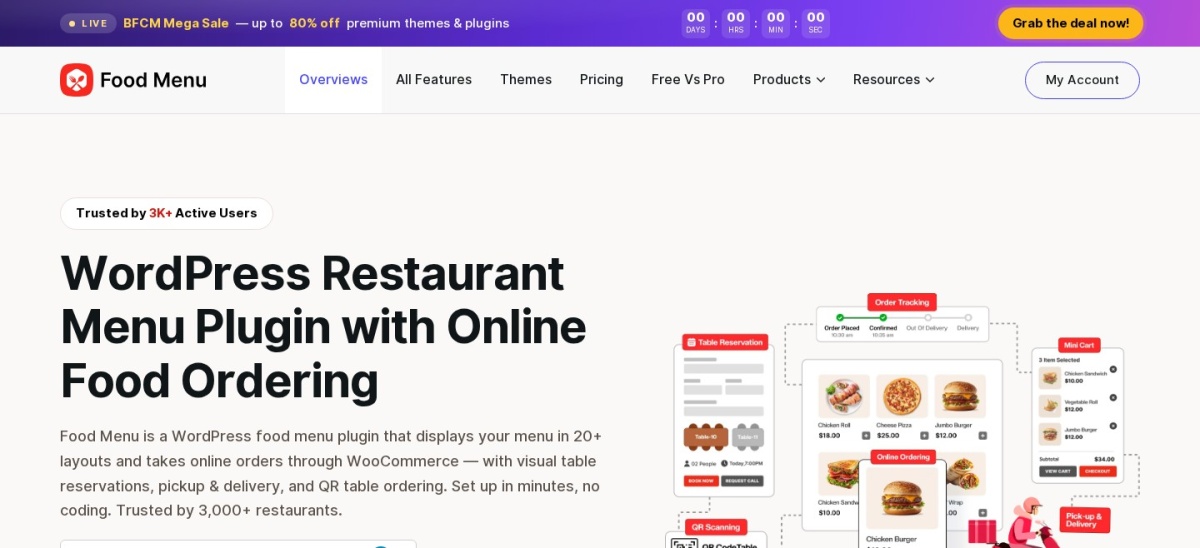
Food Menu is RadiusTheme's restaurant menu and ordering plugin, with 2,000+ active installations and a 5/5 WordPress.org rating from 24 reviews. Its free version displays food menus without WooCommerce and adds ordering through WooCommerce when needed. Recent updates also made basic table reservations, tipping, and promotional features available for free.
The trade off is that visual table selection, advanced kitchen operations, and expanded menu management require Pro. The regular single-site price is $59/year, while the current promotion advertises $41 for the first year. It suits cafes and restaurants that prioritize attractive food menus with room to expand into online ordering.
What we like
Menu display works without WooCommerce
Free basic reservations and tipping features
WooCommerce ordering integration
Supports Gutenberg and Elementor
Watch out for
Advanced operational tools require Pro
WooCommerce needed for online checkout
Numerous layout and ordering settings add complexity
Pro adds visual table reservations, additional layouts, and advanced order management.Visit radiustheme.com
05
MotoPress Restaurant Menu
4.5/5on WordPress.org (15 reviews, checked Nov 2026)
Paid from$49/yr
Best for simple restaurant menus and ordering
Menu layoutsGrid and list
Free paymentsPayPal and cash
Delivery add-onPaid
Paid upgradeDelivery, 1 site
motopress.com
MotoPress Restaurant Menu homepage, captured Nov 2026.
MotoPress Restaurant Menu is a WordPress food menu and ordering plugin with 2,000+ active installations and a 4.5/5 rating from 15 reviews. Its free version supports categorized menus, food images, descriptions, nutrition information, cart functionality, PayPal payments, cash on delivery, and configurable menu layouts without requiring WooCommerce.
The trade off is that delivery and pickup scheduling require a separate paid extension, priced at $49/year for one site. Additional toppings and menu customization features may require other add-ons. It suits smaller restaurants that need a straightforward food menu and basic ordering rather than a larger management platform.
What we like
Core restaurant ordering is free
PayPal and cash-on-delivery support
Does not require WooCommerce
Menus include nutritional details and categories
Watch out for
Delivery functionality requires a paid extension
Advanced toppings require additional add-ons
No comprehensive table reservation system
The Delivery add-on adds pickup, delivery scheduling, and delivery charges.Visit motopress.com
06
FoodBook
4.76/5on CodeCanyon (25 reviews, checked Nov 2026)
Starts at$69 one-time
Best for delivery-focused restaurant management
OrderingWooCommerce-based
Delivery toolsSupported
LicenseRegular, 1 project
Included support6 months
codecanyon.net
FoodBook homepage, captured Nov 2026.
FoodBook is a premium WordPress restaurant ordering and delivery management plugin sold on CodeCanyon, with a 4.76/5 rating from 25 reviews and 1,213 sales. It supports restaurant menus, WooCommerce ordering, delivery workflows, product extras, order management, and kitchen-related functions through its restaurant-focused interface.
The trade off is that there is no free WordPress.org version, and additional extensions may be needed for specific operations. Its regular license costs $69 one-time with 6 months of support included. It suits restaurants needing delivery-oriented management tools and preferring a marketplace license over a recurring plugin subscription.
What we like
Restaurant ordering and delivery management
WooCommerce integration
Supports menu extras and order tracking workflows
One-time regular license
Watch out for
No free version
Additional functionality may require extensions
Support extensions cost extra
The paid license includes the core plugin, future updates, and limited developer support.Visit codecanyon.net
07
WooCommerce Food
4.84/5on CodeCanyon (159 reviews, checked Nov 2026)
Starts at$109 one-time
Best for restaurants already using WooCommerce
WooCommerceRequired
Marketplace sales3,904
LicenseRegular, 1 project
Included support6 months
codecanyon.net
WooCommerce Food homepage, captured Nov 2026.
WooCommerce Food is a premium restaurant menu and food ordering plugin sold on CodeCanyon, with 3,904 sales and a 4.84/5 rating from 159 reviews. It extends WooCommerce with restaurant menu layouts, ordering interfaces, delivery settings, food ordering schedules, and compatibility with existing WooCommerce payment methods.
The trade off is that it requires WooCommerce and does not provide a free version. Its regular CodeCanyon license costs $109 one-time, with 6 months of support included. It suits restaurant owners who already manage products, payments, and customer orders through WooCommerce and want restaurant-specific ordering features.
What we like
Works within existing WooCommerce stores
Established CodeCanyon sales history
Restaurant menu and food ordering features
One-time license instead of annual billing
Watch out for
Requires WooCommerce
No free version
Extended developer support costs extra
The one-time license includes restaurant ordering features, updates, and initial support.Visit codecanyon.net
Do you need online ordering or table reservations?
Online ordering plugins let customers select food, customize items, choose pickup or delivery, and complete checkout. Restaurants with takeaway operations should prioritize delivery schedules, order notifications, payment support, and kitchen workflows.
Table reservation plugins focus on available booking times, guest details, confirmations, and seating management. Restaurants that primarily serve dine-in customers may benefit from a dedicated booking system rather than a complete ordering platform.
WPCafe and Food Menu offer both menu and reservation functionality. Orderable emphasizes ordering and fulfillment, while RestroPress focuses on food ordering without requiring WooCommerce. Choose according to the restaurant's primary workflow.
WooCommerce restaurant plugins vs standalone ordering systems
WooCommerce-based restaurant plugins reuse WooCommerce products, checkout, payment gateways, and order management. This works well when a restaurant already operates a WooCommerce website or wants access to its existing extensions.
Standalone ordering plugins provide dedicated restaurant workflows without requiring WooCommerce. RestroPress and MotoPress Restaurant Menu are examples. They can reduce dependence on ecommerce extensions, although they use their own payment and order management integrations.
Neither approach is automatically better. Compare the features your staff need, the complexity of checkout, and the ongoing cost of maintaining additional extensions before selecting a system.
How we chose
We shortlisted established restaurant plugins from WordPress.org and CodeCanyon. The comparison covers restaurant menus, food ordering, delivery management, pickup scheduling, and booking functionality. We prioritized maintained products with documented features, public reviews, and clear licensing information.
We checked WordPress.org ratings, review totals, active installation counts, and vendor pricing pages on 22 Nov 2026. CodeCanyon ratings and sales figures were used for marketplace-only products. Prices reflect regular paid entry plans, excluding temporary promotions. For one-time marketplace licenses, price_year records the upfront price for comparison rather than an annual renewal.
We excluded outdated or closed WordPress.org plugins, products without verifiable public pricing, and services that did not clearly meet the restaurant website use case. GloriaFood's WordPress plugin was excluded because its directory listing showed no update within the required maintenance window. No vendor paid for a place, and the comparison is based on documentation, pricing, and public reviews rather than direct product testing.
How to choose the best WordPress restaurant plugin
Identify your restaurant's main workflow before comparing features, integrations, and recurring costs.
**Choose your main restaurant workflow.** Decide whether your website needs food menu displays, online ordering, pickup and delivery, table reservations, or a combination. A simple cafe website may need only menus, while a takeaway restaurant benefits from complete order management.
**Check your payment and ecommerce requirements.** Determine whether you want WooCommerce integration or a standalone ordering system. Confirm that your preferred payment gateways, checkout options, and order notifications are supported before configuring the restaurant menu.
**Compare free features with regular paid prices.** Review which tools are included without payment and which require an upgrade. Consider delivery zones, table selection, advanced scheduling, kitchen displays, and product modifiers. Check renewal terms and support costs separately.
**Review maintenance and operational compatibility.** Check recent plugin updates, WordPress compatibility, public support activity, and staff workflows. Confirm that the ordering process works with your existing theme, checkout setup, payment methods, and restaurant operating hours.
FAQ
What is the best WordPress restaurant plugin?
WPCafe is our top overall choice because it combines restaurant menus, online food ordering, and table reservations. Its free version covers essential restaurant features, while paid plans add more management options. Restaurants focused mainly on takeaway ordering may prefer Orderable or RestroPress.
Can I create a restaurant website with WordPress for free?
Yes. WordPress supports restaurant websites with free themes and plugins. WPCafe, Orderable, RestroPress, Food Menu, and MotoPress Restaurant Menu offer free versions. You still need website hosting, and payment processing or premium extensions may introduce additional costs.
Which WordPress restaurant plugin supports online food ordering?
WPCafe, Orderable, RestroPress, Food Menu, MotoPress Restaurant Menu, FoodBook, and WooCommerce Food all support food ordering. Their main differences involve WooCommerce requirements, delivery scheduling, checkout customization, and included management tools. Compare those functions before choosing.
Do I need WooCommerce for restaurant food ordering?
No. RestroPress and MotoPress Restaurant Menu provide food ordering without requiring WooCommerce. However, plugins such as Orderable and WooCommerce Food rely on WooCommerce for checkout and order processing. The choice depends on whether you want a dedicated restaurant system or an existing ecommerce ecosystem.
Can WordPress restaurant plugins handle table reservations?
Yes. WPCafe and Food Menu support restaurant reservation functionality alongside food menus and ordering. More specialized booking features, such as visual table selection, seating management, and deposits, may require premium plans or separate reservation plugins.
Which restaurant plugin is best for food delivery?
Orderable is a strong option for delivery and pickup scheduling through WooCommerce. RestroPress is useful when you prefer a standalone ordering system. FoodBook provides another approach through a premium restaurant management plugin. Compare delivery zones, available time slots, and order management requirements.
Are WordPress restaurant plugins commission-free?
Several plugins, including WPCafe, Orderable, and RestroPress, advertise commission-free ordering through your own website. However, payment processors may still charge transaction fees, and hosting or premium extensions can add costs. Commission-free does not necessarily mean every aspect of online ordering is free.
How much does a WordPress restaurant plugin cost?
Several options have free versions. MotoPress Restaurant Menu offers a delivery extension at $49/year, Food Menu Pro has a regular price of $59/year, and WPCafe Standard normally costs $99/year. Marketplace products such as FoodBook and WooCommerce Food use one-time regular licenses.