Best WooCommerce FedEx Shipping Plugins in 2026: 7 Tools Compared
WLWPLegible EditorsLast verified 22 Nov 2026How we rank12 min read
★ Short answer
PluginHive is our top WooCommerce FedEx shipping pick for stores needing live rates, labels, pickup scheduling and tracking in one $99/year extension. WooCommerce FedEx Shipping Method is a simpler official option at $109/year, while Shippo Shipping offers free checkout rates through a multi-carrier API.
How we make this list: we compare pricing pages, product documentation and public user reviews, then re-check every price before each update. No product paid for a place. Disclosure.
PluginHive combines FedEx checkout rates, label printing, tracking and pickups for $99/year, with a 4.95/5 vendor-site rating from 344 reviews.
WooCommerce FedEx Shipping Method costs $109/year, has 30K+ active installs and is rated 2.5/5 by 20 marketplace reviewers.
Shippo Shipping offers free multi-carrier checkout rates, with 3,000+ active installs and a $99/year PRO upgrade.
ShipStation starts at $14.99/month, supports shipping operations across carriers and has 40,000+ active WooCommerce integration installs.
WooCommerce Shipping is a free plugin with 70,000+ active installs and FedEx label purchasing, but it does not replace a dedicated FedEx checkout-rate extension.
Advanced Shipment Tracking supports 1,010+ carriers, including FedEx, and has 70,000+ active installs.
What to look for in a WooCommerce FedEx shipping plugin
A WooCommerce FedEx shipping plugin can connect your store to carrier services for checkout rates, shipping labels and order tracking. However, these functions are not always included in the same plugin.
Start with live FedEx rates if customers need accurate shipping charges during checkout. Look for support for product weights, dimensions, destination addresses, account rates and the FedEx services your business uses.
For fulfillment, check whether the plugin can purchase and print labels inside WooCommerce. Features such as box packing, batch printing, pickup scheduling and return labels reduce the need to switch between shipping dashboards.
Tracking-only plugins serve a different purpose. They add FedEx tracking numbers and links to customer orders but generally do not calculate shipping prices or purchase postage.
Finally, compare the subscription with carrier charges. A plugin costing $99/year may still require a FedEx account, shipping-label payments or third-party platform fees. Check API compatibility and confirm that your checkout setup works with current FedEx services.
4.95/5on PluginHive (344 reviews, checked Nov 2026)
Starts at$99/yr
Best overall for complete FedEx shipping
Live FedEx ratesYes
Label printingYes, including bulk
Shipment trackingAutomatic updates
Single-site license$99/yr
pluginhive.com
PluginHive FedEx homepage, captured Nov 2026.
PluginHive FedEx is a dedicated WooCommerce shipping extension that combines checkout rates, label generation, tracking and pickup scheduling. The vendor reports 10,000+ stores using its FedEx plugin and a 4.95/5 rating from 344 customer reviews. Its $99/year single-site license also supports return labels, bulk shipments and international customs documentation.
The trade off is the annual subscription and the need to configure your FedEx account correctly before shipping. The regular price is $99/year, with a temporary 30% promotion available during the current sale period. It suits stores that want FedEx fulfillment managed inside WooCommerce rather than across separate services.
What we like
Live FedEx shipping rates at checkout
Single and bulk FedEx label printing
Automated shipment tracking notifications
Pickup scheduling and return labels
Supports freight and international shipping
Watch out for
No permanent free version of this product
Requires FedEx account configuration
Subscription is separate from carrier charges
The paid license includes FedEx rates, labels, returns, tracking and pickupsVisit pluginhive.com
02
WooCommerce FedEx
2.5/5on WooCommerce Marketplace (20 reviews, checked Nov 2026)
Starts at$109/yr
Best official WooCommerce FedEx integration
Live FedEx ratesYes
FedEx One RateSupported
Active installs30K+
Annual license$109
woocommerce.com
WooCommerce FedEx homepage, captured Nov 2026.
WooCommerce FedEx is the official FedEx Shipping Method extension sold through the WooCommerce marketplace. It connects to the FedEx API to calculate shipping charges from package details and delivery addresses. The extension has 30,000+ active installs, supports domestic and international services, and includes FedEx One Rate and configurable shipping adjustments.
The trade off is that the extension focuses on checkout rates rather than providing a complete label-printing and tracking workflow. It costs $109/year and has a 2.5/5 marketplace rating from 20 reviews. It suits merchants who prefer an official integration and already have a separate way to generate shipping labels.
What we like
Official WooCommerce marketplace extension
FedEx API-based checkout calculations
FedEx One Rate support
Configurable service selection and rate adjustments
30K+ active installations
Watch out for
Low marketplace customer rating
Label printing requires another solution
Specific store and account requirements
Annual subscription required
The $109 annual extension provides FedEx checkout rates and service controlsVisit woocommerce.com
03
Shippo Shipping
3.8/5on WordPress.org (11 reviews, checked Nov 2026)
Paid from$99/yr
Best free multi-carrier checkout rates
Free live ratesYes
Carrier platformShippo API
PRO license1 site
PRO annual price$99
1teamsoftware.com
Shippo Shipping homepage, captured Nov 2026.
Shippo Shipping is a multi-carrier WooCommerce plugin that displays shipping rates from FedEx and other carriers through Shippo. Its free version supports checkout rates, address validation and shipping adjustments. WordPress.org lists 3,000+ active installations and a 3.8/5 rating from 11 reviews. The PRO version adds label purchasing, box packing and shipment management.
The trade off is the additional Shippo integration, which introduces another service into the shipping workflow. The single-site PRO license costs $99/year, while a monthly subscription costs $19. It suits stores that compare FedEx with other carriers and want to upgrade from free rates to integrated label printing.
3.3/5on WordPress.org (13 reviews, checked Nov 2026)
Starts at$14.99/mo
Best for multi-channel FedEx fulfillment
Entry planStarter
Monthly shipments50
Store connectionsUnlimited
Annual equivalent$179.88
shipstation.com
ShipStation homepage, captured Nov 2026.
ShipStation is a shipping management platform with an official WooCommerce integration and support for FedEx and other carriers. Its WordPress plugin has 40,000+ active installs and a 3.3/5 rating from 13 reviews. Starter costs $14.99/month for 50 shipments and includes 3 users, unlimited store connections, label printing and basic automation.
The trade off is that ShipStation operates through a separate fulfillment platform, and its standard WooCommerce integration does not supply live carrier rates at checkout. Starter costs $179.88/year at the published monthly rate. It suits merchants managing WooCommerce orders alongside sales from other stores or marketplaces.
What we like
FedEx and multi-carrier shipping support
Centralized order and fulfillment management
Batch label printing
Unlimited store connections on Starter
Automated tracking updates
Watch out for
Separate platform subscription
Shipment limits depend on the plan
Live checkout rates need another integration
More setup than a single-carrier plugin
Starter adds centralized shipping, label printing and automation toolsVisit shipstation.com
05
WooCommerce Shipping
2/5on WordPress.org (18 reviews, checked Nov 2026)
PriceFree
Best free FedEx label purchasing
Plugin priceFree
FedEx labelsSupported
Shipment trackingIncluded
Active installs70K+
woocommerce.com
WooCommerce Shipping homepage, captured Nov 2026.
WooCommerce Shipping is a free shipping extension that lets merchants compare and purchase labels from supported carriers directly in WooCommerce. Its current functionality includes FedEx label purchasing alongside other carriers. WordPress.org reports 70,000+ active installations and a 2/5 rating from 18 reviews. Shipment tracking and order updates are also included.
The trade off is that free software does not mean free postage, and the plugin is not a complete replacement for dedicated FedEx checkout-rate extensions. There is no paid plugin subscription, but shipping labels incur carrier charges. It suits merchants who mainly need to purchase and print FedEx labels from their order dashboard.
What we like
No plugin subscription fee
FedEx label purchasing available
Works directly inside WooCommerce
Shipment tracking included
Supports additional shipping carriers
Watch out for
Carrier postage charges still apply
Does not provide the same checkout controls as dedicated FedEx rate plugins
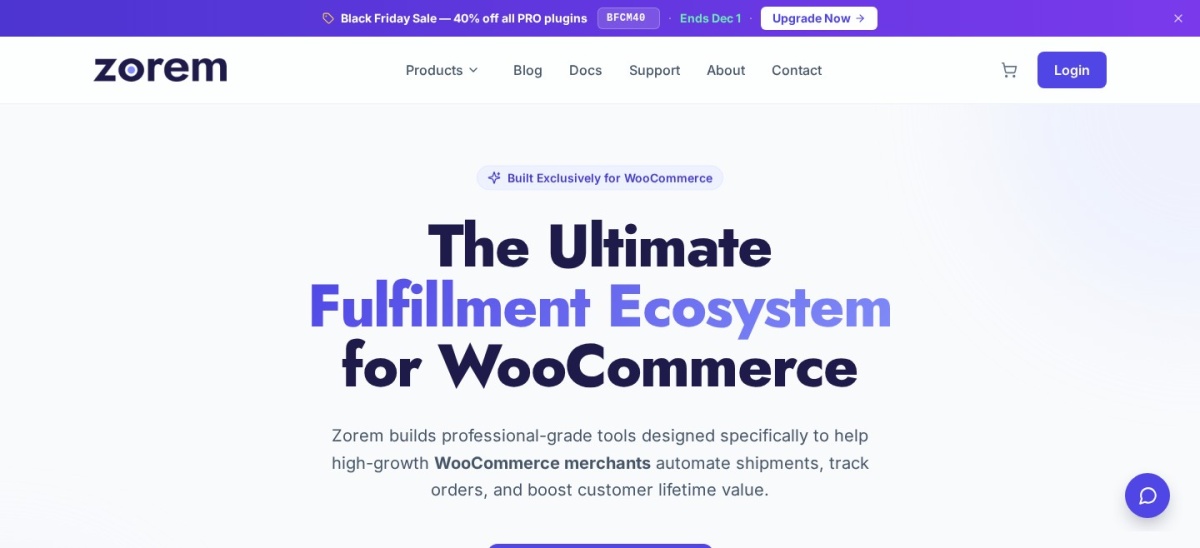
4.5/5on WordPress.org (355 reviews, checked Nov 2026)
Paid from$129/yr
Best free FedEx shipment tracking
Supported carriers1,010+
Free trackingYes
Bulk CSV importIncluded
PRO annual price$129
zorem.com
Advanced Shipment Tracking homepage, captured Nov 2026.
Advanced Shipment Tracking is a WooCommerce fulfillment plugin that adds tracking numbers and shipping information to customer orders. The free version supports FedEx among 1,010+ carriers, includes tracking links in emails and customer accounts, and allows bulk CSV imports. WordPress.org reports 70,000+ active installs and a 4.5/5 rating from 355 reviews.
The trade off is that shipment tracking is not the same as calculating FedEx rates or printing labels. PRO costs $129/year before a temporary 40% promotional discount and adds expanded tracking automation and payment-platform integrations. It suits stores that already purchase FedEx labels elsewhere and need better customer-facing delivery updates.
What we like
Free FedEx tracking links
Supports 1,010+ shipping carriers
Tracking details appear in customer emails
Bulk CSV import and REST API
70K+ active WordPress installations
Watch out for
Does not calculate checkout shipping rates
Does not purchase FedEx labels
Advanced automation requires PRO
PRO adds automated tracking workflows and payment-platform synchronizationVisit zorem.com
07
WooCommerce Shipment Tracking
3.1/5on WooCommerce Marketplace (31 reviews, checked Nov 2026)
Starts at$59/yr
Best official FedEx tracking extension
FedEx trackingSupported
Tracking emailsIncluded
Multiple numbersPer order
Annual license$59
woocommerce.com
WooCommerce Shipment Tracking homepage, captured Nov 2026.
WooCommerce Shipment Tracking is an official marketplace extension for adding shipping carrier details and tracking numbers to customer orders. It supports FedEx and other carriers, automatically generates tracking links and displays them in order emails and customer accounts. The extension has 50,000+ active installs and a 3.1/5 rating from 31 marketplace reviews.
The trade off is that it only manages tracking information, not FedEx shipping rates, label purchases or pickup scheduling. The regular subscription costs $59/year. It suits merchants who buy FedEx labels outside WooCommerce but want an official extension for sharing tracking details with customers.
What we like
Official WooCommerce extension
FedEx tracking links generated automatically
Supports multiple tracking numbers per order
Works with WooCommerce order emails
REST API support for tracking updates
Watch out for
No checkout-rate calculation
No FedEx label purchasing
Annual fee for tracking functionality
Some workflows require manual tracking entry
The paid extension adds carrier tracking links to orders and customer emailsVisit woocommerce.com
FedEx checkout rates and shipping labels are different features
Live checkout rates tell shoppers how much shipping should cost before they place an order. The plugin sends package and destination information to a carrier API and displays the available services.
Shipping labels are generated after an order is placed. A label typically contains the shipping addresses, tracking information and details required to process the package.
Some plugins handle both jobs. PluginHive FedEx combines live rates with label generation, while the official WooCommerce FedEx Shipping Method primarily focuses on rate calculations.
Tracking extensions operate later in the process. Advanced Shipment Tracking and WooCommerce Shipment Tracking help customers follow orders but do not replace a FedEx checkout-rate integration.
What you need before connecting FedEx to WooCommerce
Start by confirming that your FedEx account supports the shipping services you want to offer. Some extensions connect directly through the FedEx API, while others require a shipping platform such as Shippo or ShipStation.
Add accurate product weights and dimensions in WooCommerce. If those details are missing or incorrect, the API may return unsuitable rates or fail to calculate a quote.
Configure shipping origins, service availability and packaging settings. Check how the plugin handles residential deliveries, multiple packages, shipping zones and rate adjustments.
Before accepting live orders, check checkout calculations and label creation with representative products. Confirm that tracking details reach the correct WooCommerce order and customer notification.
How we chose
We compared established WooCommerce shipping products with documented FedEx functionality, including dedicated rate extensions, multi-carrier fulfillment services and shipment tracking tools. The shortlist comes from WordPress.org, the WooCommerce marketplace, official product documentation and published customer reviews.
Prices and ratings were reviewed on 22 Nov 2026 using the available official product and pricing pages. WordPress.org supplied installation counts and ratings for directory plugins; WooCommerce marketplace data supplied figures for its commercial extensions. PluginHive's customer score is identified as vendor-site feedback rather than an independent marketplace rating.
We excluded closed WordPress.org plugins, extensions without recent maintenance and products whose current prices could not be confirmed directly from their vendors. Smaller, lightly reviewed alternatives were also excluded in favor of established integrations. No vendor paid for a place, and we do not claim hands-on testing for this list.
How to choose a WooCommerce FedEx shipping plugin
Decide which parts of your shipping process need automation before comparing FedEx extensions.
**Choose between rates, labels and tracking.** If your main problem is inaccurate checkout charges, prioritize live FedEx rate calculations. If fulfillment takes too long, look for integrated label printing. If customers regularly ask about deliveries, a tracking extension may be enough.
**Check FedEx account and API requirements.** Determine whether the plugin connects directly to FedEx or through another shipping service. Confirm support for the services your account uses and check whether additional platform fees or account permissions are required.
**Compare packaging and automation features.** For varied product sizes, consider box packing and dimensional weight calculations. For frequent shipments, prioritize batch label printing, automatic tracking updates, return labels and pickup scheduling.
**Calculate the full annual shipping software cost.** Include subscription fees, carrier postage, possible platform charges and optional extensions. A free plugin can be economical when its capabilities are sufficient, while a paid integrated solution may reduce administrative work.
FAQ
What is the best WooCommerce FedEx shipping plugin?
PluginHive FedEx is the strongest all-around option in this comparison for stores needing live rates, shipping labels, tracking and pickup scheduling. Its regular single-site price is $99/year. For merchants mainly interested in official FedEx checkout-rate calculations, the WooCommerce FedEx Shipping Method is another established option.
Is there a free FedEx shipping plugin for WooCommerce?
Yes. Shippo Shipping provides a free WooCommerce plugin for multi-carrier shipping rates that can include FedEx. WooCommerce Shipping also offers free software for purchasing supported shipping labels, including FedEx. Carrier postage and applicable service charges remain separate from the plugin price.
Can WooCommerce calculate FedEx shipping rates automatically?
Yes. A compatible FedEx shipping extension can request current carrier quotes based on the customer's destination, package weight and dimensions. The exact available services depend on the configured account and plugin. Accurate product shipping information is essential for meaningful checkout calculations.
Can I print FedEx shipping labels inside WooCommerce?
Yes. Plugins such as PluginHive FedEx and WooCommerce Shipping support FedEx label purchasing or printing from WooCommerce. Other extensions focus on checkout rates and require a separate label workflow. Confirm which FedEx services and label formats the product supports before selecting it.
Do I need a FedEx account to use a WooCommerce shipping plugin?
Plugins connecting directly to FedEx normally require a FedEx account and the necessary API access. Multi-carrier services may provide their own shipping accounts or let you connect an existing carrier account. Requirements differ, so check the plugin's account setup documentation.
What is the difference between FedEx shipping and tracking plugins?
A shipping-rate plugin calculates available delivery services and costs before checkout. A label plugin purchases or generates documents used to ship orders. A tracking plugin attaches carrier tracking information to orders so customers can follow shipments. Some products combine these functions, while others handle only one.
Which FedEx plugin works with multiple shipping carriers?
Shippo Shipping and ShipStation are worth considering when your store uses several carriers. Shippo connects through its shipping API for checkout rates and additional fulfillment features. ShipStation focuses on managing orders, labels and fulfillment across sales channels. Each requires its own platform configuration.
Can I add FedEx tracking numbers to WooCommerce orders?
Yes. Advanced Shipment Tracking and WooCommerce Shipment Tracking both support FedEx tracking information. They display tracking links in customer-facing order details and notifications. Advanced Shipment Tracking includes a free option, while the official WooCommerce Shipment Tracking extension costs $59/year.