Deputy is the best WFM software for most shift-based teams, with its Lite plan starting at $5 per user a month for AI scheduling, time tracking and labor compliance, rated 4.5 out of 5 on G2. Pick Connecteam for deskless teams, or Rippling if you also need HR, payroll and IT in one system.
How we make this list: we compare pricing pages, product documentation and public user reviews, then re-check every price before each update. No product paid for a place. Disclosure.
Deputy is the top pick for shift teams: AI scheduling, time tracking and labor compliance from $5 per user a month.
Connecteam is the best free start for deskless teams, free for up to 10 users with a GPS time clock.
Rippling has the highest G2 rating here at 4.7 out of 5, but time tracking and payroll are paid modules.
Homebase and 7shifts charge per location, so one busy site with many staff costs $30 or $44.99 a month.
When I Work, Sling and Planday all start under $3 per user a month, the cheapest entry points in this list.
What workforce management software should cover
Workforce management software covers the whole shift cycle: building rotas, tracking time, managing leave and keeping labor costs in line. The best tools do all four without forcing managers back to spreadsheets.
Pricing is the first thing to compare, because the models differ. Deputy, When I Work and Rippling charge per user, Homebase and 7shifts charge per location, and Connecteam charges a flat rate per hub for the first 30 users.
A per-location plan is usually cheaper once a site passes about 15 staff, while per-user plans suit small teams. Check what the entry price actually includes: time tracking, payroll and auto-scheduling are often paid extras.
Free plans are real in this category. Connecteam covers up to 10 users, Homebase covers one location with up to 10 staff, 7shifts covers one location with up to 15 staff, and Sling covers up to 30 users.
Deputy is a workforce management platform built for hourly, shift-based teams. It covers drag-and-drop scheduling, an AI auto-scheduler, time clocks, timesheets, leave management and labor compliance, with payroll integrations. The Lite plan starts at $5 per user a month.
The trade off is per-user pricing. A 25-person team pays $125 a month on Lite, and payroll, HR and messaging are paid add-ons. It suits restaurants, retail and healthcare teams that want scheduling and compliance in one place.
What we like
AI auto-scheduler with demand forecasting
Time clock, timesheets and leave in one app
Labor compliance rules built in
Free trial available
Watch out for
No free plan, only a trial
Per-user price grows with headcount
Payroll and HR cost extra
Core adds auto-scheduling and forecasting at $6.50 per user a monthVisit deputy.com
02
Connecteam
4.6/5on G2 (3,505 reviews, checked Nov 2026)
Paid from$29/mo
Best for deskless and field teams
Price modelPer hub, flat to 30 users
Free planYes, up to 10 users
Time clockGPS, Operations Hub
Paid planBasic, $29/mo per hub
connecteam.com
Connecteam homepage, captured Nov 2026.
Connecteam is an all-in-one workforce app for deskless teams, covering scheduling, GPS time tracking, team chat, forms and training in one mobile app. The Small Business plan is free for up to 10 users across all three hubs. The Operations Hub Basic plan costs $29 a month for the first 30 users.
The trade off is hub pricing. Operations, Communications and HR are sold separately, so a team that needs all three pays for each hub. It suits field, cleaning, security and home-service crews that live on their phones.
Rippling is a unified HR, IT and payroll platform with scheduling and time tracking built on one employee record. Core starts at $8 per user a month, and the same record drives onboarding, payroll, benefits and device management. It holds a 4.7 out of 5 rating on G2 from more than 15,000 reviews.
The trade off is modular pricing. Time and attendance, payroll and benefits are separate paid modules on top of the $8 base, so the final bill is higher than the headline price. It suits growing companies that want one system for HR, IT and payroll.
Homebase is an all-in-one app for hourly teams at a single location, covering scheduling, a time clock, team messaging, hiring and an optional payroll add-on. The Basic plan is free for one location and up to 10 employees. Essentials costs $30 a month per location with unlimited employees.
The trade off is per-location pricing. A second site doubles the bill, and payroll adds $49 a month plus $6 per employee paid. It suits cafes, shops and restaurants with one site and a large hourly team.
When I Work is a focused scheduling and time-tracking tool for hourly teams. Essentials costs $2.50 per user a month and includes auto-scheduling, multi-week schedules, shift swaps, team messaging and payroll integrations. It is used by more than 200,000 workplaces.
The trade off is depth. Custom reporting and role permissions need the $5 plan, and there is no free plan, only a 14-day trial. It suits small single-site teams that want simple, low-cost scheduling up fast.
What we like
Lowest per-user price in this list
Auto-scheduling on the entry plan
Simple setup for small teams
Shift swaps and messaging included
Watch out for
No free plan, only a 14-day trial
Custom reports need the $5 plan
Seats bill in bundles of 5 or 10
Pro adds custom reports and role permissions at $5 per user a monthVisit wheniwork.com
06
7shifts
4.5/5on G2 (130 reviews, checked Nov 2026)
Paid from$44.99/mo
Best for restaurants
Price modelPer location
Free planYes, 1 location, 15 staff
Time clockIncluded on Essentials
Paid planEssentials, $44.99/mo/location
7shifts.com
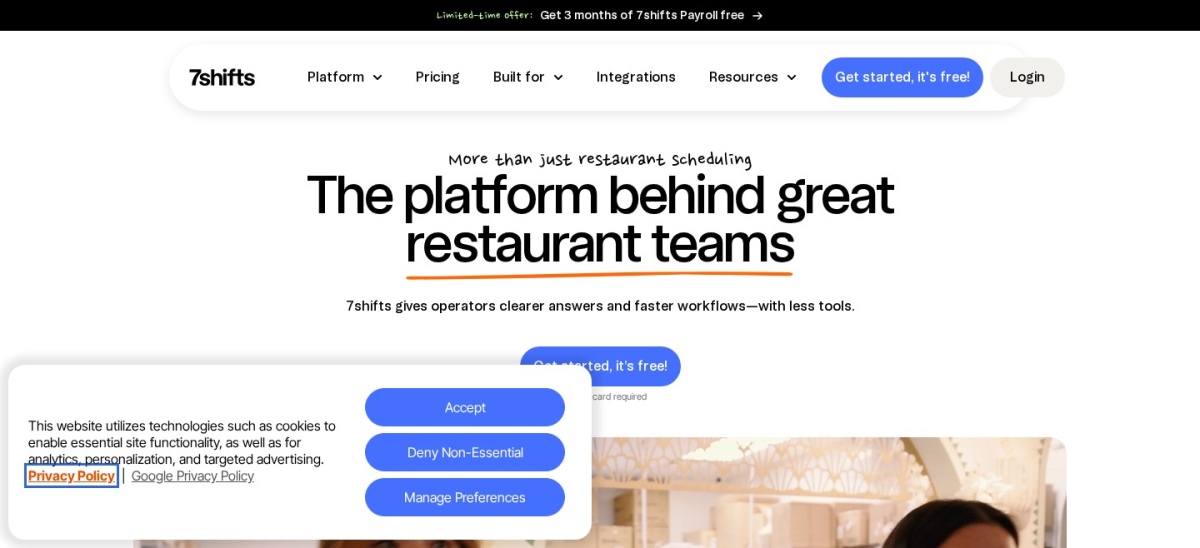
7shifts homepage, captured Nov 2026.
7shifts is a restaurant-only workforce platform covering hiring, scheduling, time clocking, payroll and tip management. The free Comp plan covers one location and up to 15 employees. Essentials costs $44.99 a month per location, or $39.99 billed annually.
The trade off is the restaurant-only focus. Teams outside hospitality get little from its POS and tip tools, and auto-scheduling needs the top Premium plan. It suits restaurants that want hiring, scheduling and tips in one place.
What we like
Built only for restaurants
Free plan for one location, up to 15 staff
Tip management and payroll on higher plans
Strong POS integrations
Watch out for
Auto-scheduling needs the $149.99 Premium plan
Per-location price grows with each site
Little value outside restaurants
Pro adds PTO and labor tools at $89.99 a month per locationVisit 7shifts.com
07
BambooHR
4.4/5on G2 (6,780 reviews, checked Nov 2026)
Starts at$10/mo
Best for HR records beside scheduling
Price modelPer employee
Free planNo, free trial
Time clockPaid add-on
Paid planCore, $10/employee/mo
bamboohr.com
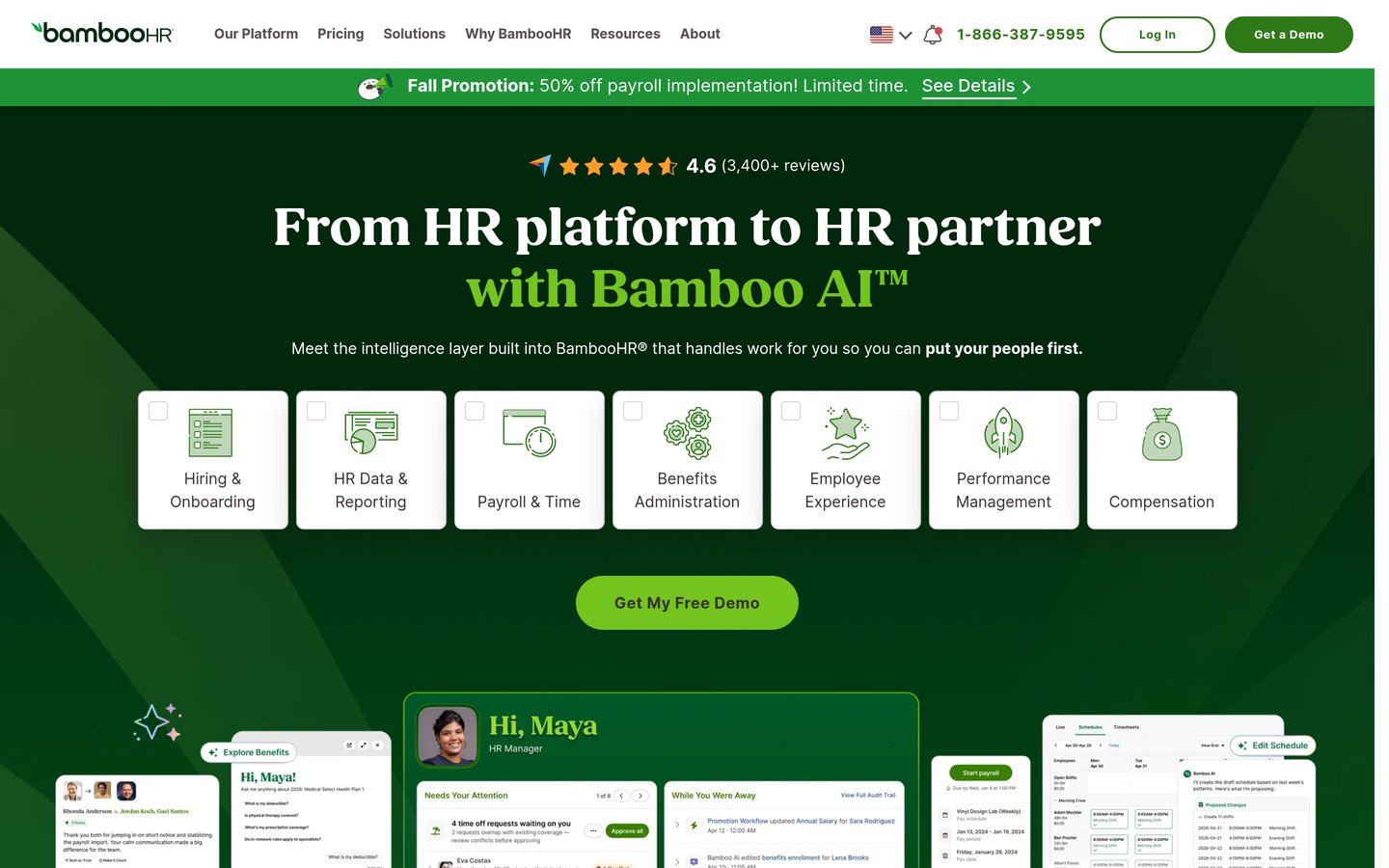
BambooHR homepage, captured Nov 2026.
BambooHR is an HR system for small and mid-size companies, with employee records, onboarding, time off, performance tools and reporting. Core costs $10 per employee a month, with a flat $250 a month for teams of 25 or fewer. Time tracking is a paid add-on.
The trade off is that scheduling is not its strength. It has no rota builder, so shift-based teams still need a scheduling tool beside it. It suits companies that want a clean HR record first and scheduling second.
What we like
Clean, easy-to-use HR interface
Records, onboarding and time off in one place
Published per-employee pricing
4.4 out of 5 on G2 from 6,780 reviews
Watch out for
No shift scheduling or rota builder
Time tracking costs extra
Payroll is a separate add-on
Pro adds performance management at $17 per employee a monthVisit bamboohr.com
08
Sling
4.4/5on G2 (88 reviews, checked Nov 2026)
Paid from$2/mo
Best free plan for larger small teams
Price modelPer user
Free planYes, up to 30 users
Time clockPremium only
Paid planPremium, $2/user/mo
getsling.com
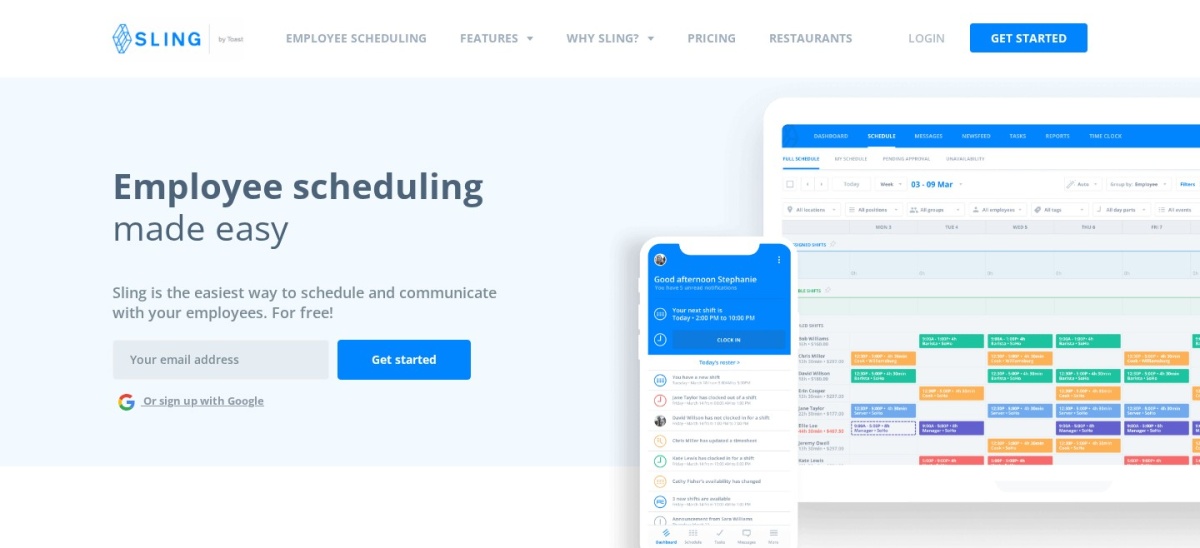
Sling homepage, captured Nov 2026.
Sling, now Sling by Toast, is a scheduling app with shift templates, availability, time-off requests, shift swaps and team messaging. The free plan covers scheduling for up to 30 users with no time limit. Premium costs $2 per user a month, or $1.70 billed annually.
The trade off is no auto-scheduling. Premium adds mobile time tracking and overtime alerts, but managers still build the rota by hand. It suits small hourly teams that want a free rota with swaps for up to 30 people.
What we like
Widest free plan in this list, up to 30 users
Shift swaps and time-off requests free
Simple drag-and-drop rota
Toast POS integration on paid plans
Watch out for
No auto-scheduling on any plan
Time clock needs Premium
Reporting needs the Business plan
Business adds kiosk clock-in and PTO at $4 per user a monthVisit getsling.com
09
Planday
4.5/5on G2 (88 reviews, checked Nov 2026)
Starts at$2.99/mo
Best low-cost all-rounder
Price modelPer user
Free planNo, free trial
Time clockIncluded
Paid planStarter, $2.99/user/mo
planday.com
Planday homepage, captured Nov 2026.
Planday is a workforce platform for shift-based businesses, covering scheduling, time clocking, payroll and HR documents. Starter costs $2.99 per user a month and includes scheduling and team communication. It requires at least 5 users on Starter.
The trade off is its European roots. Its strongest payroll and compliance coverage is outside the US, and auto-scheduling needs the Pro plan. It suits hospitality and retail teams that want scheduling plus payroll in one app.
What we like
Scheduling, time clock and communication in one app
Low $2.99 entry price
Rated 4.5 out of 5 on G2
Payroll and HR documents included
Watch out for
Minimum 5 users on Starter
Auto-scheduling needs the Pro plan
G2 lists prices in pounds, not dollars
Plus adds contracts and leave at $4.49 per user a monthVisit planday.com
Free vs paid: what you give up
Four of the nine tools have a genuine free plan. Sling covers the most people free, up to 30 users, while Connecteam covers up to 10 users across all its hubs.
Free plans cover scheduling and messaging well, but time tracking is often the first paid feature. Sling keeps its time clock on Premium, and BambooHR sells time tracking as an add-on.
Paid plans mostly add automation and control. Deputy adds auto-scheduling on Core, 7shifts adds it only on Premium, and Homebase adds AI scheduling on Plus.
If you run one site, compare the per-location price against the per-user total. A 25-person team costs $62.50 a month on When I Work but $30 a month on Homebase Essentials.
How we chose
We started from the workforce management tools most often shortlisted for hourly teams, then kept nine with published prices and a public G2 rating.
Prices come from each vendor's pricing page and G2 pricing pages, checked on 26 November 2026. Ratings and review counts come from G2 on the same day. Where a vendor shows a sale, the list shows the regular price.
We left out quote-only platforms such as UKG and ADP Workforce Now, and Workforce.com, which publishes no US list price. No vendor paid for a place, and we do not claim to have used these tools ourselves.
How to choose WFM software
Start with how your team works, then match the pricing model to your headcount.
Count heads per site, not just total staff. Per-location tools such as Homebase and 7shifts win once a site passes about 15 people, while per-user tools suit small teams.
List the features you need on day one. Time tracking, payroll and auto-scheduling are often paid extras, so check the entry plan instead of the feature page.
Check who manages user roles. Managers need different permissions from staff, so confirm role controls before you buy. Our guide on adding custom user roles in WordPress shows how role thinking works in practice.
Run the free plan or trial with real rotas. Load one real week of shifts, test clock-ins on staff phones, and check the payroll export before you pay.
FAQ
What is the best WFM software?
Deputy is the best WFM software for most shift-based teams. Its Lite plan starts at $5 per user a month and covers AI scheduling, time tracking, timesheets and labor compliance, and it holds a 4.5 out of 5 rating on G2 from 974 reviews.
What is the cheapest WFM software?
When I Work is the cheapest per-user option here at $2.50 per user a month, followed by Sling Premium at $2 and Planday Starter at $2.99. Sling also has the widest free plan, covering scheduling for up to 30 users at no cost.
Is there free WFM software?
Yes. Connecteam is free for up to 10 users, Homebase is free for one location with up to 10 staff, 7shifts is free for one location with up to 15 staff, and Sling is free for up to 30 users. Free plans cover scheduling, while time tracking is often paid.
What is the difference between WFM software and scheduling software?
Scheduling software builds rotas and handles shift swaps. WFM software adds time tracking, leave, labor cost control and compliance on top, and often connects to HR and payroll. Deputy, Rippling and BambooHR sit on the WFM side, while When I Work and Sling are closer to pure scheduling.
Does WFM software include payroll?
Sometimes. Homebase, 7shifts and Planday offer payroll as an add-on or on higher plans, and Rippling and BambooHR sell payroll as a separate module. Deputy and Connecteam connect to outside payroll tools instead, so check whether payroll is included before you compare prices.
Which WFM software is best for restaurants?
7shifts is the best fit for restaurants because it is built only for them, with hiring, scheduling, time clocking, payroll and tip management in one platform. Its free Comp plan covers one location and up to 15 employees, with paid plans from $44.99 a month per location.
SaaS SEO and WordPress specialist with about 8 years of experience. Rakib compares WordPress plugins, themes, hosting and software using public pricing, documentation and user reviews. See how we rank.