Milestone XProtect is the top VMS choice for CCTV in 2026, trusted across 500,000+ customer sites with open hardware support. Pick Agent DVR if you want a free local option with paid remote access from $7.95/month, or Blue Iris for a one-time Windows license starting at $39.95.
How we make this list: we compare pricing pages, product documentation and public user reviews, then re-check every price before each update. No product paid for a place. Disclosure.
Milestone XProtect scales from small single-site systems to enterprise multi-server deployments and is rated 4.5 out of 5 across 92 G2 reviews.
Blue Iris starts at $39.95 one-time for a single-camera LE license or $99.95 for up to 128 cameras on Windows.
Agent DVR is free for private local use, with paid plans starting at $7.95/month for business use and remote access.
SecuritySpy runs natively on macOS with single-camera pricing listed at $50.99 or £35.90.
Xeoma offers a free edition for basic setups and paid licenses starting around $15 per channel across Windows, Linux, and macOS.
What to check before picking CCTV VMS software
Video management software (VMS) turns raw IP camera streams, ONVIF feeds, or RTSP video into searchable recordings, alerts, and multi-camera views. Most CCTV VMS tools run on your own local servers or PCs, while cloud-managed platforms shift storage and administration to remote infrastructure.
Camera compatibility and licensing math matter more than interface polish once a system grows past a few feeds. Some vendors charge a one-time license per server or camera channel, while others bill recurring monthly or annual fees for remote access, cloud storage, or analytics.
Hardware requirements also shape total cost. High-resolution streams, continuous recording, and local AI object or license-plate detection demand enough CPU, GPU, and disk throughput so recordings do not drop frames during busy hours.
Before buying, check whether you need multi-site management, role-based permissions, or mobile access without port forwarding. A lightweight self-hosted setup can handle a home or small shop, whereas multi-branch operations usually need central administration and support contracts.
Milestone XProtect is an open-platform video management system used across more than 500,000 customer sites worldwide. Published Express+ retail pricing starts with a $19 base license and $75 per camera device license, with optional annual Care Plus maintenance.
The trade off is upfront licensing and server overhead, since Express+ starts at $94 for a single camera before adding storage hardware or optional Care plans. It suits businesses that want broad camera compatibility and room to grow into multi-server tiers.
What we like
Supports over 17,000 devices and 1,000+ third-party integrations.
Perpetual licensing with optional Care Plus update and upgrade credit.
Strong multi-site management and evidence protection on higher tiers.
Rated 4.5 out of 5 across 92 G2 reviews.
Watch out for
Requires Windows server hardware and local storage planning.
Paid licenses are sold through authorized partners rather than direct checkout.
Built-in analytics and cloud features often require add-ons or higher editions.
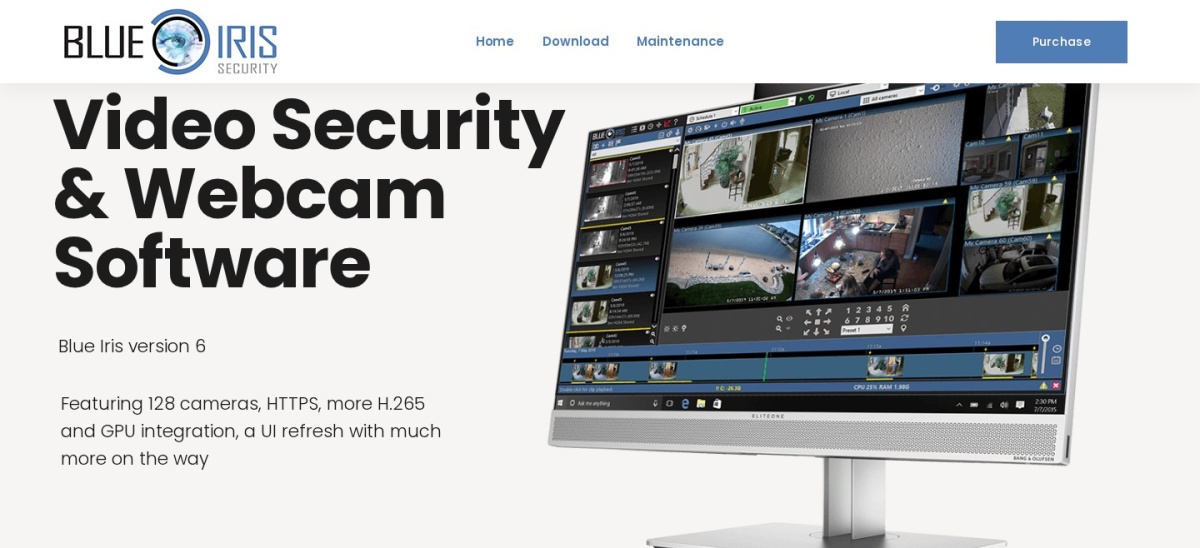
Blue Iris is Windows CCTV surveillance software that records from IP, ONVIF, and RTSP cameras onto your own PC. Its entry LE license costs $39.95 one-time for one camera, while the Full license is $99.95 for up to 128 cameras.
The trade off is Windows-only operation and configuration, starting at $39.95 one-time with optional maintenance plans after the first year. It suits DIYers and small offices running cameras on a dedicated Windows machine.
What we like
Low one-time licensing compared with recurring per-camera subscriptions.
Supports up to 128 cameras on a single PC with the Full license.
Includes motion detection, alerts, and mobile app access.
Watch out for
No native macOS or Linux server version.
Configuration menus take time to tune for large camera counts.
Ongoing support and major updates depend on maintenance renewals.
The Full license expands capacity to 128 cameras and adds broader multi-camera management.Visit blueirissoftware.com
03
Agent DVR
4.3/5on G2 (18 reviews, checked Nov 2026)
Paid from$7.95/mo
Best free local option with cross-platform support
PlatformWindows, Mac, Linux, Docker
Free tierPersonal local use
G2 rating4.3 / 5 (18)
Paid starts at$7.95 / month
ispyconnect.com
Agent DVR homepage, captured Nov 2026.
Agent DVR is browser-based surveillance software from iSpyConnect that runs on Windows, macOS, Linux, and Docker with no camera-count cap. It is free for private local use, while paid plans start at $7.95/month ($95.40/year) for business use and remote access.
The trade off is that commercial licensing, remote mobile/web access, and higher viewing resolutions require a paid subscription at $7.95/month or more. It suits home labs and small shops wanting cross-platform self-hosting.
What we like
Runs across Windows, macOS, Linux, Raspberry Pi, and Docker.
Free for private local recording with unlimited cameras.
Offers browser access, alerts, and AI integrations.
Watch out for
Business use and remote access require a paid plan.
Lower paid tiers cap local viewing resolution such as 1080p on Basic.
Self-hosted setup requires basic network and server upkeep.
Paid plans unlock commercial licensing, remote access without port forwarding, and higher playback resolutions.Visit ispyconnect.com
04
SecuritySpy
3.5/5on App Store (86 reviews, checked Nov 2026)
Starts at$50.99 one-time
Best CCTV software for macOS
PlatformmacOS (Apple Silicon & Intel)
Camera tiers1 to Unlimited cameras
App Store rating3.5 / 5 (86)
Entry price$50.99 (1 camera)
bensoftware.com
SecuritySpy homepage, captured Nov 2026.
SecuritySpy is a Mac-native CCTV video surveillance application from Ben Software that supports IP cameras, motion capture, and remote viewing. Store pricing starts at $50.99 (or £35.90) for a 1-camera license and scales by camera count.
The trade off is that it only runs on macOS and costs $50.99 for a single camera, rising with higher camera tiers. It suits Mac-based homes and small businesses that want native Apple hardware support.
What we like
Built natively for macOS with hardware-accelerated video handling.
Supports per-camera motion zones, masks, and scheduled recording.
Clear camera-count tiers from 1 camera up to unlimited.
Watch out for
Restricted to macOS rather than Windows or Linux.
Camera-tier pricing adds up quickly on larger installations.
Requires a dedicated Mac left running for continuous recording.
Higher camera licenses increase the number of simultaneous IP camera feeds supported on one Mac.Visit bensoftware.com
05
Camlytics
4.2/5on Capterra (31 reviews, checked Nov 2026)
Paid from$12/mo
Best for people and vehicle counting analytics
PlatformWindows
Free tierBasic recording & cameras
Capterra rating4.2 / 5 (31)
Service starts at$12 / month
camlytics.com
Camlytics homepage, captured Nov 2026.
Camlytics combines IP camera and webcam recording with on-premise AI analytics such as people counting, vehicle counting, and occupancy tracking. It offers a free version for basic recording and a Camlytics Service subscription starting at $12/month ($144/year) per channel, plus a $149 one-time Single Premium license.
The trade off is Windows-focused operation and per-channel subscription pricing starting at $12/month for analytics services. It suits retail, parking, and operations teams that want counting metrics alongside camera feeds.
What we like
Processes video locally on-premises while sending lightweight event metadata.
Includes people counting, vehicle classification, and heatmaps.
Rated 4.2 out of 5 across 31 Capterra reviews.
Watch out for
Desktop software centers on Windows environments.
Per-channel recurring fees apply to ongoing analytics service plans.
Some users note calibration effort for accurate counting angles.
Paid service and premium licenses unlock full analytics modules, reporting, and API or webhook integrations.Visit camlytics.com
06
Xeoma
4.1/5on G2 (11 reviews, checked Nov 2026)
Paid from$15/site
Best modular VMS across desktop OSes
PlatformWindows, Linux, macOS
Camera support430+ brands / ONVIF / RTSP
G2 rating4.1 / 5 (11)
Standard licenseFrom $15 / channel
felenasoft.com
Xeoma homepage, captured Nov 2026.
Xeoma is a modular video surveillance platform from Felenasoft that runs on Windows, Linux, macOS, and ARM devices. It offers a free edition for basic use and paid Xeoma Standard licenses starting from $15 per channel.
The trade off is a modular interface that takes time to wire together, with per-channel pricing starting from $15 and extra cost for Pro or AI modules. It suits teams that want flexible OS support and add-on modules.
What we like
Runs across Windows, Linux, macOS, and ARM hardware.
Supports over 430 camera brands plus ONVIF and RTSP streams.
Offers a free starter edition alongside perpetual license options.
Watch out for
Smaller public review footprint than major enterprise VMS platforms.
Chain-based module setup can feel unconventional at first.
Advanced AI and Pro features require higher-tier or add-on licenses.
Xeoma Pro and specialized modules add license plate recognition, face detection, and white-label options.Visit felenasoft.com
07
Genetec Security Center
4.4/5on G2 (30 reviews, checked Nov 2026)
Starts at$149/yr
Best unified enterprise VMS and access control
DeploymentSaaS and on-premise
Unified scopeVideo, access, intrusion
G2 rating4.4 / 5 (30)
SaaS video rateFrom $149 / connection / yr
genetec.com
Genetec Security Center homepage, captured Nov 2026.
Genetec Security Center unifies CCTV video management with access control, intrusion monitoring, and intercoms in one platform. Published Security Center SaaS pricing starts at $149 per video connection per year on Standard.
The trade off is enterprise pricing and partner-led deployment, starting at $149 per video connection per year before storage or appliances. It suits mid-sized and large organizations unifying video and physical access.
What we like
Combines CCTV video with access control and intrusion management.
Available as Security Center SaaS or on-premise deployments.
Rated 4.4 out of 5 across 30 G2 reviews.
Watch out for
Higher cost per camera than small-business or DIY VMS tools.
Storage, retention, and appliances are priced separately.
Overbuilt if you only need simple standalone camera recording.
The Premium SaaS tier raises video connections to $199/year and adds broader integration options.Visit genetec.com
On-premise vs. cloud VMS for CCTV
On-premise CCTV software records video to local servers, PCs, or network storage you control. This keeps high-bandwidth camera streams off your internet connection and avoids recurring cloud video storage bills, though you handle hardware maintenance and backups.
Cloud-managed or hybrid options simplify remote viewing and centralized administration across multiple sites. Check whether ongoing fees scale per camera channel or per site before committing to a long-term contract.
How we chose
We built this shortlist by reviewing active CCTV video management software across vendor documentation, pricing pages, and public user review directories such as G2, Capterra, and the Apple App Store.
All prices, ratings, and review counts were checked on 22 Nov 2026 using standard entry pricing before sales discounts, noting subscription terms or one-time license costs where applicable.
We excluded discontinued products, hardware-locked closed ecosystems that do not function as standalone VMS software, and tools lacking verifiable public pricing or active review data.
No vendor paid for a place, and we do not claim testing for this list.
How to choose CCTV VMS software
Follow four practical steps to match VMS software to your cameras and budget.
List your cameras and stream protocols. Check whether your existing CCTV cameras support ONVIF or RTSP so you do not have to replace working hardware.
Decide where video and processing will live. Pick local Windows, Mac, or Linux recording if you want full control over storage and bandwidth, or cloud-connected tools for multi-site access.
Calculate license costs at your full camera count. Multiply per-camera or per-channel fees by your current and planned cameras, and watch for annual maintenance or renewal charges.
Verify hardware capacity for recording and analytics. Make sure your server or workstation has enough CPU, GPU, and storage I/O for continuous recording and motion or object detection.
FAQ
What is the best VMS software for CCTV?
Milestone XProtect is a leading choice for broad camera support and scalability across small and large sites, with a 4.5 out of 5 rating on G2. If you want a lower-cost single-machine setup, Blue Iris starts at $39.95 one-time and Agent DVR starts free for local personal use.
Is there free VMS software for CCTV cameras?
Yes. Agent DVR is free for private local use, and Xeoma and Camlytics offer free versions for basic camera setups, though commercial use, remote access, or advanced analytics often require paid plans.
Should I buy a one-time VMS license or a subscription?
One-time licenses fit local deployments where you run your own hardware and want predictable upfront costs, such as Blue Iris or SecuritySpy. Subscriptions fit setups that rely on ongoing cloud features, remote relay access, or continuous analytics updates.
Do I need a dedicated PC or server to run CCTV VMS software?
Most self-hosted VMS tools need a computer or server that stays powered on continuously with enough storage for your retention window. Adding motion detection, high-resolution streams, or AI analytics increases CPU and disk requirements.
Can CCTV VMS software work with different camera brands?
Many VMS platforms support multiple camera brands through standard protocols like ONVIF and RTSP, though exact feature support varies by model. Always check compatibility lists for PTZ controls, two-way audio, or built-in camera events.
What is the difference between an NVR and VMS software?
A network video recorder (NVR) is typically a dedicated appliance or recorder box, while VMS software is the management platform that handles recording, live viewing, alerts, and playback on a server or computer. Some VMS platforms also integrate with NVRs and access control systems.
SaaS SEO and WordPress specialist with about 8 years of experience. Rakib compares WordPress plugins, themes, hosting and software using public pricing, documentation and user reviews. See how we rank.