Lessonspace is the best tool for virtual tutoring overall, combining interactive whiteboards and live teaching tools from $9 per month for 10 included hours. Choose LearnCube for free individual virtual lessons or TutorBird for managing student schedules, homework, invoices and tutoring business administration.
How we make this list: we compare pricing pages, product documentation and public user reviews, then re-check every price before each update. No product paid for a place. Disclosure.
Lessonspace Basic costs $9 monthly and includes 10 teaching hours.
LearnCube provides free individual virtual classes and storage for 10 teaching files.
TutorBird includes student management, scheduling and billing for $16.95 monthly.
TutorCruncher starts at $30 monthly and supports automated tutor payroll.
Zoom Workplace Basic supports 100 participants with a 40-minute meeting limit.
Teachworks starts at $16.49 monthly plus $0.35 per student lesson.
What to look for in virtual tutoring tools
Virtual tutoring requires more than video communication. Tutors often need interactive whiteboards, document annotation, screen sharing and subject-specific teaching resources to explain concepts and monitor student understanding.
Choose software that lets students participate directly rather than simply watch presentations. Collaborative drawing, mathematical notation and shared worksheets are particularly useful for individual instruction.
Independent tutors should also consider scheduling, automatic reminders, payment collection and homework distribution. Tutoring agencies may need additional features such as tutor payroll, staff permissions and centralized reporting.
Review student access requirements and privacy controls before selecting a platform. Browser-based classrooms can simplify participation, while controlled meeting access and appropriate recording permissions help protect student information.
Lessonspace is a virtual classroom designed for online tutors, combining video communication, collaborative whiteboards and subject-specific teaching tools. Basic includes 10 monthly hours and unrestricted classroom creation for $9 per month.
The trade off is usage-based spending after the included hours, with Basic charging $1.95 for each additional hour. Tutors with frequent lessons may benefit from larger subscriptions. It suits independent tutors and agencies teaching mathematics, science, languages and coding.
What we like
Interactive whiteboards for collaborative instruction
Mathematics and coding tools
Unlimited collaborative classroom spaces
Supports simultaneous tutoring sessions
Watch out for
Additional charges beyond included hours
No permanent free classroom subscription
Separate business management software may be necessary
Free virtual classesUnlimited individual classes, subject to terms
Free materials library10 files
Cheapest paid planWhiteboard Pro, $9/mo
Paid video classroomVirtual Classroom Pro, from $19/mo
learncube.com
LearnCube homepage, captured Nov 2026.
LearnCube is an education-focused platform offering virtual classrooms, interactive whiteboards and teaching materials. Its free classroom includes individual video lessons and storage for 10 files, while Whiteboard Pro starts at $9 monthly.
The trade off is that Whiteboard Pro excludes live audio and video, while Virtual Classroom Pro starts at $19 monthly and adds group instruction and expanded teaching resources. It suits independent educators who want specialized classroom functionality without a general business meeting application.
What we like
Free individual virtual classroom sessions
Browser-based student participation
Subject-specific mathematics and language tools
Reusable teaching materials library
Watch out for
Cheapest paid whiteboard plan excludes video
Premium language materials cost extra
School administration requires a separate subscription
Whiteboard Pro expands file storage; Virtual Classroom Pro adds group video lessons.Visit learncube.com
03
TutorBird
4.8/5on Capterra (269 reviews, checked Nov 2026)
Starts at$16.95/mo
Best for independent tutoring businesses
Included tutors1
Additional staff$4.95/person/mo
Student portalIncluded
Free trial30 days
tutorbird.com
TutorBird homepage, captured Nov 2026.
TutorBird is tutoring management software that organizes lesson schedules, student information, homework and financial records. Its $16.95 monthly subscription includes the core feature set, automatic invoicing, student portals and attendance tracking.
The trade off is that live classroom delivery depends on external teaching applications, and additional tutors or staff cost $4.95 each monthly. It suits independent educators and small tutoring businesses that need affordable administration alongside their preferred virtual classroom.
What we like
Affordable subscription with core features included
Automatic invoicing and lesson reminders
Student and parent portal
Homework sharing and progress tracking
Watch out for
Requires separate virtual classroom software
Additional staff increase subscription costs
No permanent free subscription
The paid subscription includes scheduling, billing, student portals and business reports.Visit tutorbird.com
04
TutorCruncher
4.6/5on Capterra (246 reviews, checked Nov 2026)
Starts at$30/mo
Best for virtual tutoring agencies
Entry subscriptionPay as you go, from $30/mo
Standard card fee3.85%
Tutor payrollAutomatic processing
Classroom integrationLessonspace
tutorcruncher.com
TutorCruncher homepage, captured Nov 2026.
TutorCruncher is a tutoring business management platform combining client records, lesson scheduling, invoicing and tutor payroll. Pay as you go starts at $30 monthly and includes automated payments, lesson reports and appointment reminders.
The trade off is additional transaction-related expenses, including a standard card fee of 3.85% on the starting subscription. Live classroom functionality also relies on integrations. It suits tutoring agencies coordinating multiple educators, recurring lessons and client payments.
What we like
Built for multi-tutor business operations
Automated payroll and client billing
Lesson reporting and scheduling
Integrates with specialist virtual classroom software
Zoom Workplace is a video collaboration platform supporting live lessons, screen sharing, recording and interactive whiteboards. Its free Basic subscription accommodates 100 participants with a meeting duration limit of 40 minutes.
The trade off is the free meeting limit and limited tutoring-specific business features. Pro costs $14.16 per user monthly with annual billing or $16.99 with monthly billing. It suits educators who prioritize familiar video communication and flexible lesson delivery.
Pro extends meetings to 30 hours and adds cloud recording storage.Visit zoom.com
06
Teachworks
4.6/5on Capterra (67 reviews, checked Nov 2026)
Starts at$16.49/mo
Best for tutoring centers with flexible lesson volumes
Students and teachersUnlimited
Starter lesson fee$0.35/student lesson
Free trial21 days
Entry planStarter, $16.49/mo plus usage
teachworks.com
Teachworks homepage, captured Nov 2026.
Teachworks is education business management software for scheduling lessons, managing students and coordinating tutor payments. Starter supports unlimited teachers, students and user accounts for a $16.49 monthly base subscription plus lesson charges.
The trade off is the additional $0.35 per student lesson, which increases costs for busy tutoring centers and group instruction. API access also requires Growth or higher. It suits tutoring businesses that need flexible administration and can forecast lesson-based subscription expenses.
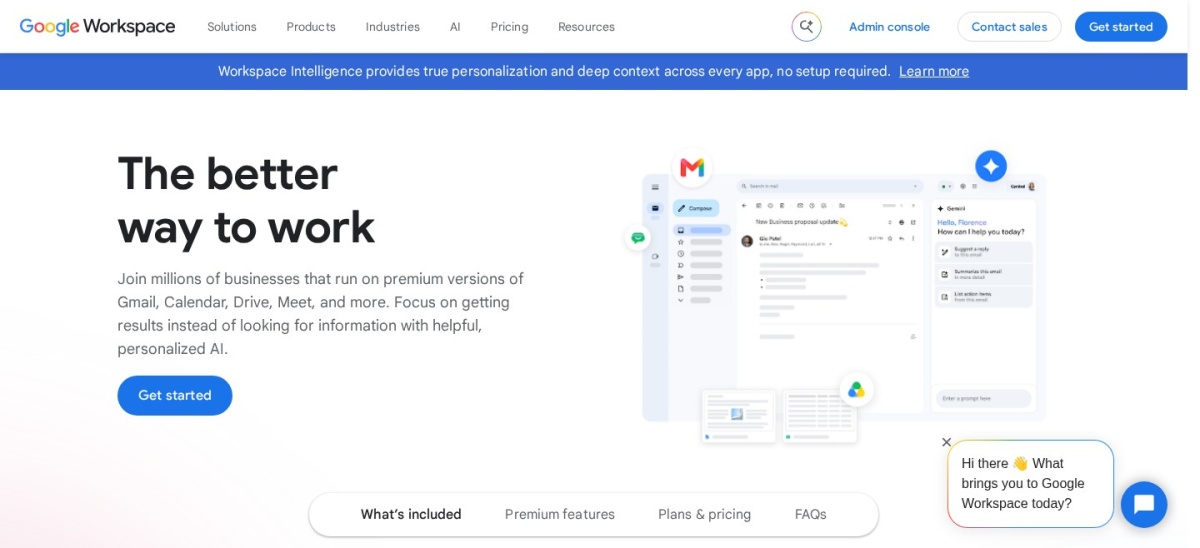
Google Workspace is a productivity suite combining Google Meet, Docs, Drive and Calendar for online communication and collaboration. Business Starter includes video meetings for 100 participants and 30 GB of pooled storage per user.
The trade off is limited specialist tutoring functionality despite the affordable regular price of $7 per user monthly with annual billing. A temporary introductory discount is advertised. It suits educators who teach through shared documents, presentations and collaborative worksheets.
What we like
Real-time document collaboration
Integrated video meetings and scheduling
Centralized teaching material storage
Individual Google applications offer free access
Watch out for
No dedicated tutoring payroll or invoicing
Advanced meeting features require higher subscriptions
Specialized interactive teaching tools may require integrations
Business Starter adds managed business accounts, pooled storage and administrative controls.Visit workspace.google.com
How to build a complete virtual tutoring toolkit
A virtual classroom and tutoring management platform serve different purposes. Lessonspace and LearnCube help deliver interactive instruction, while TutorBird and TutorCruncher organize appointments, payments and student records.
Independent educators can start with a classroom application and add dedicated management software as their student base grows. Agencies should prioritize integrations that reduce duplicate administrative work.
The price ladder compares regular base subscription costs. Lessonspace, Teachworks and TutorCruncher have additional usage or transaction charges, so actual annual spending depends on teaching activity and payment volume.
How we chose
We selected established virtual classroom, video collaboration and tutoring management platforms with public subscription prices and verified user review histories. Each product addresses an important part of delivering or managing remote tutoring.
Official pricing pages and G2 or Capterra ratings were checked on 27 Nov 2026. Annualized costs exclude temporary discounts and variable usage charges. Review counts reflect the figures displayed on the selected rating pages.
We excluded tutor marketplaces, discontinued applications and products without clear public pricing or sufficient reviews. Rankings prioritize interactive instruction, administrative functionality and affordability. No vendor paid for a place, and we do not claim testing for this list.
How to choose the best tools for virtual tutoring
Identify your teaching requirements, student needs and administrative responsibilities before selecting virtual tutoring software.
Identify essential classroom features. Determine whether your lessons require interactive whiteboards, mathematical notation, document annotation, screen sharing or collaborative writing.
Compare student access requirements. Choose applications that work across your students' devices and provide appropriate classroom access, participation controls and privacy settings.
Calculate costs using expected lesson volumes. Account for subscription fees, additional teaching hours, per-student lesson charges, tutor accounts and payment processing expenses.
Evaluate tutoring administration needs. Consider dedicated scheduling, automated reminders, invoicing, student portals and payroll when managing recurring lessons or multiple tutors.
FAQ
What is the best tool for virtual tutoring?
Lessonspace is the best overall choice for interactive online tutoring because it combines collaborative whiteboards, video communication and subject-specific teaching tools. Its Basic subscription costs $9 monthly and includes 10 hours, making it accessible to part-time tutors.
What is the best free virtual tutoring software?
LearnCube offers a free virtual classroom for individual tutoring, including video communication and a library supporting 10 teaching files. Zoom also provides free video meetings, although its 40-minute meeting limit can interrupt longer tutoring sessions.
Which virtual tutoring tool is best for teaching mathematics?
Lessonspace and LearnCube are suitable for mathematics tutoring because they provide interactive whiteboards and specialized mathematical tools. These features allow students and tutors to work through equations, diagrams and calculations together rather than relying entirely on screen sharing.
Do online tutors need tutoring management software?
Tutoring management software becomes useful when scheduling, invoicing and student communication consume significant administrative time. TutorBird suits independent tutors and small teams, while TutorCruncher and Teachworks provide additional options for organizations managing multiple educators and recurring lessons.
How much does virtual tutoring software cost?
Dedicated virtual classroom subscriptions start at $9 monthly with Lessonspace, while TutorBird costs $16.95 monthly for tutoring administration. Total expenses depend on teaching hours, additional staff accounts, payment processing fees and whether separate classroom and management applications are necessary.
Can I use Zoom for virtual tutoring?
Yes. Zoom supports individual and group video lessons, screen sharing, whiteboards and recording. However, tutors teaching specialized subjects may prefer a dedicated virtual classroom, while those running a tutoring business may need separate scheduling and billing software.
SaaS SEO and WordPress specialist with about 8 years of experience. Rakib compares WordPress plugins, themes, hosting and software using public pricing, documentation and user reviews. See how we rank.