Harvest is the best time tracking software for consultants, because tracked hours turn into invoices with Stripe or PayPal payment built in, and it is rated 4.3 out of 5 on G2. Pick Toggl Track for the simplest timer, or Everhour if your team already works in Asana, Trello or Jira.
How we make this list: we compare pricing pages, product documentation and public user reviews, then re-check every price before each update. No product paid for a place. Disclosure.
Harvest is the best pick for consultants who bill by the hour: time flows straight into invoices at $9 per user per month on annual billing.
Toggl Track is the simplest timer here, rated 4.6 out of 5 from 1,589 G2 reviews, with a free plan for up to 5 users.
Everhour has the highest rating in the top 3 at 4.7 out of 5, and its Team plan costs $8.50 per user per month on annual billing.
Clockify and TimeCamp are the cheapest paid options at $3.99 per user per month on annual billing, and both have a free plan.
Timely is the highest rated tool in this list at 4.8 out of 5, but it has no free plan and starts at $9 per user per month.
What consultants need from a time tracker
Consultants sell hours, so the tracker has to do more than count them. It must tie each hour to a client and a project, apply the right billable rate, and turn the total into an invoice without retyping.
The tools in this list all track time against clients and projects. They differ on what happens next: some stop at reports, while others add invoicing, budgets, expenses and approvals.
Billable rates are the first feature to check. A tool that only records hours leaves the money maths to a spreadsheet, which is where unbilled work hides.
A free plan is useful for a solo consultant, but most free plans cap users or projects. Our guide on creating an invoice in WooCommerce shows the other half of the job: getting paid once the hours are logged.
Prices below are the regular per-user monthly rates on annual billing, in USD. Monthly billing costs more: Harvest is $11, Toggl Track is $12 and Timely is $11 per user per month when paid monthly.
Best time tracker for consultants who bill clients
TimerYes, one-click
InvoicingYes, Stripe and PayPal
Expense trackingYes, basic
Paid planTeams, $9/user/mo
getharvest.com
Harvest homepage, captured Nov 2026.
Harvest is the time tracker built for billable work. Start the timer, log hours against clients and projects, then turn those hours into invoices and collect payment through Stripe or PayPal without leaving the app. The free plan covers 1 seat and 2 projects.
The trade off is scope. Harvest tracks time and expenses at a basic level, but it is not a full project management tool, and reporting is simpler than in Everhour or Timely. It suits solo consultants and small firms that bill clients by the hour.
What we like
Time flows directly into invoices
Simple interface teams adopt fast
Expenses and estimates in the same app
Watch out for
Free plan covers only 1 seat and 2 projects
Reporting is basic next to rivals
Price rose in 2026, per G2 reviewers
Teams adds unlimited seats; Enterprise adds approvals and profitability reportsVisit getharvest.com
02
Toggl Track
4.6/5on G2 (1,589 reviews, checked Nov 2026)
Paid from$9/mo
Best simple time tracker teams adopt
One-click timerYes
Free planYes, up to 5 users
Billable ratesStarter
Paid planStarter, $9/user/mo
toggl.com
Toggl Track homepage, captured Nov 2026.
Toggl Track is a time tracker that wins on the point that matters most: people actually use it. The one-click timer lives in the menu bar, browser extension and phone, and it embeds inside tools like Asana, Jira and GitHub. The free plan covers up to 5 users.
The trade off is deliberate simplicity. There is no employee monitoring, no screenshots and no GPS, and invoicing is basic compared with Harvest. It suits consultants who want hours logged accurately without a heavy setup.
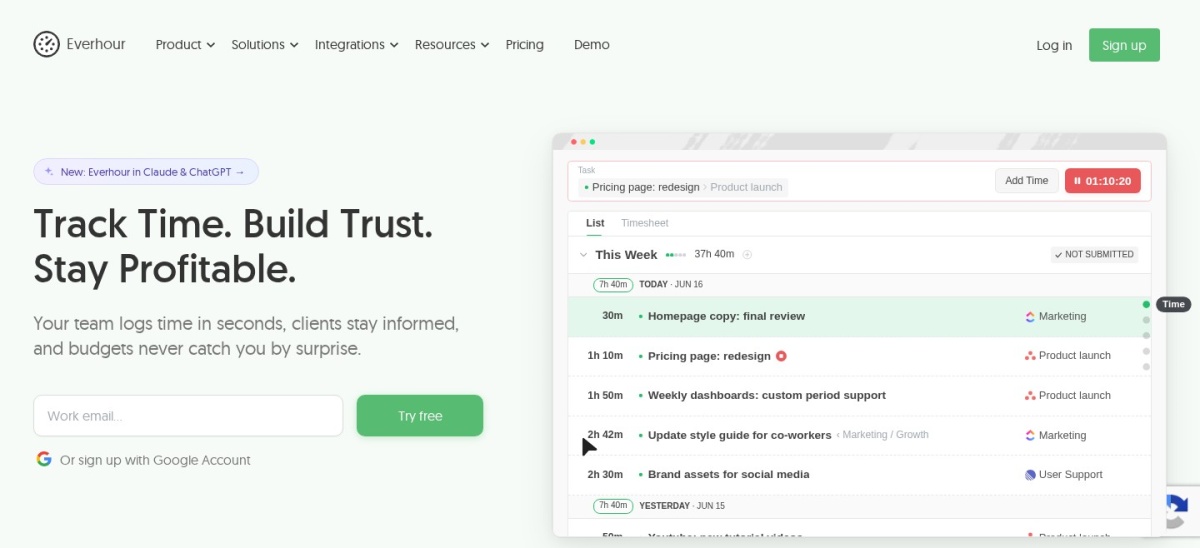
Everhour is a time tracker that lives inside the project tool a consultant already uses. Timers sit in Asana, Trello, Jira, ClickUp and Basecamp, so hours attach to tasks without switching apps. The free plan covers up to 5 seats with basic tracking and reports.
The trade off is the paid minimum. The Team plan costs $8.50 per user per month on annual billing and needs at least 5 seats, so a solo consultant pays for seats they do not use. It suits small consulting teams already running their work in a project tool.
What we like
Best project-tool integrations in this list
Budgets with alerts stop scope creep
Invoicing and expenses on the Team plan
Watch out for
Paid plan needs a 5-seat minimum
Free plan has no integrations
Reporting is thinner than Timely
Team unlocks all integrations, billing, budgets and invoicingVisit everhour.com
04
Timely
4.8/5on G2 (493 reviews, checked Nov 2026)
Starts at$9/mo
Best for consultants who hate timesheets
Automatic trackingYes, AI timesheets
Free planNo, trial only
Billable ratesYes
Paid planStarter, $9/user/mo
timely.com
Timely homepage, captured Nov 2026.
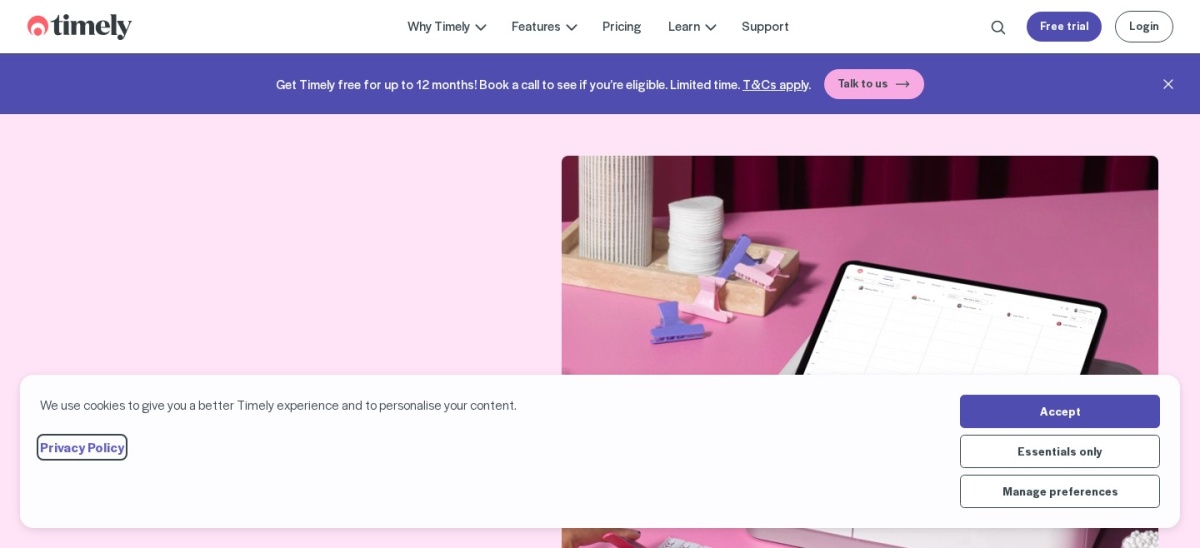
Timely is an automatic time tracker that records work in the background and drafts timesheets with AI, so consultants fill in far fewer entries by hand. The Starter plan costs $9 per user per month on annual billing and covers up to 5 users and 20 projects.
The trade off is price and the lack of a free plan. Starter is $11 per user per month on monthly billing, and Premium rises to $16 on annual billing for unlimited projects and budgets. It suits consultants who lose billable hours to forgotten timesheets.
What we like
Highest G2 rating in this list at 4.8 out of 5
Automatic capture catches unbilled work
Budget milestones on Premium
Watch out for
No free plan, only a trial
Starter caps at 5 users and 20 projects
Pricier than Toggl Track or Clockify
Premium adds unlimited projects, budgets and API accessVisit timely.com
05
Clockify
4.5/5on G2 (205 reviews, checked Nov 2026)
Paid from$3.99/mo
Best budget time tracking for consultants
Free planYes, unlimited tracking
InvoicingYes, Standard plan
GPS trackingYes, paid
Paid planBasic, $3.99/user/mo
clockify.me
Clockify homepage, captured Nov 2026.
Clockify is the price disruptor in this list. Paid plans undercut Toggl Track at every tier, starting at $3.99 per user per month on annual billing for Basic, while the free plan covers unlimited time tracking, timesheets and reports.
The trade off is polish. The interface works but feels utilitarian next to Toggl Track, and invoicing needs the Standard plan at $5.49 per user per month on annual billing. It suits budget-conscious consultants who want one tool for time, invoicing and light monitoring.
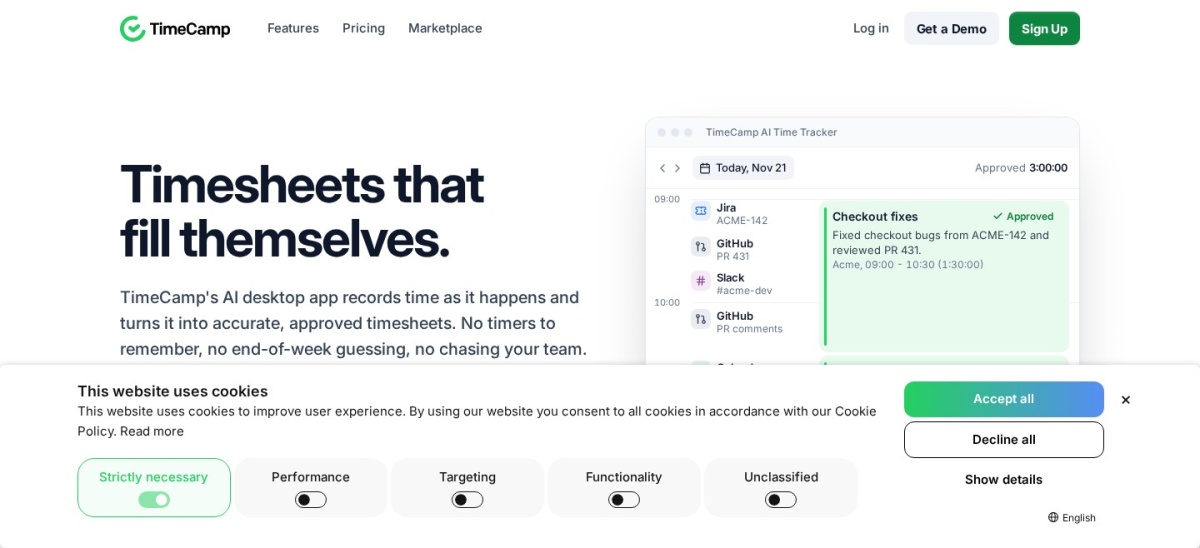
TimeCamp is a time tracker with the most generous free plan in this list: unlimited users and unlimited projects, with timers, timesheets and automatic tracking. The Starter plan costs $3.99 per user per month on annual billing and adds invoicing, attendance and time off.
The trade off is tiering. Billable time needs Premium at $6.99 per user per month on annual billing, and billable rates, expenses and approvals need Ultimate at $9.99. It suits small consulting teams that want to start free and pay only for billing features.
What we like
Free plan covers unlimited users and projects
Lowest paid starting price, tied with Clockify
Invoicing from the cheapest paid plan
Watch out for
Billable rates need the $9.99 Ultimate plan
Reporting is thinner than Everhour
Automatic tracking needs setup per project
Premium adds billable time and budgets; Ultimate adds approvals and expensesVisit timecamp.com
07
Hubstaff
4.4/5on G2 (2,346 reviews, checked Nov 2026)
Starts at$4.99/mo
Best for consultants managing remote teams
ScreenshotsYes, Starter
Activity levelsYes
GPS trackingYes
Paid planStarter, $4.99/seat/mo
hubstaff.com
Hubstaff homepage, captured Nov 2026.
Hubstaff is the monitoring-first time tracker. Beyond the timer, it captures screenshots, measures keyboard and mouse activity, and tracks GPS locations, with payroll integrations that turn tracked hours into payments. Starter costs $4.99 per seat per month on annual billing.
The trade off is trust. Monitoring can damage client and team relationships, and there is no free plan, only a 14-day trial. It suits consulting firms where proof of work is the actual requirement, not solo consultants billing on trust.
What we like
Screenshots, activity levels and GPS
Solid payroll integrations
Most G2 reviews in this list at 2,346
Watch out for
No free plan, only a trial
Monitoring features can damage trust
Starter needs a 2-seat minimum
Grow adds unlimited screenshots; Team adds payroll and unlimited integrationsVisit hubstaff.com
08
My Hours
4.6/5on G2 (267 reviews, checked Nov 2026)
Paid from$4/mo
Best simple billable-hours tracker
Free planYes, up to 5 users
Billable rateYes, Basic plan
Detailed reportsYes
Paid planBasic, $4/user/mo
myhours.com
My Hours homepage, captured Nov 2026.
My Hours is a simple time tracker built around billable hours. Consultants start a timer, tag it to a client and project, set a billable rate, and pull detailed reports for invoicing. The free plan covers up to 5 active users, and Basic costs $4 per user per month on annual billing.
The trade off is depth. There is no automatic capture like Timely, no screenshots like Hubstaff, and no built-in invoicing as complete as Harvest. It suits solo consultants and tiny teams who want a plain billable-hours log at a low price.
What we like
Very simple to learn and use
Billable rate on the cheapest paid plan
Low $4 entry price on annual billing
Watch out for
No automatic time capture
No built-in invoicing as full as Harvest
Fewer integrations than Toggl Track
Pro adds approvals, expenses and more integrations at $8 per user per monthVisit myhours.com
09
Time Doctor
4.4/5on G2 (493 reviews, checked Nov 2026)
Starts at$6.70/mo
Best for remote consultant teams needing proof of work
ScreenshotsYes
Activity trackingYes
Payroll reportsYes
Paid planBasic, $6.70/user/mo
timedoctor.com
Time Doctor homepage, captured Nov 2026.
Time Doctor is a time tracker with employee monitoring for remote teams. It records time, screenshots and app use, then turns the data into payroll-ready reports. The Basic plan costs $6.70 per user per month on annual billing.
The trade off is fit for consultants. Monitoring suits firms billing clients for remote staff hours, but solo consultants gain little from screenshots and may put clients off. It suits consulting firms with remote teams rather than independent consultants.
What we like
Detailed monitoring and activity reports
Payroll integrations for remote teams
Offline tracking when internet drops
Watch out for
No free plan, only a trial
Monitoring can damage client trust
Overkill for a solo consultant
Standard adds more integrations at $11.70; Premium adds client logins at $16.70Visit timedoctor.com
Free vs paid: what you give up
Free plans cover the basics well. Most include timers, client and project tracking, and basic reports, and TimeCamp even covers unlimited users for free.
Paid plans mostly add billing and control. Billable rates, invoicing, budgets, approvals and expenses usually sit behind the first paid tier.
If you bill by the hour, the first paid tier often pays for itself with one recovered hour a month. A $4 to $9 plan is cheap against a single unbilled hour at consulting rates.
Monitoring is the exception. Screenshots and activity tracking are not a free-plan feature anywhere here, and they are worth skipping unless a client asks for proof of work.
How we chose
We started from the time trackers consultants and small professional-services teams shortlist most, then kept the nine with a published price, a free plan or trial, and a public G2 rating.
Prices come from each vendor's pricing page, checked on 26 November 2026, and are the regular per-user monthly rates on annual billing. Ratings and review counts come from G2 on the same day. Where a vendor shows a sale, the list shows the regular price.
We left out tools with no published price and tools built only for employee monitoring of large teams. No vendor paid for a place, and we do not claim to have used these tools ourselves.
How to choose time tracking software for consultants
Start with how you bill, then check the price for your team size.
Decide how you bill clients. Hourly billing needs billable rates and invoicing, so shortlist Harvest, Everhour or TimeCamp. Fixed-fee work needs budgets, so look at Everhour or Timely Premium.
Count your real seats. Everhour needs 5 paid seats and Hubstaff needs 2, so a solo consultant pays more than the headline rate. Toggl Track, Clockify and My Hours start cheaper for one person.
Check the free plan limits before you commit. Harvest covers 1 seat, Toggl Track and My Hours cover up to 5 users, and TimeCamp covers unlimited users. Pick the free plan that fits your team today.
Test the timer for a week. A tracker only works if hours get logged. Use the trial to check the timer, the mobile app and the report you would send a client.
FAQ
What is the best time tracking software for consultants?
Harvest is the best pick for most consultants. Tracked hours turn into invoices with Stripe or PayPal payment built in, it is rated 4.3 out of 5 on G2, and the Teams plan costs $9 per user per month on annual billing.
What is the cheapest time tracking software for consultants?
Clockify and TimeCamp are the cheapest paid options at $3.99 per user per month on annual billing. Both have a free plan, and TimeCamp's free plan covers unlimited users and projects.
Do consultants need invoicing in a time tracker?
Not always, but it saves retyping. Harvest, Everhour, TimeCamp and Clockify all turn tracked hours into invoices, which cuts the gap between finishing work and getting paid.
Is Toggl Track good for consultants?
Yes, for simple tracking. It is rated 4.6 out of 5 from 1,589 G2 reviews, the timer is fast, and the free plan covers up to 5 users. Billable rates need the $9 Starter plan, and invoicing is basic.
Should consultants use time tracking with screenshots?
Only when a client asks for proof of work. Hubstaff and Time Doctor add screenshots and activity tracking, but monitoring can damage trust, and most consultants bill fine on logged hours alone.
Can I track time for free as a consultant?
Yes. TimeCamp is free for unlimited users and projects, Toggl Track and My Hours are free for up to 5 users, and Harvest is free for 1 seat and 2 projects. Paid plans add billable rates, invoicing and approvals.
SaaS SEO and WordPress specialist with about 8 years of experience. Rakib compares WordPress plugins, themes, hosting and software using public pricing, documentation and user reviews. See how we rank.