Clockify is the best time tracking app for most contractors, pairing a 4.8 Capterra rating across 9,276 reviews with paid plans from $3.99 per seat a month. Pick busybusy for free unlimited construction field tracking with GPS, or Toggl Track when solo freelancers want fast one-click timers and clean client billing reports.
How we make this list: we compare pricing pages, product documentation and public user reviews, then re-check every price before each update. No product paid for a place. Disclosure.
Clockify starts at $3.99/seat/mo billed annually ($47.88/yr) and includes a free tier for up to 5 users.
busybusy gives construction crews unlimited free seats with GPS time cards, while Pro runs $9.99/user/mo plus a $40/mo admin license.
Connecteam covers up to 10 workers free forever, and its Operations Basic hub costs $29/mo billed annually ($348/yr) for up to 30 users.
Base fees add up fast on field tools: ClockShark starts at $42/mo plus $9.50/user/mo, and QuickBooks Time starts at $20/mo plus $10/user/mo.
What contractors should look for in a time tracking app
Independent contractors and trade crews lose billable revenue whenever hours stay on paper timesheets or scattered text messages. The right tracker turns daily work into clean client invoices or payroll-ready exports without slowing down a job site or desk workflow.
Contractors generally fall into two camps. Solo consultants, designers, and remote specialists need lightweight web and desktop timers, billable hourly rates, and client-ready PDF or CSV reports. Field and construction contractors need mobile GPS clock-ins, geofencing, job costing by task or cost code, and offline capture when cell service drops.
Watch how each vendor prices growth. Per-seat apps like Clockify, TimeCamp, and Toggl Track scale predictably for solo operators and small agencies, whereas field-focused platforms like ClockShark, busybusy, and QuickBooks Time add a monthly base or admin license on top of per-worker rates.
4.8/5on Capterra (9,276 reviews, checked Nov 2026)
Paid from$3.99/mo
Best overall time tracker for contractors
Free tierUp to 5 users, unlimited projects
Cheapest paidBasic at $3.99/seat/mo (annual)
GPS & kioskKiosk on Basic; GPS on Pro ($7.99)
PlatformsWeb, iOS, Android, Windows, Mac, Linux
clockify.me
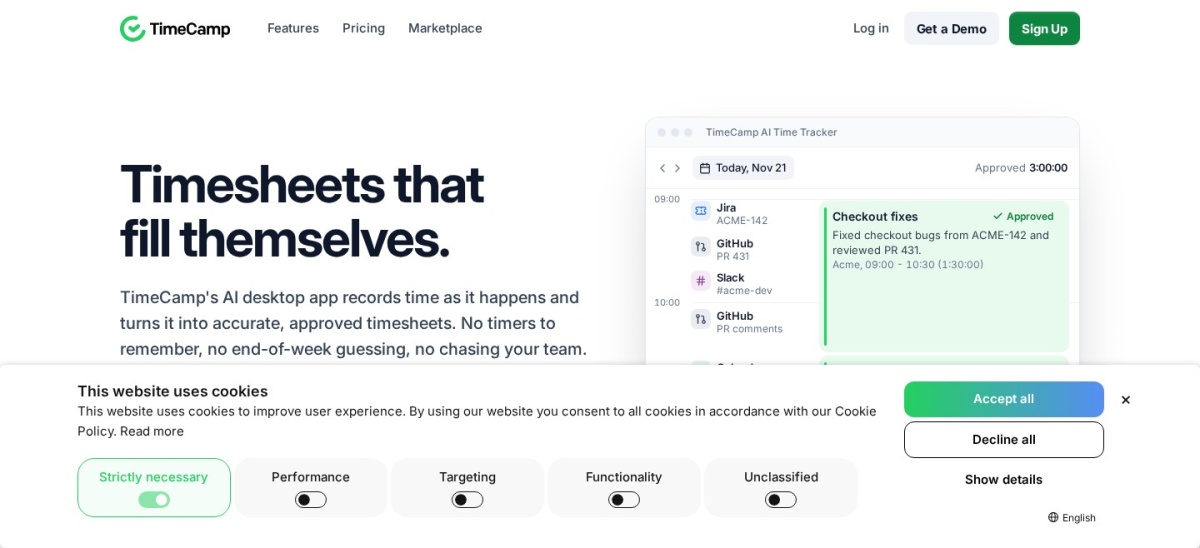
Clockify homepage, captured Nov 2026.
Clockify is a cross-platform time tracker and timesheet app built for contractors, agencies, and field crews. Its free plan covers up to 5 users with unlimited projects, live timers, weekly timesheets, idle detection, and basic reports across web, desktop, and mobile apps.
The trade off is that invoicing, timesheet approvals, and QuickBooks sync require the Standard plan at $5.49 per seat a month billed annually, while GPS tracking sits on Pro at $7.99. Entry paid pricing starts at $3.99 per seat a month billed annually ($4.99 monthly). It suits contractors who want low per-seat pricing with room to add field features later.
What we like
Generous free tier supports up to 5 users with unlimited tracking and projects
Lowest regular paid entry rate among full-featured trackers at $3.99/seat/mo annual
Native apps for Windows, macOS, Linux, iOS, Android, and browser extensions
Scales from simple freelance timers to shared kiosks and GPS tracking
Watch out for
Client invoicing and QuickBooks integration are locked behind the $5.49 Standard tier
GPS location tracking requires upgrading to Pro at $7.99/seat/mo
Free plan restricts report history to a 1-month date range
Basic ($3.99/seat/mo annual) adds billable rates, time audits, bulk edits, and shared kiosk mode.Visit clockify.me
02
busybusy
4.5/5on Capterra (442 reviews, checked Nov 2026)
Paid from$9.99/mo
Best for construction & trade crews
Free tierUnlimited users, GPS clock-in
Cheapest paidPro $9.99/user/mo + $40/mo admin
Field toolsGeofencing, equipment & cost codes
PlatformsWeb, iOS, Android (offline mode)
busybusy.com
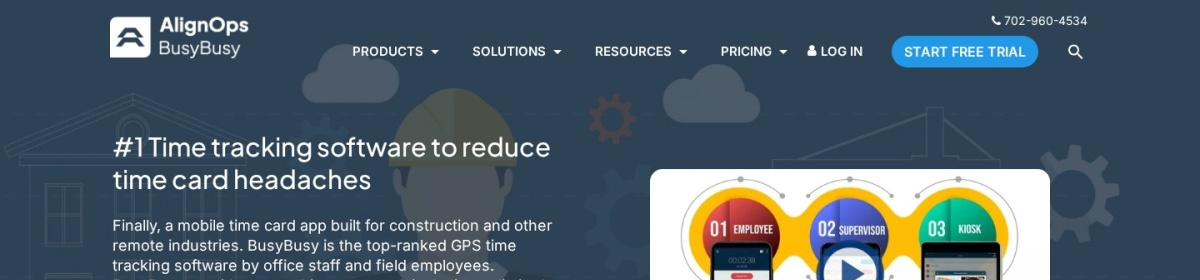
busybusy homepage, captured Nov 2026.
busybusy is a mobile-first construction time tracking app designed for subcontractors and trade crews working across active job sites. Its free forever plan supports unlimited users with GPS-stamped clock-ins, job and cost-code tracking, equipment tracking, and offline mobile punch support.
The trade off is a steep jump once you need supervisor tools, scheduling, or GPS breadcrumb trails, because Pro costs $9.99 per user a month billed annually ($11.99 monthly) plus a $40 monthly admin license that covers the first user. It suits construction contractors who want free unlimited field timecards or combined labor and equipment costing.
What we like
Free forever plan includes unlimited users and GPS-verified clock-ins
Tracks heavy equipment hours and locations alongside crew labor
Offline mobile app captures punches when job sites lack cell reception
90-day money-back guarantee with no long-term lock-in contracts
Watch out for
Paid plans add a $40/mo admin license on top of per-user pricing
Daily project reports and document storage require Premium at $14.99/user/mo
Worker invitation links expire after 24 hours if not accepted right away
Pro ($9.99/user/mo annual + $40/mo admin license) adds GPS breadcrumbs, scheduling, and supervisor tools.Visit busybusy.com
03
Toggl Track
4.7/5on Capterra (2,590 reviews, checked Nov 2026)
Paid from$9/mo
Best for solo freelance contractors
Free tierUp to 3 users, unlimited projects
Cheapest paidStarter at $9/user/mo (annual)
Integrations100+ tools, Google & Outlook calendars
PlatformsWeb, Windows, macOS, iOS, Android
toggl.com
Toggl Track homepage, captured Nov 2026.
Toggl Track is a lightweight timer and reporting app built for independent consultants, designers, and developers billing multiple clients. Its free plan covers up to 3 users with unlimited projects and clients, Pomodoro focus timers, idle detection, calendar integrations, and exportable client summary reports.
The trade off is price and feature gating: Starter costs $9 per user a month billed annually ($12 monthly) just to unlock billable hourly rates, time rounding, and project estimates, while timesheet approvals sit on Premium at $16. It suits solo contractors and tiny studios that value fast, friction-free daily timers over GPS monitoring.
What we like
Fast, clean timer experience across web, desktop, mobile, and browser extensions
Free plan covers solo contractors and teams up to 3 with unlimited clients
Strict anti-surveillance stance with no employee screenshots or webcam tracking
100+ native integrations with project managers and calendar apps
Watch out for
Billable hourly rates are excluded from the free plan
No GPS tracking, geofencing, or field crew attendance features
Timesheet approvals require upgrading to the $16/user/mo Premium tier
Starter ($9/user/mo annual) unlocks billable rates, time estimates, rounding, and saved client reports.Visit toggl.com
04
Connecteam
4.6/5on Capterra (5,322 reviews, checked Nov 2026)
Paid from$29/mo
Best flat-rate option for small crews
Free tierUp to 10 users, all hubs included
Cheapest paidOperations Basic $29/mo (30 users)
GeofencingUp to 10 sites on Advanced ($49/mo)
PlatformsWeb, iOS, Android
connecteam.com
Connecteam homepage, captured Nov 2026.
Connecteam is an all-in-one field workforce app combining a GPS time clock with shift scheduling, digital checklists, and crew chat. Its Small Business plan is free forever for up to 10 users and includes full access to Operations, Communications, and HR hubs without a time limit.
The trade off is its modular hub pricing once your roster passes 10 people: Operations Basic costs $29 a month billed annually ($35 monthly) for the first 30 users, but adding Communications or HR hubs requires separate $29 subscriptions. It suits field contractors with 5 to 30 workers who want flat-rate predictability.
What we like
Free forever for up to 10 users with all features unlocked
Flat $29/mo rate covers up to 30 users on the Operations hub
Combines GPS clock-in, job scheduling, safety forms, and crew chat in one app
Integrates with QuickBooks Online, Gusto, ADP, and Paychex
Watch out for
Geofencing and automatic clock-out require Operations Advanced at $49/mo
Buying Operations, Communications, and HR hubs together triples the base bill
No desktop timer app for office-based freelancers
Operations Basic ($29/mo annual for 30 users) includes GPS clock-ins, scheduling, checklists, and payroll sync.Visit connecteam.com
TimeCamp is an automated time tracking and billing tool geared toward remote contractors, IT consultants, and small agencies. Its free forever plan supports unlimited users and projects with manual timers, timesheets, two-factor authentication, and mobile apps.
The trade off is that billable rates and timesheet approvals sit on Ultimate at $9.99 per user a month billed annually, even though Starter opens at $3.99 per user a month ($5.49 monthly) for invoicing and Excel exports. It suits computer-based contractors who forget to start timers and want automatic keyword-based tracking.
What we like
Free forever tier supports unlimited users and unlimited projects
Desktop app automatically assigns time to projects based on window keywords
Built-in invoicing and attendance calendar start at $3.99/user/mo annual
Connects directly with QuickBooks, Xero, Asana, Trello, and Jira
Watch out for
Billable hourly rates and timesheet approvals require the $9.99 Ultimate plan
Geofencing is restricted to custom Enterprise plans
Mobile app trails the desktop and web tools in polish
Starter ($3.99/user/mo annual) adds client invoicing, attendance calendars, time off, and Excel exports.Visit timecamp.com
06
Harvest
4.5/5on Capterra (656 reviews, checked Nov 2026)
Paid from$9/mo
Best for built-in client invoicing
Free tier1 seat, 2 active projects
Cheapest paidTeams at $9/seat/mo (annual)
BillingBuilt-in invoicing + Stripe & PayPal
PlatformsWeb, Windows, macOS, iOS, Android
getharvest.com
Harvest homepage, captured Nov 2026.
Harvest is a time and expense tracker built around turning logged hours and receipt photos directly into client invoices. Its free forever plan gives 1 user up to 2 active projects with full timer, expense capture, and invoicing tools.
The trade off is that adding a third project or a second subcontractor forces an upgrade to Teams at $9 per seat a month billed annually ($11 monthly), and Harvest lacks GPS or geofenced field clocks. It suits independent contractors and small consultancies that want time tracking and client billing in one clean app.
What we like
Converts billable hours and expenses into branded invoices in a few clicks
Accepts online invoice payments via Stripe and PayPal integrations
Mobile app lets contractors snap and attach receipt photos on the go
Syncs directly with QuickBooks Online, Xero, Asana, and Basecamp
Watch out for
Free plan is capped at 1 user and 2 active projects
No GPS tracking, geofencing, or field crew scheduling
Team capacity planning requires a separate Harvest Forecast subscription
Teams ($9/seat/mo annual) unlocks unlimited projects, team timesheet approvals, and budget alerts.Visit getharvest.com
07
Workyard
4.7/5on Capterra (108 reviews, checked Nov 2026)
Starts at$6/mo
Best for GPS job costing & compliance
Free tierNone (14-day free trial)
Cheapest paidStarter from $6/user/mo + $50 base
GPS accuracyContinuous GPS + geofence auto-clock
PlatformsWeb, iOS, Android (offline capable)
workyard.com
Workyard homepage, captured Nov 2026.
Workyard is a GPS time clock and labor-costing platform built for construction and field service contractors. Every plan includes address-level GPS tracking, geofenced job sites, mileage logging, break and overtime compliance rules, and offline mobile time capture.
The trade off is that there is no free tier, and Starter starts from $6 per user a month billed annually plus a $50 monthly company base fee, while full job costing and scheduling sit on the Pro tier. It suits US field contractors managing multi-site crews who need tight payroll and cost-code accuracy.
What we like
High-accuracy GPS tracking logs exact arrival, departure, and drive mileage
Enforces state meal-break and overtime compliance rules automatically
Works offline when crews clock in at remote job sites without signal
21 native payroll and accounting connectors including QuickBooks, ADP, and Gusto
Watch out for
No permanent free plan; $50/mo base fee adds up for tiny 2-to-3 person crews
Advanced job-costing budgets and scheduling require upgrading to Pro
4.7/5on Capterra (1,928 reviews, checked Nov 2026)
Starts at$9.50/mo
Best for field crew scheduling + time
Free tierNone (14-day Pro trial)
Cheapest paidStandard $9.50/user/mo + $42 base
Field toolsGPSFence, crew scheduling, facial kiosk
PlatformsWeb, iOS, Android
clockshark.com
ClockShark homepage, captured Nov 2026.
ClockShark is a field time tracking and crew scheduling app built for construction, electrical, HVAC, and service contractors. Its Standard plan pairs mobile clock-ins with GPSFence site reminders, drag-and-drop shift scheduling, job and task tracking, and a shared kiosk clock.
The trade off is higher upfront cost and contract commitment: Standard runs $42 a month base plus $9.50 per active user a month with no permanent free tier, and PTO or advanced job costing require Pro at $63 plus $11.50 per user. It suits established field contractors who want dispatch scheduling and timecards in one workflow.
What we like
Combines drag-and-drop crew scheduling with mobile GPS time tracking
GPSFence reminds workers to clock in or out when entering or leaving sites
Shared tablet kiosk supports facial recognition to prevent buddy punching
Direct integrations with QuickBooks, ADP, Gusto, Paychex, and Xero
Watch out for
No free plan, and the $42/mo base fee makes small rosters expensive
PTO tracking and compliance sign-off forms require the $63 + $11.50/user Pro tier
Published plans carry multi-year contract terms
Standard ($42/mo base + $9.50/user/mo) includes GPS tracking, crew scheduling, kiosk mode, and payroll sync.Visit clockshark.com
Per-seat vs. base-fee pricing for contractors
Solo contractors and small consultancies save the most with pure per-seat apps like Clockify, TimeCamp, and Toggl Track. A single contractor pays $0 on their free tiers or $48 to $108 a year on entry paid plans without paying an extra company base fee.
Field construction tools like busybusy, Workyard, and ClockShark charge a monthly company or admin fee ($40 to $50 a month) on top of per-worker rates. On a 10-person crew, that base fee adds $480 to $600 a year to your bill, so check whether free tiers from busybusy or Connecteam cover your crew first.
How we chose
We selected these eight time tracking apps by evaluating platforms widely used by both independent remote contractors and field construction crews, cross-referencing Capterra review scores with official product documentation.
All prices, free-tier caps, review counts, and ratings were verified directly against vendor pricing pages and Capterra listings on 22 Nov 2026, using regular published annual rates where available.
We excluded enterprise construction ERPs without transparent public pricing and legacy desktop timers that have not received updates in the past 12 months. No vendor paid for a place, and we do not claim testing for this list.
How to choose the right time tracking app
Match your billing style, crew size, and job-site needs before committing to an annual contract.
Separate desk billing from field GPS needs. Solo consultants and remote contractors need fast timers, billable rates, and client invoices from Clockify, Toggl Track, or Harvest, whereas trade crews need GPS geofences from busybusy, Workyard, or ClockShark.
Calculate your true crew cost including base fees. Multiply the per-user rate by your peak seasonal headcount and add any $40 to $50 monthly admin or company base fee so a cheap per-seat headline price does not surprise you at checkout.
Check which tier holds billable rates and approvals. Several tools advertise low entry plans but lock hourly billable rates, timesheet approvals, or QuickBooks sync behind a second or third tier.
Test offline clock-in and export formats first. Use a free plan or 14-day trial to confirm that mobile timecards work without cell signal and export cleanly into QuickBooks, Gusto, ADP, or your client invoice template.
FAQ
What is the best free time tracking app for contractors?
Clockify is the best free option for independent contractors and small teams up to 5 users, offering unlimited projects and reports. For construction crews, busybusy offers unlimited free users with GPS timecards, and Connecteam is free forever for up to 10 workers.
Which time tracking app works best for construction subcontractors?
busybusy and Workyard are built specifically for construction subcontractors. busybusy includes free GPS clock-ins and equipment tracking for unlimited users, while Workyard focuses on address-level geofencing, mileage tracking, and cost-code labor reports.
How much does contractor time tracking software cost per month?
Per-seat apps like Clockify and TimeCamp start at $3.99 per user a month billed annually, while Toggl Track and Harvest start at $9 per seat a month. Field crew apps such as ClockShark and Workyard add a $42 to $50 monthly base fee plus $6 to $9.50 per user.
Can contractors track time offline at remote job sites?
Yes. Mobile apps from busybusy, Workyard, Clockify, and Toggl Track cache time entries locally when a phone loses cell service and sync the timestamps automatically once the device reconnects.
Which contractor time tracker includes built-in client invoicing?
Harvest includes native client invoicing with Stripe and PayPal payment links on all plans. TimeCamp adds invoicing on its $3.99 Starter plan, and Clockify includes invoicing on its $5.49 Standard plan.
SaaS SEO and WordPress specialist with about 8 years of experience. Rakib compares WordPress plugins, themes, hosting and software using public pricing, documentation and user reviews. See how we rank.