Jobber is the best overall among best synkedup alternatives for small-to-mid-sized service teams, starting at $29/mo billed annually ($49/mo month-to-month) with a 4.6 rating across 559 G2 reviews. For tight budgets and solo crews, SortScape starts at $12/mo for 1 user and Yardbook offers a free Starter tier.
How we make this list: we compare pricing pages, product documentation and public user reviews, then re-check every price before each update. No product paid for a place. Disclosure.
Jobber starts at $29/mo billed annually ($49/mo month-to-month) for 1 user and holds a 4.6 rating from 559 G2 reviews.
SortScape starts at $12/mo for 1 user with a 4.9 rating across 120 Capterra reviews.
Crew Control starts at $39/mo per crew with a 4.8 rating across 100 Capterra reviews.
Yardbook offers a free Starter tier and paid tiers starting at $34.99/mo for Business.
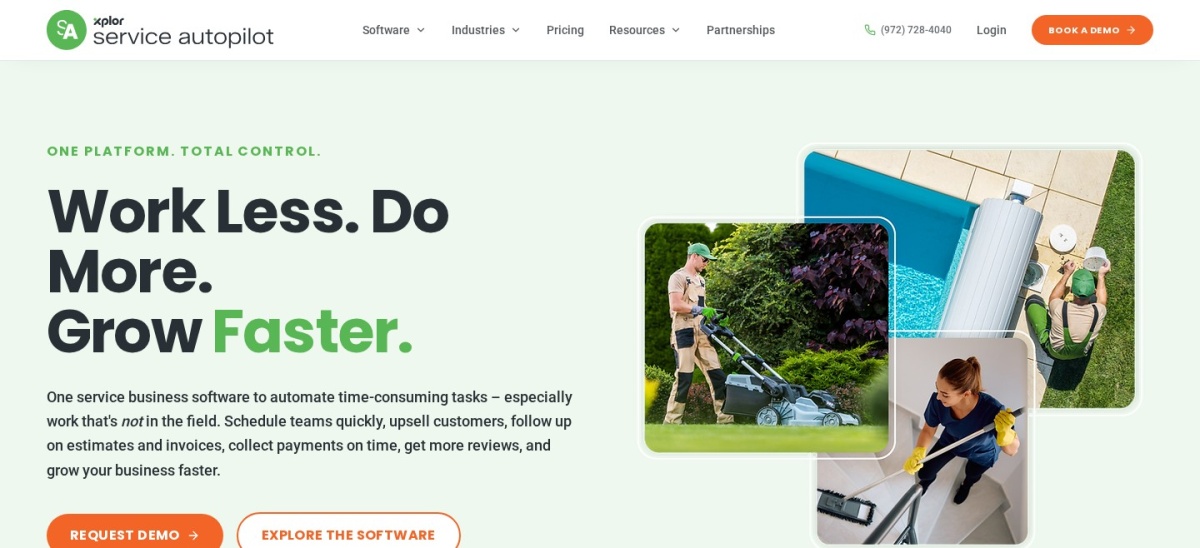
Service Autopilot starts at $49/mo on annual billing with a 4.1 rating across 139 Capterra reviews.
How do you choose among the best synkedup alternatives?
Pricing structure separates predictable crews from teams hit by seat or add-on jumps. Some platforms charge per user or per crew, while others bundle seats into fixed tiers with extra charges for add-ons or payment processing.
Workflow depth matters just as much as sticker price. A lawn maintenance crew running repeat weekly stops needs fast routing and mobile updates, whereas a landscape contractor managing complex bids and job costing needs stricter estimating controls.
Mobile usability and accounting sync shape daily office hours. Check whether crew members work from iOS or Android in the field and whether QuickBooks or Xero sync sits on the entry tier or requires an upgrade.
For budget-driven landscape estimating and costing
$297/mo
No free plan
4.6/5
Price ladder: cheapest paid plan per year
List prices, USD, checked Nov 2026
SortScape$144
Jobber$348
YardbookFREE$420
Crew Control$468
Service Autopilot$588
SingleOps$2,400
LMN$3,564
The 7 best synkedup alternatives
01
Jobber
4.6/5on G2 (559 reviews, checked Nov 2026)
Starts at$29/mo
Best for everyday scheduling, quoting, and client billing
Entry planCore ($29/mo annual; $49/mo monthly)
Extra user$29/mo per additional user
Mobile appsiOS and Android
Free trial14-day trial available
getjobber.com
Jobber homepage, captured Nov 2026.
Jobber is a field service management platform for quoting, scheduling, invoicing, and online payments, with Core starting at $29/mo billed annually ($49/mo month-to-month) for 1 user. It is backed by a 4.6 rating from 559 G2 reviews and used by 400,000+ service pros.
The trade off is that Core covers 1 user and adding seats costs $29/mo each, while features like QuickBooks Online sync sit on higher tiers. It suits solo operators and growing crews that want clean mobile quoting and fast customer payments.
What we like
Clear pricing page with published tiers and add-on rates
Fast quote-to-invoice workflow with online payment options
4.6 rating across 559 G2 reviews with strong ease-of-use feedback
Includes a free website and client portal across plans
Watch out for
Extra users cost $29/mo each beyond plan limits
QuickBooks Online sync and automated reminders require upgrading past Core
Optional add-ons such as Marketing Suite ($99/mo) and AI Receptionist ($99/mo) raise monthly costs
Higher tiers add automated client reminders, QuickBooks Online sync, job costing, two-way SMS, and larger team user bands.Visit getjobber.com
02
SortScape
4.9/5on Capterra (120 reviews, checked Nov 2026)
Starts at$12/mo
Best for lean lawn and garden maintenance teams
Entry planBasic ($12/mo for 1 user)
Next tierPremium ($24/mo for 1 user)
Route limitUp to 25 stops on Basic; 150 on Premium
IntegrationsXero, QuickBooks, and Zapier on Premium
sortscape.com
SortScape homepage, captured Nov 2026.
SortScape is a job management tool built for lawn mowing and garden maintenance, with Basic starting at $12/mo for 1 user including unlimited jobs, quotes, invoices, and 10 SMS credits per month. It holds a 4.9 rating across 120 Capterra reviews.
The trade off is that accounting sync with Xero and QuickBooks, automatic reminders, and expanded route stops require the $24/mo Premium plan. It suits solo gardeners and small maintenance rounds that want low entry pricing and minimal setup.
What we like
Low entry price starting at $12/mo for 1 user
4.9 rating across 120 Capterra reviews with high ease-of-use scores
Includes basic route optimization up to 25 stops on Basic
Offers an offline-capable crew mobile app and chemical tracking
Watch out for
QuickBooks and Xero integrations require upgrading to Premium
Basic includes only 10 SMS credits per month before buying extra packs
Smaller feature footprint than heavy commercial construction estimators
Premium adds QuickBooks and Xero sync, automatic job and invoice reminders, up to 150 route stops, and 50 monthly SMS credits.Visit sortscape.com
03
Yardbook
4.6/5on Google Play (1,970 reviews, checked Nov 2026)
Paid from$34.99/mo
Best for free lawn and landscaping basics
Free planStarter ($0/mo with ads and 1% payment fee)
Paid entryBusiness ($34.99/mo, ad-free)
QuickBooks syncEnterprise ($49.99/mo)
Field toolsLot measurement, routing, and chemical tracking
yardbook.com
Yardbook homepage, captured Nov 2026.
Yardbook is a cloud business management tool for landscaping and lawn care that offers a free Starter plan covering customer records, scheduling, estimates, invoicing, routing, and lot measurement. It is used by 20,000+ companies and holds a 4.6 rating from about 1,970 Google Play reviews.
The trade off is that Starter includes ads and a 1% Yardbook fee on online payments, while Business ($34.99/mo) removes ads and Enterprise ($49.99/mo) adds QuickBooks sync. It suits budget-conscious lawn operators who want free core tools without customer caps.
What we like
Ongoing free Starter plan with scheduling, routing, and invoicing
Built-in lawn care tools including lot measurement and chemical tracking
Lower paid monthly tiers than many field service competitors
Supports recurring service billing and crew route planning
Watch out for
Free Starter plan displays ads and adds a 1% fee on online payments
QuickBooks sync requires the $49.99/mo Enterprise tier
Less polished interface than newer commercial field platforms
Business ($34.99/mo) removes ads and payment markups, while Enterprise ($49.99/mo) adds QuickBooks sync.Visit yardbook.com
04
Crew Control
4.8/5on Capterra (100 reviews, checked Nov 2026)
Starts at$39/mo
Best for per-crew lawn and landscape scheduling
Entry planCrew Control ($39/mo per crew)
Plus planCrew Control PLUS ($59/mo per crew)
Billing modelPriced per crew, with 14-day free trial
AccountingQuickBooks Online integration included
youraspire.com
Crew Control homepage, captured Nov 2026.
Crew Control is a scheduling, routing, time tracking, and billing platform for lawn care and landscaping teams, starting at $39/mo per crew with QuickBooks Online sync included. It carries a 4.8 rating across 100 Capterra reviews.
The trade off is that pricing scales per crew and features like on-site estimates, electronic proposals, and customer texts sit on Crew Control PLUS at $59/mo per crew. It suits small-to-mid-sized crews that want simple dispatch and QuickBooks syncing.
What we like
Includes QuickBooks Online integration on the $39/mo per-crew plan
4.8 rating across 100 Capterra reviews with strong value scores
Offers a 14-day free trial without requiring a credit card
Supports recurring billing contracts and electronic payments
Watch out for
Per-crew pricing adds up as crew count grows
On-site estimates, proposals, and customer texts require PLUS at $59/mo per crew
Mobile app and UI customization are more basic than enterprise suites
Crew Control PLUS ($59/mo per crew) adds electronic proposals, on-site estimates, customer request forms, and customer text notifications.Visit youraspire.com
05
Service Autopilot
4.1/5on Capterra (139 reviews, checked Nov 2026)
Starts at$49/mo
Best for automated routing and recurring service workflows
Entry planStartup ($49/mo on annual billing)
Mid tiersPro ($199/mo) and Pro Plus ($499/mo) annual
Sign-up feeApplies on listed plans
Core focusDispatching, automations, and route tools
serviceautopilot.com
Service Autopilot homepage, captured Nov 2026.
Service Autopilot is a field service platform for scheduling, dispatching, invoicing, and workflow automation, with Startup starting at $49/mo based on annual subscription rates. It holds a 4.1 rating across 139 Capterra reviews.
The trade off is that listed rates are annual, a sign-up fee applies, and key operational tools like route optimization, job costing, and automations jump to Pro ($199/mo) and Pro Plus ($499/mo). It suits service businesses ready to invest in structured automation and recurring routes.
What we like
Low entry annual rate on Startup for basic scheduling and invoicing
Deep workflow automation and dispatch board capabilities on upper tiers
Includes mobile app access for tracking field work and payments
Supports chemical tracking and snow dispatch on Pro
Watch out for
Price jumps steeply from $49/mo Startup to $199/mo Pro and $499/mo Pro Plus
Sign-up fee applies in addition to subscription cost
Setup and customization take time, with mixed review feedback on glitches and support
Pro ($199/mo annual) adds route optimization, job costing, and chemical tracking, while Pro Plus ($499/mo annual) adds automations and extra user licenses.Visit serviceautopilot.com
Higher tiersPlus ($350/mo annual) and Premier ($500/mo annual)
singleops.com
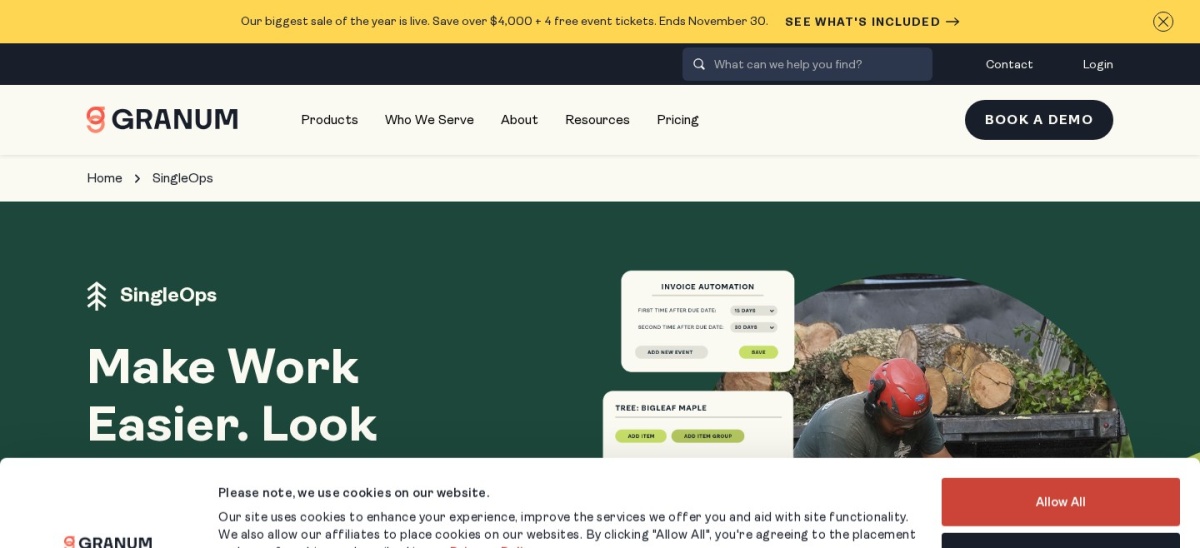
SingleOps homepage, captured Nov 2026.
SingleOps is a business management platform for tree care, lawn care, and landscaping, with Essential starting at $200/mo billed annually ($220/mo monthly) including free crew users. It holds a 4.4 rating across 108 Capterra reviews.
The trade off is a higher starting price than general small-business tools, extra office seats cost $50/mo each on annual billing, and route optimization sits on Premier ($500/mo annual). It suits arborists and green-industry firms that want dedicated estimating and free crew logins.
What we like
Crew user licenses are free across plans
Built specifically for tree care, lawn care, and landscaping workflows
4.4 rating across 108 Capterra reviews with dedicated onboarding support
Syncs invoices and payments with QuickBooks
Watch out for
Higher starting monthly cost than entry-level field service apps
Additional office or sales users add $50/mo each on annual Essential
Route optimization requires upgrading to the Premier tier
Plus ($350/mo annual) adds options-based proposals and job site mapping, while Premier ($500/mo annual) adds route optimization and automations.Visit singleops.com
07
LMN
4.6/5on Capterra (93 reviews, checked Nov 2026)
Starts at$297/mo
Best for budget-driven landscape estimating and costing
Entry planStarter ($297/mo USD, billed monthly)
Included seats1 office/crew lead + 5 crew licenses
Pro planProfessional ($648/mo USD, billed monthly)
OnboardingOne-time onboarding fee applies
golmn.com
LMN homepage, captured Nov 2026.
LMN is landscaping business software focused on budgeting, estimating, scheduling, and crew time tracking, with Starter at $297/mo USD including 1 office/crew lead and 5 crew licenses. It holds a 4.6 rating across 93 Capterra reviews.
The trade off is a steep monthly starting price plus a one-time onboarding fee, while real-time job costing and equipment costing require Professional at $648/mo. It suits established landscaping contractors that build estimates around overhead budgets and crew labor.
What we like
Built around landscaping overhead budgets, estimating, and crew tracking
Starter includes 1 office/crew lead license and 5 crew member licenses
4.6 rating across 93 Capterra reviews with structured training resources
Supports offline crew time tracking and customer portal approvals
Watch out for
High $297/mo starting cost before any one-time onboarding fee
Real-time job costing and equipment costing require the $648/mo Professional plan
Steeper learning curve for small teams without formal budget workflows
Professional ($648/mo) adds real-time job costing, equipment and material costing, files and photos on documents, and Zapier integrations.Visit golmn.com
What to watch in pricing models before switching
Headline starting prices rarely reflect a full crew bill. A solo rate on Jobber ($29/mo annual) or SortScape ($12/mo) changes once you add extra users, while per-crew pricing on Crew Control ($39/mo per crew) scales with each truck or crew.
Check where accounting sync and route tools sit in the tier ladder. Several tools lock QuickBooks or Xero syncing, route optimization, or job costing behind mid-tier or upper plans.
How we chose
We selected active field service and green-industry platforms commonly evaluated alongside SynkedUP using vendor sites and public review directories.
All prices, ratings, and review counts were checked on 29 Nov 2026 from official pricing pages and review listings such as G2, Capterra, and Google Play.
We excluded tools without published pricing or active current listings and required verified review counts on recognized platforms. No vendor paid for a place, and we do not claim testing for this list.
How to pick the right SynkedUP alternative
Follow four practical checks before moving your clients and schedules:
Match the software to your primary service mix. Separate recurring maintenance rounds from multi-stage landscaping or tree care estimates so you do not overpay for unused complexity.
Calculate real cost at your current headcount. Compare solo, per-seat, and per-crew rates, plus any onboarding fees or add-ons you need from day one.
Verify accounting and payment workflows. Confirm whether QuickBooks or Xero sync is included on your target tier and check card or ACH processing fees.
Test mobile workflows with your field team. Check how easily crew members clock in, view job notes, and update statuses on iOS or Android during a trial.
FAQ
What are the best synkedup alternatives in 2026?
Jobber is a strong overall choice starting at $29/mo billed annually ($49/mo month-to-month), while SortScape starts at $12/mo for solo lawn and garden maintenance and Yardbook offers a free Starter plan.
Which SynkedUP alternative is best on a tight budget?
Yardbook offers a free Starter plan with core scheduling, routing, and invoicing, while SortScape starts at $12/mo for 1 user and Crew Control starts at $39/mo per crew.
Is there a free SynkedUP alternative for small teams?
Yardbook provides a free Starter plan for customer records, estimates, scheduling, routing, and invoicing, though it shows ads and charges a 1% fee on online payments.
Which alternative fits landscaping estimating and job costing best?
LMN focuses on landscaping budgets and estimating starting at $297/mo (with real-time job costing on Professional at $648/mo), while SingleOps starts at $200/mo annual for green-industry workflows.
Jobber vs. SortScape: which should a small team pick?
Pick SortScape if you want a $12/mo entry price for straightforward lawn and garden maintenance, and pick Jobber if you want broader field service tools, a built-in website, and scalable team tiers.
SaaS SEO and WordPress specialist with about 8 years of experience. Rakib compares WordPress plugins, themes, hosting and software using public pricing, documentation and user reviews. See how we rank.