Best Retail Software for Small Business in 2026: 7 Tools Compared
WLWPLegible EditorsLast verified 22 Nov 2026How we rank11 min read
★ Short answer
Square for Retail is the best overall retail software for small businesses, starting at $0 per month with 2.6% + 15¢ in-person card processing and a 4.6/5 rating from 3,040 Capterra reviews. Choose Shopify POS if you already run an online store on Shopify, or Loyverse POS for a free mobile till with add-on pricing.
How we make this list: we compare pricing pages, product documentation and public user reviews, then re-check every price before each update. No product paid for a place. Disclosure.
Square for Retail starts at $0/mo (Plus is $49/mo per location) and serves over 4 million sellers globally.
Shopify POS includes POS Lite on the Basic plan at $39/mo billed monthly ($29/mo billed annually), while POS Pro adds $89/mo per location.
Loyverse POS offers core point of sale, loyalty, and 31-day sales history for free, with paid add-ons starting at $7/mo per store.
KORONA POS charges flat monthly software rates starting at $59/mo per terminal with 0% extra transaction markup and processor choice.
Zoho Inventory and inFlow Inventory focus on back-office stock and order control, starting at $39/mo and $99/mo billed monthly.
What to look for in small business retail software
Small retail shops need software that connects checkout speed with accurate stock counts. When a cashier scans a barcode at the register, inventory levels, sales tax totals, and daily revenue reports should update in one place without manual spreadsheet entry at closing time.
Software subscription fees are only half of the cost equation. Payment-bundled systems like Square and Shopify charge a flat monthly fee plus a percentage and per-tap fee on every card swipe, whereas processor-agnostic tools like KORONA POS charge a higher monthly software fee while letting you negotiate rates with an external merchant account.
Before committing to an annual contract, check where essential retail features sit in the pricing tiers. Purchase orders, barcode label printing, vendor management, and multi-location stock transfers are often locked behind mid-tier plans, which can double your monthly bill once your catalog grows beyond a few hundred items.
Square for Retail is a cloud point-of-sale and inventory system used by over 4 million sellers globally. Its free plan costs $0 per month per location with 2.6% + 15¢ in-person processing, covering item creation, discounts, refunds, and basic sales reporting.
The trade off is that purchase orders, vendor management, cost-of-goods-sold reporting, and stock intake require Square Plus at $49 per month ($588 per year) per location. You are also locked into Square payment processing, so it suits single-store and growing shops that want fast setup without separate merchant accounts.
What we like
Generous $0/mo entry plan with no long-term contracts
Fast staff onboarding on iPads, phones, or Square hardware
Built-in online store sync, gift cards, and same-day checking access
Watch out for
Mandatory Square payment processing with no external gateway option
Per-location pricing multiplies quickly as you open new stores
24/7 phone support is restricted to the $149/mo Premium plan
Square Plus ($49/mo per location) unlocks purchase orders, vendor management, COGS reports, and 2.5% + 15¢ card rates.Visit squareup.com
Shopify POS is the in-person register app built directly onto Shopify's ecommerce platform, syncing online and physical catalogs in real time. Every Shopify plan includes POS Lite at no extra charge, starting with the Basic plan at $39 per month ($468 per year) plus 2.6% + 10¢ for in-person card transactions.
The trade off is that granular staff permissions, omnichannel returns, and rich in-store customer profiles require the POS Pro add-on at $89 per month per location on top of your base plan. It suits retailers selling across both a physical storefront and an online shop.
What we like
Single catalog, order history, and inventory count across web and store
Tap to Pay on iPhone and Android works without extra card readers
New merchants can trial free for 3 days, then pay $1/mo for 3 months
Watch out for
No permanent free plan after the introductory promo period
Adding POS Pro at $89/mo per store raises costs sharply for multi-site shops
Using a non-Shopify payment processor adds a 2% surcharge on Basic
POS Pro (+$89/mo per location) adds unlimited POS staff roles, custom permissions, and advanced retail analytics.Visit shopify.com
03
Loyverse POS
4.8/5on Capterra (458 reviews, checked Nov 2026)
Paid from$7/mo
Best free mobile POS for small shops
Entry paid add-on$7/mo per store (Unlimited Sales History)
Free plan$0/mo with POS, loyalty, and 31-day reports
Advanced inventory$25/mo per store ($250/yr billed annually)
Employee management$25/mo per store ($250/yr billed annually)
loyverse.com
Loyverse POS homepage, captured Nov 2026.
Loyverse POS is a smartphone and tablet point-of-sale app designed for independent retail shops, cafes, and specialty stores. Its free plan includes unlimited registers, basic stock tracking, a built-in customer loyalty program, multi-store management, and 31 days of sales reporting.
The trade off is that exporting sales reports older than 31 days costs $7 per month ($84 per year) per store, while purchase orders and stock transfers cost $25 per month per store. It suits budget-conscious shop owners using their own iOS or Android tablets.
What we like
Core POS, loyalty program, and multi-store support are completely free
Modular add-ons let you pay only for the exact features you need
Highest user satisfaction score on this list at 4.8/5 on Capterra
Watch out for
Free sales analytics are restricted to a rolling 31-day window
Purchase orders and stock valuation require the $25/mo inventory add-on
Smaller selection of native integrated card terminals than Square
Paid add-ons start at $7/mo per store for unlimited sales history and $25/mo each for employee or advanced inventory tools.Visit loyverse.com
04
KORONA POS
4.7/5on Capterra (80 reviews, checked Nov 2026)
Starts at$59/mo
Best processor-agnostic POS for high-volume retail
Entry paid plan$59/mo per terminal (Core)
Retail tier$79/mo per terminal (automated ordering)
Transaction markup0% (bring your own merchant processor)
Support24/7 in-house phone and TeamViewer help
koronapos.com
KORONA POS homepage, captured Nov 2026.
KORONA POS is a cloud retail management and checkout platform built for liquor stores, convenience shops, gift boutiques, and high-turnover retailers. Its Core plan starts at $59 per month ($708 per year) per terminal and includes unlimited users, open API access, accounting exports, and 24/7 in-house support.
The trade off is that there is no free plan, and automated reorder levels, supplier integrations, and barcode automation require the Retail plan at $79 per month per terminal. Because it charges 0% transaction markup, it suits high-volume stores negotiating custom processing rates.
What we like
Processor-agnostic setup lets you keep or shop for low card rates
No setup fees, no long-term contracts, and a 60-day software guarantee
Strong loss-prevention controls, custom cashier permissions, and ABC analytics
Watch out for
No free tier and per-terminal billing adds up for multi-lane stores
Automated purchase orders require upgrading to the $79/mo Retail tier
Back-office configuration screen has a steeper learning curve
KORONA Retail ($79/mo per terminal) adds automated stock reordering, supplier catalogs, and barcode automation.Visit koronapos.com
Standard limits500 orders/mo, 2 users, 2 locations
IntegrationsShopify, Zoho Books, QuickBooks, Xero
zoho.com
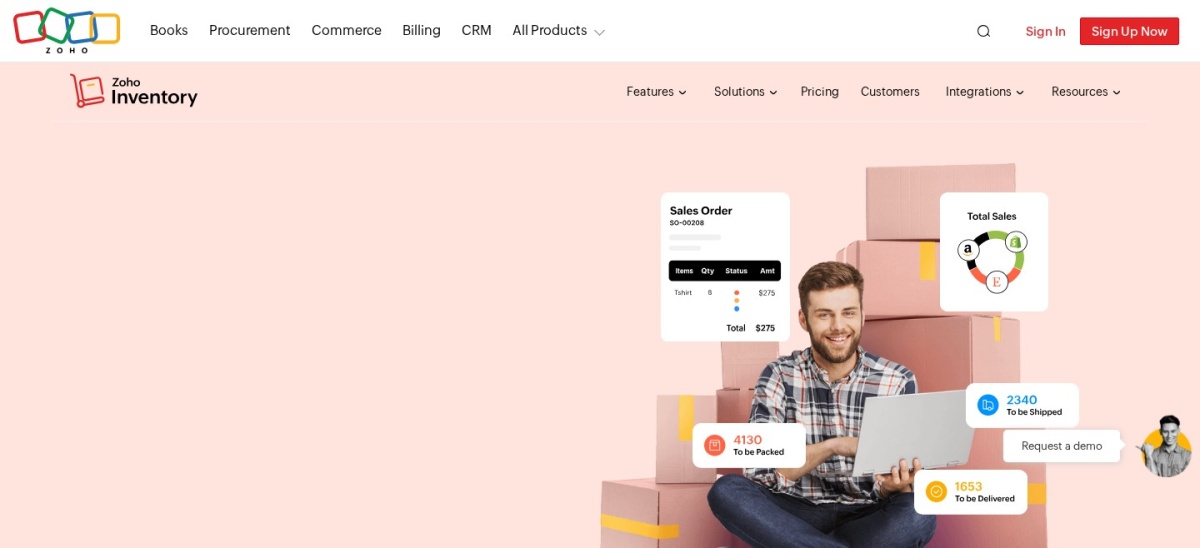
Zoho Inventory homepage, captured Nov 2026.
Zoho Inventory is cloud stock and order management software that connects online marketplaces, warehouses, and accounting ledgers. Its free plan covers up to 50 orders per month for 1 user across 2 locations, while the Standard plan starts at $39 per month ($468 per year, or $29 per month billed annually) for 500 orders.
The trade off is that it is a back-office inventory engine rather than a dedicated countertop register, and all plans up to Premium cap team access at 2 users unless you pay $7.50 per extra user. It suits multichannel retailers already using Zoho Books or Shopify.
What we like
Forever-free tier supports 2 warehouse or store locations out of the box
Handles composite item bundles, drop shipments, and backorders on Standard
Direct two-way sync with Zoho Books, QuickBooks Online, and Xero
Watch out for
Not a standalone in-store touchscreen POS register
Strict monthly order caps and a 2-user limit on entry plans
Serial and batch number tracking require the $99/mo Professional tier
Standard ($39/mo monthly) raises limits to 500 orders/mo, 2 users, composite items, and a customer portal.Visit zoho.com
06
Odoo
4.2/5on Capterra (1,336 reviews, checked Nov 2026)
First-year promo$24.90/user/mo for initial users (12 months)
Free plan$0/mo for 1 app with unlimited users
Included appsPOS, Inventory, Accounting, Ecommerce, CRM
odoo.com
Odoo homepage, captured Nov 2026.
Odoo is a modular open-source business suite combining point of sale, warehouse inventory, accounting, and ecommerce in one database. Its One App Free plan lets unlimited users run a single module at $0, while the Standard plan unlocks all apps at $31.10 per user per month ($373.20 per year billed annually; $24.90 in year one).
The trade off is that connecting POS with Inventory and Accounting forces every active user onto a paid seat, and complex setups often require paid implementation packs. It suits small retailers that want an all-in-one ERP without juggling separate accounting and stock subscriptions.
What we like
One App Free tier supports unlimited users if you only need POS
Standard plan bundles POS, double-entry accounting, CRM, and website
Browser-based POS works offline and runs on existing tablets or PCs
Watch out for
Using more than one app converts your entire team to per-user billing
First-year $24.90/user/mo discount jumps 25% upon renewal
Steeper configuration curve than dedicated retail POS apps
Odoo Standard ($31.10/user/mo billed annually) unlocks all retail, inventory, accounting, and ecommerce apps together.Visit odoo.com
B2B ShowroomIncluded on Pro ($499/mo) or $39/mo add-on
inflowinventory.com
inFlow Inventory homepage, captured Nov 2026.
inFlow Inventory is a cloud inventory and order management system built for product businesses tracking large SKU catalogs and barcoded stock. Its Lite plan starts at $99 per month billed annually ($1,188 per year, or $129 billed monthly) and includes 2 team members, 1 location, unlimited products, and unlimited sales and purchase orders.
The trade off is that it lacks a dedicated consumer checkout register and restricts multi-location stock transfers to the Core plan at $299 per month billed annually. It suits small retailers with heavy back-room stockrooms or wholesale B2B orders.
What we like
No caps on SKU count, purchase orders, or integrations even on Lite
Fast barcode label generation, receiving, and cycle counting workflows
Optional B2B Showroom portal lets wholesale buyers place self-serve orders
Watch out for
Higher starting price ($99/mo annual) than general retail POS tools
Supporting more than 1 store or warehouse requires the $299/mo Core plan
Requires separate checkout hardware or ecommerce integration for retail sales
inFlow Core ($299/mo billed annually) expands capacity to 5 team members, 5 locations, and role-based access controls.Visit inflowinventory.com
POS-first systems vs. dedicated inventory software
Retail software falls into two distinct categories: point-of-sale systems built around fast counter checkout, and back-office inventory platforms built around purchasing, warehousing, and multi-channel order routing. POS-first tools like Square for Retail, Shopify POS, and KORONA POS handle barcode scanning, receipt printing, and card payments natively while offering solid single-store stock tracking.
Dedicated inventory tools like Zoho Inventory and inFlow Inventory shine when you manage thousands of SKUs, assemble product bundles, or fulfill orders across wholesale and multiple ecommerce marketplaces. Many growing shops start on a free or entry POS plan and only add dedicated inventory software once supplier purchase orders and warehouse transfers outgrow basic register tools.
How we chose
We built this list by comparing established small-business retail platforms across two core workflows: countertop point-of-sale systems and small-business inventory management software. Every candidate required a public pricing page and an active profile with at least 80 verified user reviews on Capterra.
All regular subscription prices, payment processing rates, user ratings, and review counts were verified directly from official vendor pricing pages and Capterra product profiles on 22 Nov 2026. Where vendors display annual discounts alongside standard monthly billing, we listed the regular monthly rate and noted the annual price.
We excluded enterprise-only retail suites that hide pricing behind custom sales quotes, restaurant-only POS tools, and abandoned desktop software without recent updates. No vendor paid for a place, and we do not claim testing for this list.
How to choose retail software for your shop
Follow four practical steps to match your store's sales volume and catalog size to the right retail system.
Calculate your monthly card processing volume first. If you process under $15,000 a month in card sales, a $0/mo POS with flat 2.6% processing like Square or Shopify usually beats paying $59 to $99 a month in software fees. Above $30,000 a month, a processor-agnostic system like KORONA POS can pay for itself through lower interchange-plus card rates.
Count your SKUs and purchase order frequency. If you carry fewer than 500 items and reorder manually, entry-level POS inventory tracking is plenty. Once you need automated reorder points, vendor catalogs, and barcode label printing, budget for mid-tier plans like Square Plus ($49/mo) or KORONA Retail ($79/mo).
Check whether you sell online and in person. Running separate online and in-store databases creates overselling headaches. If ecommerce drives significant revenue, choose a platform with native web-and-store sync like Shopify POS or Square rather than bolting on third-party connectors.
Verify hardware compatibility before buying terminals. Some platforms run on standard iPads, Android tablets, and USB barcode scanners you already own, while others require proprietary card readers. Confirm whether Tap to Pay on your phone or tablet can handle your daily checkout volume before spending $300 to $900 on countertop registers.
FAQ
What is the best free retail software for a small business?
Square for Retail and Loyverse POS both offer capable $0/mo plans for single-location shops. Square includes built-in card processing at 2.6% + 15¢ per tap or swipe, while Loyverse includes a free loyalty program and lets you connect your own card terminal.
How much does retail POS software cost per month?
Entry-level retail software ranges from $0/mo for basic register apps to $39–$79/mo per location or terminal for plans with purchase orders and stock reports. You will also pay roughly 2.4% to 2.6% plus 10¢–15¢ per in-person card transaction.
Do I need separate accounting software with retail POS?
Yes, most retail POS tools track sales tax, register totals, and cost of goods sold, but they do not replace full bookkeeping. Platforms like Square, Shopify, and Zoho Inventory sync daily sales summaries into QuickBooks Online, Xero, or Zoho Books, whereas Odoo includes double-entry accounting natively.
Can I use my own iPad or computer as a retail register?
Yes, Square, Shopify POS, Loyverse, and Odoo all run on standard iPads, Android tablets, or web browsers. You only need to buy a compatible Bluetooth or USB card reader, barcode scanner, and receipt printer if you print paper receipts.
What is the difference between POS Lite and Shopify POS Pro?
Shopify POS Lite comes free with every Shopify plan and handles basic in-person checkout and inventory sync. Shopify POS Pro costs an extra $89/mo per location and unlocks granular staff permissions, cross-location returns, purchase orders, and detailed retail sales reports.