Slack is the best remote collaboration tool for most teams, rated 4.5 out of 5 on G2 from 39,320 reviews, with channels, huddles and 2,600+ app integrations. Pick Zoom for client video calls and Microsoft Teams for the cheapest paid plan at $4 a user a month.
How we make this list: we compare pricing pages, product documentation and public user reviews, then re-check every price before each update. No product paid for a place. Disclosure.
Slack leads at 4.5 out of 5 on G2 from 39,320 reviews, with Pro at $7.25 a user a month billed yearly.
Zoom has the largest review base here at 4.5 out of 5 from 56,489 reviews, and Pro costs $14.16 a user a month.
Microsoft Teams is the cheapest paid plan at $4 a user a month, with 30-hour meetings for 300 participants on Essentials.
Eight of the nine tools have a free plan; Google Workspace is the exception, with a 14-day trial instead.
Paid plans run from $4 to $14.16 a user a month, or $48 to $169.92 a user a year.
What a remote collaboration tool should cover
Remote collaboration tools give a distributed team one place to talk, meet and share work, so decisions stop living in scattered email threads.
The best fit depends on where the team spends its day. Chat-first teams want channels and search, meeting-heavy teams want video that guests can join without an account, and docs-first teams want pages beside tasks.
Check the free plan limits before you commit. Slack keeps 90 days of history, Miro allows only 3 boards, and Asana covers just 2 users, so a growing team can hit the ceiling fast. Our guide on adding a booking calendar to WordPress shows one way to share meeting times without another paid tool.
Price per user is only part of the bill. Seat minimums, per-editor licences and tier jumps, such as Miro rising from $8 to $20, can double the cost, so count the people who will actually use the tool.
Slack is a team chat app built around channels, direct messages and file sharing. The free plan covers 90 days of message history, 10 app integrations and one-to-one huddles, which is enough for a small remote team to start.
The trade off is the per-user price. Pro costs $7.25 per user a month billed yearly, and the bill grows with every active member, while the pricing page also shows a 50% discount for the first three months. It suits teams that live in chat and want one home for conversations.
What we like
Channels keep talks organised by topic or project
Huge app directory with 2,600+ integrations
Free plan is usable for small teams
Searchable history on paid plans
Watch out for
Message history is capped at 90 days on the free plan
Zoom is a video meeting platform with team chat, whiteboards and AI meeting summaries. The free Basic plan allows meetings of 40 minutes with 100 participants, while Pro extends meetings to 30 hours and adds unlimited AI summaries.
The trade off is price. Pro costs $14.16 per user a month billed yearly, the highest starting price in this list, and larger meetings need Business at $18.33. It suits teams whose clients and guests already expect a Zoom link.
Microsoft Teams is a chat and meeting app that sits inside Microsoft 365. The free plan covers group meetings of 60 minutes with 100 participants, chat and file sharing, while Essentials adds 30-hour meetings with 300 participants and 10 GB of storage per user.
The trade off is weight. Teams can feel slow on older machines, and the desktop Office apps are not part of Essentials, so Word and Excel stay separate purchases. It suits teams that already pay for Microsoft 365 and want chat and meetings in the same place.
ClickUp is an all-in-one workspace for tasks, documents, chat, goals and time tracking. The free plan covers unlimited tasks and members with 100 MB of storage, and paid plans add unlimited storage, more automations and guest seats.
The trade off is the learning curve. Unlimited costs $12 per user a month, and the sheer number of views and settings takes time to set up well. It suits remote teams that want to replace several tools with one workspace.
Notion is a flexible workspace that combines documents, wikis, databases and task tracking. The free plan covers personal use with basic blocks, while Plus adds unlimited collaborative blocks, 5 GB file uploads and 30-day page history.
The trade off is setup time. A blank Notion workspace needs structure before a team can use it well, and large workspaces can feel slow. It suits remote teams that want meeting notes, handbooks and project pages in one place.
Miro is an online whiteboard where remote teams brainstorm, map processes and run workshops on a shared canvas. The free plan allows 3 editable boards with templates, while Starter adds unlimited boards, visitor editing and high-resolution exports.
The trade off is the tier jump. Starter costs $8 per member a month billed yearly, but Business jumps to $20, so growing teams pay much more for SSO and extra controls. It suits teams that plan and workshop together on a visual board.
What we like
Huge template library for workshops
Live cursors, voting and timers
Easy for guests to join a board
Strong integrations with chat tools
Watch out for
Free plan limited to 3 boards
Big boards can run slowly
Business tier costs 2.5 times Starter
Starter adds unlimited boards and visitor editingVisit miro.com
07
Asana
4.4/5on G2 (14,048 reviews, checked Nov 2026)
Paid from$10.99/mo
Best for structured team projects
Free planYes, up to 2 users
Paid planStarter, $10.99/user/mo
ViewsTimeline and Gantt
AutomationsUnlimited on Starter
asana.com
Asana homepage, captured Nov 2026.
Asana is a work management tool for assigning tasks, tracking deadlines and planning projects on timelines. The free Personal plan covers up to 2 users, while Starter adds timeline and Gantt views, unlimited automations and reporting dashboards.
The trade off is the free limit. Personal now covers only 2 users, so any real team pays from the start, and Starter costs $10.99 per user a month billed yearly. It suits remote teams that want clear owners and dates on every task.
Trello is a Kanban board app where cards move across lists from to-do to done. The free plan covers 10 boards per workspace with unlimited cards and 250 automation runs a month, which is enough for a small remote team.
The trade off is depth. Trello has no built-in timeline or workload view on Standard, so bigger projects need Premium at $10 a user a month. It suits small teams that want a board everyone can read at a glance.
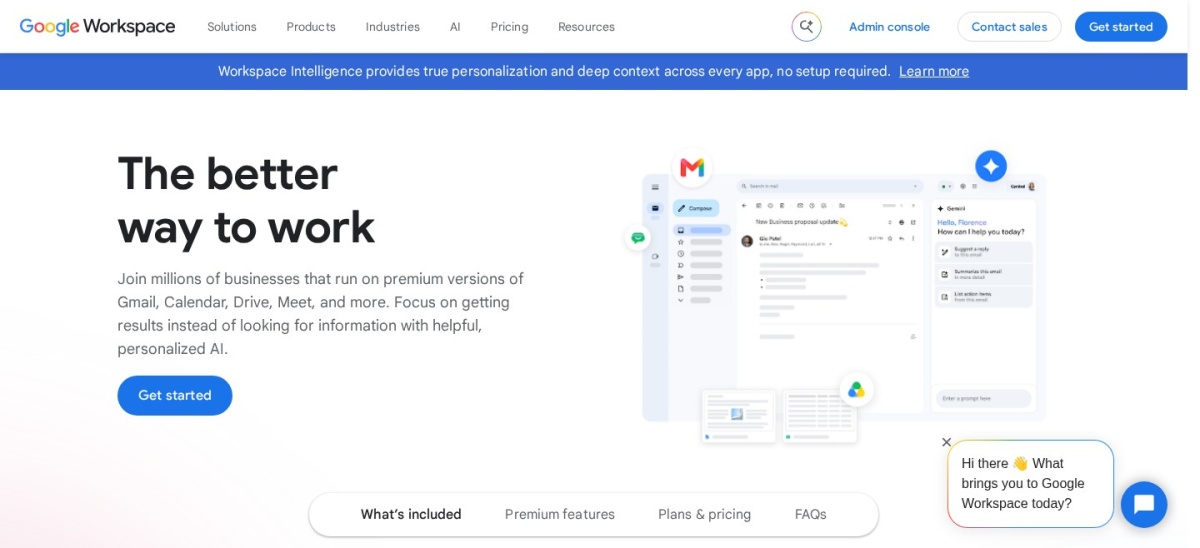
Google Workspace is a suite of Gmail, Drive, Docs, Sheets, Meet and Chat sold as one per-user subscription. Business Starter costs $7 per user a month billed yearly and includes custom business email, 30 GB of pooled storage and Meet calls with 100 participants.
The trade off is that there is no free plan. The 14-day trial is the only way to try it, and Starter caps pooled storage at 30 GB per user, with the next tier doubling the price to $14. It suits teams that already live in Gmail and Google Docs.
Free plans cover the basics well. Most include chat, video calls and shared boards, and eight of the nine tools here have one.
Paid plans mostly add history and limits. Longer meetings, more storage, unlimited boards and full message history usually sit on the first paid tier.
If the team outgrows the free limits, the cheapest paid plan is not always the best value. Trello at $5 and Teams at $4 look cheap per user, but both need a higher tier for timelines or admin controls.
For a team that meets clients every day, the first year of a paid video plan often costs less than one missed or failed call.
How we chose
We started from the most-reviewed chat, video, whiteboard and workspace tools on G2, then kept nine established products with published prices and a plan a small remote team can buy.
Prices come from each vendor's pricing page, checked on 26 November 2026. Ratings and review counts come from G2 on the same day. Where a vendor shows a sale, the list shows the regular price.
We left out tools without a public rating or a published price. No vendor paid for a place, and we do not claim to have used these tools ourselves.
How to choose a remote collaboration tool
Start with how the team already works, then pick the tool that fits that habit.
List where work happens now. If most talk is in chat, start with Slack or Teams. If it is in meetings, start with Zoom or Meet.
Check the free plan against the team size. Slack keeps 90 days of history, Miro allows 3 boards and Asana covers 2 users, so count heads before committing.
Add one tool at a time. Two chat apps split the team. Pick one home for conversation and add a board or docs tool only where it is missing.
Price the whole team, not one seat. Multiply the per-user price by every member, including guests who need a paid seat, before comparing plans.
FAQ
What is the best remote collaboration tool?
Slack is the best pick for most remote teams. It is rated 4.5 out of 5 on G2 from 39,320 reviews, and its channels, huddles and 2,600+ app integrations keep conversations in one place. Pro costs $7.25 a user a month billed yearly.
Which remote collaboration tool is cheapest?
Microsoft Teams is the cheapest paid plan here at $4 a user a month billed yearly for Essentials, or $48 a user a year. Trello follows at $5 a user a month, while Slack Pro costs $7.25. All three have free plans with real limits.
Is there a free remote collaboration tool?
Yes. Eight of the nine tools here have a free plan, including Slack, Zoom, Teams, ClickUp, Notion, Miro, Asana and Trello. Google Workspace is the exception, with a 14-day trial instead of a free plan. Free plans limit history, boards or users.
Do I need separate tools for chat and video?
Not always. Slack, Teams, Zoom and Google Workspace each cover chat and video in one subscription, so many teams need only one of them. A whiteboard such as Miro or a docs workspace such as Notion is the usual second tool.
Can clients join meetings without an account?
Yes, on most tools here. Zoom links open in a browser for guests, Teams allows guest access to meetings, and Google Meet lets guests join from a link. Check the guest rules on the free plan, because some features need a paid host.
Which tool is best for remote workshops?
Miro is the best pick for live workshops. Its shared boards support sticky notes, voting, timers and templates, and Starter costs $8 a member a month billed yearly. The free plan allows 3 editable boards, so small sessions cost nothing.
SaaS SEO and WordPress specialist with about 8 years of experience. Rakib compares WordPress plugins, themes, hosting and software using public pricing, documentation and user reviews. See how we rank.