monday.com is the best project planning software for most teams, with visual boards, Gantt views and automations from $9 a seat a month and a 4.7 out of 5 G2 rating. Pick Asana for structured team tracking, ClickUp for all-in-one value, and TeamGantt if the Gantt chart is the whole plan.
How we make this list: we compare pricing pages, product documentation and public user reviews, then re-check every price before each update. No product paid for a place. Disclosure.
monday.com leads on rating at 4.7 out of 5 from 17,182 G2 reviews, with boards, timelines and dashboards from $9 a seat a month.
Asana Starter at $10.99 a user a month adds the timeline and Gantt views that the free plan lacks.
ClickUp Core lists at $9 on sale with a regular price of $12, and includes unlimited Gantt charts.
TeamGantt charges $59 a month flat per account, not per user, so it pays off once several managers share it.
Trello Standard at $5 a user a month is the cheapest paid plan here, and Smartsheet has no free plan at all.
Only monday.com, Asana, ClickUp and Wrike combine a free plan with Gantt views on a paid tier under $13 a month.
What project planning software should cover
Project planning software turns a list of tasks into a schedule: who does what, in what order, and by when. The core views are a timeline or Gantt chart, a task list with owners and dates, and a way to see who is overloaded.
Dependencies matter most. If one task cannot start until another ends, the tool should show that link and shift dates when the first task slips. Without it, a plan is a list, not a schedule.
Pricing is usually per user per month, so the headline price is only part of the bill. TeamGantt is the exception here: it charges $59 a month flat per account, whatever the team size.
Free plans are real in this list: seven of the nine tools have one. The catch is usually the Gantt view, which sits on a paid tier in monday.com, Asana and Wrike, so check which tier holds the views you need. Limit who can edit the plan too: our guide on managing user roles securely in WordPress explains how to control who can change what.
monday.com is a board-based work platform where each project is a board with items, owners and dates, plus timeline, Gantt and dashboard views. The free plan covers up to 2 seats and 3 boards, and Basic costs $9 a seat a month billed annually for unlimited boards and items.
The trade off is that the cheapest plan is thin. Basic has no automations and no timeline or Gantt view, so most planning teams need Standard at $12 a seat a month, with a 3-seat minimum on paid plans. It suits visual teams that plan on boards and want dashboards beside their work.
What we like
Highest G2 rating here, 4.7 out of 5
Free plan for up to 2 seats
Timeline and Gantt views from Standard
250 automation actions a month on Standard
Watch out for
Gantt and automations need Standard at $12
Paid plans start at 3 seats
Per-seat cost climbs fast on big teams
Standard adds Gantt views and automations; Pro adds time trackingVisit monday.com
02
Asana
4.4/5on G2 (14,048 reviews, checked Nov 2026)
Paid from$10.99/mo
Best for structured team tracking
Cheapest paid planStarter, $10.99/user/mo
Free planPersonal, 2 users
Timeline & GanttStarter and up
PortfoliosAdvanced and up
asana.com
Asana homepage, captured Nov 2026.
Asana is a work management tool built around tasks, projects and timelines, with list, board, calendar and Gantt views. The free Personal plan covers 2 users with unlimited tasks and projects, and Starter costs $10.99 a user a month billed annually.
The trade off is that planning views sit behind the paywall. Timeline and Gantt views, custom fields and unlimited automations all need Starter, and portfolios and resource management need Advanced at $24.99. It suits teams that want a calm, structured way to track who is doing what by when.
What we like
Clearest task and timeline structure here
Unlimited automations from Starter
Unlimited free guests on paid plans
100+ free integrations
Watch out for
No timeline or Gantt view on the free plan
Portfolios need Advanced at $24.99
Notifications can get noisy on big projects
Starter adds Gantt views and automations; Advanced adds portfoliosVisit asana.com
03
ClickUp
4.7/5on G2 (11,179 reviews, checked Nov 2026)
Paid from$12/mo
Best all-in-one value
Cheapest paid planCore, $12/user/mo regular
Free planUnlimited tasks, 60 MB storage
Gantt chartsUnlimited from Core
Automations1,000/mo on Core
clickup.com
ClickUp homepage, captured Nov 2026.
ClickUp is an all-in-one workspace that puts tasks, docs, whiteboards, goals and chat in one place, with unlimited Gantt charts from the first paid plan. The Free Forever plan covers unlimited tasks and members with 60 MB of storage, and the Core plan lists at $9 a user a month on sale, with a regular price of $12.
The trade off is setup time. The breadth that makes ClickUp good value also makes it slower to learn, and reviewers flag the learning curve more than any other drawback. It suits teams that want one tool to replace several and are willing to spend a week setting it up.
What we like
Most features per dollar in this list
Unlimited Gantt charts from Core
Free plan covers unlimited tasks and members
Docs, goals and chat included
Watch out for
Steep learning curve for new teams
Interface can feel crowded
AI features cost extra on top
Core adds unlimited storage and Gantt charts; Business adds dashboardsVisit clickup.com
04
Smartsheet
4.4/5on G2 (23,251 reviews, checked Nov 2026)
Starts at$9/mo
Best for spreadsheet-style planning
Cheapest paid planPro, $9/user/mo
Free planNone, 30-day trial
Gantt & timelineYes, on all plans
Automations250/mo on Pro
smartsheet.com
Smartsheet homepage, captured Nov 2026.
Smartsheet is a spreadsheet-style work platform where projects live in grids with Gantt, board and calendar views layered on top. Pro costs $9 a user a month billed annually for up to 10 members, with 250 automations and 20 GB of storage.
The trade off is that there is no free plan. Smartsheet ended its free plan in 2025, so you get a 30-day trial and then pay, and features such as pivot tables need higher tiers. It suits teams that already think in spreadsheets and want Gantt charts without leaving the grid.
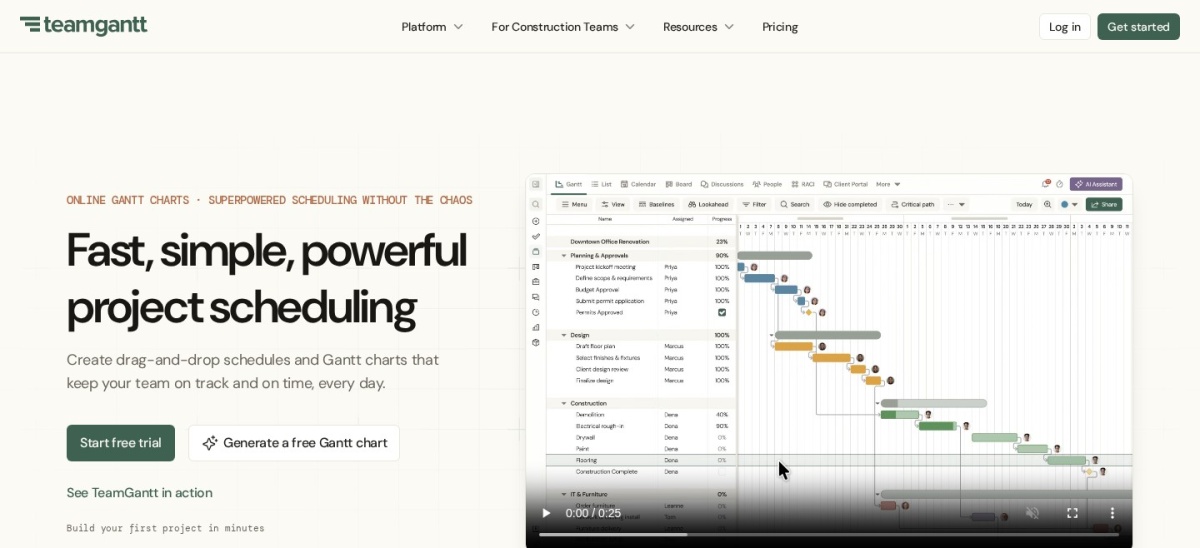
TeamGantt is a Gantt-first planning tool built for drag-and-drop schedules, task dependencies and workload views, with no extra modules to learn. The free Personal plan covers 1 user, 1 project and 40 tasks, and paid plans start at $59 a month flat per account billed annually.
The trade off is the flat price. A solo planner pays the same $59 a month as a small team, so it is poor value for one person and good value once several managers share it. It suits small teams that plan mostly on a timeline and want scheduling without a full work platform.
Wrike is a work management platform with Gantt charts, workload views, approvals and time tracking for teams that run many projects at once. The free plan covers unlimited users with board and table views, and Team costs $10 a user a month for 2 to 15 users.
The trade off is the step up past 15 users. Growing past the Team limit moves the whole team to Business at $25 a user a month, and seats are sold in blocks of five. It suits mid-size teams that need resource planning and approvals in one place.
What we like
Strong workload and capacity views
Free plan covers unlimited users
Approvals and proofing built in
400+ integrations
Watch out for
Price jumps to $25 past 15 users
Seats sold in blocks of five
Lowest G2 rating in this list at 4.2
Business adds reports, time tracking and resource toolsVisit wrike.com
07
Notion
4.6/5on G2 (12,176 reviews, checked Nov 2026)
Paid from$10/mo
Best for docs-first planning
Cheapest paid planPlus, $10/member/mo
Free planIndividual use
Gantt chartNo native Gantt view
File uploads5 MB free, unlimited on Plus
notion.com
Notion homepage, captured Nov 2026.
Notion is a block-based workspace where docs, wikis, databases and project trackers share one place, so a plan can sit beside the notes that explain it. The free plan covers individual use, and Plus costs $10 a member a month billed annually with unlimited blocks and file uploads.
The trade off is that Notion is not a dedicated planner. It has no native Gantt chart or workload view, and large databases can feel slow, so heavy scheduling needs another tool. It suits docs-first teams that want light project tracking beside their knowledge base.
Trello is a card-based Kanban tool from Atlassian where each project is a board of lists and cards that move from to do to done. The free plan covers up to 10 collaborators and 10 boards per workspace, and Standard costs $5 a user a month billed annually.
The trade off is depth. Trello has no native time tracking or workload view, and complex plans with dependencies outgrow boards fast. It suits small teams that want the simplest possible plan view and a free plan that stays useful for years.
What we like
Cheapest paid plan here at $5 a month
Easiest tool in this list to learn
Free plan covers 10 boards
1,000 automation runs on Standard
Watch out for
No native time tracking
No dependencies or workload view
Per-user cost adds up on big teams
Premium at $10 adds timeline, calendar and more runsVisit trello.com
09
Microsoft Project
4/5on G2 (1,627 reviews, checked Nov 2026)
Starts at$10/mo
Best for Microsoft 365 teams
Cheapest paid planPlan 1, $10/user/mo
Free planNone, 1-month trial
Desktop clientPlan 3, $30/mo
Resource managementPlan 3 and up
microsoft.com
Microsoft Project homepage, captured Nov 2026.
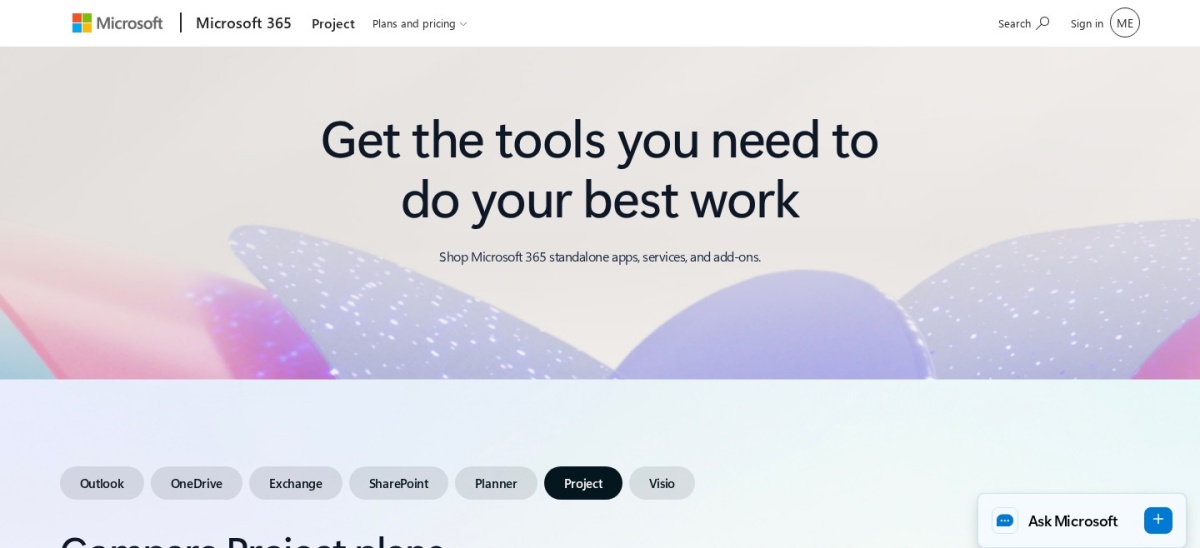
Microsoft Project is the classic scheduling tool, now sold as Planner Plan 1 inside Microsoft 365 with Gantt charts, dependencies and timesheets on the web. Plan 1 costs $10 a user a month on annual billing, and there is no free plan, only a one-month trial.
The trade off is the desktop gap. The Project desktop client, resource management and baselines need Plan 3 at $30 a user a month, and the desktop app runs on Windows only. It suits teams already on Microsoft 365 that need formal scheduling and critical-path planning.
What we like
Deepest scheduling and critical-path tools here
Works with Teams, SharePoint and Outlook
Familiar to trained project managers
Watch out for
No free plan, trial only
Desktop client needs Plan 3 at $30
Lowest G2 rating here at 4.0
Desktop app runs on Windows only
Plan 3 adds the desktop client and baselines; Plan 5 adds portfoliosVisit microsoft.com
Free vs paid: what you give up
Free plans in this list cover the basics well. Most include task lists, boards and a calendar view, which is enough for a small project with a short timeline.
Paid plans mostly add time views and control. Gantt charts, dependencies, workload views and automations usually sit on the first paid tier.
Two tools have no free plan at all. Smartsheet offers a 30-day trial and Microsoft Project a one-month trial, so budget for the first year before you commit.
For a team of five, the cheapest paid plans here run from $25 to $60 a month. Check the seat minimum too: monday.com charges for at least 3 seats on paid plans.
How we chose
We started from the best-known project planning tools with published prices and a public G2 rating, then kept nine that cover boards, timelines, Gantt charts and docs.
Prices come from each vendor's pricing page, checked on 26 November 2026. Ratings and review counts come from G2 on the same day. Where a vendor shows a sale, the list shows the regular price.
We left out tools with no published price and quote-only enterprise platforms. No vendor paid for a place, and we do not claim to have used these tools ourselves.
How to choose project planning software
Start with how your team actually plans, then match the tool to that habit.
Decide if you need a real Gantt chart. If dates and dependencies drive the work, pick a tool with Gantt views on a tier you can afford. If a board is enough, Trello or Notion will do.
Count the seats before you compare prices. Most tools charge per user per month, so multiply the headline price by your team size. TeamGantt charges flat, which changes the maths for larger teams.
Check the free plan limits. Seven tools here have a free plan, but boards, collaborators and Gantt views are often capped. Try the free plan with a real project before you pay.
Plan for the next tier, not just the first. The cheapest plan often lacks the Gantt view or automations you will want in three months. Check what the next tier costs before you commit.
FAQ
What is the best project planning software?
monday.com is the best pick for most teams. It combines visual boards, timeline and Gantt views, dashboards and automations from $9 a seat a month, and it is rated 4.7 out of 5 on G2 from 17,182 reviews.
Which project planning software is best for small teams?
Trello is the simplest choice, with a free plan for up to 10 boards and Standard at $5 a user a month. Asana Starter at $10.99 adds Gantt views, and TeamGantt at $59 flat suits teams that share one schedule.
Is there a free project planning tool with Gantt charts?
No free plan here includes full Gantt charts without limits. ClickUp and TeamGantt have free plans, but unlimited Gantt charts need a paid tier. Trello's free plan covers boards and cards, not timelines.
How much does project planning software cost?
Paid plans here run from $5 a user a month for Trello Standard to $59 a month flat for TeamGantt. Most tools sit between $9 and $12 a user a month, and Microsoft Project Plan 1 costs $10.
Do I need Microsoft Project for Gantt charts?
No. monday.com, Asana, ClickUp, Smartsheet, Wrike and TeamGantt all include Gantt charts, and most have a free plan. Microsoft Project only makes sense for teams already on Microsoft 365 that need formal scheduling.
What is the difference between a Gantt chart and a Kanban board?
A Gantt chart shows tasks on a timeline with start dates, end dates and dependencies, so you can see what slips. A Kanban board shows tasks in columns such as to do, doing and done, which suits flow but hides dates.
SaaS SEO and WordPress specialist with about 8 years of experience. Rakib compares WordPress plugins, themes, hosting and software using public pricing, documentation and user reviews. See how we rank.