Notion is the best project management software for most solopreneurs, with a free plan covering unlimited pages and Plus at $10 a month. G2 reviewers rate it 4.6 out of 5 from 13,766 reviews, while Todoist suits pure task lists and Motion suits AI scheduling at $19 a month.
How we make this list: we compare pricing pages, product documentation and public user reviews, then re-check every price before each update. No product paid for a place. Disclosure.
Notion's free plan covers unlimited pages and 10 guests, so many solopreneurs never need to pay.
ClickUp has the deepest free plan here, with unlimited tasks and members, and Core lists at $12 a month.
Todoist Pro and Trello Standard both cost $5 a month, the cheapest paid plans in this list.
monday.com sells paid seats with a 3-seat minimum, so one person pays $27 a month for Basic.
Motion and Sunsama have no free plan. Both start with a short trial and cost $19 and $17 a month.
What a solopreneur needs from project software
A solopreneur runs every role at once: sales, delivery, invoicing and marketing. The software has to hold all of that without adding admin work of its own.
Start with the free plan, not the feature list. Most tools here give a solo user enough on free, and the paid step only makes sense once a limit starts to bite.
Look for one place that holds tasks, notes and dates together. Our guide on planning a content calendar shows how much smoother a week runs when the plan lives in one place.
Watch the seat math. Several tools in this list charge per user or per seat, and one has a 3-seat minimum that triples the bill for a single person.
The 9 best project management software for solopreneurs
01
Notion
4.6/5on G2 (13,766 reviews, checked Nov 2026)
Paid from$10/mo
Best project software for solopreneurs overall
Free planUnlimited pages, 10 guests
Paid planPlus, $10/mo billed yearly
Page history30 days on Plus
File uploadsUnlimited on Plus
notion.com
Notion homepage, captured Nov 2026.
Notion is an all-in-one workspace where tasks, notes, docs and databases live side by side. The free plan covers unlimited pages and blocks for one person, with 10 guests and a 7-day page history, which is enough for many solo operators.
The trade off is structure. Notion gives you blank pages and templates instead of a ready-made project flow, so setup takes longer than in a pure task app. It suits solopreneurs who want client notes, content plans and tasks in the same place.
ClickUp is a full work platform that packs tasks, docs, goals, chat and time tracking into one workspace. The Free Forever plan includes unlimited tasks and members, Kanban boards, calendar view and sprint management, with 60 MB of storage.
The trade off is depth. Core lists at $12 a month after a $9 sale price, and the sheer number of settings can slow down a solo user who only needs lists and dates. It suits solopreneurs who want one tool to replace several.
Todoist is a focused to-do app built around quick capture, due dates and priorities. The free Beginner plan covers 5 personal projects, task reminders and 3 filter views, while Pro adds 300 projects, calendar and table layouts, task duration and custom reminders for $5 a month.
The trade off is scope. Todoist handles tasks well but has no boards with real project structure, docs or client portals. It suits solopreneurs whose work is a long list of dated tasks rather than multi-stage projects.
Trello is a Kanban board tool where work moves as cards across lists. The free plan covers up to 10 collaborators per workspace with unlimited cards, while Standard adds unlimited boards, card mirroring, advanced checklists and custom fields for $5 a user a month billed yearly.
The trade off is depth. Trello stays simple on purpose, so there are no timelines, dependencies or workload views without the Premium plan at $10 a month. It suits solopreneurs who think in columns and want a board they can set up in minutes.
Asana is a structured work manager where every task has an owner, a due date and a project home. The free Personal plan covers 2 users with unlimited tasks and projects in list, board and calendar views, while Starter adds timeline and Gantt views, dashboards, forms and custom fields.
The trade off is price for one person. Starter costs $10.99 a user a month billed yearly, which is more than double the cheapest tools here, and its team features matter little to a solo user. It suits solopreneurs juggling several clients who need clear ownership and deadlines.
monday.com is a visual work platform where boards, columns and dashboards bend to fit almost any workflow. The free plan covers up to 2 seats with 3 boards, and Basic adds unlimited items and 1,000 AI credits a month at $9 a seat a month billed yearly.
The trade off is the seat math. Paid plans start at 3 seats, so a solo user pays $27 a month for Basic, and Basic includes no automations at all. It suits solopreneurs who want a highly visual board and plan to grow into a small team.
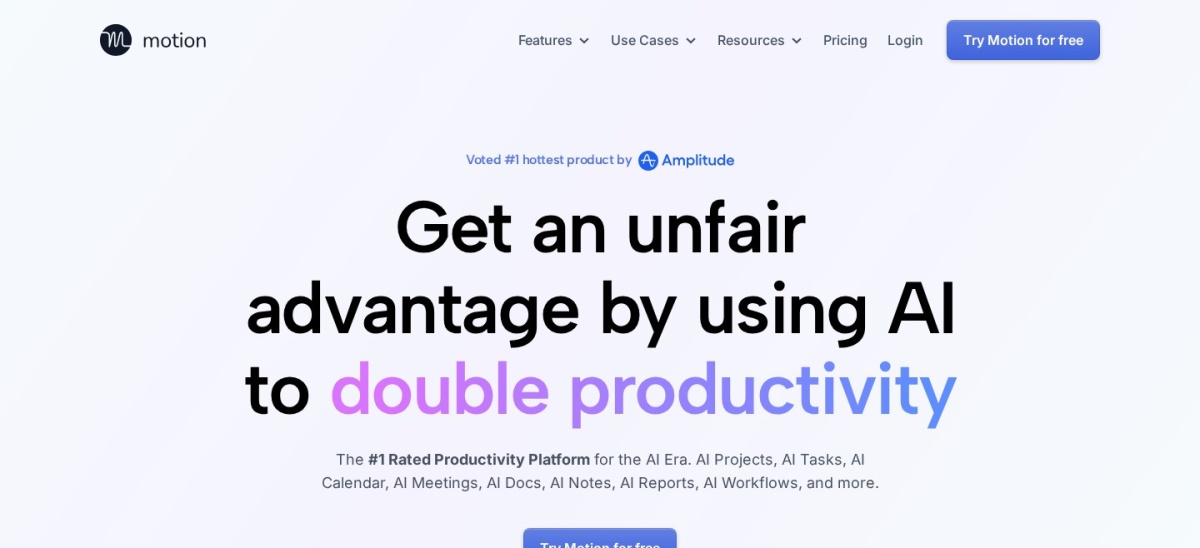
Motion is an AI planner that builds your day from tasks and deadlines, scheduling work around fixed meetings and reshuffling when things change. It bundles task management, project planning, docs, a calendar and an AI meeting notetaker in one workspace, with Pro AI at $19 a seat a month.
The trade off is price and lock-in. There is no free plan, only a 7-day trial, and $19 a month is the most expensive entry point among the solo-focused tools here. It suits founders whose days are fragmented by meetings and who will also replace their task manager with it.
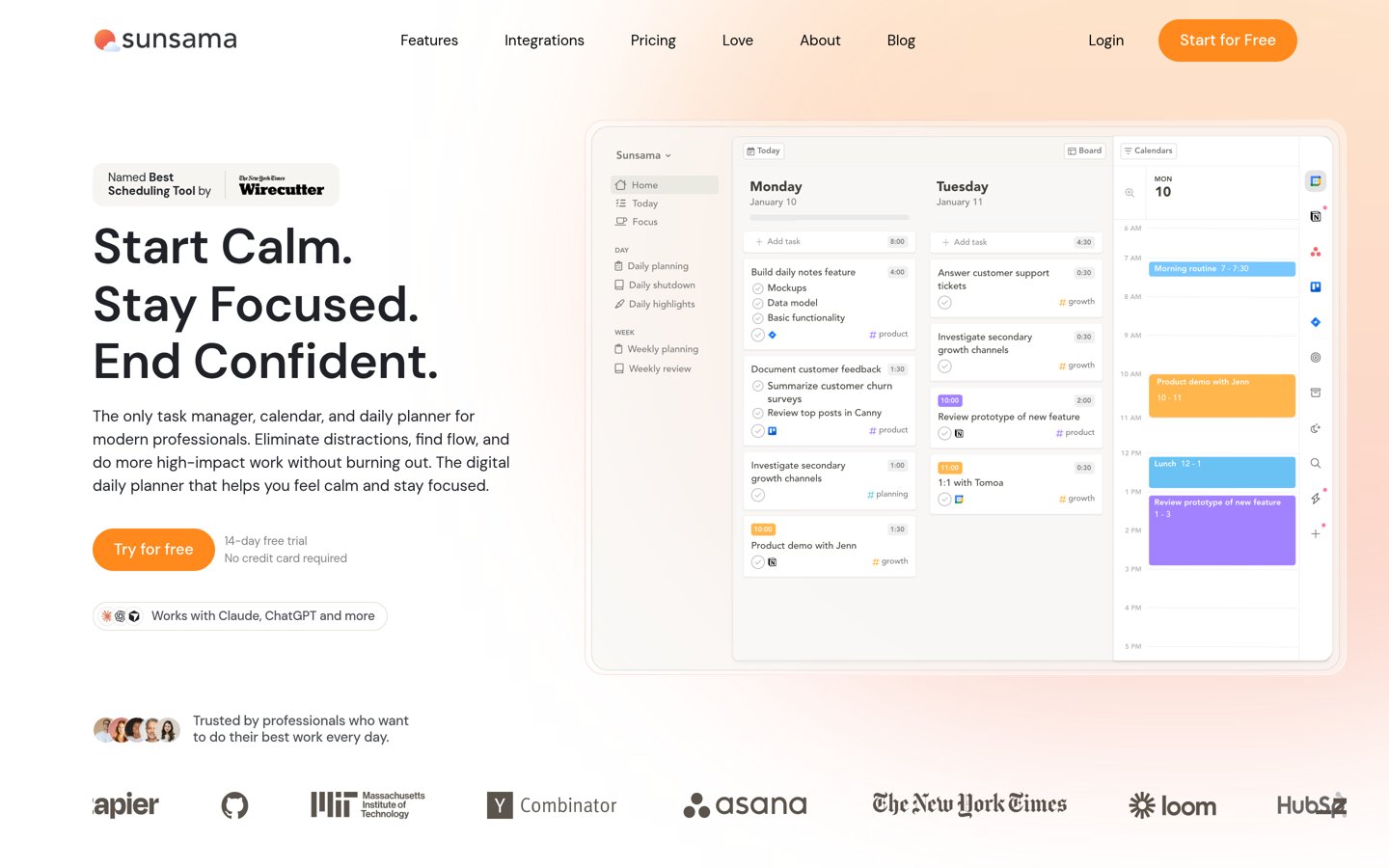
Sunsama is a daily planner built around a guided morning ritual: pick a realistic workload, timebox it on your calendar, then run a shutdown routine at the end of the day. It pulls tasks in from Trello, Asana, Gmail and Slack, and costs $17 a month billed yearly after a 14-day trial.
The trade off is that it is a planning layer, not a full project tool. Sunsama has no free plan and does not manage multi-stage projects on its own, so it works best beside another tool. It suits solopreneurs who feel overwhelmed and want each day to hold only what fits.
Basecamp is a deliberately simple project hub with to-dos, message boards, chat, files and a calendar inside each project. The free plan covers 1 project for up to 3 users with 1 GB of storage, and Freelancer adds 3 active projects, 10 GB and up to 5 users for a flat $29 a month with no per-user fees.
The trade off is limits and price. Freelancer caps you at 3 active projects, and $29 a month is the highest flat price in this list. It suits solopreneurs who want one calm place per client project and never want to learn a complex tool.
Free plans cover the basics well. Most include unlimited tasks, a few projects and the core views a solo user needs.
Paid plans mostly add room and automation. You get more projects, more storage, timelines and rules that move work for you.
Two tools here have no free plan at all. Motion and Sunsama both start with a short trial, so budget $17 to $19 a month from day one if either is your pick.
If your income depends on hitting client deadlines every week, the first year of a $5 plan often costs less than one missed deadline.
How we chose
We started from the project tools most often recommended for solo operators, then kept the nine with a real free plan or a solo-priced paid plan and a public user rating.
Prices come from each vendor's pricing page, checked on 26 November 2026. Ratings and review counts come from G2 on the same day, except Sunsama, which uses Capterra. Where a vendor shows a sale, the list shows the regular price.
We left out team-only tools with no solo pricing and tools with no public rating. No vendor paid for a place, and we do not claim to have used these tools ourselves.
How to choose project management software as a solopreneur
Start with how your work actually arrives, then pick the tool that matches that shape.
List where work comes from. If most work arrives as dated tasks, Todoist or Trello will do. If it arrives as client projects with files and messages, look at Notion, Asana or Basecamp.
Try the free plan for two weeks. Run real client work through it, not a demo project. If you hit a project or storage limit in week one, that limit is your buying signal.
Check the seat math before paying. Some tools charge per seat with a minimum, so a $9 plan can bill $27 a month for one person. Confirm the total on the pricing page first.
Keep one system, not three. A second tool for planning is fine, but two task lists means work slips between them. Pick one home for tasks and stick with it.
FAQ
What is the best project management software for solopreneurs?
Notion is the best pick for most solopreneurs. Its free plan covers unlimited pages, and Plus costs $10 a month. It holds tasks, notes and docs in one place, and G2 reviewers rate it 4.6 out of 5 from 13,766 reviews.
Is there a good free project management tool for one person?
Yes. Notion, ClickUp, Todoist, Trello, Asana, monday.com and Basecamp all have free plans. ClickUp has the deepest free plan, with unlimited tasks and members, while Notion gives unlimited pages.
How much should a solopreneur pay for project software?
Most solo operators can run on $0 to $10 a month. Todoist Pro and Trello Standard both cost $5 a month, while Notion Plus is $10. AI planners like Motion and Sunsama cost $17 to $19 a month.
Is Notion or ClickUp better for a solopreneur?
Notion is better if your work mixes notes, docs and tasks, since everything lives in one workspace. ClickUp is better if you want a ready-made project structure with Gantt charts, goals and chat without building it yourself.
Do I need a paid plan as a solopreneur?
Usually not at first. Free plans cover a handful of projects and unlimited tasks in most tools here. Pay when you hit a real limit, such as a project cap, storage limit or missing timeline view.
What is the cheapest project management software for solopreneurs?
Todoist Pro and Trello Standard tie at $5 a month billed yearly, or $60 a year. Both have free plans too, so you can start free and upgrade only when the limits bite.
SaaS SEO and WordPress specialist with about 8 years of experience. Rakib compares WordPress plugins, themes, hosting and software using public pricing, documentation and user reviews. See how we rank.