QuillBot is the top pick for PDF summarization, offering bullet and paragraph modes with 4.4/5 across 80 G2 reviews. Smallpdf suits all-in-one PDF workflows with 4.5/5 on G2, while Scholarcy fits academic flashcards and research matrices.
How we make this list: we compare pricing pages, product documentation and public user reviews, then re-check every price before each update. No product paid for a place. Disclosure.
QuillBot holds a 4.4/5 rating across 80 G2 reviews and starts at $8.33/mo on its annual plan.
Smallpdf rates 4.5/5 across 310 G2 reviews and bundles AI summarization with 30+ PDF tools.
Scholarcy holds 4.5/5 on G2 and starts at $9.99/mo for unlimited academic flashcard summaries.
Wordtune rates 4.6/5 across 200 G2 reviews and includes 3 monthly AI summaries on its free plan.
TLDR This offers a $4.00/mo tier with 100 advanced AI summaries per month and browser extensions.
What to look for in a PDF summarizer tool
Good PDF summarizers save reading time while keeping source context clear. Look for tools that let you pick summary length, export key points, or jump back to specific sections rather than guessing at vague overviews.
Check file and usage limits before signing up. Many free tiers cap daily uploads, word counts, or page counts, and scanned PDFs with images often need OCR to extract text cleanly.
Academic readers and researchers benefit from structured outputs like flashcards, bibliographies, or multi-document folders. Teams working with contracts, reports, or mixed file types often prefer tools that also handle editing or conversion.
Always review generated summaries against the original PDF for high-stakes decisions. AI tools can compress nuance or misread dense tables, so quick verification remains essential.
Best for adjustable bullet and paragraph summaries
Free tier1,200 words in summarizer
Summary formatsBullets and paragraphs
ExtensionsChrome, Edge, Word, Docs
G2 rating4.4/5 (80 reviews)
quillbot.com
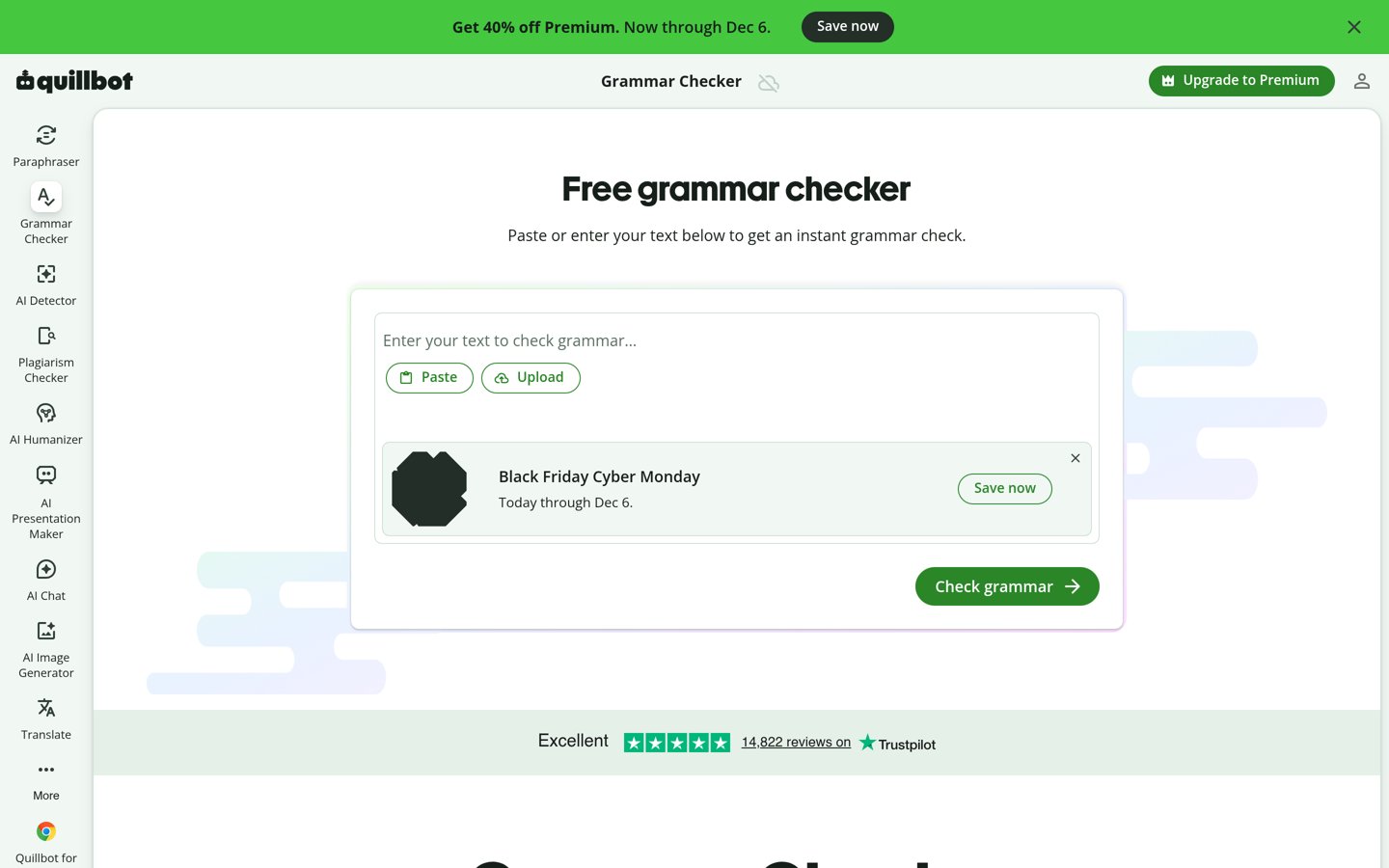
QuillBot homepage, captured Nov 2026.
QuillBot is a writing and summarization platform whose summarizer condenses long text and documents into bullet points or paragraphs. Its free plan includes 1,200 words in the summarizer alongside basic paraphrasing and grammar tools.
The trade off is that custom summary instructions and higher limits require a paid plan starting at $8.33/mo billed annually, with promotional pricing also listed on the upgrade page. It suits students and writers who want one workspace for summarizing and editing.
What we like
Condenses content into adjustable bullet points or paragraphs
Includes a free tier with no upfront payment
Offers browser extensions and Word or Google Docs integrations
Combines summarization with paraphrasing and grammar checks
Watch out for
Free summarizer input is capped at 1,200 words
High synonym or rewrite settings can sometimes alter phrasing
Custom summary instructions sit behind paid access
Paid plans add custom summary instructions, higher limits, and full writing tools.Visit quillbot.com
02
Smallpdf
4.5/5on G2 (310 reviews, checked Nov 2026)
Paid from$9/mo (Pro, billed yearly)
Best for combining PDF editing, conversion, and AI summaries
PDF toolkit30+ PDF tools included
AI featuresAI PDF Summarizer and Chat
SecurityISO/IEC 27001, GDPR, CCPA
G2 rating4.5/5 (310 reviews)
smallpdf.com
Smallpdf homepage, captured Nov 2026.
Smallpdf is a web and mobile PDF platform offering 30+ document tools alongside AI PDF Summarizer, Chat with PDF, and Translate PDF features. Its free version provides limited daily tasks and AI usage with a 50 MB AI-tool file size limit.
The trade off is that unlimited downloads, OCR, and higher AI document word limits up to 100k require upgrading to Pro, where yearly billing costs 25% less per month than monthly billing. It suits everyday office users who already merge, convert, or sign PDFs.
What we like
Pairs AI summarization with 30+ PDF conversion and editing tools
Supports web, desktop, and mobile workflows with cloud storage integrations
Maintains ISO/IEC 27001 certification and automatic file deletion after processing
Watch out for
Free plan restricts daily downloads and AI usage
Exact annual dollar pricing is selected during plan checkout rather than static text
Smallpdf Pro unlocks unlimited downloads, OCR, and higher AI word limits.Visit smallpdf.com
03
Scholarcy
4.5/5on G2 (1 reviews, checked Nov 2026)
Paid from$9.99/mo
Best for academic papers, flashcards, and literature matrices
Core outputStructured summary flashcards
Research toolsLiterature Matrix and bibliographies
Free tierLimited free summaries and exports
G2 rating4.5/5 (1 review)
scholarcy.com
Scholarcy homepage, captured Nov 2026.
Scholarcy is a research reading tool built to break long articles and papers into structured summary flashcards with highlighting and note-taking. Its free tier lets users try summarization with limits on saved summaries and single flashcard exports.
The trade off is that its monthly plan starts at $9.99/mo after a 7-day free trial, with a 25% discount option on yearly billing for Scholarcy Plus. It suits students and researchers organizing dense academic papers.
What we like
Turns long papers into structured flashcards for faster review
Supports Literature Matrix creation and bibliography exports
Includes highlighting, notes, and flashcard collections
Watch out for
Free access limits saved summaries and bulk flashcard exports
Paywalled web articles or heavy image-based PDFs may need manual upload
Paid plans add unlimited summaries, bulk flashcard exports, and literature matrices.Visit scholarcy.com
04
Wordtune
4.6/5on G2 (200 reviews, checked Nov 2026)
Paid from$4.89/mo
Best for combining long-form summaries with sentence rewrites
Free tier3 AI summarizations per month
Entry paid plan15 AI summarizations per month
PlatformsWeb editor and browser extension
G2 rating4.6/5 (200 reviews)
wordtune.com
Wordtune homepage, captured Nov 2026.
Wordtune is a writing and reading assistant that offers AI summarizations alongside rewriting, grammar, and clarity tools. Its free Basic plan includes 3 AI summarizations per month and 10 daily rewrites.
The trade off is that the entry paid plan is listed at $4.89/mo (discounted from $6.99/mo) with 15 monthly summaries, while Unlimited starts at $6.99/mo (discounted from $9.99/mo). It suits professionals who want both document summaries and everyday drafting help.
What we like
High 4.6/5 rating across 200 G2 reviews for clarity and ease of use
Includes a free plan with 3 monthly AI summarizations
Integrates with browser workflows and common writing tools
Watch out for
Free and entry paid tiers cap monthly AI summarizations
Promotional pricing appears alongside standard plan rates
Paid plans raise monthly AI summarization limits and expand rewriting access.Visit wordtune.com
05
TLDR This
4.5/5on G2 (1 reviews, checked Nov 2026)
Paid from$4.00/mo
Best for quick browser summaries and budget monthly plans
File uploadPDF, DOC, and DOCX up to 25 MB
Free tierUnlimited basic key-sentence summaries
Entry paid plan$4.00/mo for 100 AI summaries/mo
G2 rating4.5/5 (1 review)
tldrthis.com
TLDR This homepage, captured Nov 2026.
TLDR This is an online summarizer and browser extension tool that condenses articles, PDFs, DOC, and DOCX files up to 25 MB. Its free tier provides unlimited basic key-sentence summaries plus 10 one-time advanced AI summaries.
The trade off is that its entry paid plan starts at $4.00/mo for 100 monthly advanced AI summaries, with higher tiers scaling up to $16.60/mo. It suits readers who want a simple, low-cost monthly plan for quick overviews.
What we like
Low entry paid price starting at $4.00/mo
Accepts PDF, DOC, and DOCX uploads up to 25 MB
Offers browser extensions for quick one-click summaries
Watch out for
Advanced AI summaries are capped on free and entry tiers
Lighter on deep research organization than dedicated study tools
Paid plans add monthly quotas of advanced AI summaries and paraphrases.Visit tldrthis.com
06
PDF.ai
5/5on Capterra (1 reviews, checked Nov 2026)
Paid from$10.00/mo
Best for chatting with PDFs and developer PDF APIs
WorkflowsPDF chat, agents, and APIs
Free tierHobby plan at $0/mo (2 OCR pages/file)
Pro annual price$10/mo billed yearly (10 OCR pages/file)
Capterra rating5.0/5 (1 review)
pdf.ai
PDF.ai homepage, captured Nov 2026.
PDF.ai is a document chat and PDF processing platform offering conversational Q&A, AI agents, and parse, extract, and split APIs. Its free Hobby tier starts at $0/mo with a 2-page OCR cap per file and a 10 MB file size limit.
The trade off is that Pro starts at $10/mo billed yearly with 10 OCR pages per file and a 50 MB limit, while commercial API credits cost extra. It suits users and developers who want Q&A and API parsing in one place.
What we like
Combines interactive PDF chat with parse, extract, and split APIs
Includes a $0/mo Hobby tier to test basic document workflows
Supports AI agents for repeatable document tasks
Watch out for
OCR page counts and file sizes are capped by tier
Commercial API usage is billed separately from web plans
Paid plans raise file size and OCR page caps and unlock team or API options.Visit pdf.ai
07
Humata
5/5on Capterra (1 reviews, checked Nov 2026)
Paid from$9.99/mo
Best for page-quota PDF Q&A and team document access
Free tierUp to 60 free pages per month
Team tier500 pages/mo for up to 3 users
Overage rate$0.01–$0.02 per extra page by plan
Capterra rating5.0/5 (1 review)
humata.ai
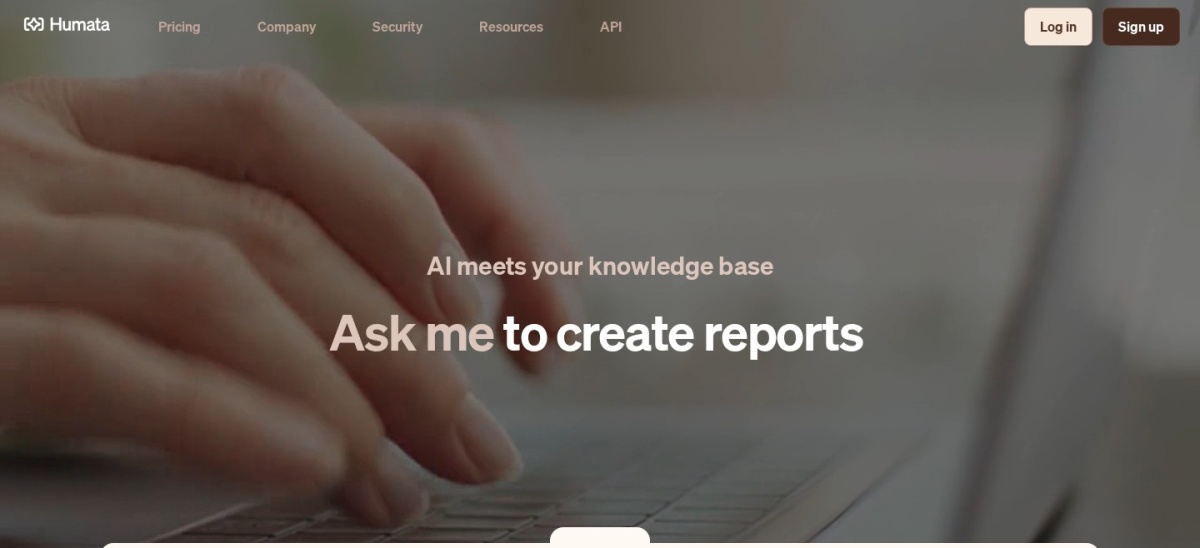
Humata homepage, captured Nov 2026.
Humata is a document question-and-answer tool that helps users search, extract details, and review PDFs with source citations. Its free plan includes basic features for up to 60 pages per month.
The trade off is that paid plans start at $9.99/mo (with 500 monthly pages for up to 3 users) and charge per-page overages once you exceed your monthly allowance. It suits small teams and analysts who track usage by page count.
What we like
Offers a free tier with up to 60 pages per month
Provides clear monthly page tiers and role controls on team plans
Includes per-page overage options instead of a hard cutoff
Watch out for
Monthly page limits can add overage fees on heavy documents
Public review counts on Capterra are very small
Paid plans expand monthly page allowances and add multi-user team features.Visit humata.ai
Should you pick a PDF chat tool or a structured summarizer?
Structured summarizers focus on condensing a document into sections, bullets, or study flashcards right away. They work well when you want a quick overview of a report, article, or paper before reading deeper.
PDF chat tools focus on answering specific questions from your file, which helps when you only care about a clause, figure, or topic. Using both—or checking source pages directly—helps avoid missed context.
How we chose
We built this list from established AI summarizer and PDF tools across general writing, academic research, and document management categories. Each entry had to be an active standalone product or web app with public pricing and verifiable review data.
Prices, plan features, and review ratings were checked on 22 Nov 2026 using official pricing pages and review directories. Where tools offered annual discounts or promos, we noted the regular entry or annual pricing terms clearly.
We skipped tools without clear public pricing or sufficient verified details for our comparison format. No vendor paid for a place, and we do not claim testing for this list.
How to choose a PDF summarizer tool
Follow four quick checks to match a PDF summarizer to your daily workload:
Check your typical PDF length and format. Make sure the tool handles your document size, multi-column layouts, or scanned pages without cutting off key sections.
Compare free limits against your weekly volume. Test the free tier on a real file to see if daily caps, word limits, or page allowances fit your routine.
Decide how you want summaries formatted. Pick bullet points and overviews for fast skimming, flashcards for study notes, or Q&A chat for targeted lookups.
Verify facts against the source text. Always check key numbers, dates, and claims in the original PDF before sharing or acting on a summary.
FAQ
What is the best free PDF summarizer tool?
QuillBot, Smallpdf, Scholarcy, Wordtune, TLDR This, PDF.ai, and Humata all offer free tiers or free entry access. The best choice depends on whether you prefer bullet summaries, PDF editing tools, academic flashcards, or Q&A chat.
Can AI PDF summarizers read scanned PDFs?
Some tools support optical character recognition (OCR) to read scanned pages, while others work best on text-based PDFs. Always check a tool's file and OCR limits if you work with scanned documents.
Are AI PDF summaries accurate enough for legal or medical work?
No, AI summaries can miss context, misread tables, or oversimplify technical terms. Treat any summary as a starting point and verify critical details directly against the original document.
What is the difference between a summarizer and a chat-with-PDF tool?
A summarizer condenses a document into key points, sections, or flashcards automatically. A chat-with-PDF tool lets you ask targeted questions and pull answers from specific parts of the file.
Do I need a paid plan to summarize long PDFs?
Often yes, because free tiers commonly restrict word counts, daily files, or page allowances. Upgrading usually raises file size and usage limits for regular work.
How do annual and monthly plans usually differ?
Annual billing typically lowers the effective monthly cost compared to paying month by month. Monthly billing costs more per month but gives flexibility if you only need a tool for a short project.
SaaS SEO and WordPress specialist with about 8 years of experience. Rakib compares WordPress plugins, themes, hosting and software using public pricing, documentation and user reviews. See how we rank.