Best Network Discovery Tools in 2026: 7 Tools Compared
WLWPLegible EditorsLast verified 22 Nov 2026How we rank8 min read
★ Short answer
Paessler PRTG is the top pick with published annual pricing starting at $200 per month for PRTG 500 across roughly 50 devices. Domotz fits multi-site teams at $35 per collector per month, and ManageEngine OpUtils starts at $138 per year for 250 IPs and switch ports.
How we make this list: we compare pricing pages, product documentation and public user reviews, then re-check every price before each update. No product paid for a place. Disclosure.
Paessler PRTG offers a free tier up to 100 sensors and paid plans starting at $200/mo billed annually ($2,400/yr).
Domotz charges $35 per collector per month with unlimited devices on a site, holding a 4.8 out of 5 rating on G2 across 105 reviews.
ManageEngine OpUtils starts at $138/yr for 250 IPs and switch ports, plus a free edition for limited objects.
Lansweeper includes a free tier for up to 100 assets, with Starter starting at $299/mo billed annually ($3,588/yr) for 2,000 assets.
Syncro includes network discovery on its Team plan at $179 per user per month billed annually ($2,148/yr per technician).
What to look for in a network discovery tool
Network discovery scans IP ranges, subnets, and connected hardware to identify active hosts, open ports, switch relationships, and operating systems before issues spread. Agentless protocols such as SNMP, WMI, SSH, and ICMP help locate printers, routers, and unmanaged gear without installing software on every endpoint.
Licensing models shape long-term cost more than sticker prices. Some vendors meter by sensor count or managed asset bands, while others charge per collector site, per technician, or per monitored device.
Decide whether you only need periodic inventory and IP or switch port mapping, or if discovered devices should flow straight into continuous uptime alerts, traffic analysis, and ticketing. On-premises collectors also matter when network data cannot leave a local site.
Discovery methodsSNMP, WMI, packet sniffing, and ping
G2 rating4.7 / 5 (219 reviews)
paessler.com
Paessler PRTG homepage, captured Nov 2026.
Paessler PRTG is a network and infrastructure monitoring tool that discovers devices and creates sensors for metrics like ping, CPU, traffic, and ports. Its Freeware Edition covers up to 100 sensors, while PRTG 500 starts at $200 per month billed annually for 500 sensors across roughly 50 devices.
The trade off is that individual metric checks consume sensors quickly, pushing growing networks into higher tiers starting at $358 per month billed annually. It suits mixed Windows and network environments that want published tier pricing.
What we like
Published annual pricing across tiers from 500 to 10,000 sensors
Freeware Edition includes up to 100 sensors and a 30-day unrestricted trial
Includes SNMP, WMI, packet sniffing, and NetFlow checks in one product
Watch out for
Sensor caps fill fast when tracking many metrics per device
Step-ups between sensor tiers increase total spend noticeably
Paid tiers raise sensor limits from 500 up to 10,000 sensors with annual billing.Visit paessler.com
02
ManageEngine OpUtils
4.4/5on G2 (9 reviews, checked Nov 2026)
Paid from$138/yr
Best for IP address and switch port discovery
Entry paid tier$138/yr for 250 IPs and switch ports
Free editionLimited managed objects (one subnet and switch)
Core focusIPAM, switch port mapping, and rogue detection
G2 rating4.4 / 5 (9 reviews)
manageengine.com
ManageEngine OpUtils homepage, captured Nov 2026.
ManageEngine OpUtils is an IP address and switch port management tool that scans subnets and VLANs to map connected hardware. It offers a free edition for limited objects, while the Professional edition starts at $138 per year for 250 managed IPs and switch ports.
The trade off is a narrower focus on IP addresses, switch ports, and rogue device alerts rather than broad application observability. It suits network engineers who need low-cost address tracking and port visibility.
What we like
Low entry annual price starting at $138 per year for 250 IPs and ports
Free edition available for small initial setups
Purpose-built for IP conflict checks and switch port mapping
Watch out for
Scales by adding packs of managed IPs and switch ports
Less suited for full-stack server or application tracing
Paid licensing expands managed IP and switch port capacity beyond the free limit.Visit manageengine.com
03
Domotz
4.8/5on G2 (105 reviews, checked Nov 2026)
Starts at$35/mo
Best for flat per-collector pricing across sites
Entry paid tier$35/mo per collector ($420/yr per collector)
Device limitUnlimited devices per collector site
Trial14-day free trial, no credit card required
G2 rating4.8 / 5 (105 reviews)
domotz.com
Domotz homepage, captured Nov 2026.
Domotz is a remote network monitoring and discovery platform that runs a lightweight collector per site to detect devices and map topologies. Pricing is $35 per collector per month ($420 per year per collector) with unlimited devices and a 14-day free trial.
The trade off is paying per collector site rather than having a permanent free tier, so multi-location counts multiply quickly. It suits MSPs and distributed offices that want predictable per-site billing.
What we like
Highest G2 rating in this group at 4.8 out of 5 across 105 reviews
Flat $35 per collector per month covers unlimited devices on that network
Fast collector setup with automatic device discovery and alerts
Watch out for
No permanent free plan after the 14-day trial ends
Per-collector fees add up across many separate sites
Every collector includes full platform features and unlimited discovered devices on that site.Visit domotz.com
04
Datadog
4.4/5on G2 (748 reviews, checked Nov 2026)
Starts at$7/mo
Best for teams already standardized on Datadog
Entry paid tier$7/device/mo annual ($84/yr per network device)
Billing modelPer device plus optional NetFlow and retention add-ons
Trial14-day free trial available
G2 rating4.4 / 5 (748 reviews)
datadoghq.com
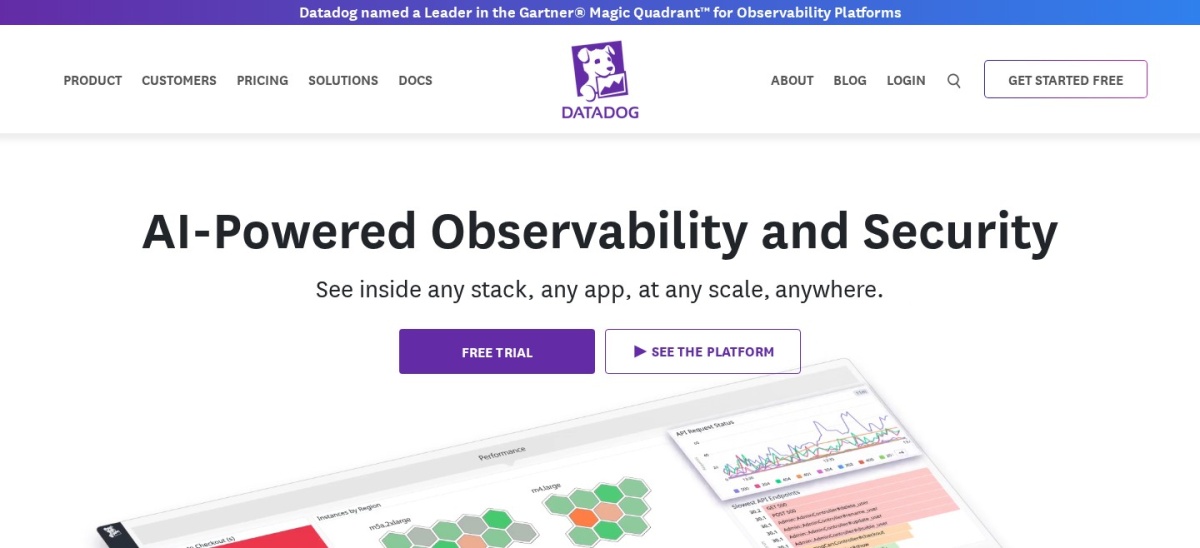
Datadog homepage, captured Nov 2026.
Datadog is an observability platform whose Network Device Monitoring SKU discovers routers, switches, and firewalls alongside cloud telemetry. Network Device Monitoring starts at $7 per device per month on annual billing ($84 per year per device).
The trade off is that NetFlow volume, longer retention, and broader observability modules add separate metered charges. It suits teams already running Datadog that want network discovery in one workspace.
What we like
Unifies network device visibility with logs, metrics, and APM in one platform
Published $7 per device per month annual rate for Network Device Monitoring
Large review base on G2 with 748 reviews at 4.4 out of 5
Watch out for
Per-device and per-record flow charges can grow across large fleets
Broad feature set adds complexity if you only need basic scanning
Plan with discoveryTeam at $179/user/mo annual ($2,148/yr per tech)
Endpoint modelUnlimited endpoints per technician
Trial14-day free trial, no credit card required
G2 rating4.5 / 5 (572 reviews)
syncromsp.com
Syncro homepage, captured Nov 2026.
Syncro is an RMM and PSA platform that uses SNMP and ping discovery to find workstations, servers, printers, and network gear. Network discovery sits on the Team plan at $179 per user per month billed annually ($2,148 per year per technician).
The trade off is that Core at $129 per user per month does not include network discovery, and pricing scales by technician seat. It suits MSPs and IT teams consolidating discovery with ticketing and patching.
What we like
Connects discovered assets directly to RMM automation, patching, and PSA tickets
Unlimited endpoints per technician on annual plans
572 reviews on G2 with a 4.5 out of 5 rating
Watch out for
Network discovery is excluded from the lower-cost Core plan
Costs scale with technician headcount rather than a standalone scanner price
Upgrading from Core to Team unlocks network discovery and additional M365 management tools.Visit syncromsp.com
06
Progress WhatsUp Gold
4.4/5on G2 (399 reviews, checked Nov 2026)
Starts at$1,229/yr
Best for Layer 2 and Layer 3 switch port mapping
Entry paid tierBusiness subscription from $1,229/yr (50 devices)
Discovery strengthLayer 2 and Layer 3 device and port relationships
DeploymentOn-premises and cloud portal options
G2 rating4.4 / 5 (399 reviews)
whatsupgold.com
Progress WhatsUp Gold homepage, captured Nov 2026.
Progress WhatsUp Gold is a network monitoring tool that maps Layer 2 and Layer 3 connections and switch port attachments during discovery. Subscription plans start at $1,229 per year for 50 devices on the Business tier.
The trade off is that add-on modules such as traffic analysis and configuration management cost extra, and some users find the UI dated. It suits teams that need clear switch port and topology mapping.
What we like
Identifies Layer 2 and Layer 3 relationships and switch port links during scans
Published subscription starting point of $1,229 per year for 50 devices
399 reviews on G2 with a 4.4 out of 5 score
Watch out for
Advanced modules like configuration management and traffic analysis are extra
Some reviewers note a dated interface and setup effort
Higher tiers and add-ons expand device capacity, traffic analysis, and configuration management.Visit whatsupgold.com
07
Lansweeper
4.4/5on G2 (72 reviews, checked Nov 2026)
Paid from$299/mo
Best for deep hardware, software, and asset inventory
Entry paid tierStarter from $299/mo annual ($3,588/yr, 2,000 assets)
Free planFull detail on first 100 assets
Focus areaIT, OT, and cloud asset inventory and compliance
G2 rating4.4 / 5 (72 reviews)
lansweeper.com
Lansweeper homepage, captured Nov 2026.
Lansweeper is an IT asset discovery and inventory platform that scans networks to catalog hardware, software, and connected devices. Its Free plan covers full detail on the first 100 assets, while Starter begins at $299 per month billed annually ($3,588 per year) for 2,000 assets.
The trade off is a higher annual entry price once you pass 100 assets, and price increases took effect in October 2026. It suits IT teams focused on asset audits, software compliance, and inventory depth.
What we like
Free plan covers full asset detail on up to 100 assets
Strong hardware and software inventory across IT, OT, and cloud assets
Starter includes 2,000 assets, SSO, and up to 6 user seats
Watch out for
Starter jumps to $299 per month billed annually above the 100-asset free limit
Asset count bands require planning as estates expand
Starter expands capacity to 2,000 assets and adds SSO and support.Visit lansweeper.com
How we chose
We selected established network discovery and monitoring tools that actively scan subnets, devices, or infrastructure in 2026 and have public review data and published entry pricing.
We checked pricing pages and G2 review listings on 22 Nov 2026, recording regular list prices rather than temporary discounts and noting annual billing where required.
We excluded tools without verifiable current pricing or sufficient public review data on our checked sources. No vendor paid for a place, and we do not claim testing for this list.
How to choose a network discovery tool
Follow four practical checks before you commit to a license.
Count what the vendor actually meters. Check whether pricing scales by sensors, managed assets, collectors, devices, or technicians so your bill stays predictable as the network grows.
Match scan depth to your daily workflow. Decide if you need basic IP and switch port mapping, full hardware and software inventory, or continuous uptime alerts and traffic analysis.
Verify protocol and site support. Confirm support for SNMP, WMI, or local collectors across every office, VLAN, and remote site you need to scan.
Test against a real subnet first. Use a free edition or free trial to confirm how accurately the tool identifies switches, printers, and unmanaged hosts in your environment.
FAQ
What does a network discovery tool do?
A network discovery tool scans IP ranges and network protocols like SNMP and WMI to find active devices, open ports, switch connections, and operating systems. It gives IT teams an up-to-date map of what is connected to their network.
Which network discovery tool has a free tier?
Paessler PRTG offers a free edition up to 100 sensors, ManageEngine OpUtils has a free edition for limited objects, and Lansweeper offers a free plan covering the first 100 assets.
Why do network discovery prices vary so much?
Vendors meter usage differently, charging per sensor, per managed asset, per collector, per device, or per technician. All-in-one platforms that include RMM, ticketing, or deep asset management also cost more than focused utilities.
Is sensor-based pricing better than per-device pricing?
Sensor-based pricing works well when you monitor only a few metrics per device, while per-device or per-collector pricing can be easier to budget when you track many metrics on each host. Always estimate total sensors or collectors before buying.
Do I need a separate tool for switch port mapping?
Not always, as tools like Progress WhatsUp Gold and ManageEngine OpUtils include switch port discovery alongside broader network or IP management features. Dedicated port and IP tools are often cheaper if that is your main goal.
How often should network discovery scans run?
Many teams run scheduled scans daily or weekly to catch newly added devices, rogue hardware, or IP changes without overloading network links. Continuous or frequent polling makes more sense for critical infrastructure.