Best Mobile In-App Messaging Software in 2026: 7 Tools Compared
WLWPLegible EditorsLast verified 22 Nov 2026How we rank12 min read
★ Short answer
OneSignal is the best mobile in-app messaging software for most app teams, offering unlimited in-app messages for up to 1,000 monthly active users on its free plan. Pushwoosh is a strong alternative for usage-based omnichannel campaigns, while Customer.io suits teams building behavioral messaging journeys across mobile and email.
How we make this list: we compare pricing pages, product documentation and public user reviews, then re-check every price before each update. No product paid for a place. Disclosure.
Appcues starts at $9,000/yr and supports 25 published product experiences on its Grow plan.
Sendbird and Stream Chat focus on two-way in-app conversations, with annual-billing entry prices of $349/mo and $399/mo respectively.
What to look for in mobile in-app messaging software
Mobile in-app messaging helps businesses communicate with users while they are actively using an application. Messages can explain features, announce updates, guide onboarding, deliver offers or connect customers with support.
The first distinction is between campaign messaging and two-way chat. Campaign tools display targeted banners, announcements and interactive messages. Chat platforms let users exchange messages with support agents, businesses or other app users.
Look for audience segmentation and behavioral triggers. A useful platform should let you respond to actions such as account registration, feature usage, purchases or inactivity without sending every message to the entire user base.
Next, compare integration requirements. Most mobile messaging platforms need an SDK or API connection. Some provide visual message builders after installation, while chat infrastructure generally requires more development work.
Finally, examine billing limits. Platforms may charge by monthly active users, stored profiles, message deliveries, published experiences or concurrent connections. These measurements are not interchangeable, so calculate costs using your application's actual usage.
OneSignal is a customer engagement platform that combines mobile in-app messages, push notifications, email and SMS. Its free plan includes unlimited in-app messaging for organizations with up to 1,000 monthly active users, 3 active journeys, 6 audience segments and basic automation.
The trade off is usage-based billing as your audience grows. Growth starts at $19 per month, with mobile push charged at $0.012 per monthly active user and in-app messaging included with mobile push. It suits app teams that want affordable onboarding messages, announcements and automated engagement campaigns.
What we like
Free in-app messaging for smaller applications
Visual message builder and automation journeys
Supports push, email, SMS and in-app channels
Audience segmentation and A/B testing
Large independent review base
Watch out for
Mobile usage charges increase with audience size
Free plan limits journeys and audience segments
Advanced reporting and experimentation require higher plans
SDK installation is required for mobile messaging
Growth adds more journeys, segmentation, integrations and analytics capabilities.Visit onesignal.com
02
Pushwoosh
4.4/5on G2 (54 reviews, checked Nov 2026)
Paid from$7/mo
Best for usage-based mobile engagement
Free usageUp to 1,000 MAU
In-app impressionsUnlimited
Push package$7 per 1,000 MAU
Omnichannel package$13 per 1,000 MAU
pushwoosh.com
Pushwoosh homepage, captured Nov 2026.
Pushwoosh is a mobile engagement platform for push notifications, in-app messages and automated customer journeys. Its published pricing includes free usage for up to 1,000 monthly active users, unlimited push notifications, unlimited in-app impressions and access to segmentation, analytics and campaign orchestration.
The trade off is that paid usage scales with monthly active users and selected messaging channels. Published rates include $7 per 1,000 MAU for push channels, including mobile in-app messaging, and $13 per 1,000 MAU for omnichannel messaging. It suits teams prioritizing mobile engagement and flexible usage-based spending.
What we like
Free allowance for smaller applications
Unlimited in-app impressions within the included usage tier
Visual journey builder for behavioral campaigns
Segmentation, personalization and A/B testing
Supports multiple mobile and messaging channels
Watch out for
Usage-based expenses rise with active users
SMS and messaging-provider charges are separate
Advanced setup may require technical assistance
Published promotional terms should be checked before committing
Paid usage extends messaging capacity beyond the free MAU allowance.Visit pushwoosh.com
03
Customer.io
4.4/5on G2 (1,016 reviews, checked Nov 2026)
Starts at$100/mo
Best for behavior-triggered lifecycle messaging
Included profiles5,000
Monthly emails1 million
In-app messagesUnlimited
Paid planEssentials, $100/mo
customer.io
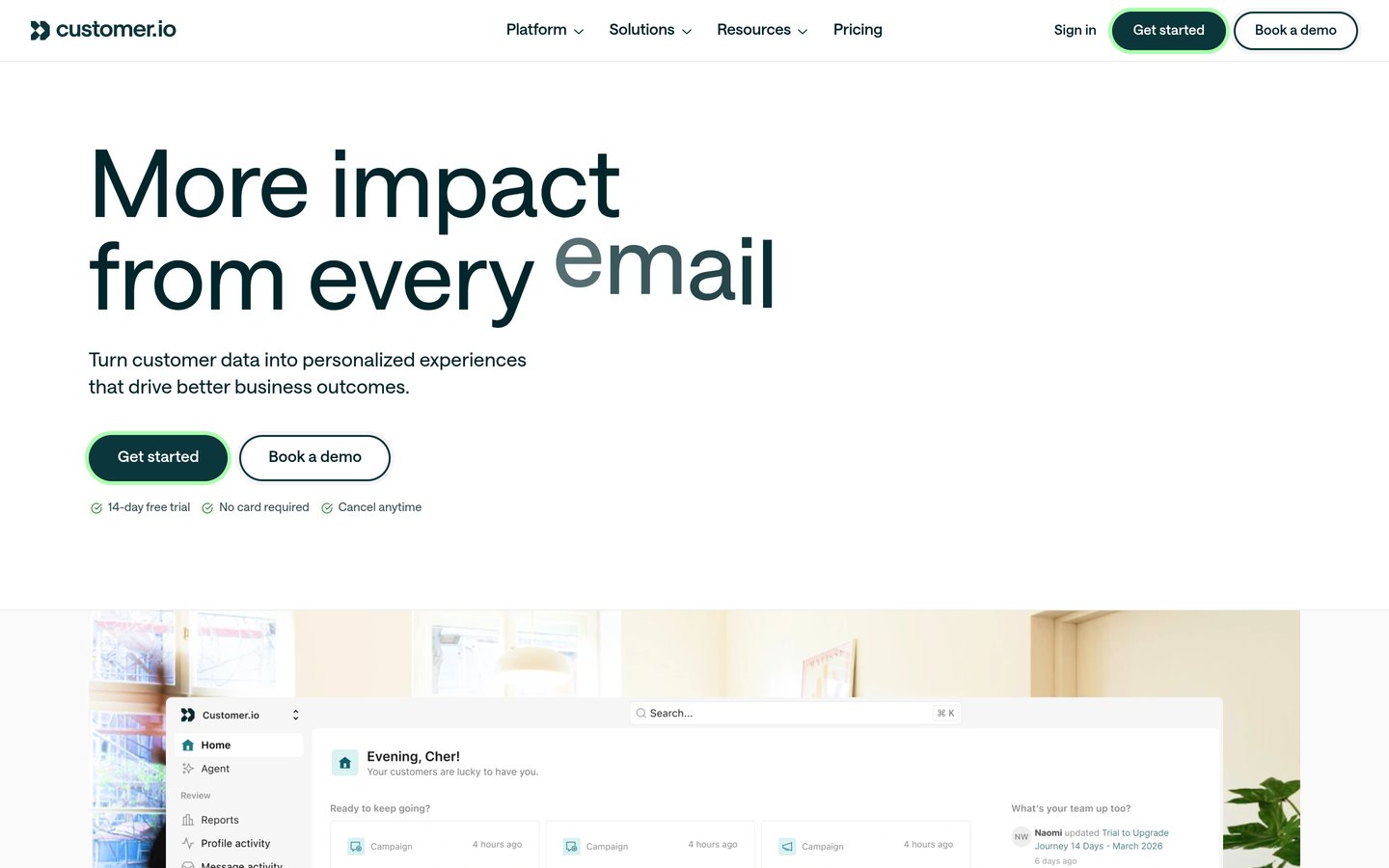
Customer.io homepage, captured Nov 2026.
Customer.io is a behavioral messaging platform that creates personalized experiences from customer events and profile data. Essentials starts with 5,000 profiles, 1 million monthly emails, unlimited mobile push and in-app messages, mobile SDKs and a visual workflow builder.
The trade off is that pricing grows with stored profiles, and more advanced workflows and support are concentrated in higher plans. Essentials starts at $100 per month, billed monthly, while Premium starts at $1,000 per month billed yearly. It suits apps that need coordinated messaging based on detailed customer behavior.
What we like
Unlimited in-app and mobile push messages
Visual workflow builder
Supports behavioral triggers and audience data
Email, SMS, push and in-app communication
Established customer review history
Watch out for
No permanent free plan for general users
Profile-based pricing can increase with growth
Advanced integrations and support require Premium
Accurate event tracking requires implementation work
Best for developer-controlled in-app notifications
Free message deliveries10,000/mo
Free guide recipients500/mo
Starter deliveries50,000/mo
Paid planStarter, $250/mo
knock.app
Knock homepage, captured Nov 2026.
Knock is a notification infrastructure platform for building in-app announcements, message feeds, guides and cross-channel workflows. Its free plan includes 10,000 monthly message deliveries, 500 in-app guide recipients, unlimited workflows, unlimited broadcasts and unlimited team members.
The trade off is that pricing increases with delivered messages and guide recipients. Starter costs $250 per month and includes 50,000 messages and 2,500 guide recipients, with additional usage billed separately. It suits development teams building messaging workflows directly into their products.
What we like
Free plan includes workflows and in-app guides
Developer APIs and notification infrastructure
Unlimited stored profiles and team members
Supports multichannel delivery
Detailed delivery observability
Watch out for
Starter has a relatively high entry price
Usage beyond included allowances costs extra
Developer integration is needed for most implementations
Less focused on traditional marketing campaign management
Starter increases included deliveries and in-app guide recipients.Visit knock.app
05
Appcues
4.6/5on G2 (374 reviews, checked Nov 2026)
Starts at$9,000/yr
Best for onboarding and product announcements
Published experiences25
Reporting history24 months
Team seatsUnlimited
Paid planGrow, from $9,000/yr
appcues.com
Appcues homepage, captured Nov 2026.
Appcues is a product engagement platform for creating onboarding guides, announcements, surveys and other contextual experiences. Its Grow plan starts at $9,000 annually and includes 25 published experiences, 24 months of reporting history, unlimited seats and pricing that scales with monthly active users.
The trade off is a substantially higher entry commitment than messaging-only alternatives. The $9,000 annual Grow plan also limits published experiences, while Enterprise expands that allowance to 100 with custom pricing. It suits established product teams that want in-app guidance and engagement workflows rather than simple notifications.
What we like
Visual tools for contextual product messaging
Guides, announcements, checklists and surveys
Audience targeting based on product behavior
Unlimited team seats
Reporting and product engagement capabilities
Watch out for
High minimum annual subscription
Published experience limits apply
Cost varies with active-user volume
More extensive than necessary for basic alerts
Enterprise increases published experiences and adds expanded reporting and support.Visit appcues.com
06
Sendbird
4.6/5on G2 (124 reviews, checked Nov 2026)
Starts at$349/mo
Best for real-time mobile customer conversations
Starter chat users5,000 MAU
Included messages30,000 business in-app
Chat messagesUnlimited
Paid planStarter, $349/mo annually
sendbird.com
Sendbird homepage, captured Nov 2026.
Sendbird is a communication API platform for adding real-time chat and business messaging to mobile applications. Its Starter plan includes messaging essentials, basic moderation, ticketed support and an advertised allocation of 30,000 business in-app messages alongside its chat service.
The trade off is that chat infrastructure costs more than basic announcement tools. Starter costs $349 per month billed annually, or $399 with monthly billing, for the advertised 5,000-MAU configuration. It suits applications where users need genuine conversations with businesses, support teams or other users.
What we like
Real-time mobile chat infrastructure
Supports business and user-to-user conversations
Messaging APIs and mobile SDKs
Moderation and customer communication features
Higher-tier options for complex messaging requirements
Watch out for
Higher entry cost than campaign messaging platforms
Implementation requires development resources
Advanced chat capabilities require Pro
Usage overages may apply
Pro adds translation, data export, image moderation and supergroup capabilities.Visit sendbird.com
07
Stream Chat
4.5/5on G2 (53 reviews, checked Nov 2026)
Paid from$399/mo
Best for custom mobile chat applications
Free active users1,000 MAU
Free concurrent users100
Start active users10,000 MAU
Paid planStart, $399/mo annually
getstream.io
Stream Chat homepage, captured Nov 2026.
Stream Chat is a messaging API and SDK platform for integrating real-time conversations into mobile and web applications. Its free Build plan includes 1,000 monthly active users, 100 concurrent connections and core chat functionality, with SDKs for Android, iOS, Flutter and React Native.
The trade off is that the paid entry plan targets applications with meaningful chat traffic rather than occasional announcements. Start costs $399 per month billed annually, or $499 monthly, and includes 10,000 MAU and 500 concurrent connections. It suits development teams that need customizable real-time messaging inside their applications.
What we like
Free plan for smaller chat applications
Mobile SDKs and customizable UI kits
Real-time messaging with reactions and threads
Moderation, offline support and data export on Start
Supports mobile and web applications
Watch out for
Paid subscription has a higher starting cost
MAU and concurrent connection limits apply
Requires developer integration
Not designed primarily for marketing campaigns
Start adds advanced moderation, offline support, data export and higher user allowances.Visit getstream.io
In-app announcements vs real-time chat: which do you need?
Not every mobile in-app messaging product solves the same problem. Campaign platforms deliver messages from a business to users, while real-time chat tools support ongoing conversations.
OneSignal, Pushwoosh and Customer.io are designed primarily for campaign-driven engagement. They help marketers trigger notifications, onboarding messages, reminders and personalized announcements from user behavior.
Sendbird and Stream Chat focus on conversations between users, businesses and support teams. They supply communication infrastructure and mobile SDKs, making them more suitable for messaging features that become part of an application's core functionality.
Knock concentrates on developer-managed notifications and guides, while Appcues emphasizes contextual product experiences. Choose based on whether your immediate goal is broadcasting information, guiding users or enabling conversations.
How mobile in-app messaging pricing works
The most common billing models involve monthly active users, profile counts, message deliveries and published experiences. Each model creates different spending patterns as an application grows.
OneSignal and Pushwoosh charge according to mobile usage, while Customer.io starts at $100 monthly for an included allowance of 5,000 profiles. Knock includes 50,000 monthly deliveries in its $250 Starter subscription.
Chat infrastructure has additional considerations. Sendbird advertises a $349 monthly annual-billing Starter configuration, while Stream Chat starts at $399 monthly with annual billing. Concurrent connection limits and usage overages can affect costs.
Compare your expected user base, active usage, message volume and required channels before committing. A low subscription minimum is not necessarily the least expensive option for a high-traffic application.
How we chose
We selected established platforms covering mobile engagement campaigns, behavioral messaging, notification infrastructure and real-time in-app chat. Each product offers relevant mobile messaging functionality, documented capabilities and an independent public rating supported by customer reviews.
Official vendor pricing pages and public G2 listings were consulted for this November 2026 comparison, using 22 Nov 2026 as the editorial reference date. We compared published entry prices, included allowances, billing commitments and usage charges rather than relying on promotional discounts or third-party price estimates.
We excluded products with unpublished entry prices, insufficient public customer feedback or entry tiers that did not clearly support the relevant mobile messaging use case. No vendor paid for a place, and we do not claim testing for this list.
How to choose mobile in-app messaging software
Identify the messages your application needs to deliver, then compare software against the delivery workflow, integration requirements and usage costs.
Choose between campaigns and conversations. Use an engagement platform for announcements, onboarding prompts and behavior-triggered messages. Select a chat API when customers need to exchange messages with people inside the application. Some products offer both, but their pricing and implementation requirements differ.
Review supported mobile platforms and SDKs. Check compatibility with your application's framework before subscribing. Confirm support for the mobile operating systems and development tools you use, along with available APIs, SDK documentation and message customization.
Calculate costs using actual application usage. Estimate monthly active users, stored profiles, message deliveries and concurrent connections where relevant. Compare included allowances and overage charges, then account for annual contracts and optional messaging services.
Evaluate targeting, automation and reporting. For marketing campaigns, prioritize event triggers, segmentation, visual workflows and conversion measurement. For conversational messaging, examine delivery reliability, message history, moderation, offline functionality and support for simultaneous users.
FAQ
What is the best mobile in-app messaging software in 2026?
OneSignal is the strongest overall choice for mobile engagement campaigns because it combines a free messaging allowance with push notifications, segmentation and automation. Its free plan covers up to 1,000 monthly active users, while Growth starts at $19 monthly. Applications requiring real-time user conversations should consider Sendbird or Stream Chat instead.
What is the difference between in-app messaging and push notifications?
In-app messages appear while someone is actively using an application. Push notifications can appear outside the application through the device notification system, subject to notification permissions and device settings. Many engagement platforms support both channels so businesses can communicate during active sessions and encourage users to return.
Is there free mobile in-app messaging software?
Yes. OneSignal supports unlimited in-app messages for organizations with up to 1,000 monthly active users on its free plan. Pushwoosh also publishes a free usage allowance up to 1,000 MAU. Knock provides limited free notification deliveries and guides, while Stream Chat offers free usage for small chat applications.
How much does mobile in-app messaging software cost?
Pricing varies considerably by use case. OneSignal Growth starts at $19 monthly, Customer.io Essentials starts at $100 monthly, and Knock Starter costs $250 monthly. Real-time chat infrastructure and advanced product engagement platforms generally require larger commitments. Usage charges and active-user limits can increase total spending.
Can I send personalized in-app messages?
Yes. Campaign platforms such as OneSignal, Pushwoosh and Customer.io support targeting messages using customer data, audience segments or behavioral events. Available personalization depends on the plan, integration and data collected by your application. Review privacy requirements and keep message targeting relevant to each user's experience.
Does mobile in-app messaging require coding?
Usually, some technical implementation is required to connect an application to a messaging provider through an SDK or API. Once installed, platforms such as OneSignal may let marketing teams create messages using visual builders. Building custom chat experiences with Sendbird or Stream Chat generally requires additional development.
Which platform is best for mobile app onboarding?
OneSignal is a practical option for onboarding messages and lifecycle campaigns when cost matters. Appcues provides a broader set of contextual guides, checklists and product engagement experiences, although its Grow plan starts at $9,000 annually. The right choice depends on whether you need simple announcements or detailed onboarding workflows.
Which software is best for in-app customer support chat?
Sendbird and Stream Chat are designed for real-time conversations inside applications. Sendbird provides communication APIs and business messaging capabilities, while Stream Chat offers customizable chat SDKs and UI components. These platforms are better suited to conversational functionality than campaign tools focused primarily on one-way announcements.
Can mobile in-app messaging improve user retention?
Relevant in-app messages can support retention by helping users discover features, finish onboarding, complete important actions and understand product updates. Results depend on audience targeting, timing, message quality and the application's value. Track engagement and conversion outcomes rather than assuming sending more messages will improve retention.