Best Proactive Notification Software in 2026: 7 Tools Compared
WLWPLegible EditorsLast verified 22 Nov 2026How we rank11 min read
★ Short answer
OneSignal is our top proactive notification software pick, offering a free messaging plan and Growth starting at $19 monthly for push, email, and in-app communication. Knock is better for developer-managed notification workflows, while Statuspage suits businesses that need to notify subscribers about outages and scheduled maintenance.
How we make this list: we compare pricing pages, product documentation and public user reviews, then re-check every price before each update. No product paid for a place. Disclosure.
OneSignal starts at $19 monthly for Growth and has a 4.7/5 G2 rating from 1,258 reviews, making it a strong choice for customer engagement notifications.
Knock offers 10,000 messages monthly on its free plan, while Starter costs $250 monthly and includes 50,000 messages.
Statuspage provides a free public status page supporting 100 subscribers and 25 components; Hobby costs $29 monthly.
Better Stack offers 10 free monitors and heartbeats plus one status page, while paid responder access starts at $34 monthly.
Customer.io Essentials costs $100 monthly for 5,000 profiles and includes up to 1 million emails monthly.
PagerDuty Professional costs $25 per user monthly, while its free plan supports 5 users and 100 SMS or phone notifications monthly.
What proactive notification software should include
Proactive notification software helps businesses contact customers or employees before they need to ask for information. Common examples include service outage announcements, delivery updates, appointment reminders, payment alerts, account activity messages, and planned maintenance notices.
The most important distinction is between customer engagement notifications and operational incident notifications. Engagement platforms focus on customer behavior, segmentation, and communication journeys. Incident communication tools focus on service availability, affected systems, and timely updates.
Look for event-triggered messaging that responds to changes in your application or business systems. Useful features include delivery tracking, message templates, subscriber preferences, automation rules, and integrations with existing software.
Channel coverage also matters. Push notifications work well for applications, email provides detailed updates, and SMS can reach customers when immediate attention is required. Some products include these channels directly, while others connect to external messaging providers.
Compare the entire pricing model before purchasing. Subscription charges may be supplemented by message volume, active users, notification recipients, AI usage, or add-ons. A low starting price does not necessarily include advanced automation or all communication channels.
Best for proactive customer engagement notifications
Entry paid planGrowth, $19/month
Free email allowance10,000 sends/month
Free mobile pushUp to 1,000 monthly active users
Growth email allowance20,000 free sends/month
onesignal.com
OneSignal homepage, captured Nov 2026.
OneSignal is a customer engagement platform for sending push notifications, email, SMS, and in-app messages based on user activity. Its free plan includes basic automation, analytics, and 10,000 email sends monthly, with mobile push available for organizations supporting up to 1,000 monthly active users.
The trade off is usage-based pricing beyond the $19 monthly Growth platform fee. Growth charges for mobile push users, web push subscribers, and email volume beyond included allowances. It suits SaaS products, online businesses, and mobile applications that need automated customer updates across multiple channels.
What we like
Free plan supports major messaging channels
Event-triggered notifications and user segmentation
Push, email, SMS, and in-app messaging options
Growth includes expanded automation and integrations
Large G2 review base
Watch out for
Growth platform fee does not include unlimited usage
Pricing varies across messaging channels
Advanced analytics and permissions require higher plans
Growth adds automation, integrations, analytics, and higher messaging allowancesVisit onesignal.com
02
Knock
4.6/5on G2 (149 reviews, checked Nov 2026)
Paid from$250/mo
Best for developer-controlled notification workflows
Free messages10,000/month
Starter messages50,000/month
Starter price$250/month plus usage
Starter guide recipients2,500/month
knock.app
Knock homepage, captured Nov 2026.
Knock is notification infrastructure that lets product teams build event-triggered messaging across email, push, SMS, and in-app channels. Its free plan includes up to 10,000 messages, 500 guide recipients, unlimited workflows, unlimited broadcasts, and unlimited team members each month.
The trade off is the jump to Starter at $250 monthly, with additional usage charges after included allowances. Starter includes 50,000 messages and 2,500 guide recipients monthly, while delivery providers may have separate costs. It suits software teams that want centralized control over notification logic, templates, recipient preferences, and delivery workflows.
Best for proactive outage and maintenance communication
Free subscribers100
Free components25
Hobby subscribers250
Hobby team members5
atlassian.com
Statuspage homepage, captured Nov 2026.
Statuspage is Atlassian's incident communication platform for publishing service health updates and notifying customers about outages or planned maintenance. Its free public page supports 100 subscribers, 25 service components, 2 team members, email notifications, Slack and Microsoft Teams notifications, and REST API access.
The trade off is that Hobby costs $29 monthly but remains focused on status communication rather than general customer engagement. Hobby expands capacity to 250 subscribers and 5 team members, while SMS and webhook notifications require Startup at $99 monthly. It suits SaaS providers and online services that need transparent incident announcements.
What we like
Purpose-built for service incident communication
Free public status page
Subscribers receive incident and maintenance updates
Integrations with operational collaboration tools
Paid plans support custom domains
Watch out for
Not intended for marketing or customer lifecycle campaigns
Hobby excludes SMS and webhook notifications
Subscriber limits increase with plan price
Hobby adds subscribers, team members, metrics, and custom domainsVisit atlassian.com
04
Better Stack
4.8/5on G2 (344 reviews, checked Nov 2026)
Paid from$34/mo
Best for monitoring-driven incident notifications
Free monitoring10 monitors and heartbeats
Free status pages1
Responder monthly$34/license
Responder annual billing$29/license/month
betterstack.com
Better Stack homepage, captured Nov 2026.
Better Stack is an observability and incident management platform combining uptime monitoring, alerting, on-call response, and customer-facing status pages. Its free plan includes 10 monitors and heartbeats, one status page, and Slack and email alerts, allowing teams to communicate service disruptions without purchasing a subscription.
The trade off is that paid incident response starts at $34 per responder monthly, or $29 monthly with annual billing, and monitoring costs can expand with usage. It suits technical support and operations teams that want equipment or service monitoring to trigger internal alerts and support customer incident communication.
What we like
Combines uptime monitoring with incident communication
Free monitoring and status page allowance
On-call escalation and responder notifications
Slack and email integrations
Unlimited phone and SMS alerts for paid responders
Watch out for
Designed for technical operations rather than marketing
Additional responders increase subscription costs
Advanced monitoring and data usage can add expenses
Responder adds on-call incident management and phone and SMS alertingVisit betterstack.com
05
Customer.io
4.4/5on G2 (1,016 reviews, checked Nov 2026)
Starts at$100/mo
Best for behavior-triggered lifecycle notifications
Entry planEssentials, $100/month
Included profiles5,000
Included emails1 million/month
Object types2
customer.io
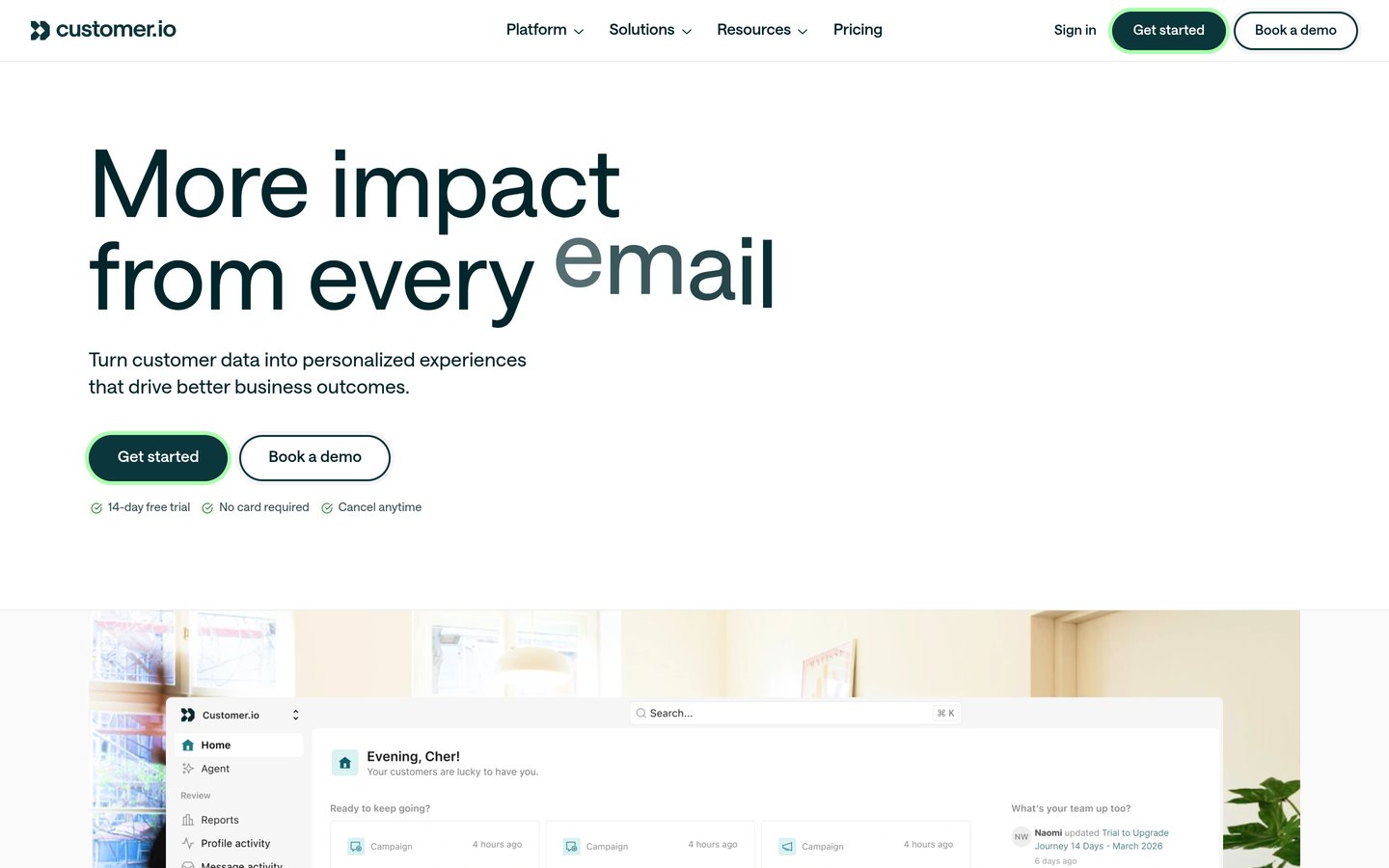
Customer.io homepage, captured Nov 2026.
Customer.io is a customer engagement platform for automatically sending messages based on behavior, account events, and customer attributes. Its Essentials plan costs $100 monthly and includes 5,000 profiles, up to 1 million emails monthly, a visual workflow builder, and basic data integrations.
The trade off is that the $100 entry subscription does not cover every advanced feature or unlimited audience growth. Premium starts at $1,000 monthly with annual billing and introduces broader integrations, additional object types, and advanced workflows. It suits subscription businesses and product teams that need personalized customer notifications throughout the lifecycle.
What we like
Behavior-based notification automation
Visual customer journey builder
Supports email, push, SMS, and webhooks
Large email allowance on Essentials
Useful for transactional and lifecycle messaging
Watch out for
Higher entry cost than basic notification services
Profile growth affects pricing
Advanced features and integrations require Premium
Premium adds broader data integrations, expanded automation, and additional profile capacityVisit customer.io
06
Intercom
4.5/5on G2 (Fin) (3,984 reviews, checked Nov 2026)
Starts at$29/mo
Best for proactive support inside customer conversations
Essential regular price$29/seat/month
Displayed promotion$19/seat/month
Proactive Support Plus$99/month add-on
Add-on allowance500 messages/month
intercom.com
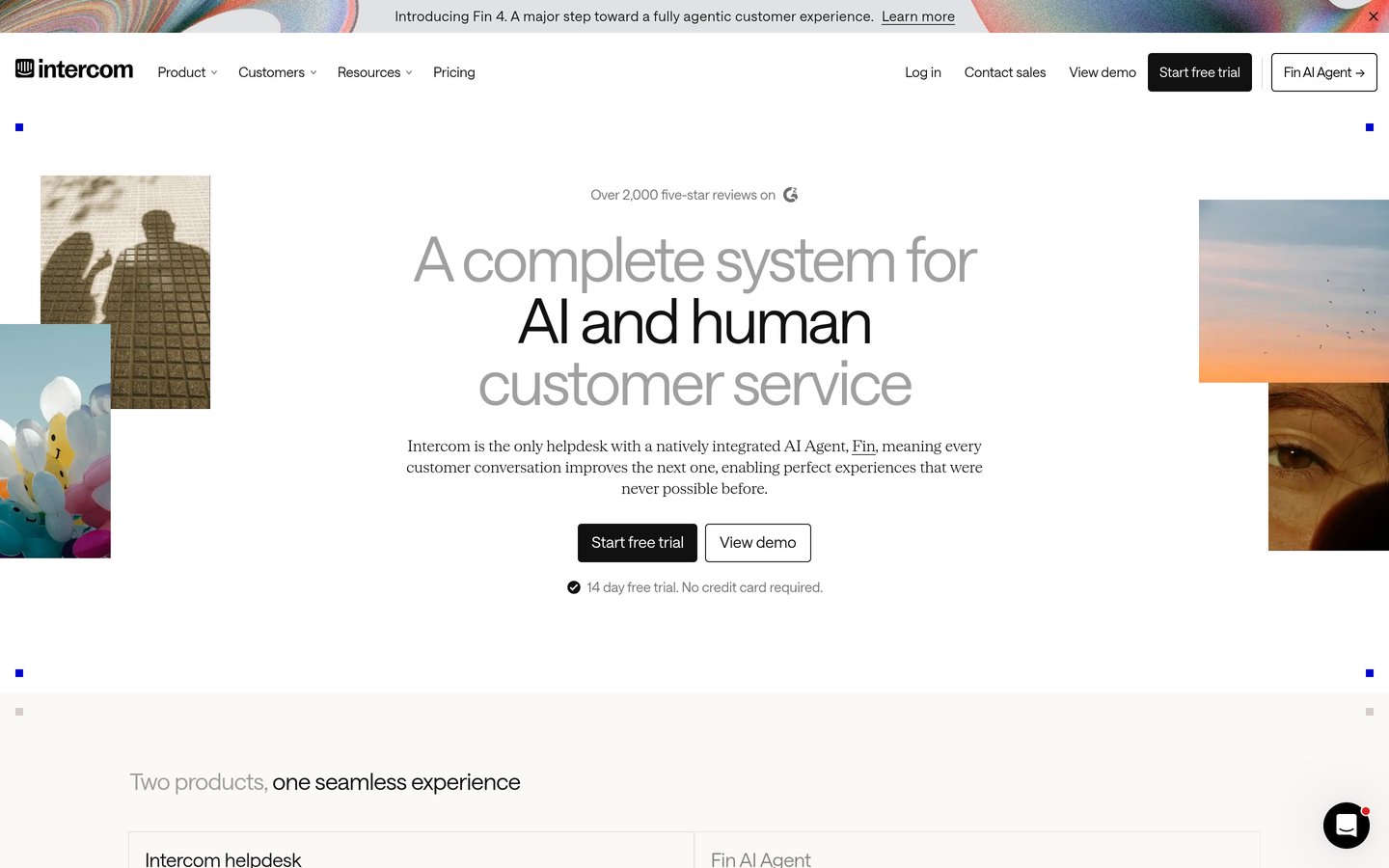
Intercom homepage, captured Nov 2026.
Intercom is a customer communication platform combining a shared inbox, Messenger, ticketing, and proactive in-app support. Essential has a regular listed price of $29 per seat monthly, with a promotional $19 rate for new customers, and includes live chat, support conversations, banners, and tooltips.
The trade off is that advanced outbound communication requires Proactive Support Plus at another $99 monthly for 500 included messages. Fin AI outcomes and certain communication channels also carry usage charges. It suits support teams that want proactive announcements and incoming customer replies managed within the same platform.
What we like
Proactive notices alongside customer support conversations
Shared inbox and ticket management
In-app banners and tooltips included
Advanced outbound messaging available as an add-on
Customer communication history remains centralized
Watch out for
Proactive Support Plus costs extra
Messaging and AI usage can increase spending
Seat-based pricing grows with support team size
G2 rating covers the associated Fin product rather than standalone outbound messaging
Proactive Support Plus adds tours, surveys, campaigns, and advanced outbound messagesVisit intercom.com
07
PagerDuty
4.5/5on G2 (983 reviews, checked Nov 2026)
Paid from$25/mo
Best for proactive technical escalation notifications
Free users5
Free SMS or phone alerts100/month
Professional regular price$25/user/month
Professional annual billing$21/user/month
pagerduty.com
PagerDuty homepage, captured Nov 2026.
PagerDuty is an incident management platform that sends operational notifications when monitoring tools identify service problems. Its free Incident Management plan supports 5 users, one on-call schedule, one escalation policy, and 100 SMS or phone notifications monthly, alongside limited email and push notifications.
The trade off is that PagerDuty primarily notifies responders rather than running customer engagement campaigns. Professional costs $25 per user monthly, with annual billing priced at $21 monthly, and external status pages are a separate add-on. It suits IT operations and support engineering teams that must respond quickly to service interruptions.
What we like
Automated escalation policies and on-call schedules
Free plan supports small incident response teams
Email, push, SMS, and phone notification options
Integrates with monitoring and collaboration systems
Professional includes enhanced incident coordination
Watch out for
Not designed for general customer marketing notifications
Configuration can be complex for nontechnical teams
Professional adds enhanced incident coordination and post-incident reviewsVisit pagerduty.com
Which proactive notifications should businesses automate?
Service disruption notifications inform customers when an application, website, or connected service becomes unavailable. Statuspage and Better Stack focus on this use case, although their monitoring and customer communication responsibilities differ.
Transactional notifications communicate important account or service events. Examples include successful payments, subscription changes, booking confirmations, delivery progress, and security-related account activity.
Lifecycle notifications help customers complete useful actions. A business might send onboarding reminders, feature announcements, renewal notices, or messages about incomplete setup steps. OneSignal and Customer.io support these behavior-driven communication workflows.
Operational notifications alert employees when action is required. PagerDuty focuses on technical incidents and escalation, while customer communication platforms generally prioritize messages delivered to end users.
Choose notification software according to the event that triggers the message and the person who needs to receive it. A system optimized for engineers responding to incidents may not be appropriate for customer onboarding or product announcements.
How proactive notification software pricing works
Subscription pricing is only one part of the cost. Notification platforms may bill according to active users, delivered messages, subscribers, team seats, or additional communication channels.
OneSignal Growth starts at $19 monthly, but message delivery can generate separate charges. Knock Starter costs $250 monthly and includes 50,000 messages before overage fees. These two plans use different approaches to measuring usage.
Incident communication products may charge for subscribers or responders instead of individual messages. Statuspage Hobby costs $29 monthly for 250 subscribers, while PagerDuty Professional charges $25 per user monthly at its regular monthly rate.
Customer support suites can combine seat subscriptions with paid outbound messaging. Intercom Essential is listed at a regular $29 per seat monthly, while its Proactive Support Plus add-on costs another $99 monthly.
Estimate your expected recipients, notification frequency, peak traffic, and required channels before selecting a subscription. The cheapest starting price may not produce the lowest total cost when notification volume increases.
How we chose
We researched established customer messaging, notification infrastructure, incident communication, and operational alerting platforms. The shortlist prioritizes products with identifiable proactive notification capabilities, active vendor documentation, published entry pricing, and public customer reviews.
Vendor pricing and plan limits were checked on 22 Nov 2026, alongside public G2 review ratings and counts. Annual costs represent the regular monthly entry price multiplied by 12, rather than promotional or annual-billing discounts. Where advanced messaging, usage charges, or add-ons apply, those costs are described separately.
We excluded products without a verifiable public entry price, insufficient review evidence, or a clear proactive notification use case. We compared event triggers, delivery channels, automation, customer communication, incident response, and pricing transparency. No vendor paid for a place, and we do not claim testing for this list.
How to choose proactive notification software
Identify the events that should trigger messages, who should receive them, and which channels are most appropriate before comparing software.
Define your notification use case. Separate customer lifecycle messages, transactional alerts, outage announcements, and internal operational escalations. These activities require different workflows. Select software designed for your main communication requirement instead of assuming that every notification platform supports every use case.
Choose the right communication channels. Determine whether recipients need email, push, SMS, in-app messages, phone calls, or public status updates. Check which channels are included in the entry subscription and whether external delivery providers or additional charges are required.
Evaluate event triggers and automation controls. Look for APIs, integrations, visual workflow builders, subscriber preferences, and delivery reporting. Verify that messages can be triggered by relevant business events and that users can control nonessential notifications. Important messages should support reliable delivery and clear follow-up actions.
Estimate total cost and notification volume. Calculate expected message volume, recipients, seats, add-ons, and channel-specific charges. Compare costs at your normal volume and during unusually busy periods. Use free plans or trials to validate integrations and workflows before committing to a larger subscription.
FAQ
What is the best proactive notification software in 2026?
OneSignal is our top pick for businesses needing automated customer notifications across push, email, and in-app channels. Its Growth plan starts at $19 monthly. Knock is better for development teams managing notification infrastructure, while Statuspage is designed for outage and maintenance announcements.
What does proactive notification software do?
Proactive notification software sends information to customers or employees when a relevant event occurs, rather than requiring recipients to contact a business first. Common uses include service outages, appointment reminders, payment confirmations, account alerts, maintenance notices, and customer onboarding messages.
Is there free proactive notification software?
Yes. OneSignal, Knock, Statuspage, Better Stack, and PagerDuty have free plans with different limits. OneSignal focuses on customer messaging, Statuspage provides incident updates, and PagerDuty supports operational alerts. Free plans generally have usage, subscriber, automation, or team-size restrictions.
How much does proactive notification software cost?
Published entry subscriptions in this comparison range from $19 monthly for OneSignal Growth to $250 monthly for Knock Starter. Free plans are available, but actual spending depends on message volume, team seats, subscriber counts, and add-ons. Some channels also have separate delivery charges.
What is the difference between proactive and reactive customer communication?
Proactive communication delivers relevant information before customers request it, such as sending an outage notice when a service fails. Reactive communication starts after a customer contacts support. Both are useful, but proactive notifications can reduce avoidable support requests and help customers respond sooner.
Can proactive notification software send SMS and push notifications?
Many platforms support both, including OneSignal and Knock, although channel availability and usage charges differ. Statuspage offers SMS notifications on higher public-page plans, while PagerDuty uses SMS and phone alerts for operational response. Always confirm the channels included in the specific subscription.
Which proactive notification software is best for SaaS businesses?
OneSignal is useful for product notifications and customer engagement, while Customer.io supports event-driven lifecycle messaging. Knock fits SaaS development teams building notification workflows directly into applications. Statuspage is a separate option for announcing outages, maintenance, and service availability changes.
Can proactive notifications reduce customer support tickets?
They can reduce avoidable inquiries when customers receive timely, accurate information about known problems or important account events. Outage announcements, shipment updates, and payment notifications are common examples. Results depend on message relevance, delivery reliability, timing, and whether customers can understand the next action.
What features should I prioritize in proactive notification software?
Prioritize event-based triggers, reliable delivery, recipient preferences, segmentation, message templates, integrations, and reporting. Check whether the software supports the channels customers actually use. For incident communication, also examine status pages, escalation workflows, and the ability to update subscribers as an issue develops.