Trello is the best kanban board software for most teams, with a free plan for up to 10 collaborators and Standard at $5 per user a month billed annually. Pick monday.com for dashboards and automations, and ClickUp for the most features per dollar.
How we make this list: we compare pricing pages, product documentation and public user reviews, then re-check every price before each update. No product paid for a place. Disclosure.
Trello is the purest kanban board here, with a free plan for up to 10 collaborators and Standard at $5 per user a month.
monday.com is rated 4.7 out of 5 on G2, the joint highest in this list, but paid plans start at 3 seats.
ClickUp lists a regular price of $12 per user a month, with a free plan that includes unlimited tasks and members.
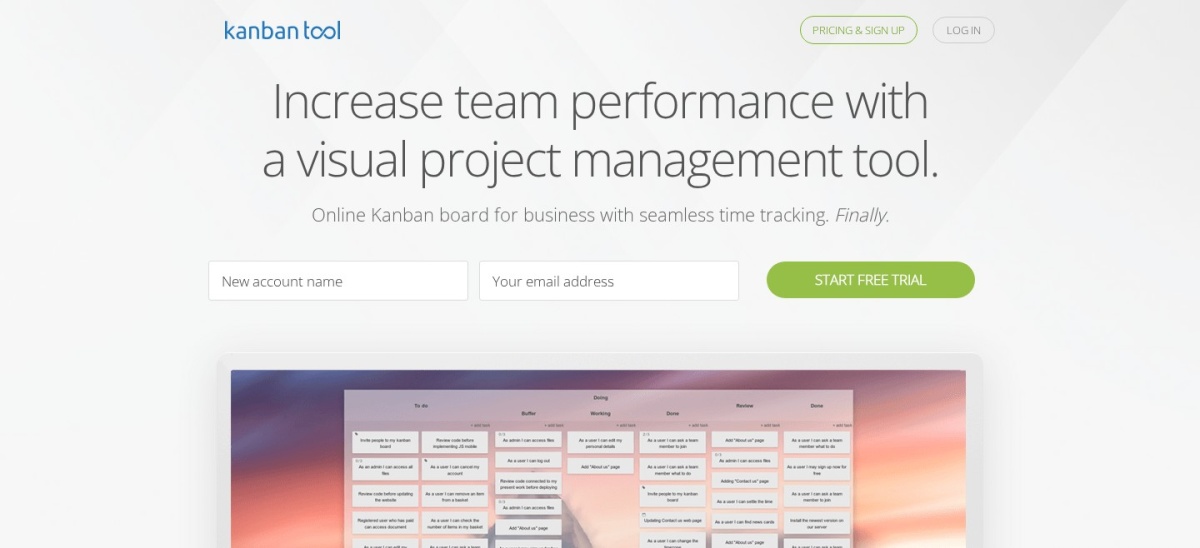
Kanban Tool is the cheapest dedicated kanban tool here at $6 per user a month, and it is rated 4.8 out of 5 on G2.
Every tool in this list has a free plan, and the cheapest paid plans run from $5 to $12 per user a month.
What to look for in kanban board software
A kanban board shows work as cards in columns, usually To do, In progress and Done. The best tools make it easy to move a card, see who owns it and spot work that is stuck.
WIP limits matter more than most features. A board that caps how many cards can sit in one column stops teams from starting new work before old work is finished.
Automation is the next split. Simple boards offer due-date reminders, while paid plans add rules that move cards, assign owners and send alerts when a card stalls.
Price is quoted per user per month almost everywhere, so a small team should check the seat minimum too. Our guide on creating a content calendar for a WordPress blog shows how a board fits a publishing plan.
Trello is Atlassian's board and card tool, and the closest thing to a pure kanban board in this list. The free plan covers up to 10 collaborators and 10 boards per Workspace, with unlimited cards, 250 automation runs a month and 10 MB per file.
The trade off is depth. Calendar, Timeline, Table, Dashboard and Map views only arrive on Premium at $10 per user a month billed annually, and there is no built-in time tracking. It suits small teams that want a visual board with almost no learning curve.
What we like
Easiest board to learn in this list
Free plan covers 10 boards and 10 collaborators
Unlimited cards and Power-Ups on every plan
Rated 4.4 out of 5 from 14,064 G2 reviews
Watch out for
Extra views need the $10 Premium plan
No built-in time tracking
Free plan caps automation at 250 runs a month
Standard adds unlimited boards, custom fields and 1,000 automation runsVisit trello.com
02
monday.com
4.7/5on G2 (15,127 reviews, checked Nov 2026)
Paid from$9/mo
Best for dashboards and automations
Free plan2 seats, 3 boards
Kanban viewYes, on all plans
Automations250/mo on Standard
Paid planBasic, $9/seat/mo
monday.com
monday.com homepage, captured Nov 2026.
monday.com is a work management platform built around boards that switch between kanban, table, timeline and calendar views. The free plan covers 2 seats and 3 boards, and Basic at $9 per seat a month billed annually adds unlimited boards and items.
The trade off is the entry cost. Basic has no automations or integrations, so Standard at $12 per seat a month is the real starting point, and paid plans need at least 3 seats. It suits teams that want dashboards and automations beside their kanban board.
What we like
Highest G2 rating in this list at 4.7 out of 5
Many views: kanban, timeline, Gantt and calendar
250 automation and integration actions on Standard
ClickUp is an all-in-one work hub with kanban boards, docs, goals, dashboards and native time tracking in one workspace. The free plan allows unlimited tasks and unlimited members, with 100 MB of storage, kanban boards and sprint management.
The trade off is complexity. The regular price of the Unlimited plan is $12 per user a month, and the wide feature set takes longer to set up than Trello. It suits teams that want to replace several tools with one workspace.
What we like
Free plan includes unlimited tasks and members
Boards, docs, goals and time tracking in one place
Unlimited storage on the Unlimited plan
Rated 4.6 out of 5 from 13,551 G2 reviews
Watch out for
Many features make setup slower than Trello
Some advanced features need the Business plan
AI add-ons cost extra
Unlimited adds unlimited storage, Gantt charts and custom fieldsVisit clickup.com
04
Asana
4.4/5on G2 (14,164 reviews, checked Nov 2026)
Paid from$10.99/mo
Best for cross-team projects
Free planPersonal, up to 2 users
Kanban viewYes, board projects
Timeline viewStarter and above
Paid planStarter, $10.99/user/mo
asana.com
Asana homepage, captured Nov 2026.
Asana is a work management tool that runs projects as kanban boards, lists, timelines or calendars in one place. The free Personal plan covers up to 2 users with unlimited tasks and projects, and Starter at $10.99 per user a month billed annually adds timeline views and dashboards.
The trade off is price. Portfolios, goals, workload and approvals only arrive on Advanced at $24.99 per user a month billed annually. It suits teams that run shared projects across departments and need clear ownership.
What we like
Clear task ownership across large projects
Board, list, timeline and calendar views
Unlimited free guests on paid plans
Rated 4.4 out of 5 from 14,164 G2 reviews
Watch out for
Free plan is limited to 2 users
Portfolios and goals need the Advanced plan
Pricier than Trello for simple boards
Starter adds timeline views, dashboards and unlimited automationsVisit asana.com
05
Jira
4.3/5on G2 (7,941 reviews, checked Nov 2026)
Paid from$7.75/mo
Best for software teams
Free planUp to 10 users
Board typesKanban and Scrum
Automation steps400/user/mo on Standard
Paid planStandard, $7.75/user/mo
atlassian.com
Jira homepage, captured Nov 2026.
Jira is Atlassian's issue tracker for software teams, with kanban boards, Scrum boards, backlogs and roadmaps in one place. The free plan covers up to 10 users, and Standard at $7.75 per user a month billed annually adds audit logs, 250 GB of storage and 400 automation steps per user a month.
The trade off is the learning curve. Jira's per-user price also steps down by user band, so the bill is harder to predict as a team grows. It suits software teams that already plan sprints and track issues in detail.
Kanban Tool is a dedicated kanban app, not a general project tool with a board view added on. The Team plan costs $6 per user a month and adds WIP limits, swimlanes, recurring tasks, time tracking and analytics for lead time and cycle time.
The trade off is scope. It has no docs, goals or broad project views, so teams that need those will pair it with another tool. It suits teams that run strict kanban and want to measure flow, not just move cards.
Wrike is a work management platform with board and table views, Gantt charts, request forms and resource planning. The free plan covers unlimited users with board and table views, and Team at $10 per user a month billed annually adds Gantt charts, shareable dashboards and custom workflows for 2 to 15 users.
The trade off is the jump to Business. Growing past 15 users moves the whole team to Business at $25 per user a month billed annually. It suits mid-size teams that plan capacity across many projects.
What we like
Strong workload and resource views
Free plan covers unlimited users
More than 400 integrations
Request forms and approvals on Business
Watch out for
Price jumps to $25 per user past 15 users
Learning curve is steeper than Trello
Free plan caps active tasks at 200
Business adds proofing, time tracking and resource managementVisit wrike.com
08
Todoist
4.5/5on G2 (866 reviews, checked Nov 2026)
Paid from$5/mo
Best for personal kanban
Free planYes, 5 projects
Board viewYes, kanban layout
Projects on Pro300 personal projects
Paid planPro, $5/user/mo
todoist.com
Todoist homepage, captured Nov 2026.
Todoist is a task manager built for speed, with natural-language entry that turns typed dates into due dates. Pro costs $5 a month billed annually, or $7 billed monthly, and adds 300 projects, filters, calendar layout, reminders and the AI Assistant.
The trade off is team depth. Todoist is a personal task list first, so it has no portfolios, workload views or heavy reporting. It suits individuals and small teams that want a fast board for daily tasks.
What we like
Fastest task capture in this list
Runs on web, desktop, mobile and watch
Rated 4.5 out of 5 from 866 G2 reviews
Cheap Pro plan at $5 a month billed annually
Watch out for
No portfolios or workload views
Free plan is limited to 5 projects
Prices rose in December 2025
Business adds team billing and more projects per memberVisit todoist.com
09
Nifty
4.7/5on G2 (442 reviews, checked Nov 2026)
Paid from$10/mo
Best for small team hubs
Free planYes, 2 projects
Kanban viewYes, with milestones
Built-in chatYes, team discussion
Paid planPro, $10/member/mo
niftypm.com
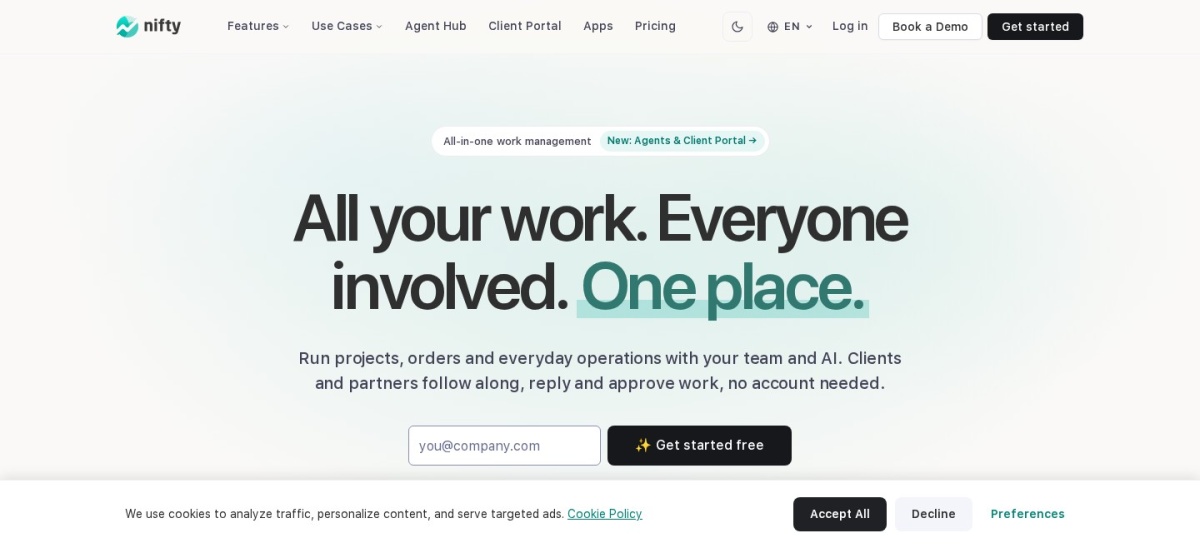
Nifty homepage, captured Nov 2026.
Nifty is a small-team hub that combines kanban boards, docs, milestones and team chat in one workspace. Pro costs $10 per member a month billed annually and adds unlimited projects, time tracking, reporting and guest access.
The trade off is review volume. Nifty is rated 4.7 out of 5 on G2, but from only 442 reviews, far fewer than Trello or Asana. It suits small teams that want boards, docs and chat without buying three tools.
Every tool here has a free plan, but the free plans differ a lot. Trello gives 10 boards and 10 collaborators, while monday.com gives only 2 seats and 3 boards.
Paid plans mostly add views and automation. Timeline, Gantt and dashboard views sit behind paid tiers in Trello, monday.com and Asana.
If your board is for one person or a tiny team, a free plan may be enough for years. Our guide on scheduling posts in WordPress shows a small-team workflow that works on a free board.
For a team of five or more, budget per user per month, not per board. The cheapest paid plans here run from $5 to $12 per user a month billed annually.
How we chose
We started from the best-known kanban and project tools with a board view, then kept those with a free plan and a public G2 rating.
Prices come from each vendor's pricing page and G2 pricing pages, checked on 25 November 2026. Ratings and review counts come from G2 on the same day. Where a vendor shows a sale, the list shows the regular price.
We left out tools with no public rating and tools priced only by quote. No vendor paid for a place, and we do not claim to have used these tools ourselves for this list.
How to choose kanban board software
Start with how many people will use the board every day, then check the free plan limits.
Count your team and boards. A free plan that caps boards at 3 or users at 2 will force an upgrade fast. Trello and Wrike are the most generous free plans here.
Check WIP limits and views. If you run strict kanban, pick a tool with column WIP limits such as Trello or Kanban Tool. If you need timelines, look at monday.com or Asana.
Test the automation on the free plan. Free automation caps range from 250 runs a month on Trello to none at all on monday.com Basic, so check the cap before you build rules.
Work out the cost per user, not per board. Multiply the per-user price by your team size and check the seat minimum. See how to schedule events with WP Schedule Event for a planning example.
FAQ
What is the best kanban board software?
Trello is the best kanban board software for most teams. It is the purest board in this list, with a free plan for up to 10 collaborators and Standard at $5 per user a month billed annually.
Is there a free kanban board tool?
Yes, every tool in this list has a free plan. Trello is the most generous, with 10 boards and 10 collaborators, while Wrike's free plan covers unlimited users with a 200 active-task cap.
What is the cheapest kanban board software?
Trello Standard and Todoist Pro are the cheapest paid plans here, both at $5 per user a month billed annually. Kanban Tool follows at $6 per user a month for a dedicated kanban app.
Is monday.com good for kanban?
Yes, monday.com has a kanban view on every plan and is rated 4.7 out of 5 on G2. Its Basic plan has no automations, though, so Standard at $12 per seat a month is the better starting point.
Can I use Jira for kanban if I am not a developer?
You can, but Jira is built for software teams and has a steep learning curve. Non-technical teams usually find Trello or monday.com faster to set up and easier to use every day.
Do kanban tools include time tracking?
Some do. ClickUp, Kanban Tool and Nifty include native time tracking on paid plans, while Trello has none built in and needs a Power-Up or another tool for it.
SaaS SEO and WordPress specialist with about 8 years of experience. Rakib compares WordPress plugins, themes, hosting and software using public pricing, documentation and user reviews. See how we rank.