Best Inventory Tracking Software for Small Business in 2026: 7 Tools Compared
WLWPLegible EditorsLast verified 22 Nov 2026How we rank6 min read
★ Short answer
Zoho Inventory leads for small businesses needing multichannel order and stock sync, backed by a 4.5 out of 5 score on Capterra across 422 reviews and a free plan for up to 50 orders per month. Sortly fits visual mobile tracking, while Square for Retail suits counter-led shops.
How we make this list: we compare pricing pages, product documentation and public user reviews, then re-check every price before each update. No product paid for a place. Disclosure.
Zoho Inventory starts free for up to 50 orders per month and begins paid plans at $29/mo billed annually ($39/mo monthly).
Sortly holds a 4.5 rating across 958 Capterra reviews with a 100-item free tier and a $49/mo monthly entry plan.
Square for Retail scores 4.7 across 495 Capterra reviews, offering a $0/mo free tier and a $49/mo per-location Plus plan.
BoxHero rates 4.7 across 20 Capterra reviews and prices its Business plan at $24/mo billed annually ($288/yr) or $30/mo monthly.
inFlow Inventory charges $99/mo billed annually ($129/mo monthly) on Lite with unlimited orders and products.
What small businesses should check before buying inventory software
Small teams rarely need enterprise warehouse suites on day one, yet spreadsheets break down once orders span multiple channels or locations. Focus first on whether your main bottleneck is sales order fulfillment, physical stock counts, or point-of-sale checkout.
Check how a vendor meters growth: some charge per user seat, others bill by flat team tiers, and several cap monthly orders, tracked items, or warehouse locations. A low entry price can shift quickly once you add a second warehouse or pass an order allowance.
Verify how each tool connects to your storefront, accounting software, and barcode scanners. Mobile camera scanning covers light counts, while dedicated label printers and accounting sync save hours during restocks and month-end close.
The 7 best inventory tracking software for small business
01
Zoho Inventory
4.5/5on Capterra (422 reviews, checked Nov 2026)
Paid from$29/mo
Best for multichannel order and stock sync
Free tier50 orders/mo, 1 user
Entry paid planStandard at $29/mo annual
Entry limits500 orders/mo, 3 users
IntegrationsShopify, Amazon, Zoho Books
zoho.com
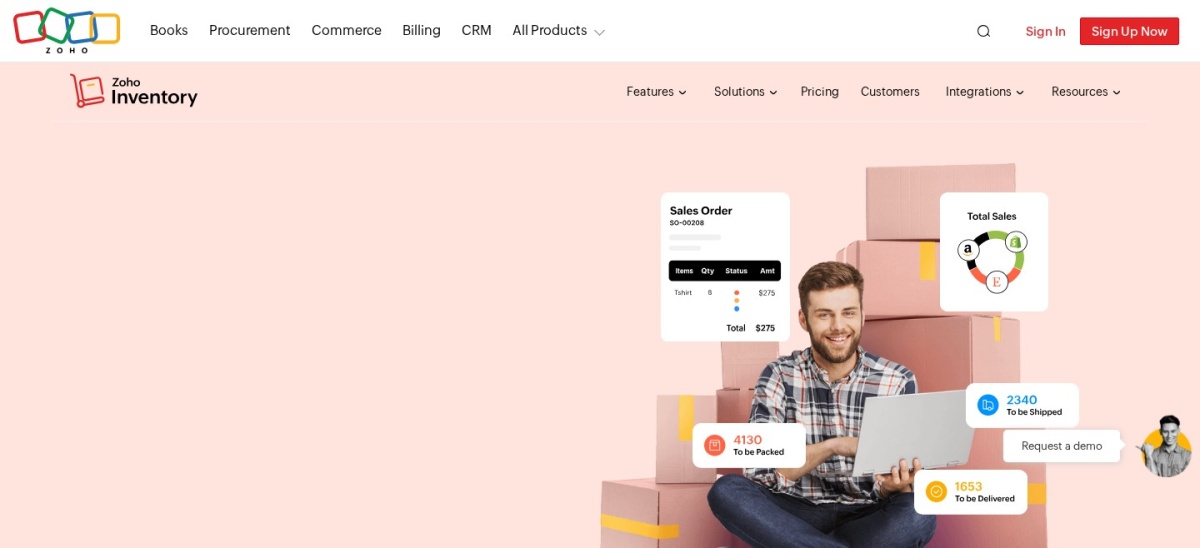
Zoho Inventory homepage, captured Nov 2026.
Zoho Inventory is cloud inventory and order management software that tracks stock, sales orders, purchase orders, and warehouses. Its permanent free plan supports 50 orders and 50 shipments per month for 1 user and 1 location.
The trade off is order, user, and location caps that can trigger plan upgrades as volume grows, starting at $29/mo billed annually ($39/mo monthly) on Standard. It suits small ecommerce sellers and wholesalers that want Zoho Books or marketplace sync.
What we like
Permanent free tier for small initial order volume
Affordable entry paid tier billed per organization rather than per seat
Connects with Shopify, Amazon, eBay, Etsy, and Zoho Books
Watch out for
Monthly order and warehouse limits gate higher tiers
Initial setup takes time when configuring workflows and channels
Paid plans raise monthly order limits, add users and locations, and unlock batch or serial tracking on higher tiers.Visit zoho.com
02
Sortly
4.5/5on Capterra (958 reviews, checked Nov 2026)
Paid from$49/mo
Best for visual mobile and folder tracking
Free tier1 user, 100 unique items
Entry paid planAdvanced at $49/mo list
Core strengthsPhotos, folders, QR scanning
PlatformsWeb, iOS, Android
sortly.com
Sortly homepage, captured Nov 2026.
Sortly is a mobile-friendly inventory and asset tracking app built around photos, nested folders, and barcode or QR scanning. Its free plan includes 1 user and up to 100 unique items with mobile scanning.
The trade off is lighter order-management depth and a $49/mo regular monthly list price on Advanced, though yearly billing can discount year one. It suits small teams tracking tools, supplies, or visual catalogs on phones.
What we like
Visual folder layout with photos makes items easy to spot
Fast phone barcode and QR scanning for quick counts
Free plan covers 1 user and 100 unique items to test workflows
Watch out for
Basic reporting and lighter order workflows than ERP tools
Costs can climb as item limits and team needs expand
Paid plans raise unique item limits and add stock alerts, custom fields, and label or order workflows.Visit sortly.com
03
Square for Retail
4.7/5on Capterra (495 reviews, checked Nov 2026)
Paid from$49/mo
Best for brick-and-mortar retail counters
Free tier$0/mo per location + processing
Entry paid planPlus at $49/mo per location
Stock toolsCycle counts, low-stock alerts
Best setupSquare POS and hardware
squareup.com
Square for Retail homepage, captured Nov 2026.
Square for Retail pairs point-of-sale checkout with real-time stock tracking, SKU creation, and cycle counts. Its free tier starts at $0/mo per location alongside standard payment processing fees.
The trade off is per-location pricing starting at $49/mo on Square Plus and dependence on Square payment processing. It suits single- or multi-location shops already running sales through Square.
What we like
Tight link between register sales, returns, and live stock counts
Free starting tier at $0/mo per location before processing fees
Straightforward setup for retail staff on Square devices
Watch out for
Plus subscription is billed per location, adding up across branches
Payment processing fees and optional add-ons increase total cost
Square Plus at $49/mo per location adds vendor management, purchase orders, stock intake, and COGS reporting.Visit squareup.com
04
BoxHero
4.7/5on Capterra (20 reviews, checked Nov 2026)
Paid from$24/mo
Best for simple barcode and mobile stock counts
Free tierPersonal plan (up to 100 items)
Entry paid planBusiness at $24/mo annual
Monthly rate$30/mo per team
Key toolsBarcoding, alerts, Excel sync
boxhero.io
BoxHero homepage, captured Nov 2026.
BoxHero is a lightweight inventory app focused on mobile barcode scanning, stock-in and stock-out logs, and spreadsheet imports. Its free Personal plan covers up to 100 items with 30 days of transaction history.
The trade off is fewer complex manufacturing or forecasting features, with Business priced at $24/mo billed annually ($288/yr) or $30/mo monthly. It suits small teams moving off spreadsheets for straightforward stock control.
What we like
Easy mobile and desktop interface with quick barcode scanning
Free Personal tier lets small catalogs start without upfront cost
Simple Excel import and export for bulk updates
Watch out for
Lacks deep demand forecasting and complex multi-step production tools
Smaller review count on Capterra than older platforms
The Business plan unlocks multi-location tracking, purchase and sales orders, custom barcode labels, and low-stock alerts.Visit boxhero.io
05
Odoo
4.4/5on G2 (65 reviews, checked Nov 2026)
Paid from$31.10/mo
Best for growing teams adding accounting or ERP apps
Free tierOne App Free with unlimited users
Entry paid planStandard at $31.10/user/mo list
Stock logicDouble-entry movement tracking
Suite reachAccounting, sales, manufacturing
odoo.com
Odoo homepage, captured Nov 2026.
Odoo Inventory tracks stock movements, warehouses, and replenishment using a double-entry model and modular apps. Its One App Free plan lets you run a single app on Odoo Online with unlimited users.
The trade off is a steeper setup curve and per-user pricing once you connect multiple apps, with Standard listed at $31.10/user/mo ($38.90/mo monthly) after year-one discounts. It suits small businesses planning to unify inventory with accounting and sales.
What we like
Single-app free plan available on Odoo Online for basic use
Connects natively with accounting, sales, and manufacturing modules
Flexible warehouse routes and replenishment rules
Watch out for
Learning curve is steeper for teams new to modular ERP software
Multi-app workflows require paid user licenses and can add setup costs
Paid plans unlock multi-app integration across sales, invoicing, and operations plus hosted support options.Visit odoo.com
06
EZO
4.6/5on Capterra (1,546 reviews, checked Nov 2026)
Starts at$44.75/mo
Best for equipment, consumables, and asset checkouts
Free planNone (14-day free trial)
Entry paid planEssential from $44.75/mo annual
Monthly rate$48/mo on 100-item Essential
User modelUnlimited users on core plans
ezo.io
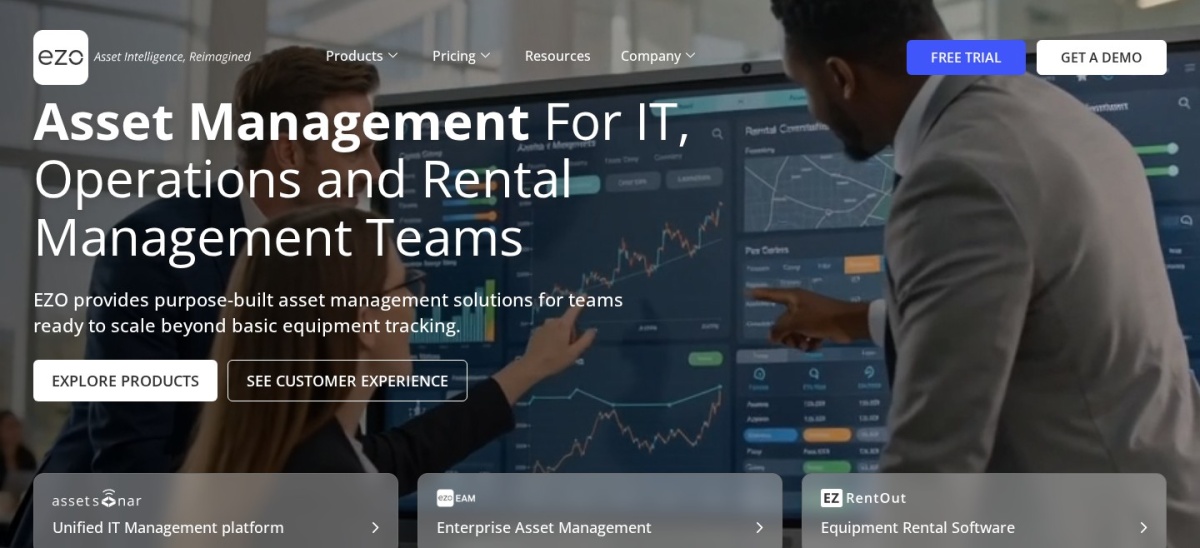
EZO homepage, captured Nov 2026.
EZO is a cloud inventory and asset tracking platform that handles stock items, check-in and check-out, and location history. Core plans price by tracked item count rather than charging per staff seat, starting at $44.75/mo billed annually ($48/mo monthly) for 100 items.
The trade off is no free tier and higher monthly costs as your tracked item count scales up. It suits small teams tracking tools, parts, and stock across staff and sites without per-user fees.
What we like
Unlimited users on core plans helps small teams share access
Strong check-in/check-out and location history for items and gear
Large review base on Capterra with a 4.6 rating
Watch out for
No permanent free plan, only a free trial
Pricing increases as tracked item counts and add-on modules grow
Higher tiers and add-ons expand tracked item capacity, purchase order tools, and maintenance workflows.Visit ezo.io
07
inFlow Inventory
4.6/5on Capterra (504 reviews, checked Nov 2026)
Starts at$99/mo
Best for wholesale and B2B order volume
Free planNone (14-day free trial)
Entry paid planLite at $99/mo annual
Monthly rate$129/mo on Lite
Order allowanceUnlimited products and orders
inflowinventory.com
inFlow Inventory homepage, captured Nov 2026.
inFlow Inventory is stock and order management software built around purchase orders, sales orders, invoicing, and barcode workflows. Its Lite plan starts at $99/mo billed annually ($129/mo monthly) for 2 team members and 1 location with unlimited products and orders.
The trade off is a higher starting price than light trackers and no free tier, with extra team seats and locations costing more. It suits small wholesalers and distributors processing frequent orders.
What we like
Unlimited products, sales orders, and purchase orders on Lite
Flat-rate tiers rather than pure per-seat billing
Handles invoicing, receiving, and barcode workflows in one place
Watch out for
Higher entry cost than basic inventory apps with no free tier
Lite limits access to 2 team members and 1 location without sublocations
Higher plans add more team members, multiple warehouse locations and sublocations, and expanded order or B2B features.Visit inflowinventory.com
How small-business inventory pricing models differ
Inventory vendors usually charge by flat tier, per user seat, or usage limits such as orders, SKUs, locations, or items. Flat plans with order caps work well when headcount grows faster than order volume, while per-user plans get pricey as you add warehouse staff.
Always check whether advertised annual prices reflect a first-year promotion or ongoing standard billing. Also factor in payment processing fees for POS tools or add-on costs for extra locations, labels, or accounting integrations.
How we chose
We selected established small-business inventory tools that are actively maintained and widely reviewed across major software directories, spanning order-driven platforms, visual mobile trackers, and retail POS systems.
All ratings, review counts, and regular starting prices were verified on 22 Nov 2026 from vendor pricing pages and public review listings, noting promotional discounts or add-ons where applicable.
We excluded discontinued tools, unverified pricing with no public rate card, and heavy enterprise systems built for large multi-site operations rather than small businesses. No vendor paid for a place, and we do not claim testing for this list.
How to pick the right inventory tracker in 4 steps
Follow these four steps to narrow down a tool that matches how stock moves in your business.
Map where stock enters and leaves. List whether sales come from an online store, a checkout counter, wholesale orders, or internal team checkouts so you pick a workflow that fits.
Count your SKUs, orders, and locations. Compare your monthly order count, unique items, and storage sites against plan caps so you do not outgrow the entry tier in a month.
Check user and add-on rules. Look at whether extra staff seats, locations, label printers, or accounting connections cost extra beyond the headline monthly rate.
Test real counts during a trial or free tier. Import a sample CSV of products and run a quick stock adjustment or low-stock alert check before migrating your full catalog.
FAQ
Do small businesses need inventory software instead of a spreadsheet?
Spreadsheets can work when one person tracks a small catalog with infrequent updates. Once you sell across channels, share stock updates with staff, or run frequent restocks, dedicated inventory software reduces manual count errors and overselling.
Are free inventory tracking plans enough for a small business?
Free plans from tools like Zoho Inventory, Sortly, Square for Retail, BoxHero, and Odoo help small teams start with tight limits on orders, items, users, or locations. Most growing shops upgrade once they exceed order or catalog caps.
What is the difference between inventory tracking and a full ERP?
Inventory tracking focuses on stock levels, locations, barcodes, and sales or purchase orders. A full ERP combines inventory with broader accounting, manufacturing, purchasing, and business management modules.
Do I need special barcode hardware to start?
Many small-business apps let you scan barcodes or QR codes using a smartphone camera and import or export items with spreadsheets. Dedicated scanners and label printers become helpful when you print custom labels or process high daily volume.
Why do annual prices sometimes differ from monthly prices?
Many software vendors discount annual billing or offer introductory first-year rates compared with month-to-month billing. Always check both the monthly rate and the renewal rate so your budget matches long-term costs.
Should retail shops pick a POS system or standalone inventory software?
If most sales happen in person at a counter, a POS system like Square for Retail keeps register sales and stock counts aligned. If you focus on online orders, wholesale fulfillment, or back-office stock control, a dedicated inventory platform often fits better.