ClickUp is the best goal management software for most teams, with built-in Goals that link targets to tasks and dashboards, rated 4.6 out of 5 on G2. Pick Asana for structured company goals, or Weekdone if you want a dedicated OKR tool.
How we make this list: we compare pricing pages, product documentation and public user reviews, then re-check every price before each update. No product paid for a place. Disclosure.
ClickUp is the top pick: native Goals, a free plan, and 4.6 out of 5 on G2 from 12,507 reviews.
Asana tracks company goals well, but Goals need Advanced at $24.99 a user a month.
monday.com has the highest G2 rating in this list at 4.7 out of 5, with paid plans from $9 a seat a month.
Todoist and Trello are the cheapest paid options at $5 a user a month billed yearly.
Weekdone is the only dedicated OKR tool here, free for up to 3 users and $9 a user a month after that.
Smartsheet is the only tool with no free plan, only a 30-day trial.
What goal management software should do
A goal management tool turns a target into work you can see. It should link each goal to the tasks, owners and deadlines that move it, and show progress without a spreadsheet.
Some tools in this list have a built-in Goals or OKR feature. Others track goals through boards, databases or spreadsheets, which works but needs more setup.
Price is the other split. Paid plans in this list run from $5 to $12 a user a month, and most charge per seat, so a small team pays far less than a large one. Our guide on collaborating in WordPress shows how shared workspaces keep small teams aligned.
Start with how your team already works. A team that lives in docs will get more from Notion, while a team that runs projects will get more from ClickUp or Asana.
ClickUp is an all-in-one workspace with a built-in Goals feature that links each target to tasks, docs and dashboards. The free plan covers unlimited tasks and members with 100 MB of storage, and paid plans add unlimited storage, Gantt charts and time tracking.
The trade off is price and setup. Core lists at $9 a user a month billed yearly, or $12 month to month, and the depth of options can slow new teams down. It suits teams that want goals, tasks and docs in one place instead of three tools.
What we like
Native Goals link targets to tasks and dashboards
Free plan covers unlimited tasks and members
Dashboards and time tracking included on paid plans
Asana is a work management tool built around projects, portfolios and goals. The free Personal plan covers unlimited tasks and projects for up to 2 people, and Starter adds timeline views, dashboards and unlimited automations at $10.99 a user a month billed yearly.
The trade off is that Goals only appear on Advanced at $24.99 a user a month billed yearly, so the cheapest plan cannot track company goals. It suits teams that already run projects in Asana and want goals tied to that work.
What we like
Clear structure for projects and portfolios
Goals link to the work that supports them
Free plan covers unlimited tasks and projects
Watch out for
Goals need the $24.99 Advanced plan
Paid seats are sold in blocks, not one by one
Per-user price climbs fast for large teams
Advanced adds Goals, portfolios and workload viewsVisit asana.com
03
monday.com
4.7/5on G2 (17,144 reviews, checked Nov 2026)
Paid from$9/mo
Best visual goal boards
Goal trackingBoards, dashboards, goals
Free planYes, up to 2 seats
Cheapest paid planBasic, $9/seat/mo
G2 rating4.7/5 from 17,144 reviews
monday.com
monday.com homepage, captured Nov 2026.
monday.com is a visual work platform where goals live on boards with status columns, timelines and dashboards. The free plan covers up to 2 seats and 3 boards, and Basic adds unlimited items and free viewers at $9 a seat a month billed yearly.
The trade off is seat bundles. Paid plans start at 3 seats, and a team of 4 pays for 5, so small teams pay for seats they do not use. It suits visual teams that want goals, projects and automations on one board.
What we like
Boards make goal progress easy to see
Highest G2 rating in this list
Automations and integrations on paid plans
Watch out for
Seat bundles can waste money for small teams
Goal tracking is board-based, with no single Goals view
Notion is a flexible workspace where goals live in databases beside docs, wikis and project pages. The free plan covers unlimited pages and blocks for individuals, and Plus adds unlimited file uploads, 30-day page history and more guests at $10 a member a month billed yearly.
The trade off is structure. Notion has no built-in Goals feature, so teams must build goal trackers from databases or templates. It suits small teams that want goals, notes and project pages in a single workspace.
What we like
Docs, goals and projects in one workspace
Flexible databases fit any goal framework
Free plan is generous for individuals
Watch out for
No built-in Goals feature
Setup takes time without a template
Full AI features need the $20 Business plan
Plus adds unlimited blocks, uploads and 30-day historyVisit notion.com
05
Wrike
4.2/5on G2 (4,645 reviews, checked Nov 2026)
Paid from$10/mo
Best for large teams with approvals
Goal trackingDashboards and portfolios
Free planYes, 200 active tasks
Cheapest paid planTeam, $10/user/mo
G2 rating4.2/5 from 4,645 reviews
wrike.com
Wrike homepage, captured Nov 2026.
Wrike is a work management platform with Gantt charts, dashboards and approval workflows. The free plan covers board and table views with up to 200 active tasks, and Team adds Gantt charts, custom fields and shareable dashboards at $10 a user a month billed yearly.
The trade off is seat limits. Team covers 2 to 15 users and is annual only, so growing teams move to Business at $25 a user a month. It suits larger teams that need approvals, proofing and portfolio views beside their goals.
What we like
Strong Gantt charts and dashboards
Approvals and proofing built in
Resource views on higher plans
Watch out for
Team stops at 15 users
Annual billing only, no monthly option
Lowest G2 rating in this list at 4.2
Business adds time tracking, proofing and portfoliosVisit wrike.com
06
Smartsheet
4.4/5on G2 (23,286 reviews, checked Nov 2026)
Starts at$9/mo
Best for spreadsheet-style goal plans
Goal trackingSheets, reports, dashboards
Free planNo, 30-day trial
Cheapest paid planPro, $9/member/mo
G2 rating4.4/5 from 23,286 reviews
smartsheet.com
Smartsheet homepage, captured Nov 2026.
Smartsheet is a spreadsheet-style work platform where goals live in grids with formulas, reports and dashboards. Pro costs $9 a member a month billed yearly, covers 1 to 10 members, and includes unlimited sheets and forms with 20 GB of attachment storage.
The trade off is that there is no free plan, only a 30-day trial, and Pro stops at 10 members. It suits teams that already plan in spreadsheets and want automations and dashboards on top of a familiar grid.
Todoist is a simple task app where personal goals become projects with tasks, labels and reminders. The free Beginner plan covers 5 personal projects, and Pro adds 300 projects, calendar layout and task reminders at $5 a month billed yearly.
The trade off is scope. Todoist has no team goal or OKR view, so it fits personal goals better than company targets. It suits individuals who want a fast, simple way to track daily goals and habits.
Trello is a Kanban board tool where goals become boards with lists, cards and checklists. The free plan covers 10 boards and 10 collaborators per workspace, and Standard adds unlimited boards, custom fields and 1,000 automation runs at $5 a user a month billed yearly.
The trade off is depth. Trello has no built-in goal or OKR view, and reporting stays basic until Premium. It suits small teams that want a visual, low-effort way to track goals.
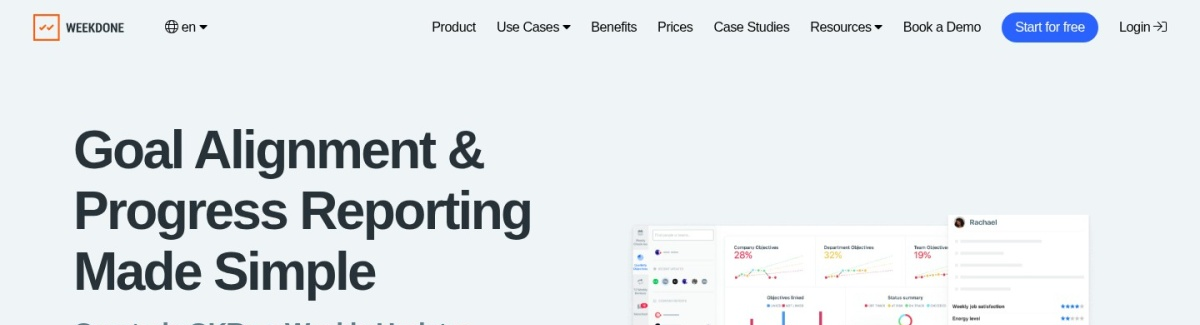
Weekdone is a dedicated OKR tool that pairs quarterly objectives with weekly progress updates. The free plan covers up to 3 users with every feature, and paid plans start at $9 a user a month billed yearly for teams of 4 to 10, with volume discounts as teams grow.
The trade off is focus. Weekdone tracks goals well but has no general task or project tools, so teams still need another app for daily work. It suits small leadership teams that want a strict OKR rhythm without a full project platform.
Weekdone is the only dedicated OKR tool in this list. It runs quarterly objectives with weekly check-ins and nothing else.
ClickUp and Asana sit in the middle: both have a native Goals feature, but both are full project platforms first.
The rest track goals through boards, databases or grids. That is fine for personal goals or small teams, but company-wide OKRs need more structure.
If your main need is OKRs, start with Weekdone or ClickUp. If your main need is project work with goals beside it, start with Asana or monday.com.
How we chose
We started from the best-known goal and project tools with a public G2 rating, then kept those with a clear way to track goals, from native Goals features to boards and databases.
Prices come from each vendor's pricing page, checked on 25 November 2026. Ratings and review counts come from G2 on the same day. Where a vendor shows a sale, the list shows the regular price.
We left out tools with no public price or no public rating. No vendor paid for a place, and we do not claim hands-on testing for this list.
How to choose goal management software
Start with who sets the goals, then pick the tool that fits that group.
Decide who owns the goals. Company-wide OKRs need a tool like Weekdone or ClickUp. Personal goals fit Todoist or Trello.
Check the free plan first. Most tools here have one, but Smartsheet only offers a trial. Run a real goal cycle on the free plan before you pay.
Count the seats, not the price. Per-user pricing means a $5 plan can cost more than a $10 plan once every member needs a seat.
Pick one tool for goals. Two goal trackers split attention and double the admin. Choose one, and keep tasks and goals in the same place.
FAQ
What is the best goal management software?
ClickUp is the best goal management software for most teams. Its built-in Goals feature links targets to tasks and dashboards, and it is rated 4.6 out of 5 on G2 from 12,507 reviews. Asana suits structured company goals, while Weekdone suits teams that want a dedicated OKR tool.
What is the cheapest goal management software?
Todoist and Trello are the cheapest paid options in this list, both at $5 a user a month billed yearly. Both have free plans too, though Todoist caps free users at 5 projects and Trello at 10 boards per workspace.
Do I need a dedicated OKR tool?
Not always. ClickUp and Asana both have a native Goals feature that covers most teams. A dedicated OKR tool such as Weekdone is worth it only when you run formal quarterly OKRs with weekly check-ins across several teams.
Can I track goals for free?
Yes, with most tools here. ClickUp, Asana, monday.com, Notion, Todoist, Trello, Wrike and Weekdone all have free plans. Smartsheet is the exception, with only a 30-day trial and no free plan.
What is the difference between goals and OKRs?
A goal is a target you want to reach, while OKRs pair an objective with measurable key results and a deadline. Weekdone is built for OKRs, while ClickUp and Asana let you set goals in either style.
Which tool is best for personal goals?
Todoist is the best pick for personal goals. It is fast, simple and cheap at $5 a month billed yearly, with projects, labels and reminders. Trello is a good second choice if you prefer visual boards.
SaaS SEO and WordPress specialist with about 8 years of experience. Rakib compares WordPress plugins, themes, hosting and software using public pricing, documentation and user reviews. See how we rank.