Best CRM Software for Accountants in 2026: 8 Tools Compared
WLWPLegible EditorsLast verified 22 Nov 2026How we rank14 min read
★ Short answer
TaxDome is the top CRM for accounting firms in 2026, combining unlimited client contacts, a branded client portal, and recurring tax workflows for up to 20 team seats starting at $1,500 per year. Firms needing shared email triage should choose Karbon ($59 per user per month billed annually), while QuickBooks-centric practices fit Method CRM ($35 per user per month).
How we make this list: we compare pricing pages, product documentation and public user reviews, then re-check every price before each update. No product paid for a place. Disclosure.
TaxDome starts at $1,500/yr for 150 active clients and includes up to 20 team seats with no per-user fee.
Financial Cents offers the lowest entry price among accounting-specific CRMs at $19/mo (billed annually) for solo operators.
Karbon starts at $59/user/mo billed annually ($708/yr) and centers its CRM around shared inbox triage and task assignment.
Method CRM connects directly with QuickBooks Online and QuickBooks Desktop via two-way sync starting at $35/user/mo.
Zoho CRM and Capsule CRM provide permanent free tiers for up to 3 users and 2 users respectively for practices focused on lead tracking.
What to look for in CRM software for accountants
Accounting practices manage multi-year client relationships rather than one-off retail transactions. A general sales pipeline tracks prospects until they sign an engagement letter, but accounting firms also need recurring job templates, secure document collection, and automated client reminders during tax and month-end close deadlines.
Software for accountants falls into two distinct categories. Accounting practice management CRMs—such as TaxDome, Karbon, Financial Cents, and Canopy—combine client records with engagement letters, e-signatures, time tracking, and client portals. General sales CRMs like Zoho CRM, Pipedrive, and Capsule CRM focus on lead capture and referral pipelines while connecting to accounting ledgers through integrations.
Pricing structures vary dramatically across both groups. Practice management platforms often charge higher per-seat rates or client-volume tiers because they replace separate portal, proposal, and e-signature tools. General CRMs cost less per user upfront—some include permanent free plans—but require paid add-ons or third-party apps for secure file uploads and billing.
Visual sales pipeline for advisory client acquisition
$14/mo
No free plan
4.5/5
Price ladder: cheapest paid plan per year
List prices, USD, checked Nov 2026
Zoho CRMFREE$168
Pipedrive$168
Capsule CRMFREE$216
Fin. Cents$228
Method CRM$420
Karbon$708
Canopy$888
TaxDome$1,500
The 8 best CRM software tools for accountants
01
TaxDome
4.7/5on Capterra (3,630 reviews, checked Nov 2026)
Starts at$1,500/yr
Best for all-in-one accounting practice management
Entry plan$1,500/yr (150 active clients)
Included seatsUp to 20 team members
Client portalWeb portal + iOS/Android mobile app
Free trial14 days
taxdome.com
TaxDome homepage, captured Nov 2026.
TaxDome is an all-in-one accounting practice management and CRM platform built for tax, bookkeeping, and full-service CPA firms. Its entry volume tier costs $1,500 per year for up to 150 active clients ($0.83 per client monthly) and includes up to 20 staff seats, unlimited CRM contacts, proposals, e-signatures, time tracking, and a branded client portal with a dedicated mobile app.
The trade off is the $1,500 annual minimum commitment even if your firm serves fewer than 150 active clients, plus extra fees for optional add-ons like AI tools ($200/mo) and Managed Client Care ($100/mo). It suits multi-staff tax and bookkeeping practices that want to consolidate CRM, client portals, and billing into one platform.
What we like
Includes up to 20 team seats on the entry plan without per-user fees
Combines CRM, proposals, engagement letters, e-signatures, and invoicing
Dedicated client mobile app simplifies document uploads and return approvals
Automated pipeline triggers advance jobs when clients sign or pay
Watch out for
Requires an annual upfront commitment starting at $1,500/yr
Carried-over unused client slots are non-refundable
Steep initial setup curve for multi-stage workflow automations
Higher volume tiers scale up to 3,000+ active clients at $0.46 per client monthly.Visit taxdome.com
02
Karbon
4.1/5on Trustpilot (80 reviews, checked Nov 2026)
Starts at$59/mo
Best for shared inbox triage and team collaboration
Entry plan$59/user/mo billed annually ($708/yr)
Contact limit1,000 contacts on Team plan
eSignature credits100 credits included across all plans
Core focusShared email triage + recurring jobs
karbonhq.com
Karbon homepage, captured Nov 2026.
Karbon is a collaborative practice management and CRM system designed around shared firm email inboxes. Its Team plan starts at $59 per user per month billed annually ($79/user/mo billed monthly for teams of 4 or more) and includes up to 1,000 contacts, 40 work templates, shared email triage, client task checklists, time tracking, and 100 eSignature credits.
The trade off is that automated client reminders and unlimited contacts require upgrading to the Business plan at $89 per user per month billed annually, and monthly billing is restricted to firms with at least four users. It suits collaborative accounting teams where client communication lives inside shared email threads.
What we like
Turns client emails directly into assigned tasks and timeline records
Includes billing, payments, time tracking, and 100 eSignature credits on every tier
Strong visibility into team capacity and upcoming statutory deadlines
Watch out for
Automated client reminders are locked behind the $89/user/mo Business tier
Monthly billing is unavailable for firms with fewer than 4 users
Uses magic-link client requests rather than a traditional password portal
Business ($89/user/mo annual) unlocks unlimited contacts, 75 work templates, and automated reminders.Visit karbonhq.com
03
Financial Cents
4.8/5on Capterra (275 reviews, checked Nov 2026)
Starts at$19/mo
Best budget practice CRM for solo bookkeepers
Entry plan$19/mo billed annually ($228/yr, solo)
Team plan$49/user/mo billed annually
Ledger syncQuickBooks Online integration
Free trial14 days, no credit card
financial-cents.com
Financial Cents homepage, captured Nov 2026.
Financial Cents is an accessible accounting practice management and client CRM built for bookkeepers, CPAs, and tax preparers. Its Solo plan costs $19 per month billed annually ($228/yr) for single-user firms and includes client CRM profiles, recurring workflow checklists, secure document sharing, time tracking, proposals, e-signatures, invoicing, and QuickBooks Online integration.
The trade off is that the $19 Solo plan is strictly limited to one user on an annual agreement, while automated client follow-ups and a firm-branded client portal require the Scale plan at $69 per user per month billed annually. It suits solo bookkeepers and small firms looking for fast setup without complex configuration.
What we like
Lowest published entry price ($228/yr) for a dedicated accounting practice CRM
Includes time tracking, invoicing, proposals, and e-signatures on the Solo tier
Passwordless magic-link client portal reduces client login support tickets
Watch out for
Auto-follow-up reminders and custom branding require the $69/user/mo Scale tier
Monthly billing on Team and Scale plans enforces a 5-user minimum
Month-End Close module costs an extra $5 per client per month
Scale ($69/user/mo annual) adds automated client reminders, Zapier, and a branded portal.Visit financial-cents.com
04
Canopy
4.5/5on Capterra (298 reviews, checked Nov 2026)
Starts at$74/mo
Best for tax resolution and modular firm scaling
Entry plan$74/user/mo billed annually ($888/yr)
KBA credits5 credits included ($1.25/credit extra)
PortalCustom portal permissions included
Add-onsTax Workflow, Time & Billing, Transcripts
getcanopy.com
Canopy homepage, captured Nov 2026.
Canopy is a modular accounting and tax practice management platform centered on a unified client CRM and secure document portal. Its Standard plan starts at $74 per user per month billed annually ($888/yr) and provides centralized client records, unlimited document storage, a client portal with custom permissions, task management, and 5 Knowledge-Based Authentication (KBA) e-signature credits.
The trade off is its modular pricing structure, where core capabilities like Tax Workflow Automation (starting at $34/credit/client annually) and Time & Billing ($50/user/mo annually) are billed separately on top of base seats. It suits tax-focused firms that want granular portal permissions and optional IRS transcript and resolution workflows.
What we like
Granular custom portal permissions control exact client file visibility
Includes 5 KBA identity-verification credits for compliant e-signatures
Modular add-ons let firms pay only for tax resolution or billing tools they use
Watch out for
Base seat cost ($74/user/mo) rises quickly once Time & Billing add-ons are included
Additional KBA signature credits cost $1.25 per credit
Some reviewers report a learning curve with custom liveboard reporting
Plus ($109/user/mo) and Premium ($149/user/mo) bundle higher automation and firm-wide controls.Visit getcanopy.com
05
Method CRM
4.2/5on Capterra (143 reviews, checked Nov 2026)
Starts at$35/mo
Best for firms standardized on QuickBooks
Entry plan$35/user/mo ($420/yr)
Accounting syncPatented 2-way QuickBooks sync
CustomizationNo-code drag-and-drop form builder
Free trial10 days, no credit card
method.me
Method CRM homepage, captured Nov 2026.
Method CRM is a customizable CRM built specifically around a real-time, two-way synchronization engine for QuickBooks Online and QuickBooks Desktop. Its CRM Quick Start plan starts at $35 per user per month (with a 10% discount on annual prepay) and keeps contacts, leads, estimates, and invoices synchronized between your CRM and QuickBooks without double data entry.
The trade off is that online client portals and full sales pipeline capabilities are reserved for higher tiers—CRM Pro ($59/user/mo) and CRM Enterprise ($97/user/mo)—and building custom screens takes technical setup. It suits accounting and advisory practices that want client records to mirror QuickBooks in real time.
What we like
Patented real-time two-way sync with both QuickBooks Online and Desktop
No-code drag-and-drop customization adapts forms and tables to firm workflows
Mix-and-match licensing allows different user tiers within one account
Watch out for
Online client portals require upgrading to the $59/user/mo CRM Pro plan
No permanent free plan; limited to a 10-day free trial
Customizing complex screens and triggers involves a noticeable learning curve
CRM Pro ($59/user/mo) unlocks online customer portals and expanded pipeline tools.Visit method.me
06
Zoho CRM
4.3/5on Capterra (7,010 reviews, checked Nov 2026)
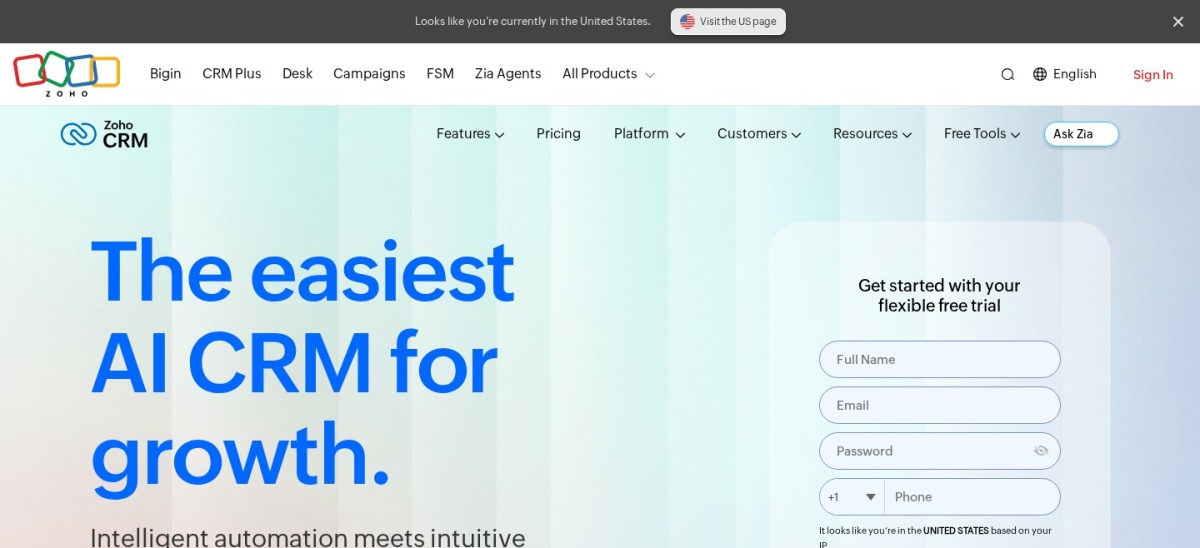
Zoho CRM is a configurable sales and client relationship platform that pairs naturally with Zoho Books and Zoho Sign. Its Free Edition supports up to 3 users and 5,000 records at $0, while the Standard plan starts at $14 per user per month billed annually ($20/user/mo monthly) and unlocks 100,000 records, multiple sales pipelines, custom dashboards, scoring rules, and workflow automation.
The trade off is that Zoho CRM lacks built-in tax workflows, client document portals, and time tracking unless you add separate Zoho apps or upgrade to Professional ($23/user/mo) for Blueprint process gates and client portals. It suits budget-conscious firms seeking a flexible sales CRM under $200 per user per year.
What we like
Permanent free tier supports up to 3 users and 5,000 client records
Standard tier ($168/yr per user) includes workflow rules, forecasting, and 100,000 records
Native integration with Zoho Books, Zoho Sign, and Zoho Analytics
Watch out for
No built-in accounting work templates or recurring tax checklists
Client portals and Blueprint process automation require Professional ($23/user/mo)
Extensive customization options can feel overwhelming during initial setup
Professional ($23/user/mo annual) adds Blueprint process gates, portals, and quotes/invoices.Visit zoho.com
07
Capsule CRM
4.5/5on Capterra (169 reviews, checked Nov 2026)
Paid from$18/mo
Best lightweight CRM for Xero and QuickBooks users
Accounting linksDirect Xero and QuickBooks integrations
Setup fees$0 onboarding or setup fees
capsulecrm.com
Capsule CRM homepage, captured Nov 2026.
Capsule CRM is a straightforward relationship and project-tracking CRM with native integrations for both Xero and QuickBooks. Its Free plan accommodates up to 2 users and 250 contacts with one sales pipeline, while the Starter plan costs $18 per user per month billed annually ($22/user/mo monthly) and expands capacity to 30,000 contacts, 10 GB storage, 1 shared mailbox, and 1 project board.
The trade off is that workflow automations, multiple sales pipelines, and additional project boards require the Growth plan at $36 per user per month billed annually, and there is no secure client document portal. It suits small accounting practices that want an uncluttered contact database synced with Xero or QuickBooks.
What we like
Clean, uncluttered interface requires minimal staff training
Connects directly with Xero and QuickBooks to view invoice status on contact records
Permanent free tier available for up to 2 users with zero setup fees
Watch out for
Free plan caps out at 250 contacts
Workflow automation and multi-pipeline views require Growth ($36/user/mo)
No built-in encrypted client portal or e-signature module
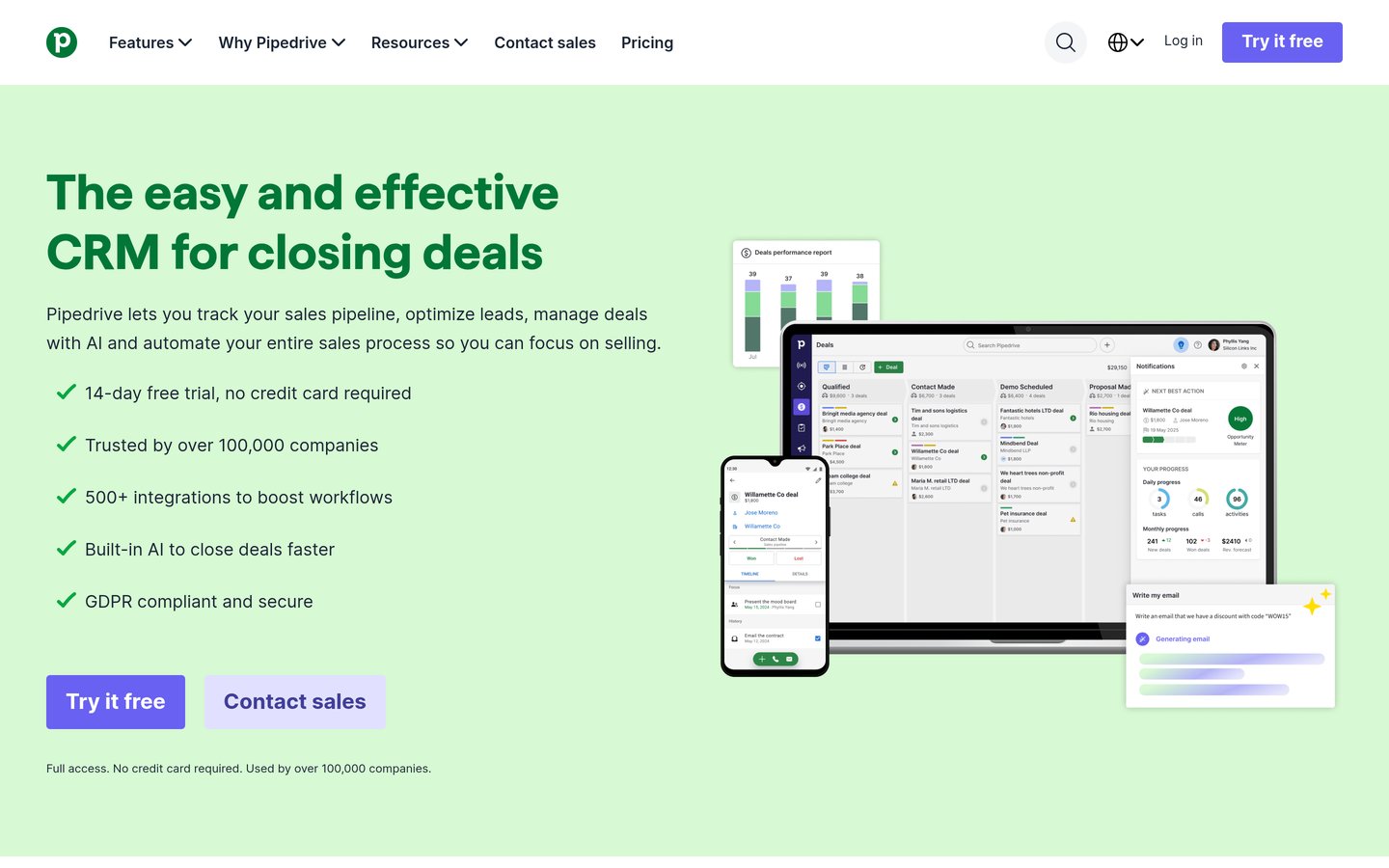
Pipedrive is a visual, stage-based sales CRM built to help service firms track incoming referrals, advisory proposals, and onboarding milestones. Its Lite plan starts at $14 per seat per month billed annually ($168/seat/yr) and provides customizable deal pipelines, centralized contact and communication histories, activity reminders, and meeting scheduling.
The trade off is that Pipedrive has no permanent free tier, and essential features for accounting workflows—such as workflow automation (Growth at $39/seat/mo), project delivery ($16/mo add-on), and Smart Docs proposals ($32.50/mo add-on)—cost extra. It suits growth-oriented CPA and advisory firms focused on converting new business leads.
What we like
Intuitive drag-and-drop pipeline makes stalled proposals immediately visible
Low $168/seat/yr entry price for core lead and referral management
Strong activity reminders prevent referral leads from slipping through the cracks
Watch out for
No permanent free plan (14-day trial only)
Workflow automation requires upgrading to Growth ($39/seat/mo annual)
Project tracking and document signing require paid add-ons or Premium ($59/seat/mo)
Growth ($39/seat/mo annual) unlocks workflow automation and revenue forecasting.Visit pipedrive.com
Practice management CRM vs. general sales CRM
Accounting firms often confuse general sales CRMs with accounting practice management CRMs because both store client names, emails, and notes. The difference lies in what happens after a prospect signs an engagement letter.
General sales CRMs like Zoho CRM, Capsule CRM, and Pipedrive excel at tracking referrals, scheduling discovery calls, and moving prospects through proposal stages. Once a client is won, however, you still need separate software for recurring monthly bookkeeping checklists, encrypted tax document uploads, and time billing.
Practice management CRMs like TaxDome, Karbon, Financial Cents, and Canopy combine the client database with recurring job templates, client portals, e-signatures, and invoicing. If your bottleneck is chasing client documents and tracking tax deadlines, choose a practice CRM; if your bottleneck is converting new advisory leads, start with a sales CRM.
How we chose
We evaluated CRM and practice management platforms widely adopted by accounting, bookkeeping, and tax firms. Priority went to established vendors with verified review histories on Capterra, G2, or Trustpilot and transparent, published pricing tiers.
All subscription rates, seat minimums, and review ratings were verified on 22 Nov 2026 directly from official vendor pricing pages and public software review directories. Where vendors offer both monthly and annual billing, we listed the regular annual rate per user or per tier.
We excluded pure general ledger accounting apps without dedicated CRM pipelines, enterprise platforms without published entry pricing, and discontinued tools. No vendor paid for a place, and we do not claim testing for this list.
How to choose the right CRM for your accounting firm
Follow these four steps to match a CRM platform to your firm's workflow and budget:
Identify your primary bottleneck. Choose a practice management CRM (TaxDome, Karbon, Financial Cents, Canopy) if you struggle with recurring deadlines and document collection, or a sales CRM (Pipedrive, Zoho CRM, Capsule) if you mainly need to track referrals and new proposals.
Check how your clients prefer to share files. Pick TaxDome or Canopy if you want clients logging into a branded portal or mobile app, or choose Karbon and Financial Cents if your clients respond better to magic-link email requests without creating passwords.
Verify ledger and tax software integrations. Confirm native two-way sync with QuickBooks Online, QuickBooks Desktop, or Xero—for example, Method CRM for deep QuickBooks sync or Capsule CRM for lightweight Xero and QuickBooks invoice visibility.
Calculate total team cost including add-ons. Multiply per-seat rates by your full staff headcount and check whether client portals, automated reminders, KBA e-signatures, or month-end close modules require higher tiers or paid add-ons.
FAQ
What is the best CRM software for a small accounting firm?
TaxDome is the strongest all-in-one option for small multi-staff firms because its $1,500/yr entry plan includes up to 20 team seats, a client portal, e-signatures, and automated workflows. Solo bookkeepers on a tighter budget can start with Financial Cents at $19/mo billed annually.
Is there a free CRM for accountants and bookkeepers?
Yes. Zoho CRM offers a permanent free tier for up to 3 users and 5,000 records, while Capsule CRM provides a free plan for up to 2 users and 250 contacts. Both handle lead tracking and contact notes, though neither includes an encrypted accounting client portal.
Which CRM integrates best with QuickBooks?
Method CRM offers the deepest QuickBooks integration, featuring a patented real-time, two-way sync with both QuickBooks Online and QuickBooks Desktop starting at $35 per user per month. Financial Cents and Capsule CRM also sync directly with QuickBooks Online.
What is the difference between TaxDome and Karbon?
TaxDome centers on a full client portal with a dedicated mobile app and flat volume pricing ($1,500/yr for 150 clients and up to 20 seats). Karbon centers on shared team email triage and charges per user ($59/user/mo billed annually on the Team plan).
Do accountants need a specialized CRM instead of Pipedrive or Zoho?
Solo practitioners focused on acquiring advisory leads can use Pipedrive or Zoho CRM effectively. Once you manage recurring monthly bookkeeping or annual tax returns for dozens of clients, specialized accounting CRMs save hours by combining client records with document checklists and e-signatures.