Best Content Planning Tools in 2026: 7 Tools Compared
WLWPLegible EditorsLast verified 22 Nov 2026How we rank10 min read
★ Short answer
CoSchedule is the best content planning tool for marketing teams that want a calendar connected to publishing, with its Starter plan covering 3 social profiles for $29 per month billed annually. Planable is better for client approvals and collaborative previews, while Buffer suits creators who want a free social scheduling option.
How we make this list: we compare pricing pages, product documentation and public user reviews, then re-check every price before each update. No product paid for a place. Disclosure.
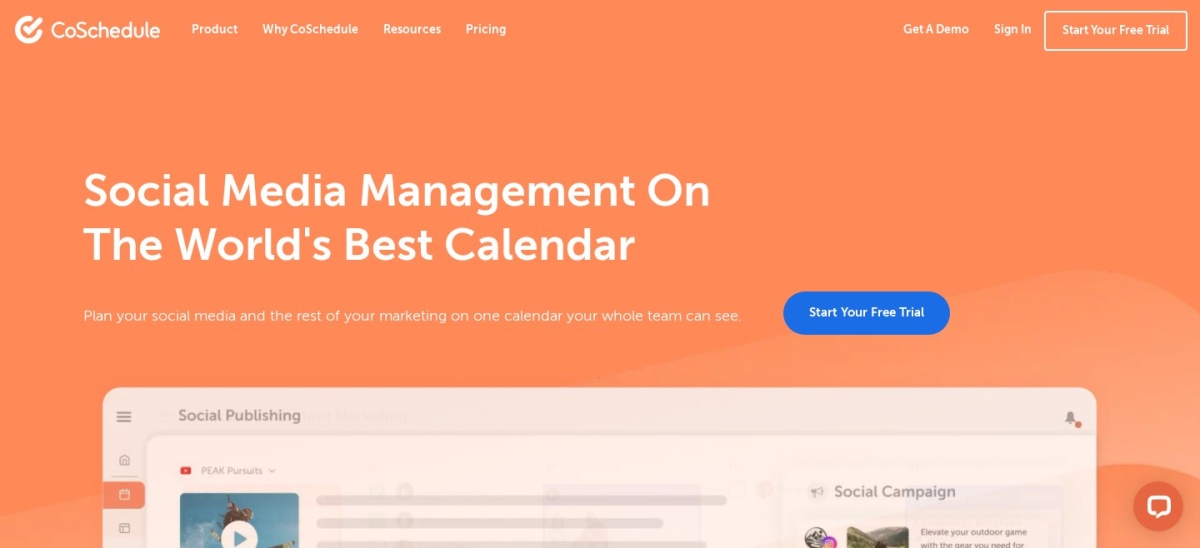
CoSchedule combines a drag-and-drop marketing calendar, unlimited social scheduling and 3 connected profiles for $348 per year on Starter.
Planable Basic costs $33 per workspace per month, supports unlimited users and allows 60 posts monthly across 4 social pages.
Buffer Free supports 3 channels and 10 scheduled posts per channel. Essentials starts at $60 per year for 1 channel.
ClickUp offers unlimited tasks, collaborative docs and calendar views for free. Its regular Core price is $12 per user monthly before the advertised discount.
Trello Free supports 10 collaborators and 10 boards per workspace. Standard costs $60 per user annually, but full calendar views require Premium.
Airtable starts at $240 per paid editor annually, while monday.com Basic lists $9 per seat monthly on annual billing before its separate promotional credit.
What to look for in a content planning tool
Content planning software helps teams turn ideas into assigned work, deadlines, approvals and publishing schedules. The right choice depends on whether the main output is a blog article, social post, newsletter or broader marketing campaign.
A useful editorial calendar should show content status, owners, target channels and upcoming deadlines. Some platforms also publish posts directly, while general work management tools stop at organizing the production process.
Collaboration matters when writers, designers, editors and clients work together. Look for comments, shared previews, approval controls and a way to identify content waiting for feedback.
Compare the billing model before choosing. Per-user, per-channel and per-workspace subscriptions can produce very different costs as a team expands. Also check whether calendar views, publishing and approval features are included at the entry price.
CoSchedule is a marketing calendar and social publishing platform built for organizing campaigns around scheduled content. Its free plan supports 1 social profile and 15 scheduled posts at a time. Starter includes 3 connected profiles, unlimited social scheduling, calendar management, analytics and ReQueue automation for recurring content.
The trade off is that Starter costs $29 per month billed annually, and additional profiles cost extra. More involved team workflows and advanced inbox features require higher plans. It suits small marketing departments that want campaign dates, social publishing and recurring promotions managed in the same calendar.
Planable is a collaborative content planning and approval platform for agencies and brand teams. Its free allowance covers 50 posts, while Basic supports 60 posts per workspace monthly, 4 connected social pages and unlimited users. Shared previews, comments, calendar views and Optional Approval help contributors review content before publication.
The trade off is workspace-based billing at $33 monthly, with separate charges for additional workspaces and optional analytics. Basic also limits campaign capacity and lacks the required approval workflow available in Pro. It suits agencies and marketing teams that prioritize client feedback, visual previews and clear publication approvals.
What we like
Visual content previews before publishing
Unlimited users within each workspace
Comments and approval workflows
Supports social and non-social content planning
Watch out for
Basic limits posts and connected pages
Analytics costs extra
Multiple brands may need multiple paid workspaces
Basic adds recurring monthly post capacity and workspace approval toolsVisit planable.io
03
Buffer
4.3/5on G2 (1,043 reviews, checked Nov 2026)
Paid from$5/mo
Best for solo creators and social planning
Free channelsUp to 3
Free scheduling10 posts per channel
Content ideas100 on Free
Paid planEssentials, $5/channel/mo annually
buffer.com
Buffer homepage, captured Nov 2026.
Buffer is a social media planning and publishing platform with an ideas workspace, post drafts and scheduling queues. Its free plan connects up to 3 channels, holds 10 scheduled posts per channel and supports 100 content ideas. An AI assistant and basic insights help creators organize upcoming posts.
The trade off is that Essentials costs $5 per channel monthly on annual billing, so the total grows with connected accounts. Content approval workflows also require the higher Team plan. It suits independent creators and small businesses that need straightforward social planning without adopting a full marketing project management system.
What we like
Free publishing across 3 channels
Simple ideas board and scheduling workflow
Affordable starting price for a single channel
AI assistant available on Free
Watch out for
Paid costs increase with channel count
Formal approval workflows require Team
Less suitable for complex blog production workflows
Essentials adds unlimited scheduling, ideas and advanced analyticsVisit buffer.com
04
ClickUp
4.6/5on G2 (15,879 reviews, checked Nov 2026)
Paid from$12/mo
Best for managing content production workflows
Free tasksUnlimited
Free storage60 MB
Free viewsBoard and Calendar
Paid planCore, regular $12/user/mo
clickup.com
ClickUp homepage, captured Nov 2026.
ClickUp is a work management platform that marketing teams can configure for editorial production. Free Forever includes unlimited tasks and subtasks, collaborative documents, Kanban boards, calendar views and unlimited free members. Teams can assign research, writing, editing and design work to different contributors.
The trade off is setup complexity, because ClickUp is not a dedicated social publishing tool. Core has a regular listed price of $12 per user monthly on annual billing, although the pricing page advertises $9 as a discount. It suits content teams managing multiple production stages, deliverables and internal deadlines.
What we like
Unlimited tasks on Free Forever
Documents and project tracking together
Flexible statuses and task assignments
Calendar and Kanban views included
Watch out for
Requires configuration for editorial workflows
Does not directly replace social publishing software
More features can mean a steeper learning curve
Core adds custom fields, unlimited storage and expanded automationsVisit clickup.com
05
Trello
4.4/5on G2 (14,078 reviews, checked Nov 2026)
Paid from$5/mo
Best for simple editorial boards
Free collaboratorsUp to 10
Free boardsUp to 10/workspace
Free automation250 commands/month
Paid planStandard, $5/user/mo annually
trello.com
Trello homepage, captured Nov 2026.
Trello is a visual work management tool that organizes content ideas as cards moving through lists. Free supports up to 10 collaborators and 10 boards per workspace, with unlimited cards, assignments, due dates and 250 automation command runs monthly. Editorial teams can create stages for ideas, drafts, edits and published content.
The trade off is that its full Calendar, Timeline and Dashboard views belong to Premium rather than the $5-per-user monthly Standard plan billed annually. Trello also does not publish content to social networks directly. It suits small editorial teams that value simple status tracking more than specialized publishing features.
What we like
Easy-to-understand visual content boards
Useful free plan for small teams
Assignments, deadlines and checklists
Power-Ups extend integrations
Watch out for
Full calendar view requires Premium
No native social publishing
Complex campaign dependencies need extra setup
Standard adds unlimited boards, custom fields and more automationVisit trello.com
06
Airtable
4.6/5on G2 (3,306 reviews, checked Nov 2026)
Paid from$20/mo
Best for structured editorial databases
Free planAvailable
Content templatesCalendar and strategy
BillingPer paid editor
Paid planTeam, $20/user/mo annually
airtable.com
Airtable homepage, captured Nov 2026.
Airtable is a database-oriented workspace that teams can adapt into a content planning system. Its free edition provides a starting point for editorial records, while official templates cover content calendars, social calendars and marketing campaign tracking. Teams can connect topics, owners, assets, deadlines and publication stages in structured tables.
The trade off is that Team costs $20 per paid editor monthly when billed annually, and building a useful editorial system takes configuration. Airtable is also primarily a planning platform rather than a direct social publishing service. It suits content operations teams that need customized metadata, related records and reusable editorial processes.
What we like
Flexible structured content databases
Official editorial and campaign templates
Useful for managing related content assets
Read-only collaborators are not charged as editors
Watch out for
Per-editor pricing can become expensive
Requires thoughtful database setup
Native social publishing is not its main function
Team adds greater capacity for collaborative databases and workflowsVisit airtable.com
07
monday.com
4.7/5on G2 (17,975 reviews, checked Nov 2026)
Paid from$9/mo
Best for cross-team campaign coordination
Free seatsUp to 2
Free boardsUp to 3
Basic price$9/seat/mo annually
Calendar viewStandard and above
monday.com
monday.com homepage, captured Nov 2026.
monday.com is a collaborative work management platform for coordinating campaigns, deadlines and production responsibilities. Its free plan includes up to 2 seats, 3 boards, 3 documents and more than 200 templates. Marketing teams can build content pipelines and track work across contributors using shared boards.
The trade off is that Basic lists $9 per seat monthly on annual billing, while calendar views, integrations and automation actions require Standard at $12 per seat monthly. The pricing page also displays a separate promotional credit. It suits marketing departments coordinating content with design, sales and other internal teams.
What we like
Adaptable boards for marketing campaigns
Free plan for small teams
Shared work visibility across departments
Templates reduce initial setup work
Watch out for
Full calendar view requires Standard
Direct social publishing needs other tools or integrations
Seat requirements can increase total cost
Basic adds unlimited items and free viewers; Standard adds calendar views and automationsVisit monday.com
Content planning tools vs. social scheduling tools
A content planning tool manages the work before publication: ideas, briefs, assignments, deadlines, draft reviews and approvals. A social scheduling tool focuses on getting completed posts onto connected platforms at the correct time.
CoSchedule, Planable and Buffer combine planning with publishing. ClickUp, Trello, Airtable and monday.com are better suited to organizing broader production workflows, but generally need a separate publishing service.
For a blog-focused content operation, a structured calendar with owners, keyword targets and editorial stages may be more valuable than native social scheduling. For a social-first business, publishing limits and account connections matter more.
How content planning software pricing works
Per-user pricing charges for people who need paid access. Trello Standard starts at $5 per user monthly on annual billing, while Airtable Team starts at $20 per paid editor monthly under annual billing.
Per-channel pricing is different. Buffer Essentials starts at $5 monthly per connected channel on annual billing, so adding accounts can increase the recurring total.
Planable Basic charges $33 monthly per workspace and includes unlimited users. This can make collaborative approvals more predictable within a single workspace, although additional brands may require additional workspaces.
Always compare the plan that contains the feature you actually need. A low entry price is less useful if editorial calendar views, formal approvals or publishing integrations require an upgrade.
How we chose
We selected established content planning and work management products with clear relevance to editorial calendars, campaign organization, collaboration or social scheduling. The shortlist combines dedicated marketing platforms with adaptable project management systems.
Official vendor pricing pages and public G2 ratings were used for the comparison, with a November 22, 2026 editorial reference date. Current source-page values were retrieved on November 23, 2026. Annual cost figures reflect the displayed entry-plan billing terms, while promotional pricing is identified separately where applicable.
We excluded products without confirmable public entry pricing, platforms with insufficient public review evidence and tools that primarily create content without supporting its organization or publication workflow. No vendor paid for a place, and we do not claim testing for this list.
How to choose the right content planning tool
Map your publishing workflow before comparing subscriptions. Identify the channels, contributors, deadlines and approval steps that the software must support.
Identify where your content will be published. Choose a social publishing platform if scheduling posts is the priority. Choose a flexible editorial workspace if your team mainly produces blogs, newsletters, guides or campaigns that move through several production stages.
List everyone involved in content production. Count writers, editors, designers, managers and external reviewers. Check whether each person needs a paid seat, free access or approval-only permissions before estimating the subscription cost.
Check the actual calendar and approval features. Confirm that your chosen plan includes the views, comments, workflow statuses and approvals you need. Some tools provide basic boards for free but charge more for dedicated calendar views or required approval steps.
Calculate the full annual subscription. Include additional users, connected channels, workspaces and optional reporting features. Use a representative editorial campaign to check whether the selected plan supports your normal publishing process.
FAQ
What is the best content planning tool in 2026?
CoSchedule is the strongest overall choice here for marketing teams that want content scheduling and calendar management together. Starter includes 3 social profiles, unlimited scheduling and ReQueue at $29 monthly billed annually. Teams needing client approval workflows should compare Planable, while independent social creators can begin with Buffer.
What is the best free content planning tool?
Buffer is a practical free option for social publishing because it supports 3 connected channels and 10 scheduled posts per channel. For broader editorial workflows, Trello Free supports 10 collaborators and 10 boards per workspace. ClickUp Free offers unlimited tasks and collaborative documents for production management.
Can I use a content planning tool for SEO articles?
Yes. Tools such as ClickUp, Trello and Airtable can track target keywords, search intent, assigned writers, outline status, editing deadlines and publication dates. They are especially useful for SEO editorial calendars, although dedicated keyword research, rank tracking and search optimization generally require separate software.
What is the difference between a content calendar and an editorial calendar?
A content calendar tracks planned material across marketing channels, including social posts, videos, newsletters and campaigns. An editorial calendar usually focuses more closely on publishing topics, assignments, drafts and deadlines. Many planning tools support both approaches, depending on how the workspace is configured.
Which content planning tool is best for agencies?
Planable is a strong choice for agencies working with clients because it supports shared content previews, comments and approvals. Basic costs $33 monthly per workspace, includes unlimited users and allows 60 posts per month. Agencies managing several clients should calculate workspace costs before choosing.
Is Trello good for content planning?
Trello works well for simple editorial pipelines where cards represent articles, posts or campaigns. Teams can organize ideas into lists for drafting, editing and publication. Its free plan includes assignments and due dates, but the dedicated Calendar view requires Premium rather than Standard.
Which content planning tools can publish directly to social media?
CoSchedule, Planable and Buffer include native social publishing capabilities. Their account limits, posting allowances and approval controls differ by plan. ClickUp, Trello, Airtable and monday.com are mainly work management platforms, so publishing usually requires another service or an integration.
How much should a small team spend on content planning software?
A small team can begin with free plans from Trello, ClickUp or Buffer. Paid entry prices range from $5 per user monthly for Trello Standard to $33 per workspace monthly for Planable Basic under their displayed billing terms. The right budget depends on team size, channels and required approvals.