Best Cloud-Based Project Management Software in 2026: 9 Tools Compared
WLWPLegible EditorsLast verified 24 Nov 2026How we rank12 min read
★ Short answer
monday.com is the best cloud-based project management software for most teams, rated 4.7 out of 5 on G2 from 17,182 reviews, with visual boards and a free plan for up to 2 seats. Pick Asana for the easiest adoption, ClickUp for the most features per dollar, and Zoho Projects if the budget is tight.
How we make this list: we compare pricing pages, product documentation and public user reviews, then re-check every price before each update. No product paid for a place. Disclosure.
monday.com is the top pick, rated 4.7/5 on G2 from 17,182 reviews, with the clearest visual boards in this list.
Zoho Projects Premium at $4 a user a month is the cheapest paid plan, and it includes timesheets and budgets.
Trello Standard at $5 a user a month is the cheapest step up from a free board, with unlimited boards and custom fields.
ClickUp packs tasks, docs, goals, chat and time tracking into one workspace at a $12 regular price.
Smartsheet has no free plan, and its Pro plan stops at 10 members before Business at $19 takes over.
What to look for in a cloud project tool
Cloud project tools keep tasks, files and deadlines in one shared place that any team member can open from a browser. Nothing is installed, and everyone sees the same board.
The tools in this list differ in how they show work. Some lead with boards, some with lists or grids, and some with sprints. The right view is the one your team actually reads every day.
Free plans are real here: eight of the nine tools offer one. They cap users, boards or history, so a solo user or a pair can often work free for months before paying.
Price is only part of the cost. Seat minimums, guest charges and the tier that holds the view you need matter as much as the headline rate. Teams that publish on a schedule can also plan that work in a content calendar beside their project board.
The 9 best cloud-based project management software tools
01
monday.com
4.7/5on G2 (17,182 reviews, checked Nov 2026)
Paid from$9/mo
Best cloud project tool overall
Free planYes, up to 2 seats
Cheapest paidBasic, $9/seat/mo
Timeline and GanttStandard, $12/mo
Automations250 actions/mo on Standard
monday.com
monday.com homepage, captured Nov 2026.
monday.com is a visual work platform built around colour-coded boards that show status, owner and deadline at a glance. The free plan covers up to 2 seats, 3 boards and 3 docs, and the cheapest paid plan, Basic, costs $9 a seat a month billed annually. Standard at $12 adds Timeline and Gantt views, a calendar, guest access and 250 automation actions a month.
The trade off is seat math. Paid plans start at 3 seats and are sold in bundles, so a team of 6 pays for 10 seats, and the visual style suits teams that like boards more than lists. It suits marketing, ops and client teams that want a board everyone can read without training.
What we like
Clearest visual boards in this list
Rated 4.7 out of 5 on G2 from 17,182 reviews
Guest access from the Standard plan
Strong no-code automation builder
Watch out for
Paid seats are sold in bundles from 3 seats
Timeline and Gantt views need the $12 Standard plan
Automation actions are capped at 250 a month on Standard
Pro at $19 adds time tracking and 25,000 automation actionsVisit monday.com
02
Asana
4.4/5on G2 (13,930 reviews, checked Nov 2026)
Paid from$10.99/mo
Best for easy team adoption
Free planPersonal, up to 2 users
Cheapest paidStarter, $10.99/user/mo
Timeline and GanttStarter
AutomationsUnlimited on Starter
asana.com
Asana homepage, captured Nov 2026.
Asana is a work management platform for planning tasks, projects and goals in lists, boards, timelines and calendars. The free Personal plan covers up to 2 users with unlimited tasks and projects, and the cheapest paid plan, Starter, costs $10.99 a user a month billed annually. Starter adds Timeline and Gantt views, forms, custom fields, dashboards and unlimited automations.
The trade off is per-seat cost. Starter at $10.99 is $13.49 billed monthly, and Advanced at $24.99 is the step up for portfolios, goals and workload views. It suits teams that want clear ownership, with one assignee per task, and a tool new starters can open without training.
What we like
Easiest tool here for new starters to adopt
Timeline and Gantt views from the Starter plan
Unlimited automations on Starter
Free guests on paid plans
Watch out for
Free plan covers only 2 users
Portfolios and workload views need Advanced at $24.99
Per-seat cost adds up fast on larger teams
Advanced adds portfolios, goals and workload viewsVisit asana.com
03
ClickUp
4.6/5on G2 (14,878 reviews, checked Nov 2026)
Paid from$12/mo
Best value for feature depth
Free planYes, unlimited members
Cheapest paid$12/user/mo regular price
Native time trackingYes
Docs and chatIncluded
clickup.com
ClickUp homepage, captured Nov 2026.
ClickUp is an all-in-one workspace that combines tasks, docs, goals, chat and time tracking in one place. The free plan covers unlimited members and tasks, and the entry paid plan lists at $12 a user a month as its regular price, with lower billed-yearly rates shown during sales. Paid plans add Gantt charts, custom fields and 1,000 automation actions a month.
The trade off is setup time. ClickUp packs so many features into one workspace that a new team needs a day to shape it around its own workflow. It suits teams that want to replace three or four separate tools with one workspace and are willing to configure it.
What we like
Most features per dollar in this list
Free plan covers unlimited members
Docs, goals, chat and time tracking in one place
Gantt charts and custom fields on paid plans
Watch out for
Takes a day to set up well
Interface packs a lot into each screen
Entry price is higher than Trello or Zoho Projects
Business adds more automation, AI and advanced permissionsVisit clickup.com
04
Trello
4.4/5on G2 (14,064 reviews, checked Nov 2026)
Paid from$5/mo
Best for simple Kanban boards
Free planYes, 10 boards per workspace
Cheapest paidStandard, $5/user/mo
Automation1,000 runs/mo on Standard
Timeline viewPremium, $10/mo
trello.com
Trello homepage, captured Nov 2026.
Trello is Atlassian's Kanban board tool, and it stays close to that idea: cards move across lists from to-do to done. The free plan covers up to 10 collaborators, 10 boards per workspace and unlimited cards, with 250 automation runs a month. Standard at $5 a user a month billed annually adds unlimited boards, custom fields and 1,000 automation runs.
The trade off is depth. Calendar, Timeline, Table and Dashboard views only arrive on Premium at $10 a user a month, and Trello has no built-in time tracking or workload view. It suits small teams with straightforward work that want the simplest board they can hand to anyone.
What we like
Simplest board in this list to learn
Cheapest paid plan after Zoho Projects
Free plan covers up to 10 collaborators
Unlimited cards and Power-Ups on every plan
Watch out for
No Timeline or Calendar view below Premium
No built-in time tracking or workload view
Struggles with complex dependencies
Premium adds Timeline, Calendar, Table and Dashboard viewsVisit trello.com
05
Notion
4.6/5on G2 (13,834 reviews, checked Nov 2026)
Paid from$10/mo
Best for docs and tasks together
Free planYes, 7-day page history
Cheapest paidPlus, $10/member/mo
Page history30 days on Plus
Full AI featuresBusiness, $20/mo
notion.com
Notion homepage, captured Nov 2026.
Notion is a workspace that joins docs, wikis and databases, so tasks can live beside the notes and pages they relate to. The free plan includes 7-day page history, and Plus at $10 a member a month billed annually adds unlimited blocks and file uploads, 30-day history and charts. Project work runs on database views such as board, timeline and calendar.
The trade off is that Notion is a docs tool first. Its project views are lighter than a dedicated project tool, and full AI features need Business at $20 a member a month. It suits knowledge-centred teams that want docs, wikis and project tracking in one workspace.
What we like
Docs, wikis and tasks in one workspace
Flexible databases with board and timeline views
Rated 4.6 out of 5 on G2 from 13,834 reviews
Free plan works well for individuals
Watch out for
Project views are lighter than dedicated tools
Full AI features need Business at $20
Needs setup before it feels like a project tool
Business adds full AI, private teamspaces and SAML SSOVisit notion.com
06
Wrike
4.2/5on G2 (4,540 reviews, checked Nov 2026)
Paid from$10/mo
Best for structured cross-team work
Free planYes, unlimited users
Cheapest paidTeam, $10/user/mo
Team sizeTeam covers 2 to 15 users
Time trackingBusiness, $25/mo
wrike.com
Wrike homepage, captured Nov 2026.
Wrike is a work management platform for cross-team projects, with folders, Gantt charts, dashboards and approval workflows. The free plan covers unlimited users with basic task management, and Team at $10 a user a month billed annually adds interactive Gantt charts, shareable dashboards and AI Essentials. Team covers 2 to 15 users.
The trade off is the step up. Team stops at 15 users, and the next plan, Business at $25 a user a month, is where time tracking, resource management and proofing live. It suits marketing and operations teams that run structured, multi-step work with approvals.
What we like
Strong approval workflows for marketing teams
Interactive Gantt charts from the Team plan
Free plan covers unlimited users
Approval workflows for structured team work
Watch out for
Team plan stops at 15 users
Time tracking needs Business at $25
Lowest G2 rating in this list at 4.2
Business adds time tracking, resource management and proofingVisit wrike.com
07
Smartsheet
4.4/5on G2 (22,767 reviews, checked Nov 2026)
Starts at$9/mo
Best for spreadsheet-style planning
Free planNo, 30-day trial
Cheapest paidPro, $9/member/mo
Member limitPro covers 1 to 10 members
Automations250 runs/mo on Pro
smartsheet.com
Smartsheet homepage, captured Nov 2026.
Smartsheet is a spreadsheet-style work platform that presents projects as grids, with Gantt, board, card and calendar views on top. Pro at $9 a member a month billed annually includes unlimited sheets, forms, 250 automation runs a month and 20 GB of attachment storage. Pro covers 1 to 10 members, with unlimited free viewers.
The trade off is that there is no free plan, only a 30-day trial, and Pro caps at 10 members before Business at $19 a member a month takes over. It suits operations and finance teams that already think in rows and columns and want reports built on that grid.
What we like
Most G2 reviews in this list at 22,767
Familiar grid layout for spreadsheet users
Unlimited sheets and free viewers on Pro
Strong reporting and dashboards
Watch out for
No free plan, only a 30-day trial
Pro caps at 10 members
Grid layout feels dated next to visual boards
Business adds unlimited members, workload tracking and 1 TB storageVisit smartsheet.com
08
Zoho Projects
4.4/5on G2 (596 reviews, checked Nov 2026)
Paid from$4/mo
Best budget pick for small teams
Free planYes, up to 5 users, 3 projects
Cheapest paidPremium, $4/user/mo
Time trackingPremium
Client users$4 each on paid plans
zoho.com
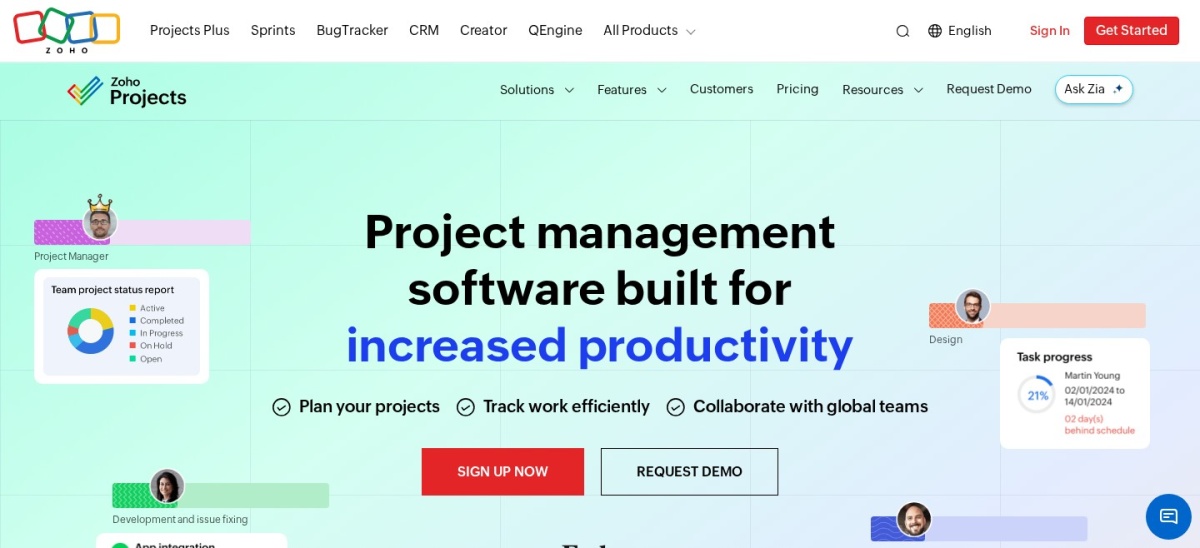
Zoho Projects homepage, captured Nov 2026.
Zoho Projects is the project tool in the Zoho suite, built for planning work, assigning tasks and tracking deadlines from one workspace. The free plan covers up to 5 users and 3 projects, and Premium at $4 a user a month billed annually adds unlimited projects, timesheets, project budgets and automation. Enterprise at $9 adds portfolio dashboards and single sign-on.
The trade off is polish and extras. Client accounts cost $4 each on paid plans, and the interface is plainer than monday.com or Asana. It suits small firms and freelancers that already use Zoho apps and want timesheets and budgets at the lowest paid price here.
What we like
Cheapest paid plan in this list at $4
Timesheets and project budgets on Premium
Free plan covers up to 5 users
Fits naturally with Zoho CRM and Books
Watch out for
Client accounts cost $4 each on paid plans
Interface is plainer than monday.com or Asana
Fewest G2 reviews in this list at 596
Enterprise adds portfolio dashboards, critical path and SSOVisit zoho.com
09
Jira
4.3/5on G2 (7,938 reviews, checked Nov 2026)
Paid from$9.70/mo
Best for agile software teams
Free planYes, up to 10 users
Cheapest paidStandard, $9.70/user/mo
Annual billingTiered, $950/yr for 10 users
Automation400 steps/user/mo on Standard
atlassian.com
Jira homepage, captured Nov 2026.
Jira is Atlassian's agile project tool, built around backlogs, sprints and boards for software teams. The free plan covers up to 10 users, and Standard adds user roles and permissions, 250 GB of storage and 400 automation steps a user a month. Standard costs $9.70 a user a month on monthly billing for teams of up to 100 users.
The trade off is pricing and focus. Annual billing is sold in fixed user tiers, with 10 users at $950 a year, and Atlassian raised list prices on 13 October 2026. It suits development teams running sprints, and it can feel heavy for non-technical teams with simple task lists.
What we like
Deepest sprint and backlog planning here
Free plan covers up to 10 users
Strong automation and 250 GB storage on Standard
Pairs naturally with Confluence and Bitbucket
Watch out for
Annual pricing is sold in fixed user tiers
List prices rose on 13 October 2026
Can feel heavy for non-technical teams
Premium adds cross-team planning, unlimited storage and 24/7 supportVisit atlassian.com
Free vs paid: what you give up
Free plans cover the basics well. Most include unlimited tasks, a board or list view, and room for a small team.
Paid plans mostly add views and automation. Timeline and Gantt views, time tracking and higher automation limits usually sit one tier above the entry price.
If your team grows past the free limits, the cheapest paid plan is rarely the one you stay on. Zoho Projects at $4 and Trello at $5 stay cheap as you grow, while Wrike Team stops at 15 users.
How we chose
We started from the most widely used cloud project tools on G2 and Capterra, then kept the nine with a real free plan or trial and published per-user pricing.
Prices come from each vendor's pricing page, checked on 24 November 2026. Ratings and review counts come from G2, checked in October and November 2026. Where a vendor shows a sale, the list shows the regular price.
We left out tools with no published per-user price and tools built only for one niche, such as construction or legal work. No vendor paid for a place, and we do not claim to have used these tools ourselves.
How to choose cloud-based project management software
Start with how your team already works, then match the tool to that habit.
Count the seats you will pay for. Free plans cap users and boards, and paid plans start at 3 seats on monday.com or 2 users on Wrike Team. Count guests and clients too, since some tools charge for them.
Pick the view your team reads fastest. Boards suit visual teams, lists suit task-heavy teams, and Gantt charts suit deadline-driven work. Our guide to creating a content calendar shows how a calendar view keeps recurring work visible.
Check what the cheapest paid plan leaves out. Timeline views, time tracking and automations often sit one tier above the entry price. Trello Premium and Wrike Business are the clearest examples here.
Try the free plan with a real project. Run one live project for two weeks before you pay. If the team stops updating it, the tool is wrong, whatever its rating.
FAQ
What is the best cloud-based project management software?
monday.com is the best pick for most teams. It is rated 4.7 out of 5 on G2 from 17,182 reviews, its boards are easy for new starters to read, and its free plan covers up to 2 seats. Asana is the closest alternative for teams that prefer lists and timelines.
What is the cheapest cloud project management software?
Zoho Projects Premium at $4 a user a month billed annually is the cheapest paid plan in this list, and it includes timesheets and project budgets. Trello Standard at $5 is next. Both have free plans, so a small team can start without paying.
Is there a free cloud-based project management tool?
Yes. Eight of the nine tools here have a free plan, including monday.com, Asana, ClickUp, Trello, Notion, Wrike, Zoho Projects and Jira. Smartsheet is the exception, with a 30-day trial instead. Free plans cap users, boards or history, so check the limits first.
Which tool is best for software teams?
Jira is built for agile software teams, with backlogs, sprints and issue tracking, and it is rated 4.3 out of 5 on G2. ClickUp and monday.com also work for software teams, but Jira's sprint planning and release tracking are deeper. Non-technical teams may find it heavy.
Can I switch project tools later?
Yes, but moving tasks, files and history takes time, and most tools export to CSV rather than a clean import. Pick the tool that fits your team now, run a real project on its free plan first, and only pay once the team is updating it daily.
Do these tools work for client work?
Yes, with care. monday.com Standard adds guest access, and Wrike and Zoho Projects both handle client-facing work, though Zoho charges $4 per client account. Check guest and client limits before you invite clients, since some plans count them as paid seats.