Linear is the best bug tracking software for software development teams, offering unlimited members and up to 250 issues on its free plan. Choose Backlog for combined issue tracking and source control without per-user fees or ClickUp for coordinating bug resolution across technical and nontechnical departments.
How we make this list: we compare pricing pages, product documentation and public user reviews, then re-check every price before each update. No product paid for a place. Disclosure.
Linear supports 250 issues on its free plan, with unlimited issue tracking available for $10 per user per month.
Backlog Starter accommodates 30 users for a flat $35 monthly subscription without individual seat charges.
ClickUp has a 4.6/5 G2 rating from 15,883 reviews, with Core regularly priced at $12 per user per month.
GitHub Team costs $4 per user per month, making it the cheapest per-user paid subscription in this comparison.
BugHerd Standard supports 5 team members and unlimited client users for $50 per month.
Sentry monitors up to 5,000 errors on its free plan, with paid Team subscriptions starting at $26 per month with annual billing.
What to look for in bug tracking software
Bug tracking software helps teams record, prioritize, investigate and resolve software defects. A good system provides enough information for developers to reproduce reported problems without repeatedly contacting the person who discovered them.
Look for configurable issue statuses, severity levels, assignees, reproduction instructions and attachment support. These features help quality assurance teams establish consistent reporting procedures and give developers clear responsibilities.
Website development agencies should consider visual feedback tools that capture screenshots and browser details automatically. Software engineering teams may benefit more from repository integrations, release management and automated error monitoring.
Reporting capabilities help managers identify recurring defects, unresolved issues and development bottlenecks. Check whether your preferred subscription includes the dashboards, filters and workflow automation your team requires.
Compare billing models carefully. Some products charge for individual users, others offer flat-rate subscriptions, and error monitoring platforms may charge according to the number of captured events.
For collecting bugs within existing development workflows
$39/mo
No free plan
4.8/5
Price ladder: cheapest paid plan per year
List prices, USD, checked Nov 2026
GitHubFREE$48
LinearFREE$120
ClickUpFREE$144
SentryFREE$312
BacklogFREE$420
Marker.io$468
BugHerd$600
The 7 best bug tracking software tools
01
Linear
4.6/5on G2 (128 reviews, checked Nov 2026)
Paid from$10/mo
Best for software development and product teams
Free issue limit250
Free membersUnlimited
Paid issue limitUnlimited
Paid planBasic, per user, billed annually
linear.app
Linear homepage, captured Nov 2026.
Linear is a product development and issue tracking platform designed for engineering teams. Its free subscription supports unlimited members, 2 teams and 250 issues, giving smaller businesses enough capacity to organize defects and coordinate development priorities.
The trade off is that growing projects can reach the free issue limit, requiring Basic at $10 per user per month with annual billing. Advanced triage intelligence and private teams require Business. It suits software development teams that want structured issue management without extensive administrative configuration.
What we like
Dedicated software development workflows
Unlimited members on the free plan
Supports structured issue prioritization
Connects issue tracking with product planning
Unlimited issues on Basic
Watch out for
Free plan limits total issues
Per-user pricing increases with team size
Advanced triage features require Business
Basic adds unlimited issues, unlimited file uploads, 5 teams and administrative roles.Visit linear.app
02
Backlog
4.6/5on G2 (432 reviews, checked Nov 2026)
Paid from$35/mo
Best for flat-rate bug tracking and source control
Free users10
Starter users30
Version controlGit and Subversion
Paid planStarter, flat monthly fee
nulab.com
Backlog homepage, captured Nov 2026.
Backlog is a project management and bug tracking platform that combines issue management with source code repositories. Its free plan supports 10 users, 1 project and 100 MB of storage, including Git and Subversion functionality.
The trade off is that Starter limits project and storage capacity despite accommodating more collaborators. It costs $35 per month with monthly billing and includes 5 projects and 1 GB of storage. It suits development teams looking for predictable subscription costs without individual seat charges.
What we like
Flat-rate subscription rather than per-user charges
Integrated Git and Subversion repositories
Free plan supports multiple collaborators
Combines bug tracking with project management
Supports subtasks on paid subscriptions
Watch out for
Starter limits the number of projects
Entry-level storage capacity is relatively small
Advanced reporting and issue templates require Standard
Starter increases capacity to 30 users and 5 projects and adds subtask management.Visit nulab.com
03
ClickUp
4.6/5on G2 (15,883 reviews, checked Nov 2026)
Paid from$12/mo
Best for cross-department bug resolution
Free tasksUnlimited
Free storage60 MB
Reporting forms1 on Free
Paid planCore, per user
clickup.com
ClickUp homepage, captured Nov 2026.
ClickUp is a configurable work management platform that lets teams organize bug reports alongside development tasks and other business activities. Its Free Forever subscription includes unlimited tasks, unlimited free members, Kanban boards, sprint management and 1 form for collecting structured information.
The trade off is that configuring dedicated bug tracking workflows takes preparation, while Core regularly costs $12 per user per month with annual billing. The pricing page currently displays a reduced $9 rate. It suits businesses coordinating defect resolution across engineering, customer support, marketing and product departments.
GitHub is a source code hosting and development collaboration platform that includes issue tracking through GitHub Issues. Its free subscription supports unlimited public and private repositories, issue management, project views and 2,000 monthly CI/CD minutes.
The trade off is that GitHub focuses on code-related collaboration rather than specialized quality assurance or visual feedback collection. Team costs $4 per user per month and expands repository governance capabilities. It suits developers who want bug reports, code changes and pull requests maintained within their existing repository workflows.
What we like
Issue tracking included in the free subscription
Direct connection between issues and source code
Low paid subscription price
Configurable project views
Supports public and private development projects
Watch out for
Interface may be unfamiliar to nontechnical stakeholders
Team adds repository rules, required reviewers, code owners and additional CI/CD capacity.Visit github.com
05
BugHerd
4.7/5on G2 (224 reviews, checked Nov 2026)
Starts at$50/mo
Best for website agencies and client feedback
Standard members5
Client usersUnlimited
Project limitUnlimited
Paid planStandard
bugherd.com
BugHerd homepage, captured Nov 2026.
BugHerd is a visual feedback and bug tracking platform that lets clients report website problems directly from the affected page. Its Standard subscription supports 5 team members, unlimited clients and unlimited projects, with automatic screenshots and technical information attached to feedback.
The trade off is its focus on visual website feedback rather than comprehensive application error monitoring. Standard costs $50 per month, and additional members cost $8 each under monthly billing. It suits web development agencies, designers and marketing teams collecting actionable feedback from clients.
What we like
Clients can submit feedback without creating accounts
Automatically captures screenshots and technical details
Unlimited client users and projects
Includes a board for tracking reported issues
Supports feedback on websites and design documents
Watch out for
No permanent free subscription
Additional internal team members increase costs
Not designed for automated backend error detection
Standard includes visual reporting, video feedback, issue boards and third-party integrations.Visit bugherd.com
06
Sentry
4.5/5on G2 (251 reviews, checked Nov 2026)
Paid from$26/mo
Best for automated application error tracking
Free error allowance5,000
Team error allowance50,000
Paid usersUnlimited
Paid planTeam, billed annually
sentry.io
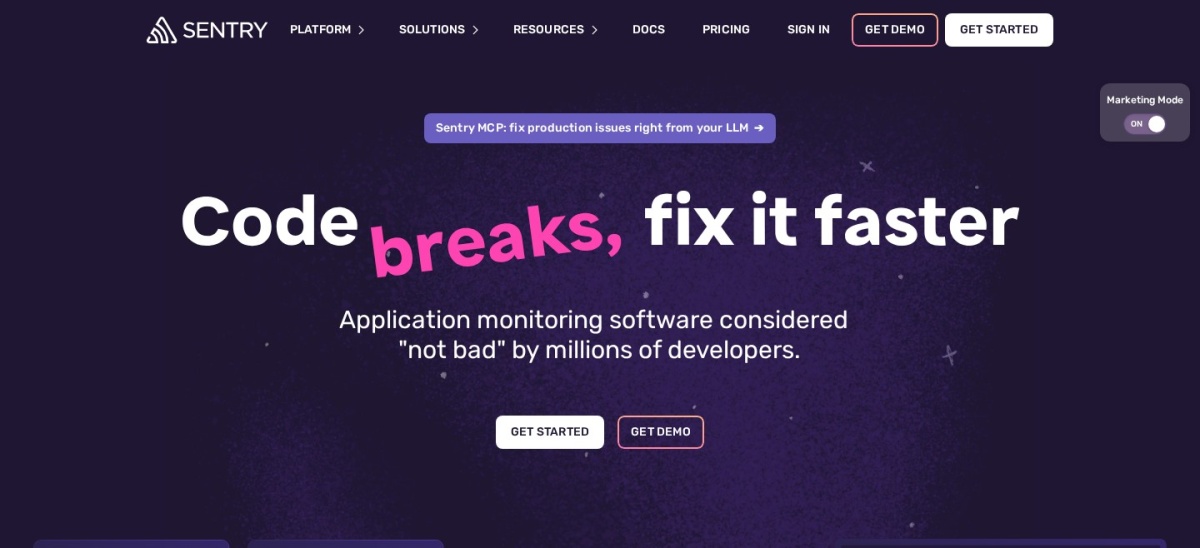
Sentry homepage, captured Nov 2026.
Sentry is an application monitoring and error tracking platform that automatically identifies software exceptions and production failures. Its free Developer subscription supports 1 user, unlimited projects, 5,000 errors and diagnostic information that helps developers investigate application problems.
The trade off is that monitoring requires application integration, and usage beyond included allowances can generate additional charges. Team costs $26 per month with annual billing or $29 with monthly billing. It suits engineering teams that need to discover and investigate production errors before customers report them manually.
What we like
Automatically discovers application errors
Provides stack traces and diagnostic context
Supports web, mobile and backend applications
Unlimited users on Team
Integrates with external development workflows
Watch out for
Requires application SDK configuration
Usage-based charges can increase expenses
Not a complete replacement for project management software
Team adds unlimited users, third-party integrations, additional error capacity and expanded dashboards.Visit sentry.io
07
Marker.io
4.8/5on G2 (42 reviews, checked Nov 2026)
Starts at$39/mo
Best for collecting bugs within existing development workflows
Starter members3
Feedback volumeUnlimited
Monitored pages10
Paid planStarter, billed annually
marker.io
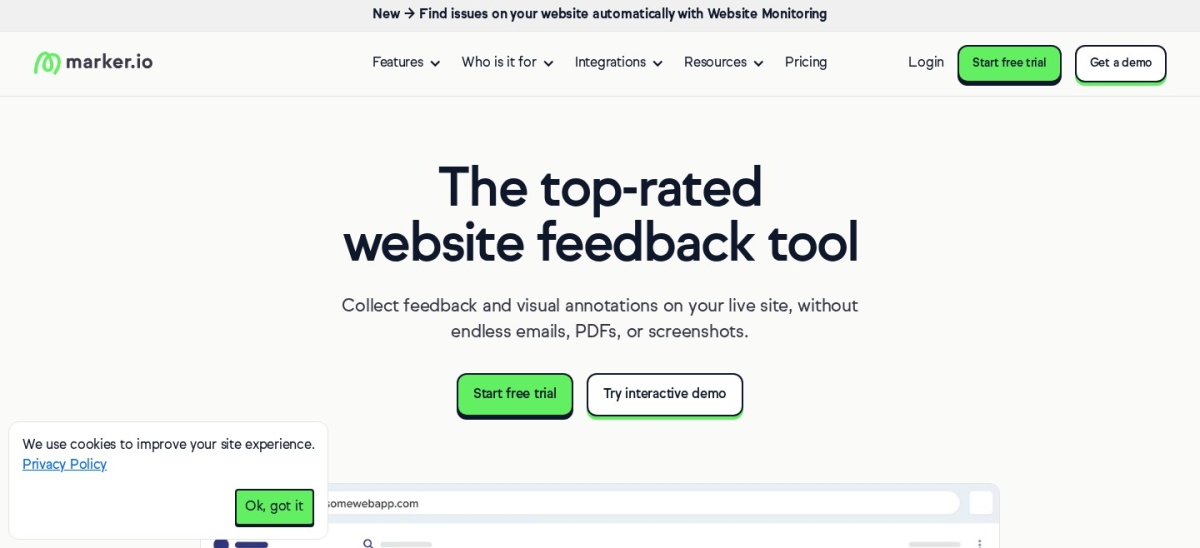
Marker.io homepage, captured Nov 2026.
Marker.io is a website feedback and bug reporting platform that sends reported problems into existing development and project management systems. Its Starter subscription includes 3 team members, unlimited feedback, basic integrations and monitoring for 10 website pages.
The trade off is that advanced developer diagnostics, session replay and Jira integration require the higher Team subscription. Starter costs $39 per month with annual billing or $59 with monthly billing. It suits website quality assurance teams that want better bug reports without replacing their existing issue management software.
What we like
Collects feedback directly from affected websites
Supports annotated screenshots
Unlimited feedback submissions on Starter
Connects with existing issue management platforms
Includes basic website monitoring
Watch out for
No permanent free subscription
Advanced technical diagnostics require Team
Does not replace a complete issue management platform
Starter adds website feedback collection, basic integrations, monitoring and a shared feedback workspace.Visit marker.io
Bug tracking software vs automated error monitoring
Traditional bug tracking software organizes defects reported by customers, testers and developers. Products such as Linear, Backlog and GitHub provide structured records that teams can prioritize, assign and track through development workflows.
Error monitoring software automatically detects application failures and collects technical information about them. Sentry helps developers investigate exceptions and crashes using diagnostic context rather than depending entirely on manually submitted reports.
Visual feedback platforms address another part of the process. BugHerd and Marker.io help stakeholders describe website problems through screenshots and contextual information. Businesses can combine these tools with issue trackers to establish a more complete quality assurance workflow.
How much does bug tracking software cost?
GitHub Team starts at $48 annually per user, Linear Basic costs $120 annually per user, and ClickUp Core has a regular annual equivalent of $144 per user. These subscriptions become more expensive as the number of paid collaborators increases.
Backlog Starter costs $420 annually at its monthly rate and accommodates up to 30 users. BugHerd Standard costs $600 annually at its published monthly rate and includes 5 internal members plus unlimited client users.
Sentry Team starts at $312 per year with annual billing, while Marker.io Starter costs $468 annually. Consider additional monitoring events, team members, project limits and integration requirements when estimating overall expenses.
How we chose
We selected established bug tracking, visual feedback and application monitoring products using public G2 category listings and individual product review pages. We compared issue management functionality, reporting workflows, development integrations, subscription limits and suitability for different teams.
Official vendor pricing pages and G2 ratings were checked on 24 Nov 2026 for this guide dated 22 Nov 2026. We converted confirmed monthly prices into annual equivalents and used regular subscription prices instead of temporary promotional rates.
We excluded products without sufficient public reviews, confirmed pricing or meaningful bug tracking capabilities. Ratings for broader development platforms refer to the complete reviewed products rather than individual issue tracking modules. No vendor paid for a place, and we do not claim testing for this list.
How to choose the best bug tracking software
Identify how your team discovers, reports and resolves software defects before comparing subscription features and prices.
Determine where your bug reports originate. Choose Linear or Backlog for structured internal defect management, BugHerd for client-reported website issues or Sentry for automatically detected production errors.
Check development tool integrations. Confirm compatibility with your source code repositories, communication platforms and existing project management software. Integrated workflows reduce duplicate issue records and make it easier to connect reported defects with their eventual fixes.
Review issue reporting and prioritization features. Look for configurable statuses, severity classifications, attachments, assignees and searchable issue histories. Website teams should also consider automatic screenshot capture, browser information and visual annotation capabilities.
Calculate the complete annual cost. Compare per-user subscriptions with flat-rate plans and event-based monitoring charges. Include additional collaborators, storage requirements, advanced integrations and expected growth when determining the most suitable subscription.
FAQ
What is the best bug tracking software?
Linear is our top pick for software development teams because it combines structured issue management with product planning and a useful free subscription. Backlog is an alternative for businesses that prefer flat-rate pricing and integrated version control.
What is bug tracking software?
Bug tracking software helps development teams document, prioritize, assign and resolve software defects. It maintains a shared record of reported problems, reproduction instructions, investigation progress and resolution status throughout the development and quality assurance process.
What is the best free bug tracking software?
Linear offers a free subscription with unlimited members and 250 issues, while GitHub includes issue tracking alongside unlimited public and private repositories. Backlog and ClickUp also provide permanent free plans suitable for smaller development projects.
How much does bug tracking software cost?
GitHub Team costs $4 per user per month, Linear Basic costs $10 per user per month with annual billing, and Backlog Starter costs $35 per month for up to 30 users. Monitoring and feedback platforms use different billing models.
What is the best bug tracking software for website agencies?
BugHerd is a suitable choice for website agencies because clients can report problems directly on affected pages without creating accounts. Marker.io is an alternative for agencies that prefer sending visual feedback into existing project management and development tools.
Can bug tracking software automatically detect errors?
Application monitoring platforms such as Sentry can automatically capture exceptions and application failures after developers integrate the required monitoring SDK. Traditional issue trackers generally depend on manually submitted reports or integrations that create issues from external monitoring alerts.
What should a good bug report include?
A useful bug report includes a descriptive title, expected behavior, actual behavior, reproduction instructions, severity and relevant environmental details. Screenshots, recordings, error messages and application logs can provide additional context that helps developers investigate the problem.
Can GitHub Issues replace dedicated bug tracking software?
GitHub Issues can manage defects, enhancement requests and development tasks directly within source code repositories. It is suitable for many engineering teams, although specialized testing workflows, visual client feedback and advanced quality assurance reporting may require additional tools.
What is the difference between bug tracking and issue tracking?
Bug tracking focuses specifically on software defects and unexpected application behavior. Issue tracking covers a broader range of work, including bugs, feature requests, improvements and development tasks. Many modern development platforms support both activities within the same workspace.
SaaS SEO and WordPress specialist with about 8 years of experience. Rakib compares WordPress plugins, themes, hosting and software using public pricing, documentation and user reviews. See how we rank.