Security & Backup · Plugin · Review · Updated Nov 2026
Jetpack review
Automattic's all-in-one plugin for WordPress: security, real-time backups, speed and growth tools in a single install, with a free plan and paid bundles.
We compare pricing pages, product documentation and public user reviews. No vendor paid for this page. Disclosure.
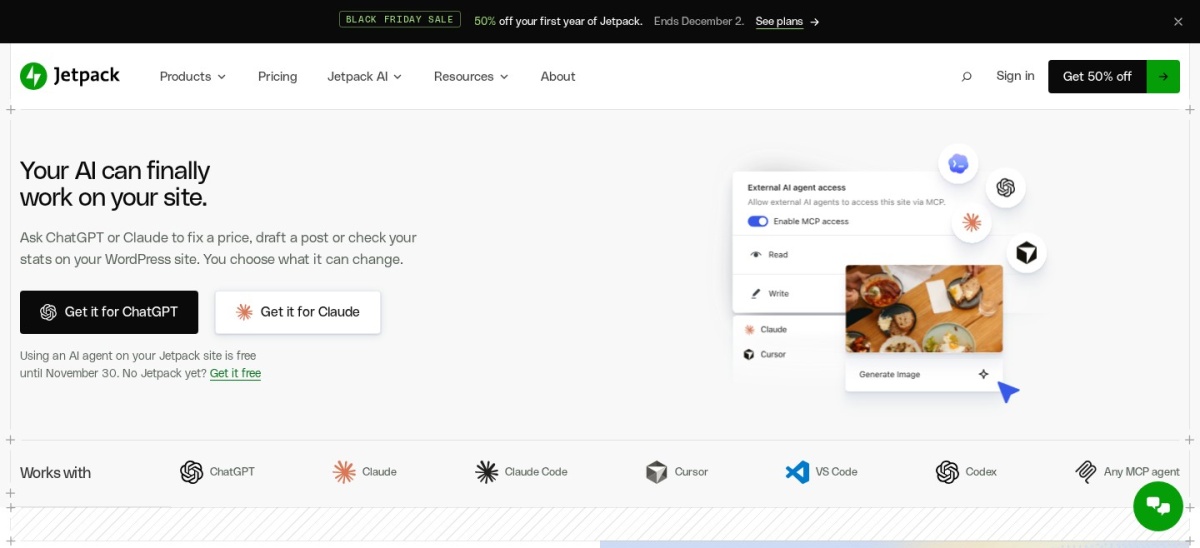
Jetpack is worth installing for most WordPress sites. The free plan covers brute-force protection, an image CDN, downtime alerts and newsletters, and it holds 3 million active installs. Pay for Pro, from $348 a year, only when you need real-time backups, malware scanning and spam filtering in one place.
Pros
- One plugin covers backups, security, speed and growth tools instead of four separate installs
- Free plan includes brute-force protection, an image CDN, downtime monitoring and newsletters
- Real-time cloud backups with one-click restores, even when the site itself is down
- More than 3 million active installs, made by Automattic, the company behind WordPress.com
- 14-day money-back guarantee on yearly plans
Cons
- At 3.7 out of 5 from 2,413 reviews, its rating trails rival security and backup plugins
- Needs a free WordPress.com account and a public site with XML-RPC enabled
- Paid plans cover one site each, and multisite needs a subscription per site
- Backups stay on Jetpack servers only, with no Google Drive or Dropbox destination
- The first-year sale price doubles at renewal: Pro goes from $174 to $348 a year
Who it is for
Jetpack suits site owners who want one vendor for backups, scanning, spam filtering and stats. The free plan fits blogs and small sites that only need the basics, while Pro fits business sites and stores that cannot afford to lose orders or content.
Agencies with at least five sites can join the licensing platform for up to 80% off, according to the pricing page. Sites whose host already covers backups and security may only need the free plan.
Key features
- Real-time cloud backups. Saves every change as it happens and restores with one click, even when the site is offline. VaultPress Backup is the standalone plan; Pro and Complete include it with more storage.
- Malware scanning. Jetpack Scan checks core, themes and plugins for known threats and offers one-click fixes for many of them. Scans run on Jetpack servers, so they keep working when the site is down.
- Web application firewall. Blocks known attack patterns before they reach the site. Manual firewall rules are free; automatic rules come with a paid plan.
- Brute-force protection. Automatic protection against password-guessing bots, included free on every plan.
- Image CDN and lazy loading. Serves optimized, resized images from a global network and defers off-screen images, both free on every plan.
- Stats and growth tools. Site stats, social auto-sharing, subscriptions and newsletters. Commercial sites need a paid plan for stats above the free allowance.
- Jetpack AI. Generates images, post drafts, titles, translations and summaries in the editor. The free plan allows 20 requests; paid plans allow far more.
Pricing
The core plugin is free. Paid plans are sold per site, in US dollars, and Jetpack lists a 14-day money-back guarantee on yearly plans. Prices below are the regular prices shown on Jetpack's pricing page in November 2026.
A Black Friday sale was running when this page was checked: Pro at $14.50 a month and Complete at $24.50 a month for the first year, and VaultPress Backup at $59.70 for the first year. The sale ends December 2, and plans renew at the regular price.
| Plan | Price | What you get |
|---|---|---|
| Free | $0 | Brute-force protection, image CDN, downtime monitoring, newsletters, basic stats |
| VaultPress Backup | $119.40/yr | Real-time cloud backups, 10 GB storage to start, one-click restores, 1 site |
| Jetpack Scan | $119.40/yr | Real-time malware scanning, automatic firewall rules, one-click fixes |
| Pro | $348/yr | 50 GB real-time backups, 30-day activity log, Akismet, Boost, Social, VideoPress, AI |
| Complete | $588/yr | Every premium tool: 1 TB backups, 1-year activity log, higher stats and search limits |
What the free plan covers
The free plan is a real starting point, not a trial. Jetpack's pricing page lists six features that work the same on every plan: brute-force protection, an image CDN, lazy-loading images, subscriptions and newsletters, related posts and downtime monitoring.
The free limits are tight in places. The activity log keeps only 20 events, VideoPress allows one video up to 1 GB, Jetpack AI allows 20 requests, and paid subscriptions carry a 10% fee instead of the 2% fee on paid plans.
Where it falls short
The rating is the weakest part of the picture. Of the 2,413 WordPress.org ratings, 585 are one star, and reviewers who expected backups or a full firewall in the free plan account for much of the disappointment. Jetpack's own pricing page is clear that real-time backups and malware scanning need a paid plan, so read the plan table before installing.
Jetpack Scan detects threats and can fix many of them with one click, but it is not designed to clean a site that was already infected before Scan was active. A hacked site needs a cleanup service or a manual restore, and the backups stay on Jetpack's servers, so a site that wants copies in its own Google Drive or Dropbox should pick a different backup plugin.
Alternatives
- UpdraftPlus — free scheduled backups to storage you control.
- Wordfence — free firewall and malware scanner inside WordPress.
- BlogVault — off-server backups that restore even when wp-admin is down.
Verdict
Install Jetpack if you want backups, scanning, spam filtering and stats from one vendor, and pay for Pro at $348 a year when the site earns money or holds content you cannot rebuild.
Look elsewhere if you only need one of those jobs, if you want backups in your own cloud storage, or if the 3.7 out of 5 rating and the WordPress.com account requirement put you off.
FAQ
Is Jetpack free?
Yes. The core plugin is free on WordPress.org and covers brute-force protection, an image CDN, lazy loading, downtime monitoring, subscriptions, newsletters and basic stats. Real-time backups, malware scanning and spam filtering need a paid plan.
How much does Jetpack cost?
Pro costs $348 a year at the regular price, or $29 a month billed yearly, and Complete costs $588 a year. VaultPress Backup and Jetpack Scan are also sold on their own at $119.40 a year each. First-year sale prices are lower and renew at the regular price.
Do I need a WordPress.com account to use Jetpack?
Yes. Jetpack needs a free WordPress.com account because its cloud features, such as backups, stats and the image CDN, run on WordPress.com. The connection is free and takes less than a minute.
Does Jetpack slow down a WordPress site?
Much of Jetpack's work runs in the WordPress.com cloud, so backups, scans and the image CDN run off your server. The plugin itself still adds code to your site, so switch off the modules you do not use.
Can Jetpack back up to Google Drive or Dropbox?
No. VaultPress Backup stores copies on Jetpack servers only. You can download a copy and upload it elsewhere yourself, but there is no built-in Google Drive or Dropbox destination.
Sources we checked (7)
- Jetpack on WordPress.org
- Jetpack pricing
- Jetpack Scan
- Jetpack homepage
- Wordfence on WordPress.org
- UpdraftPlus on WordPress.org
- BlogVault pricing