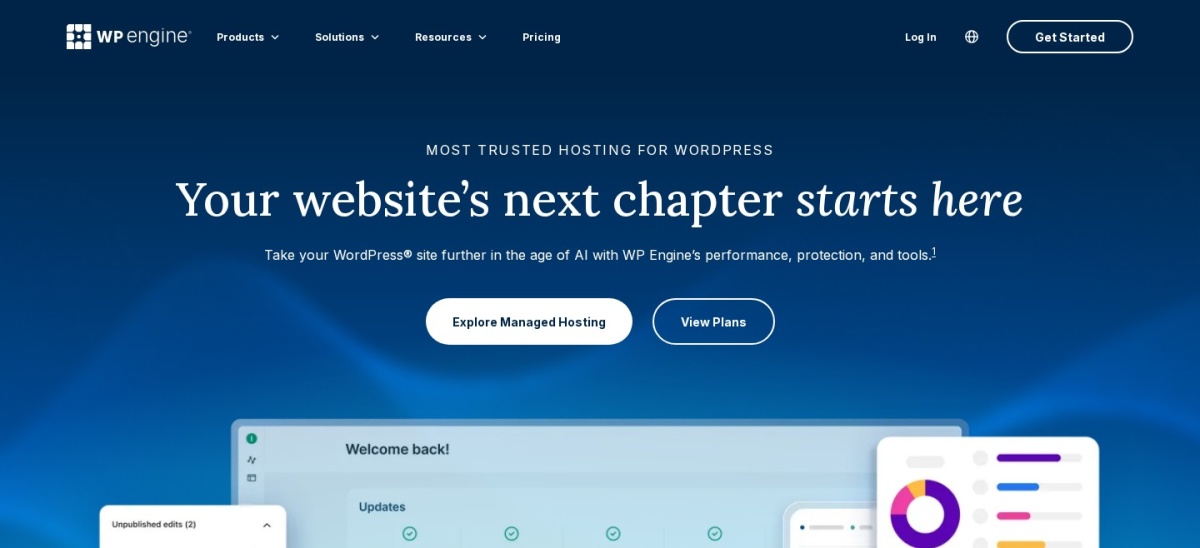



Cloudways is the better pick for most sites because it starts at $14 a month, hosts unlimited sites on one server and never raises the price at renewal. Choose WP Engine when you want a single WordPress site fully managed for you, with WordPress-only support and staging built in.
Both hosts manage WordPress for you, but they sell different things. WP Engine sells a WordPress-only platform where one plan covers one site, while Cloudways sells a managed cloud server where you pick the provider and host as many sites as the server can handle.
This comparison uses each vendor's pricing page, checked 22 November 2026, and G2 ratings for both hosts. We did not run benchmark tests.
Side by side
| Criterion | WP Engine | Cloudways | Winner |
|---|---|---|---|
| Entry price | Startup from $28 a month billed annually ($336 a year, first-year price for new customers) | DigitalOcean Standard server from $14 a month, billed by the hour | Cloudways |
| Free plan or trial | No free plan or free trial listed on the plans page | 3-day free trial with no credit card required | Cloudways |
| Rating | 4.6/5 from 373 G2 reviews | 4.7/5 from 1,149 G2 reviews | Cloudways |
| Sites on the entry plan | 1 site on Startup | Unlimited sites on every server | Cloudways |
| Visit and traffic limits | 25,000 visits a month; $2 per 1,000 extra visits | No visit limit; 1 TB transfer on the entry server | Cloudways |
| Storage and bandwidth | 10 GB storage and 75 GB bandwidth on Startup | 25 GB SSD storage and 1 TB transfer on the entry server | Cloudways |
| Staging | One-click staging and dev environments on every plan | Free one-click staging on every application | Tie |
| Backups | Daily automated backups with one-click restore | Automated and on-demand backups; off-site storage billed at $0.033 per GB | Tie |
| Migration | Free automated migration plugin; managed migrations on higher plans | Free engineer-handled migration for WordPress and WooCommerce sites | Tie |
| Support | 24/7 chat on all plans; phone support on higher plans | 24/7 live chat and ticket on all plans; phone is a paid add-on | Tie |
| Performance features | EverCache server caching, a global CDN and free SSL included | Server-level caching and free SSL; Object Cache Pro free on 4 GB servers and up | Tie |
| Ease of use | WordPress-only portal with little server setup | You pick the cloud provider and server size, with more settings to learn | WP Engine |
Pricing compared
WP Engine lists Essential from $28 a month billed annually, which is $336 paid today, and the fine print says first-year pricing applies to new Essential customers only. Month-to-month billing costs more, at $35 a month, and renewal pricing can change, so check the figure at checkout.
Cloudways starts at $14 a month for a 1 GB DigitalOcean Standard server, billed by the hour with a monthly cap, and the price stays the same at renewal. Note the pricing page opens with the Premium tier selected, which shows $14 for the same server with NVMe storage, so switch to Standard to see the $11 figure.
Performance and hosting needs
WP Engine runs WordPress on its own platform with EverCache server caching, a global CDN and free SSL on every plan. It also manages WordPress core and PHP updates for you, so there is less to maintain.
Cloudways gives you a dedicated cloud server with your choice of provider, plus server-level caching and free SSL. Object Cache Pro is free on servers of 4 GB and up, and the Cloudflare Enterprise CDN is an add-on, so the fastest setup costs more than the entry price.
Where WP Engine is the right pick
Pick WP Engine when one WordPress site is the business and you want the host to handle updates, caching, backups and staging. The WordPress-only support team is the main reason to pay more.
It also suits agencies that already work in the WP Engine portal and want transferable sites and dev environments. Watch the visit cap and the renewal price, because overages cost $2 per 1,000 extra visits.
Where Cloudways is the right pick
Pick Cloudways when you run several sites or a store and want dedicated resources for about $14 a month. Unlimited sites on one server and flat renewal pricing keep the bill predictable as you grow.
It also suits developers who want to pick the cloud provider and server size. The trade-off is more setup to learn, and phone support costs extra.
Verdict
Winner: Cloudways for most sites in 2026, because it costs less, hosts unlimited sites and never raises the price at renewal.
Choose WP Engine when you want one WordPress site fully managed, with WordPress-only support and staging built in, and the higher price is worth the hands-off setup.
FAQ
Is Cloudways cheaper than WP Engine?
Yes. Cloudways starts at $14 a month for a 1 GB DigitalOcean Standard server, while WP Engine starts at $28 a month billed annually for one site. Cloudways also keeps the same price at renewal, while WP Engine lists its $28 figure as first-year pricing for new customers.
Does WP Engine have a free trial?
No. WP Engine lists no free plan or free trial on its plans page. Cloudways offers a 3-day free trial with no credit card required, so you can try the dashboard before paying.
Which host is better for multiple WordPress sites?
Cloudways. Every server hosts unlimited sites, limited only by what the server can handle. WP Engine charges per site, and its Startup plan covers one site, so several sites mean a higher plan or extra site fees.
Do both hosts include staging and backups?
Yes. Both include free one-click staging on every plan. WP Engine runs daily automated backups with one-click restore, while Cloudways offers automated and on-demand backups, with off-site storage billed at $0.033 per GB.
Which host has better support?
Both offer 24/7 support. WP Engine gives chat on all plans and adds phone support on higher plans, while Cloudways gives live chat and ticket support on all plans, with phone as a paid add-on. G2 reviewers rate WP Engine support at 9.3 out of 10 and Cloudways at 9.2 out of 10.
Sources we checked (7)
- WP Engine plans and pricing
- Cloudways pricing
- WP Engine on G2
- Cloudways on G2
- WP Engine homepage
- Cloudways homepage
- Cloudways on migration, staging and trial