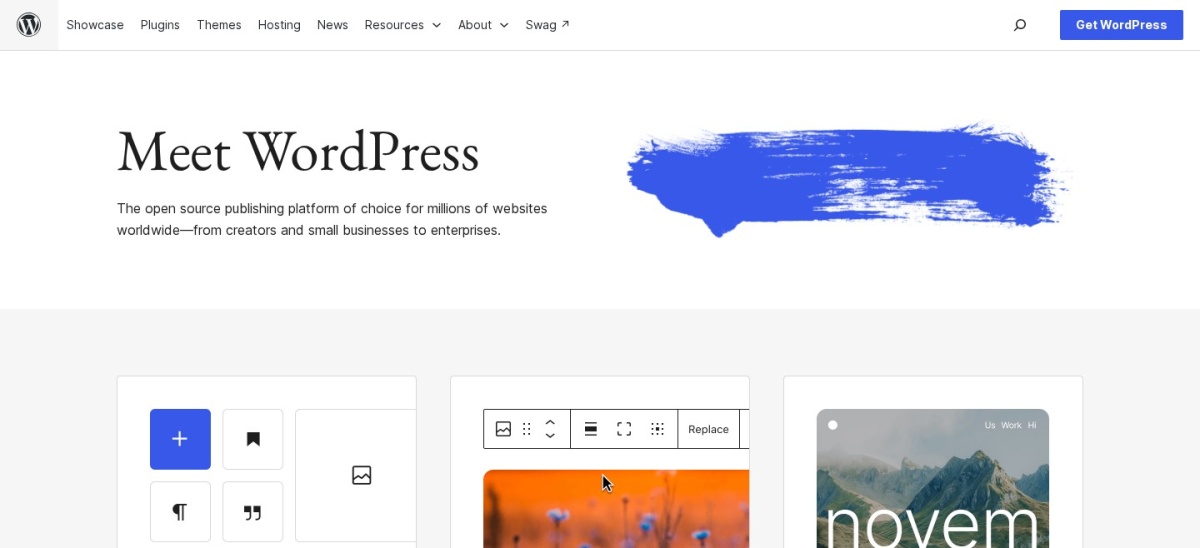


WordPress is the better pick for most bloggers because the free software gives you full ownership, thousands of themes and plugins, and room to grow into any kind of site. Choose Blogger only when you want a free, zero-setup personal blog and do not mind Google hosting it.
WordPress.org and Blogger both let you publish a blog for free, but the deal is very different. WordPress is free software you install on hosting you choose, while Blogger is a free hosted service from Google with hosting included.
This comparison uses each site's own pages, W3Techs usage figures and public reviews, checked in November 2026. Prices are regular prices, and hosting costs for WordPress are separate from the software itself.
Side by side
| Criterion | WordPress | Blogger | Winner |
|---|---|---|---|
| Cost to start | Free software; hosting is a separate cost | Free, including hosting on a blogspot.com address | Blogger |
| Ownership | You own the files, database and domain | Google hosts your blog on its platform | WordPress |
| Rating | 4.4/5 on G2 from 9,557 reviews | 3.6/5 on Trustpilot from 80 reviews | WordPress |
| Design and themes | Thousands of free and paid themes, full control | A small set of themes with limited layout options | WordPress |
| Plugins and features | Thousands of plugins add stores, forums and more | No plugin system; features are fixed | WordPress |
| SEO tools | Full control with SEO plugins and clean URLs | Basic settings such as titles and search visibility | WordPress |
| Making money | Ads, affiliates, products and memberships on your terms | AdSense and affiliate links, within Google's rules | WordPress |
| Ease of use | Needs setup: hosting, install and updates | Sign in with a Google account and start writing | Blogger |
| Support | Community forums and your host's support | Google help pages; no paid support desk | Tie |
Pricing compared
WordPress software costs nothing to download, but a blog needs hosting and a domain, which are separate costs that vary by host. Budget for both before you start, and check renewal prices as well as first-year prices.
Blogger costs nothing at all: hosting is included and your blog lives on a free blogspot.com address. You can connect a domain you own, but the domain itself is the only cost, and there is no paid plan to upgrade to.
Ownership and moving your content
With self-hosted WordPress you own the files and the database, so you can move hosts, change the design or add features at any time. That control is the main reason it wins this comparison.
Blogger keeps things simple by hosting everything for you, but your blog lives on Google's platform under its rules. You can export your posts, yet moving to a new design or a full site means rebuilding elsewhere.
Where WordPress is the right pick
Pick WordPress when the blog matters to you long term. It suits anyone who wants a custom design, SEO tools, an email list or a store later, and it grows with the site.
The trade off is setup and upkeep. You arrange hosting, install WordPress and handle updates, though most hosts offer one-click installs and automatic updates.
Where Blogger is the right pick
Pick Blogger when you want to write without spending money or setting anything up. It suits a personal blog, a hobby journal or a simple site for family and friends.
The trade off is a ceiling on growth. Design options are limited, there are no plugins, and a serious business blog will soon want features Blogger does not offer.
Verdict
Winner: WordPress for most bloggers in 2026, because free software plus full ownership beats a free hosted blog once the site matters.
Choose Blogger only for a simple, free personal blog where zero cost and zero setup matter more than control, design choice and room to grow.
FAQ
Is Blogger really free?
Yes. Blogger is free to use, with hosting included on a blogspot.com address. The only cost is a domain name if you choose to connect one you own.
Do I need hosting for WordPress?
Yes. WordPress.org software is free, but it needs hosting and a domain to run on the web. Those are separate costs, and prices vary by host.
Can I move my blog from Blogger to WordPress?
Yes. Blogger lets you export your posts, and WordPress has an importer for Blogger content. Check images and links after the move, and set up redirects from the old addresses.
Which is better for making money?
WordPress, because you can run ads, affiliate links, products and memberships on your own terms. Blogger supports AdSense and affiliate links, but only within Google's rules for the platform.
Which is easier for a complete beginner?
Blogger is easier to start: sign in with a Google account and write. WordPress takes more setup, but most hosts offer a one-click install that keeps the first steps simple.
Sources we checked (7)
- WordPress.org
- W3Techs WordPress usage statistics
- WordPress.org on G2
- Blogger
- Blogger search engine help
- Blogger on Trustpilot
- Blogger on G2