

UpdraftPlus is the better pick for most sites because its free version already schedules backups to remote storage such as Google Drive. Choose Duplicator when migration or cloning is the main job, with its drag-and-drop installer and Pro plans from $79 a year.
Duplicator and UpdraftPlus are the two most used WordPress backup plugins, but they start from different jobs. Duplicator is built around moving and cloning sites, while UpdraftPlus is built around scheduled backups to remote storage.
This comparison uses each plugin's WordPress.org listing and pricing page, all read on 22 November 2026. We did not run benchmark tests.
Side by side
| Criterion | Duplicator | UpdraftPlus | Winner |
|---|---|---|---|
| Free version | Yes, Lite covers manual backups, migration and 1-click restore | Yes, free covers scheduled backups, restores and migration | UpdraftPlus |
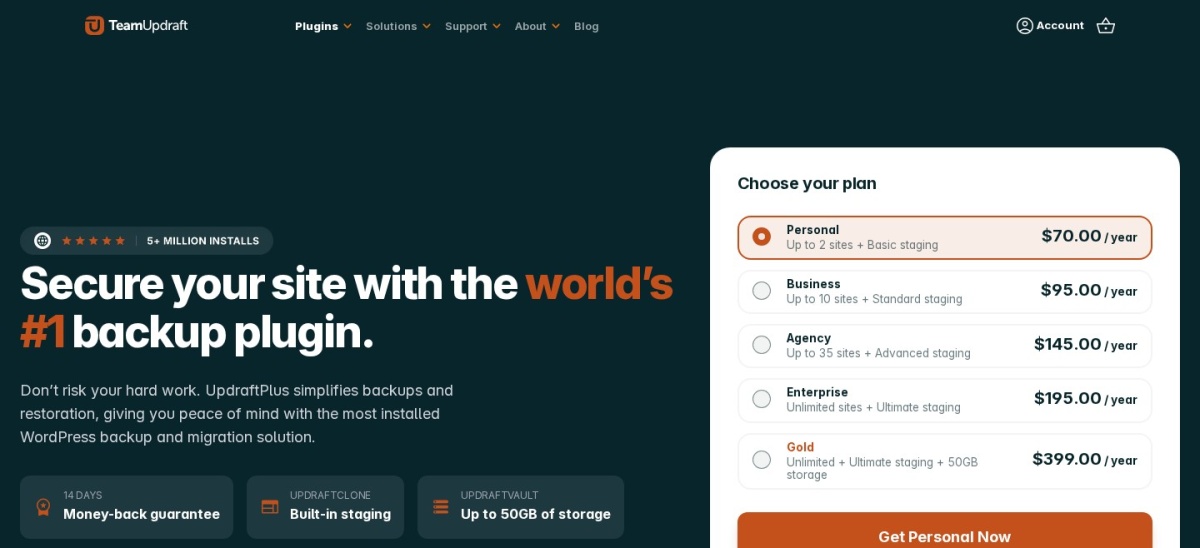
| Cheapest paid plan | Pro Basic $79 a year at list price, for two sites | Premium Personal $70 a year, for two sites | UpdraftPlus |
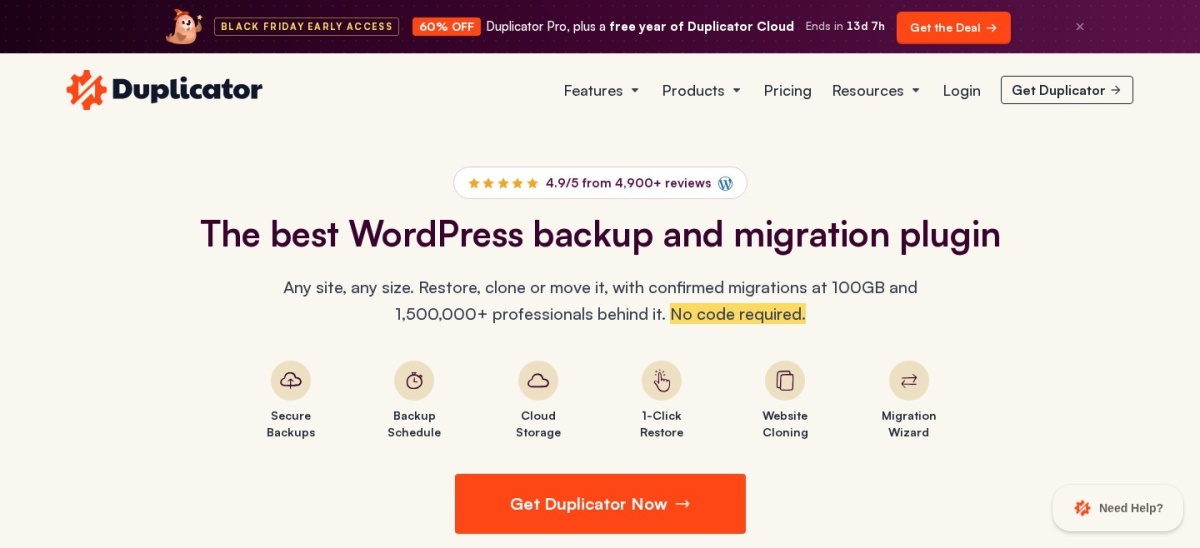
| Rating | 4.9/5 from 4,941 WordPress.org ratings | 4.8/5 from 8,739 WordPress.org ratings | Duplicator |
| Active installs | 1M+ active installs | 4M+ active installs | UpdraftPlus |
| Scheduled backups | Pro only; Lite runs manual backups | Included free, with custom schedules in Premium | UpdraftPlus |
| Migration and cloning | Migration wizard, drag-and-drop import and server-to-server import | Migration by backup and restore free; direct site-to-site in Premium | Duplicator |
| Remote storage in free version | Local storage and Duplicator Cloud; Dropbox, Drive and S3 need Pro | Dropbox, Google Drive, Amazon S3 and more included free | UpdraftPlus |
| Restore | 1-click restore and recovery points for fast rollback | Restore in a few clicks, with restore of individual parts in Premium | Tie |
| Staging sites | Pro plan and up | Basic staging in Premium Personal, plus UpdraftClone | Tie |
| Multisite support | Pro plan and up | Premium only | Tie |
Pricing compared
Duplicator Pro starts at $79 a year at list price for the Basic plan on two sites. The pricing page shows special introductory prices and states that renewals are at full price, so the first-year checkout price may be lower than $79.
UpdraftPlus Premium starts at $70 a year for the Personal plan on two sites, with Business at $95 for ten sites and Agency at $145 for 35 sites. Every paid plan has the same Premium features, so higher plans only add sites and storage.
Free version compared
The free gap is the biggest difference between the two plugins. UpdraftPlus free schedules backups and sends them to remote storage such as Google Drive, Dropbox and Amazon S3, so a small site can run hands-off backups without paying.
Duplicator Lite is free too, but it only runs manual backups and stores them locally or on Duplicator Cloud. Scheduled backups, cloud storage integrations and staging all need Pro, so a site that wants automatic backups pays either way.
Where Duplicator is the right pick
Pick Duplicator when moving or cloning sites is the main job. Its migration wizard, drag-and-drop installer and server-to-server import move a site without installing WordPress first, which suits developers and agencies that move sites often.
Duplicator also fits large or awkward sites. Its chunked backup engine handles backups of any size on shared hosting, and Pro adds staging sites, multisite support and incremental backups.
Where UpdraftPlus is the right pick
Pick UpdraftPlus when regular backups are the main job. The free version schedules backups and sends them to Dropbox, Google Drive, Amazon S3 and other remote storage, which is enough for most blogs and small business sites.
UpdraftPlus also fits sites that update often. Premium adds an automatic backup before every update, incremental backups and direct site-to-site migration, all for $70 a year on up to two sites.
Verdict
Winner: UpdraftPlus for most WordPress sites in 2026, because scheduled backups to remote storage are free, and Premium is cheaper at $70 a year for two sites.
Choose Duplicator when migration or cloning is the main job, with its installer that works on an empty site, drag-and-drop import and Pro plans from $79 a year at list price.
FAQ
Is Duplicator free?
Yes, the Lite version is free on WordPress.org and covers manual backups, migration and 1-click restore. Scheduled backups, cloud storage integrations and staging need Duplicator Pro, from $79 a year at list price for two sites.
Is UpdraftPlus free?
Yes. The free version on WordPress.org covers manual and scheduled backups, restores and migration by backup and restore. Premium starts at $70 a year for two sites and adds incremental backups, migration tools and premium support.
Which is better for moving a site to a new host?
Duplicator, because migration is its main strength. Its installer works on an empty site with no WordPress install, and drag-and-drop import moves a backup in a few steps. UpdraftPlus migrates by restoring a backup, with direct site-to-site migration in Premium.
Which is better for automatic backups?
UpdraftPlus, because scheduled backups are free. Duplicator Lite only runs manual backups, so automatic schedules need a Pro plan. UpdraftPlus Premium adds automatic backups before updates and incremental backups.
Can I back up to Google Drive for free with either plugin?
Yes with UpdraftPlus: the free version backs up to Google Drive, Dropbox and Amazon S3. Duplicator Lite stores backups locally and on Duplicator Cloud, and Google Drive needs Pro.
Can I use both plugins on the same site?
Yes, but they overlap, so one is usually enough. Pick Duplicator if you move sites often and UpdraftPlus if scheduled backups are the priority, and keep only one plugin's schedules active.
Sources we checked (6)
- Duplicator on WordPress.org
- Duplicator Pro pricing
- Duplicator homepage
- UpdraftPlus on WordPress.org
- UpdraftPlus Premium pricing
- UpdraftPlus documentation