WP Mail SMTP Alternatives in 2026: 7 Best Tools Compared
WLWPLegible EditorsLast verified 22 Nov 2026How we rank12 min read
★ Short answer
FluentSMTP is the best WP Mail SMTP alternative for most WordPress sites, with 700,000+ active installations, free email logs, multiple connections, and no paid plugin tier. Post SMTP is a strong alternative for email monitoring and provider integrations, while SureMail offers free backup connections, retries, and email logs.
How we make this list: we compare pricing pages, product documentation and public user reviews, then re-check every price before each update. No product paid for a place. Disclosure.
FluentSMTP has 700,000+ active installations and a 4.8/5 rating from 414 reviews. Every plugin feature is free, including logs, fallback connections, and multiple mailers.
Post SMTP has 300,000+ active installations and a 4.7/5 rating from 531 reviews. Its regular Basic plan costs $59.99/year.
SureMail has 200,000+ active installations and a 4.7/5 rating from 25 reviews. Email logs, backup connections, and automatic retries are free.
Easy WP SMTP has 500,000+ active installations and a 4.6/5 rating from 710 reviews. Its Basic plan renews at the regular price of $99/year.
YaySMTP includes email logs, open and click tracking, and WooCommerce email previews for free. Its regular Pro price is $99/year.
SMTP2GO offers 1,000 free emails per month and a $100/year Starter plan for 10,000 monthly emails. Bit SMTP is a free alternative with 2,000+ installations.
What to look for in a WP Mail SMTP alternative
WP Mail SMTP routes WordPress emails through an authenticated SMTP server or email delivery service. Alternatives provide similar functionality, but they differ in free features, provider integrations, email logging, and premium pricing.
Start with your email provider. If you use Gmail, Microsoft 365, Amazon SES, SendGrid, Brevo, or another transactional service, check whether the plugin offers direct API integration, OAuth authentication, or standard SMTP connections.
Email logs are especially useful for WooCommerce stores, membership websites, and lead-generation forms. Look for failure alerts, email resending, and backup connections if missed messages could affect customers or operations.
Several alternatives include features that WP Mail SMTP reserves for paid plans. FluentSMTP, SureMail, and Bit SMTP offer free logging and connection management, although external email services may still charge sending fees.
A plugin does not guarantee inbox delivery by itself. Your sending provider, SPF and DKIM authentication, domain reputation, and email content also affect results. Compare the complete sending setup rather than the plugin price alone.
4.8/5on WordPress.org (414 reviews, checked Nov 2026)
PriceFree
Best free WP Mail SMTP alternative overall
Email loggingFree
Multiple connectionsUnlimited
Backup mailerIncluded
Paid planNone
fluentsmtp.com
FluentSMTP homepage, captured Nov 2026.
FluentSMTP is a free WordPress SMTP plugin with 700,000+ active installations and a 4.8/5 rating from 414 reviews. It supports Gmail, Microsoft 365, Amazon SES, SendGrid, Mailgun, Brevo, Postmark, and custom SMTP connections. Its free features include email logging, multiple sending connections, conditional routing, failure alerts, and resending.
The trade off is that FluentSMTP does not provide its own email delivery infrastructure, so you must connect a separate provider that may charge fees. The plugin has no paid tier or locked features. It suits WordPress sites seeking a cost-effective replacement for WP Mail SMTP Pro.
What we like
All plugin features are permanently free
Email logging and resending included
Supports multiple connections and conditional routing
Direct integrations with popular email providers
No premium license required for Gmail or Microsoft 365
Watch out for
Requires a separate SMTP or API sending provider
Provider account setup can involve technical steps
Email delivery costs depend on the connected service
No paid plugin upgrade; external email providers may charge for sending.Visit fluentsmtp.com
02
Post SMTP
4.7/5on WordPress.org (531 reviews, checked Nov 2026)
Paid from$59.99/yr
Best for email monitoring and troubleshooting
Email logsIncluded free
Mailer options20+
Failure alertsSupported
Paid planBasic, 1 site
postmansmtp.com
Post SMTP homepage, captured Nov 2026.
Post SMTP is a WordPress email delivery and monitoring plugin with 300,000+ active installations and a 4.7/5 rating from 531 reviews. Its free version supports authenticated SMTP connections, email logs, delivery error diagnostics, and integrations with major providers. The plugin offers more than 20 SMTP and API mailer options.
The trade off is that convenient one-click provider setup and additional premium mailer functionality require a paid license. Basic costs $59.99/year for one site. It suits site administrators who prioritize troubleshooting, delivery monitoring, and notifications when important WordPress emails fail.
4.7/5on WordPress.org (25 reviews, checked Nov 2026)
PriceFree
Best free alternative for backup email connections
Backup connectionsIncluded free
Automatic retriesIncluded free
Email logsIncluded free
Paid planNone for plugin
suremails.com
SureMail homepage, captured Nov 2026.
SureMail is a free WordPress SMTP plugin from Brainstorm Force, with 200,000+ active installations and a 4.7/5 rating from 25 reviews. It supports popular SMTP and API providers, email logs, multiple backup connections, automatic retries, and resending failed messages. Its core email delivery management features are available without a premium plugin subscription.
The trade off is that SureMail still needs an external sending service, and its optional SureContact sending add-on may involve separate costs. Some notification integrations are also described as planned features. It suits WooCommerce and business websites that need free fallback sending and recovery from temporary email failures.
What we like
Free backup email connections
Automatic retry functionality
Email logs and manual resending
Supports major transactional email providers
No paid core plugin license
Watch out for
Requires an external mail provider or sending add-on
Some notification features are still planned
Optional sending services can add costs
No paid core plugin plan; optional email delivery services are separate.Visit suremails.com
04
Easy WP SMTP
4.6/5on WordPress.org (710 reviews, checked Nov 2026)
Paid from$99/yr
Best for straightforward SMTP setup
Free SMTPYes
Email logsPro
Backup connectionPro
Paid planBasic, 1 site
easywpsmtp.com
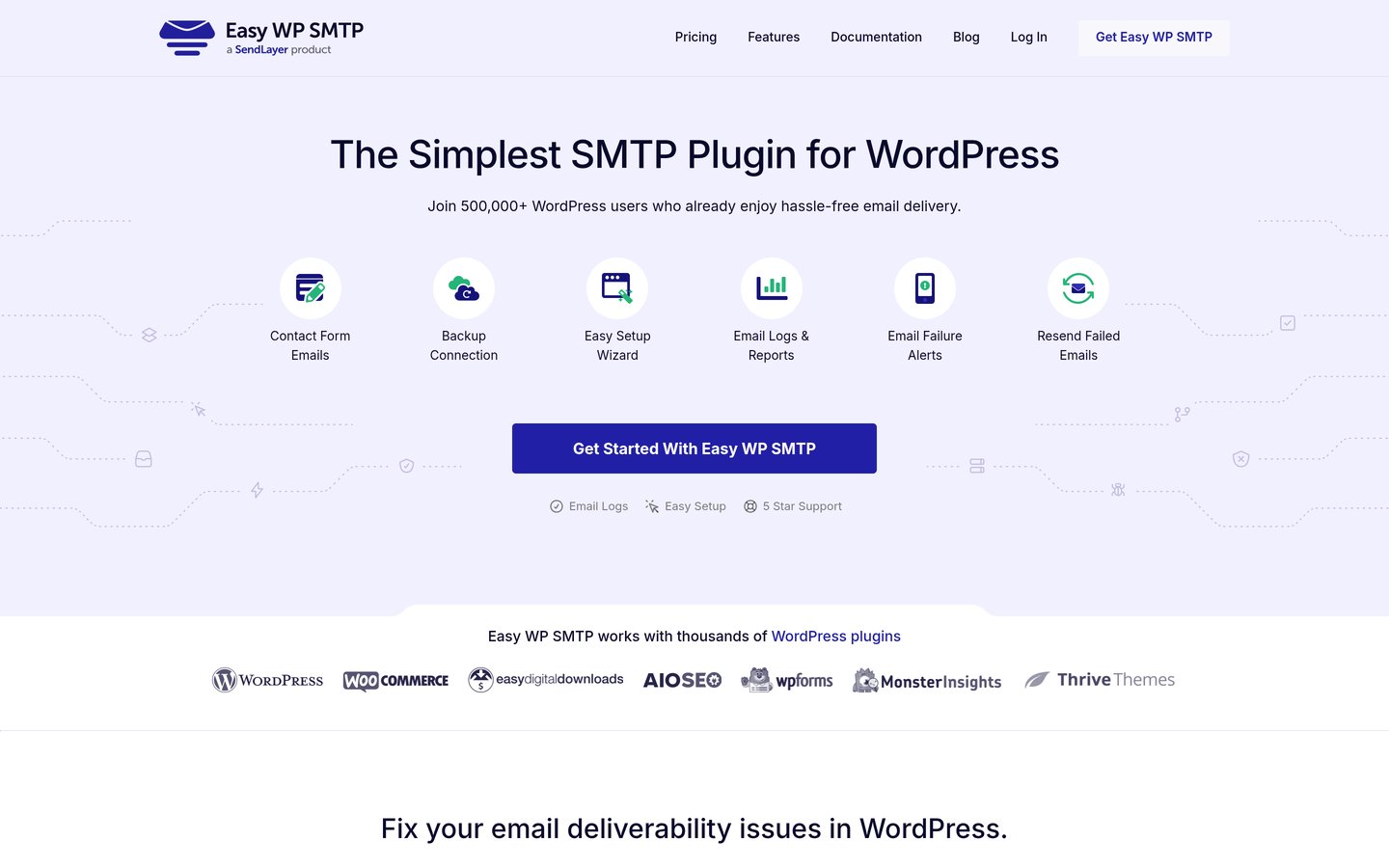
Easy WP SMTP homepage, captured Nov 2026.
Easy WP SMTP is a WordPress email delivery plugin with 500,000+ active installations and a 4.6/5 rating from 710 reviews. Its free version supports custom SMTP servers and transactional services such as SendLayer, Brevo, Mailgun, SendGrid, Postmark, and SMTP2GO. A setup wizard and debug events help administrators configure outgoing email.
The trade off is that full email logging, reports, Gmail one-click setup, Microsoft 365 integration, and backup connections require Pro. Basic normally costs $99/year for one site, although a $49.50 introductory price is advertised. It suits beginners who prefer a guided setup and are comfortable paying for advanced monitoring.
What we like
Beginner-friendly setup wizard
Supports popular transactional email providers
Free custom SMTP configuration
Premium includes email reports and alerts
Established WordPress installation base
Watch out for
Full email logging requires Pro
Gmail and Microsoft 365 integrations require Pro
Regular renewal costs more than several alternatives
Shares some commercial limitations with WP Mail SMTP
4.9/5on WordPress.org (45 reviews, checked Nov 2026)
Paid from$99/yr
Best for free email tracking and WooCommerce
Email logsIncluded free
Open trackingIncluded free
WooCommerce previewIncluded free
Paid planSingle Site
yaycommerce.com
YaySMTP homepage, captured Nov 2026.
YaySMTP is a WordPress SMTP and email tracking plugin with 10,000+ active installations and a 4.9/5 rating from 45 reviews. Its free version includes email logs, open and click tracking, delivery reports, CSV exports, WooCommerce email previews, and configurable log retention. It also supports importing email logs from other SMTP plugins.
The trade off is that Pro mainly adds priority support and feature-request access rather than unlocking the core tracking features. Its regular Single Site price is $99/year, with a $49 promotional price displayed. It suits WooCommerce stores and marketers who want email reporting without paying for a premium SMTP license.
What we like
Free email open and click tracking
Full email logs and CSV exports
WooCommerce transactional email previews
Supports importing previous email logs
Premium does not restrict core tracking features
Watch out for
Smaller installation base than leading alternatives
5/5on WordPress.org (67 reviews, checked Nov 2026)
Paid from$100/yr
Best for email delivery infrastructure and reporting
Free sending1,000 emails/month
Starter allowance10,000 emails/month
ReportingIncluded
Paid planStarter, annual
smtp2go.com
SMTP2GO homepage, captured Nov 2026.
SMTP2GO is an email delivery service with an official WordPress plugin, 40,000+ active installations, and a 5/5 rating from 67 reviews. Unlike most SMTP plugins, it supplies the sending infrastructure. Its free account includes 1,000 emails per month, while the plugin uses SMTP2GO's API to send transactional messages and provide delivery reporting.
The trade off is that the plugin depends on an SMTP2GO account and its sending limits. Starter costs $100/year when billed annually, covering 10,000 emails per month, while monthly billing is $10. It suits businesses that want a sending service and WordPress integration from the same provider.
What we like
Free monthly email sending allowance
Official WordPress API integration
Delivery, open, click, and bounce reporting
Paid plan includes expanded sending volume
No separate SMTP plugin license
Watch out for
Works only with SMTP2GO as the sending service
Free plan has sending limits
Higher volumes require paid service plans
Less flexible for switching among unrelated providers
Starter adds 10,000 monthly emails, extended reporting, and support.Visit smtp2go.com
07
Bit SMTP
3.9/5on WordPress.org (15 reviews, checked Nov 2026)
PriceFree
Best free alternative for routing and delivery logs
Email logsIncluded free
Multiple connectionsSupported
Automatic retriesIncluded
Paid planNone
bit-smtp.com
Bit SMTP homepage, captured Nov 2026.
Bit SMTP is a free WordPress email delivery plugin with 2,000+ active installations and a 3.9/5 rating from 15 reviews. It supports Gmail, Microsoft 365, Amazon SES, SendGrid, Mailgun, Postmark, Brevo, and custom SMTP connections. Its free features include email logging, smart routing, fallback connections, automatic retries, and delivery status tracking.
The trade off is its smaller user base and lower public rating compared with FluentSMTP and Post SMTP. The plugin has no paid upgrade, although connected email providers may charge separately. It suits technically comfortable administrators who want extensive free routing controls and delivery diagnostics.
What we like
All plugin functionality is free
Supports multiple mailers and fallback routing
Includes automatic retries and detailed logs
Provider webhooks can track delivery outcomes
Supports secure credential storage
Watch out for
Smaller public review base
Lower rating than other shortlisted plugins
Requires PHP 8.1 or higher
Advanced routing settings may overwhelm beginners
No paid plugin plan; all routing, logging, and retry features are free.Visit bit-smtp.com
Do you need to pay for a WordPress SMTP plugin?
A paid SMTP plugin is not necessary for every WordPress website. FluentSMTP and SureMail include email logging, multiple connections, and recovery features without requiring a premium license. These can replace many common paid SMTP workflows.
Paid plans may still make sense when you want simplified provider authentication, priority support, or specific premium integrations. Post SMTP and Easy WP SMTP offer commercial upgrades for these use cases.
Keep plugin fees separate from sending costs. A free SMTP plugin can connect to a paid delivery service, while SMTP2GO combines a free WordPress plugin with an email delivery platform that has sending limits.
How to switch from WP Mail SMTP without losing emails
Before switching, record your current sending provider, authenticated sender address, SMTP settings, and any custom routing rules. Export email logs if your existing license provides that option and you need to retain historical records.
Install the replacement plugin and configure its connection using your current email provider. Some alternatives offer migration or import tools, but support varies by plugin and setting.
Avoid keeping multiple active plugins that attempt to control outgoing WordPress email. After switching, send test messages from your contact forms, WooCommerce checkout, and account notification systems. Confirm that the sending provider accepts the messages and that recipients receive them.
How we chose
We compared established WordPress SMTP plugins and an official email delivery integration using WordPress.org listings, vendor documentation, public feature descriptions, and pricing pages. We prioritized tools that replace WP Mail SMTP's core sending functionality while offering meaningful differences in logging, routing, provider integrations, monitoring, or price.
WordPress.org ratings, review totals, active installations, and update information were checked on 22 Nov 2026. Regular vendor prices were used instead of introductory discounts. Free products were assigned no plugin subscription cost only when their developers explicitly confirmed a free offering without a paid core plugin tier.
We excluded abandoned plugins, products without clear pricing where payment was required, and tools that did not provide a comparable email sending function. SMTP2GO is identified as an email delivery service rather than merely a plugin because its pricing model differs. No vendor paid for a place, and this comparison is based on public documentation and reviews rather than direct product testing.
How to choose the best WP Mail SMTP alternative
Compare your sending provider, required monitoring features, and ongoing costs before replacing WP Mail SMTP.
**Identify your email sending provider.** Check whether the replacement supports your current SMTP server or API provider. Look for Gmail, Microsoft 365, Amazon SES, SendGrid, Brevo, Mailgun, or another required integration. Confirm whether OAuth or API setup is free.
**Decide which monitoring features matter.** Review support for email logs, failed-message alerts, resending, backup mailers, delivery status, and conditional routing. WooCommerce stores and membership sites may need more monitoring than websites sending occasional contact form notifications.
**Compare plugin and sending service prices separately.** Some plugins are permanently free, while others charge for premium features. Your email delivery provider may also have monthly sending limits or usage-based fees. Calculate both costs before deciding that a solution is cheaper.
**Plan a controlled migration.** Record existing settings and export important logs before changing plugins. Configure the replacement, verify sender authentication, and send sample emails from every important workflow. Keep only the intended mail-routing plugin active.
FAQ
What is the best alternative to WP Mail SMTP?
FluentSMTP is our top overall alternative because it offers free email logs, multiple connections, conditional routing, and support for popular email providers. It has 700,000+ active installations and no premium plugin tier. Post SMTP and SureMail are also strong choices for monitoring and backup delivery.
Is FluentSMTP completely free?
Yes. FluentSMTP is free and open source, with no Pro version or paid plugin features. Email logging, multiple provider connections, and routing are included. However, the external email service you connect may have its own pricing or sending limits.
Which WP Mail SMTP alternative supports Gmail for free?
FluentSMTP, Post SMTP, SureMail, and Bit SMTP support Gmail connections without requiring a paid core plugin license. Authentication methods and setup steps vary. Easy WP SMTP provides simplified Gmail integration through its paid plan, so compare the configuration requirements before choosing.
Can I send WordPress emails without an SMTP plugin?
Yes, WordPress can use its default PHP mail function, and some hosting providers offer alternative email delivery integrations. However, authenticated SMTP or API sending is generally preferable for important notifications. A dedicated plugin also makes configuration, logging, and troubleshooting easier.
Which SMTP plugin includes free email logs?
FluentSMTP, Post SMTP, SureMail, YaySMTP, and Bit SMTP include email logging without requiring a paid core plugin upgrade. The available details differ, including retention controls, delivery statuses, search options, and resending. Compare those functions against your monitoring needs.
Is Easy WP SMTP cheaper than WP Mail SMTP?
Easy WP SMTP Basic normally costs $99/year, although its pricing page advertises a $49.50 introductory price. Whether it is cheaper depends on the WP Mail SMTP plan and features you currently use. Free alternatives such as FluentSMTP may eliminate the plugin subscription entirely.
Can I use two WordPress SMTP plugins together?
Using multiple active SMTP plugins is generally not recommended because they may compete to configure the same WordPress mail function. This can cause unpredictable routing or connection behavior. Use a single SMTP plugin with multiple provider connections if you need backup delivery.
Does switching SMTP plugins affect WooCommerce order emails?
It can if the replacement is configured incorrectly. WooCommerce normally sends transactional notifications through WordPress email functions, so a compatible SMTP plugin can handle them. After switching, verify new order, processing, completed order, and account notifications before relying on the new configuration.
Do SMTP plugins guarantee that emails reach the inbox?
No. SMTP plugins help WordPress submit email through an authenticated service, but final inbox placement also depends on sender reputation, domain authentication, message content, and recipient filtering. Configure SPF and DKIM correctly and monitor bounces and delivery failures.