Adobe Creative Cloud is the best versatile software for digital media creators, with 20+ pro apps for video, photo, design and audio from $69.99 a month. Canva is the faster, cheaper choice for social graphics at $144 a year, and CapCut leads for short video at $179.99 a year.
How we make this list: we compare pricing pages, product documentation and public user reviews, then re-check every price before each update. No product paid for a place. Disclosure.
Adobe Creative Cloud is the only suite here that covers video, photo, design and audio at pro level, from $69.99 a month.
Canva is the fastest route to daily social posts, rated 4.7 out of 5 on G2 from 7,945 reviews, with Pro at $144 a year.
DaVinci Resolve gives away a pro editor free, and its $295 Studio upgrade is a one-time payment, not a subscription.
Six of the nine tools have a genuinely useful free plan, and the cheapest paid plan is Filmora Basic at $49.99 a year.
CapCut and Descript split reviewers: both score 4.6 on G2, but their Trustpilot scores sit far lower on billing complaints.
How do you choose the top versatile software for digital media creators?
Versatile means one subscription covers more than one medium. A creator who edits video on Monday, designs thumbnails on Tuesday and cleans up podcast audio on Wednesday needs tools that cross those lines, not a single-purpose app.
Price spreads are wide: from $0 to $839.88 a year. DaVinci Resolve and Audacity cost nothing, while Adobe Creative Cloud Pro is the most expensive pick here by a large margin.
Free plans are real tools here, not demos. CapCut, DaVinci Resolve and Audacity all cover a working week without payment, though free exports can carry a watermark. Once a video is finished, our guide on embedding videos in WordPress shows how the finished file loads on a page.
Ratings disagree more than prices do. CapCut and Descript both score 4.6 out of 5 on G2, yet their Trustpilot scores sit at 1.3 and 2.5, driven by billing and credit complaints rather than editing quality.
The 9 best versatile software for digital media creators
01
Adobe Creative Cloud
4.5/5on Capterra (719 reviews, checked Nov 2026)
Starts at$69.99/mo
Best versatile suite overall
Apps included20+ desktop and mobile
Cloud storage100 GB
Generative AIFirefly, 4,000 credits/mo
Paid planPro, $69.99/mo
adobe.com
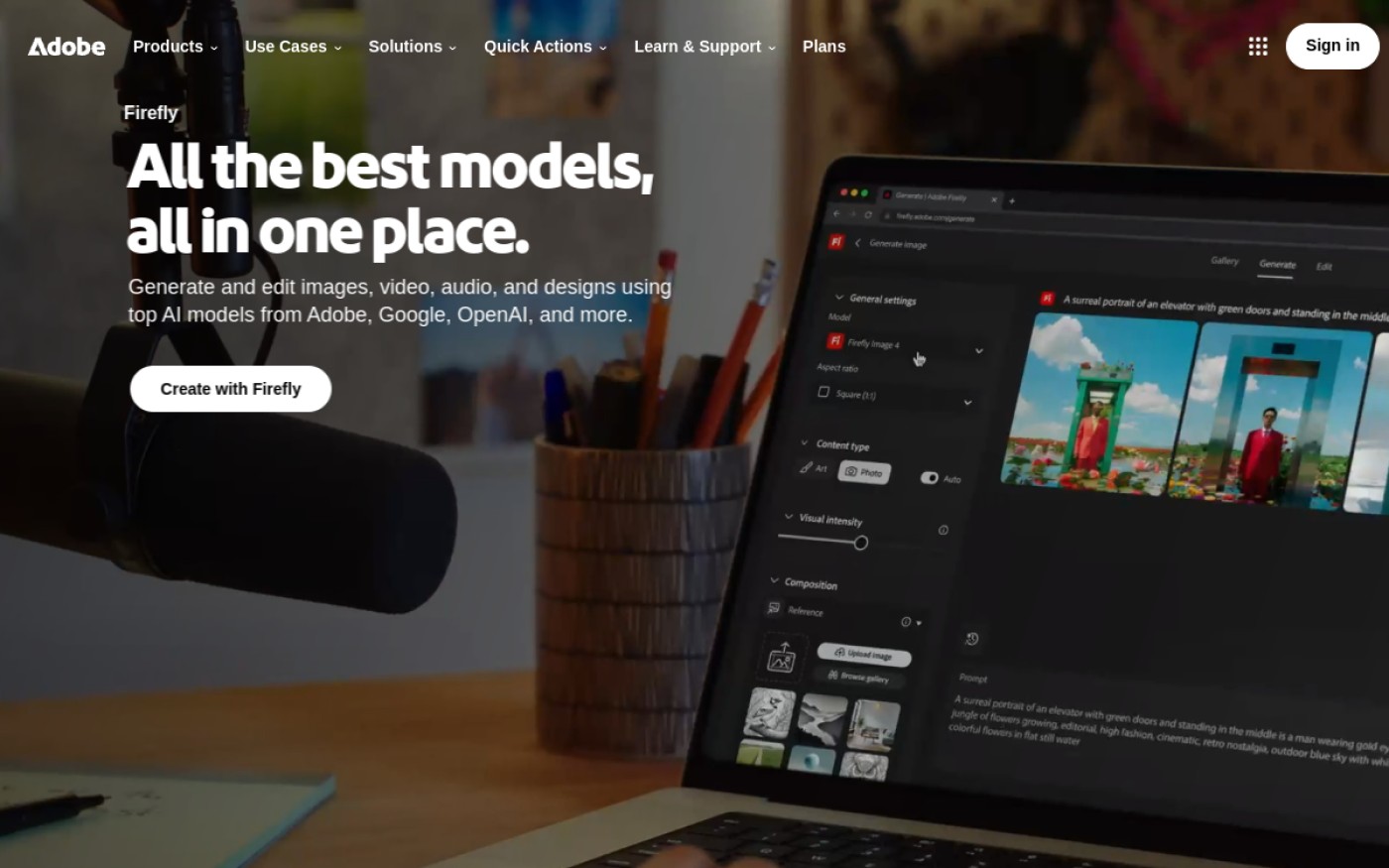
Adobe Creative Cloud homepage, captured Nov 2026.
Adobe Creative Cloud is a subscription bundle of more than 20 desktop and mobile apps, including Photoshop, Premiere Pro, Illustrator, Lightroom and Audition. The Pro plan costs $69.99 a month on an annual plan billed monthly, and a cheaper Standard plan costs $54.99 a month with fewer AI credits.
The trade off is the subscription. The bill never stops, and the full Pro price is the highest in this list at $839.88 a year. It suits creators who open three or more Adobe apps every week and earn from that work.
What we like
Only suite covering video, photo, design and audio at pro level
Apps share files, fonts and libraries
Firefly AI tools built into the apps
Watch out for
Highest yearly cost in this list
No free plan, only a 7-day trial
Some apps take time to learn
Pro adds unlimited standard generative features and 4,000 AI credits a monthVisit adobe.com
02
Canva
4.7/5on G2 (7,945 reviews, checked Nov 2026)
Paid from$144/yr
Best for fast social graphics
Free planYes, 5 GB storage
Templates3.6M+ on Pro
Brand kits5 on Pro
Paid planPro, $144/yr
canva.com
Canva homepage, captured Nov 2026.
Canva is a browser design tool with drag-and-drop editing, templates, stock photos, a video editor and social scheduling in one place. The free plan covers everyday graphics, and Pro costs $144 a year for one person, adding premium templates, background removal and Magic Resize.
The trade off is depth. Canva cannot match Photoshop for photo retouching or Premiere Pro for long video edits, and Pro is single-seat only. It suits creators who publish social graphics and short videos every day.
What we like
Fastest way to make on-brand social posts
Huge template and stock library
Rated 4.7 out of 5 on G2 from 7,945 reviews
Watch out for
Weak for pro photo and long-form video work
Pro covers one person, teams pay per seat
Pro adds 141M+ premium assets, 100 GB storage and social schedulingVisit canva.com
03
CapCut
4.6/5on G2 (905 reviews, checked Nov 2026)
Paid from$179.99/yr
Best for short social video
AI credits1,200/mo on Pro
Cloud storage1 TB on Pro
Export4K on Pro
Paid planPro, $179.99/yr
capcut.com
CapCut homepage, captured Nov 2026.
CapCut is ByteDance's video editor for short social video, on phone, desktop and web. The free editor covers multi-track editing, auto captions, background removal and templates, and Pro costs $19.99 a month or $179.99 a year, adding 4K export and premium effects.
The trade off is trust in the subscription. CapCut holds a 1.3 out of 5 score on Trustpilot from billing complaints, and prices vary by device and promotion. It suits creators who live on TikTok, Reels and Shorts.
What we like
Strongest free tier of any video editor here
Auto captions and Auto Reframe are fast on vertical video
One subscription covers phone, desktop and web
Watch out for
No single public price list, final price shows at checkout
Trustpilot reviews skew heavily negative on billing
Pro adds 4K export, 1,200 AI credits a month and 1 TB of storageVisit capcut.com
04
DaVinci Resolve
4.7/5on G2 (221 reviews, checked Nov 2026)
Paid from$295/one-time
Best pro video editor without a subscription
Free export4K, no watermark
Color gradingFull color page free
AudioFairlight audio built in
Paid planStudio, $295 one-time
blackmagicdesign.com
DaVinci Resolve homepage, captured Nov 2026.
DaVinci Resolve is a professional video editor from Blackmagic Design with editing, color grading, visual effects and Fairlight audio in one app. The free version covers 4K editing, multicam and most color tools with no watermark, and Studio costs $295 once.
The trade off is the learning curve. The interface is dense, and GPU effects such as noise reduction need Studio. It suits creators who want pro color and editing without a monthly bill.
Figma is a browser-based design tool for interfaces, websites and apps, where design, prototyping and developer handoff live in the same file. The free Starter plan covers 3 design files, and Professional costs $16 per full seat a month billed yearly, with unlimited files and shared libraries.
The trade off is price at scale. Every editor needs a paid seat, so a five-person team pays $960 a year, and the monthly rate is $20 a seat. It suits creators who design sites, apps or social templates with others.
What we like
Real-time collaboration in the browser
Components and variables keep designs consistent
Rated 4.7 out of 5 on G2 from 1,593 reviews
Watch out for
Per-editor pricing adds up fast for teams
Needs internet for full collaboration
Professional adds unlimited files, libraries and 3,000 AI credits a monthVisit figma.com
06
Descript
4.6/5on G2 (905 reviews, checked Nov 2026)
Paid from$16/mo
Best for talking-head video and podcasts
Media hours10 hrs/mo on Hobbyist
AI credits400/mo on Hobbyist
Export1080p, no watermark
Paid planHobbyist, $16/mo
descript.com
Descript homepage, captured Nov 2026.
Descript is a text-based video and audio editor that transcribes a recording and lets you cut it by deleting words. The free plan covers 1 media hour a month with watermarked exports, and Hobbyist costs $16 a month billed yearly, with 10 hours and 400 AI credits a month.
The trade off is metering. Every AI action spends credits, and heavy users report burning a month of credits fast. It suits podcasters and creators who edit people talking every week.
What we like
Transcript editing is the fastest way to cut spoken video
Studio Sound cleans up noisy recordings
Rated 4.6 out of 5 on G2 from 905 reviews
Watch out for
AI credits run out fast on busy months
Trustpilot score is far lower than G2, at 2.5 out of 5
Creator at $24 a month adds 4K export, 30 hours and 800 AI creditsVisit descript.com
07
Filmora
4.4/5on G2 (614 reviews, checked Nov 2026)
Paid from$49.99/yr
Best easy video editor for beginners
Free exportWatermarked on free plan
AI credits1,000/mo on Advanced
Cloud storage1 GB on Basic
Paid planBasic, $49.99/yr
filmora.wondershare.com
Filmora homepage, captured Nov 2026.
Filmora is a desktop video editor from Wondershare built for beginners, with a guided timeline, templates, effects and AI tools. The free version exports with a watermark, and Basic costs $49.99 a year, removing the watermark and adding 4K export.
The trade off is upselling. Many good presets and effects still cost extra even on a paid plan, and reviewers note the AI credit system. It suits new creators who want a gentle first editor.
Affinity is a creative suite covering vector design, photo editing and page layout in one purchase. The V2 Universal Licence costs $164.99 once and includes Designer 2, Photo 2 and Publisher 2 across Mac, Windows and iPad, with a 30-day free trial.
The trade off is collaboration. Affinity has no real-time co-editing like Figma or Canva, and Canva's 2024 purchase of Serif leaves the long-term roadmap open. It suits solo creators who want pro tools without a subscription.
What we like
One payment covers three pro apps on all platforms
Fast, native apps with strong RAW editing
Rated 4.5 out of 5 on G2 from 452 reviews
Watch out for
No real-time collaboration
Smaller template and stock library than Canva
Single apps cost $69.99 each; the Universal Licence covers all threeVisit affinity.studio
09
Audacity
4.5/5on G2 (459 reviews, checked Nov 2026)
PriceFree
Best free audio editor
PriceFree, open source
PlatformsWindows, Mac, Linux
Noise reductionBuilt in
Paid planNone, fully free
audacityteam.org
Audacity homepage, captured Nov 2026.
Audacity is a free, open-source audio editor and recorder for Windows, Mac and Linux. It covers multi-track recording, noise reduction, effects and export to common formats, with no paid plan and no watermark.
The trade off is polish. The interface looks dated, and it has no built-in publishing or remote recording like Descript. It suits creators who need clean voice audio for video and podcasts at no cost.
Free plans cover the basics well. DaVinci Resolve, CapCut and Audacity all handle a working week without payment.
Paid plans mostly add exports and AI. You get 4K export, no watermark, more AI credits and cloud storage.
Audio is the cheapest gap to close. A free editor plus our podcast guide covers most shows before any paid plan is needed.
If a tool earns money every day, the first year of a paid plan often costs less than one missed deadline.
How we chose
We started from the tools digital media creators name most often for video, photo, design and audio work, then kept those with a public rating and a published price.
Prices come from each vendor's pricing page or a pricing audit of it, checked on 29 November 2026. Ratings and review counts come from G2 or Capterra on the same day. Where a vendor shows a sale, the list shows the regular price.
We left out single-purpose tools and tools with no public rating. No vendor paid for a place, and we do not claim to have used these tools ourselves.
How to choose versatile software for digital media creators
Start with the media you make most, then check what the free plan leaves out.
List what you make each week. Video-led creators need a strong editor first, while design-led creators need templates and brand kits.
Try the free plan on a real project. Export one finished piece and check for watermarks, resolution limits and missing features.
Add up the yearly cost, not the monthly price. A $16 a month plan is $192 a year, and per-seat pricing multiplies that for every editor.
Check the rating split, not just the score. Read both G2 and Trustpilot where they disagree, since billing complaints rarely show in the headline rating.
FAQ
What is the best versatile software for digital media creators?
Adobe Creative Cloud is the best pick for most creators. It bundles 20+ pro apps for video, photo, design and audio from $69.99 a month, and it holds a 4.5 out of 5 rating on Capterra from 719 reviews.
How much does versatile software for digital media creators cost?
Prices run from $0 to $839.88 a year. Filmora Basic is the cheapest paid plan at $49.99 a year, Canva Pro costs $144 a year, and Adobe Creative Cloud Pro is the most expensive at $69.99 a month.
Is there a free versatile software for digital media creators?
Yes. DaVinci Resolve, CapCut and Audacity are all free with no watermark on most exports, and Canva, Figma, Descript and Filmora all have free plans. Adobe Creative Cloud has no free plan, only a 7-day trial.
Which versatile software is best for beginners?
Filmora is the easiest first editor, with a guided timeline and templates from $49.99 a year. Canva is the easiest for design-led creators, and CapCut is the easiest for short social video.
Adobe Creative Cloud or Canva: which is better for creators?
Adobe Creative Cloud is better for pro work across video, photo and design, with 20+ apps from $69.99 a month. Canva is better for fast daily social graphics at $144 a year, and it is easier to learn.
Can one tool cover video, photo and design?
Yes, Adobe Creative Cloud covers all three at pro level, and Canva covers all three at a simpler level. No single free tool covers all three well, so most creators pair DaVinci Resolve with Canva or Affinity.
What is the best versatile software for a small creator team?
Canva Pro is the simplest team start at $144 a year per person, with brand kits and scheduling. Figma works better when the team designs together, at $16 per editor a month billed yearly.
SaaS SEO and WordPress specialist with about 8 years of experience. Rakib compares WordPress plugins, themes, hosting and software using public pricing, documentation and user reviews. See how we rank.