Homebase is the best shift swapping software for cafes, with plans starting at $30 per location per month after its 10-employee free tier. For small teams seeking lower per-user rates, Sling starts at $1.70 per user per month billed annually, and Connecteam starts at $29 per month for up to 30 users.
How we make this list: we compare pricing pages, product documentation and public user reviews, then re-check every price before each update. No product paid for a place. Disclosure.
#2 Best for cafes
7shifts
Hospitality scheduling with shift pool and labor tools
Homebase starts free for 1 location and up to 10 employees, then charges $30/location/mo on Essentials.
7shifts is built for hospitality and starts at $39.99/mo per location on Essentials.
Sling offers a free tier for up to 30 users and paid plans from $1.70/user/mo billed annually.
Connecteam includes a free Small Business plan for up to 10 users and paid hubs from $29/mo for up to 30 users.
When I Work starts at $2.50/user/mo with a 14-day free trial rather than a permanent free tier.
How do you choose shift swapping software for cafes?
Flat per-location pricing often beats per-seat billing once a coffee shop grows past a handful of part-time baristas. Cafes regularly carry student workers and weekend cover staff who clock fewer hours per week than full-time employees.
Manager approval controls matter whenever staff trade morning rush or closing shifts. Unchecked swaps can pair inexperienced openers together or push weekly hours into overtime thresholds.
Free plans usually cap headcount, locations, or scheduling depth before forcing an upgrade. Checking what happens when you add an eleventh barista or open a second counter prevents surprise bills mid-season.
Mobile alerts decide whether open shifts get filled quickly when someone calls out sick. Baristas check schedules between classes or commutes, so clear push or SMS reminders keep trade requests moving.
4.6/5on Capterra (1,182 reviews, checked Nov 2026)
Paid from$30/mo
Best overall for small cafe teams
Free tier1 location, up to 10 staff
Entry paid planEssentials ($30/mo/location)
Paid headcountUnlimited on Essentials
Payroll add-on$49/mo + $6/employee
joinhomebase.com
Homebase homepage, captured Nov 2026.
Homebase is a scheduling, time clock, and team messaging platform for hourly businesses, with a free Basic plan for 1 location and up to 10 employees. Paid plans start at $30 per location per month on Essentials for unlimited employees.
The trade off is that some scheduling, PTO, and labor controls sit on higher tiers or paid add-ons such as Tip Manager at $25 per location per month. It suits independent cafes with up to 10 staff on the free tier or growing single-site shops wanting flat location pricing.
What we like
Free Basic plan for up to 10 employees at one location
Flat $30/month per location pricing on Essentials for unlimited staff
Built-in team messaging and mobile shift management
Optional add-ons for tipping, tasks, and payroll
Watch out for
Free plan is limited to 10 employees and one location
Extras like Tip Manager ($25/mo/location) and Task Manager ($13/mo/location) cost extra
Some reviewers report occasional app lag or sync friction
Paid Essentials adds $30/mo per location for unlimited employees plus advanced scheduling.Visit joinhomebase.com
02
7shifts
4.7/5on Capterra (1,212 reviews, checked Nov 2026)
Paid from$39.99/mo
Best for restaurant and cafe operations
Entry paid planEssentials ($39.99/mo/location)
Higher tiersPro ($79.99) & Premium ($134.99)
Customer base55,000+ restaurants
Shift trade toolsOffer up, trade, claim open shifts
7shifts.com
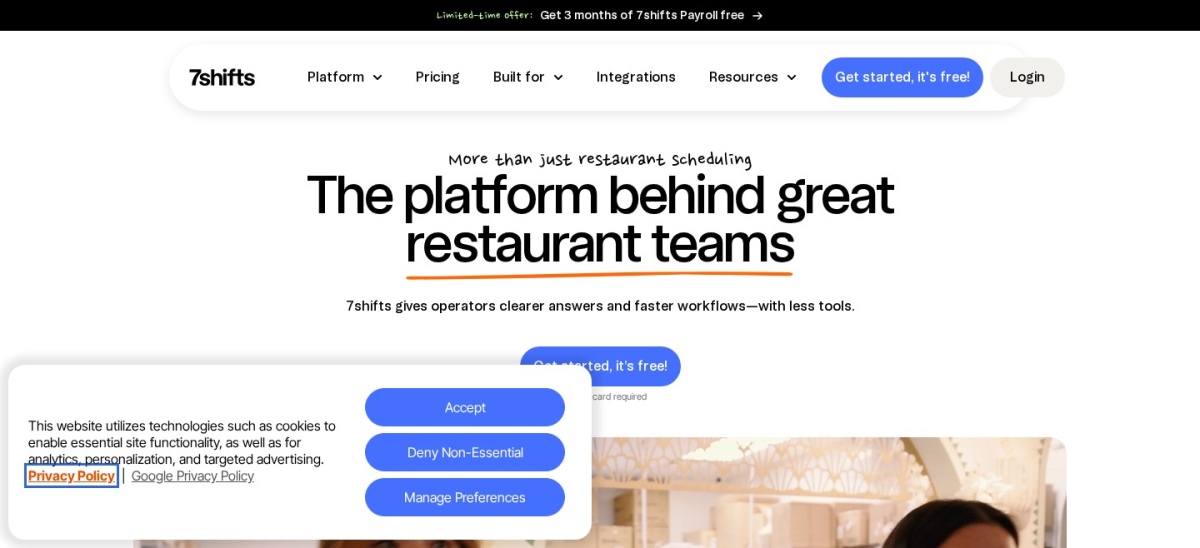
7shifts homepage, captured Nov 2026.
7shifts is a restaurant-focused workforce platform trusted by 55,000+ restaurants, offering a free Comp tier and paid plans starting at $39.99 per month per location on Essentials. Entry scheduling supports offering up, trading, and claiming open shifts alongside mobile announcements and availability tracking.
The trade off is a higher starting price of $39.99 per month per location, with labor budgeting and POS sales forecasting reserved for upper tiers. It suits cafes that want hospitality-specific shift pools and plan to expand into labor forecasting or tip management.
What we like
Built specifically for restaurants, coffee shops, and hospitality teams
Supports offering up, trading, and claiming open shifts in the mobile app
Strong 4.7/5 rating across 1,212 Capterra reviews
Watch out for
Starts higher at $39.99/month per location than several general competitors
Some reviewers note occasional notification or POS sync hiccups
Paid Essentials starts at $39.99/mo per location for expanded scheduling and communication tools.Visit 7shifts.com
03
Sling
4.6/5on Capterra (214 reviews, checked Nov 2026)
Paid from$1.70/mo
Best budget per-user option with a 30-user free tier
Free tierUp to 30 users
Paid annual ratePremium at $1.70/user/mo
Paid monthly ratePremium at $2.00/user/mo
Higher paid tierBusiness ($3.40/user/mo annual)
getsling.com
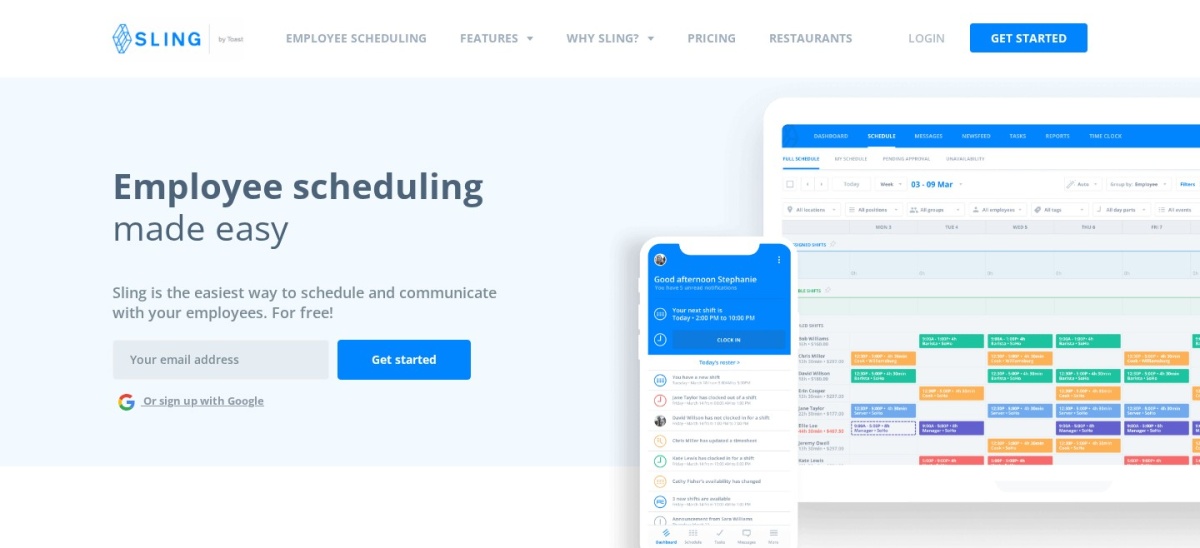
Sling homepage, captured Nov 2026.
Sling is a shift scheduling and team communication app that is free for up to 30 users, with paid plans starting at $1.70 per user per month billed annually ($2.00 monthly). Teams can view schedules, set availability, and coordinate shift coverage without a flat base fee.
The trade off is per-user scaling once you exceed the free tier or need time tracking and labor cost tools on Premium. It suits cafes with up to 30 part-time staff or lean teams watching per-seat costs.
What we like
Free plan covers up to 30 users with no base fee
Low entry paid rate at $1.70/user/month billed annually ($2.00 monthly)
Rated 4.6/5 across 214 Capterra reviews
Watch out for
Time clock and labor cost optimization require upgrading beyond the free plan
Some reviewers mention basic reporting or multi-location chat limits
Paid Premium adds hour tracking and labor cost tools starting at $1.70/user/mo billed annually.Visit getsling.com
04
Connecteam
4.6/5on Capterra (5,320 reviews, checked Nov 2026)
Paid from$29/mo
Best mobile hub for chat, tasks, and shifts
Free planUp to 10 users (Small Business)
Entry paid hub$29/mo annual (first 30 users)
Extra user rate$0.80/user/mo on Operations Basic
Review volume5,320 reviews on Capterra
connecteam.com
Connecteam homepage, captured Nov 2026.
Connecteam is a mobile-first operations, communication, and HR app with a free Small Business plan for up to 10 users. Paid plans start at $29 per month billed annually ($35 monthly) for the first 30 users on a hub.
The trade off is buying separate hubs or paying extra per user past 30, with repeating shift templates and geofence upgrades on higher tiers. It suits cafes that want staff chat, checklists, and shift management in one mobile app.
What we like
Free plan for up to 10 users plus flat $29/month annual pricing for up to 30 users
Combines shift scheduling with staff chat, updates, and time clock tools
High review volume at 4.6/5 across 5,320 Capterra reviews
Watch out for
Features are split across hubs, and extra users past 30 add per-seat fees
Some reviewers report notification delays or a learning curve for settings
Paid plans start at $29/mo billed annually for up to 30 users on a hub.Visit connecteam.com
05
When I Work
4.5/5on Capterra (1,308 reviews, checked Nov 2026)
Starts at$2.50/mo
Best for straightforward shift trades and attendance
Entry paid plan$2.50/user/month
Higher tier$5/user/month
Free trial14-day free trial
Rating4.5/5 (1,308 Capterra reviews)
wheniwork.com
When I Work homepage, captured Nov 2026.
When I Work is an employee scheduling and attendance app built for hourly teams, with paid plans starting at $2.50 per user per month after a 14-day free trial. Staff can view shifts, set availability, and request shift swaps or drops on mobile.
The trade off is no permanent free plan and per-user pricing that rises to $5 per user per month on the higher tier. It suits cafes that prefer a clean schedule grid and simple shift-trade approvals over a multi-module suite.
What we like
Straightforward scheduling grid with mobile shift swaps and drop requests
Entry price of $2.50/user/month with no setup fees listed
Large review base with 4.5/5 across 1,308 Capterra reviews
Watch out for
No free-forever plan beyond the 14-day trial
Per-seat billing can cost more than flat-location plans for larger cafe rosters
Paid plans start at $2.50/user/mo for scheduling, shift swaps, and attendance tools.Visit wheniwork.com
06
ZoomShift
4.8/5on G2 (50 reviews, checked Nov 2026)
Paid from$2/mo
Best low-cost starter option with a 20-user free tier
Free tierEssentials free up to 20 users
Entry paid planStarter ($2/user/month)
Higher tierPremium ($4/user/month)
G2 score4.8/5 across 50 reviews
zoomshift.com
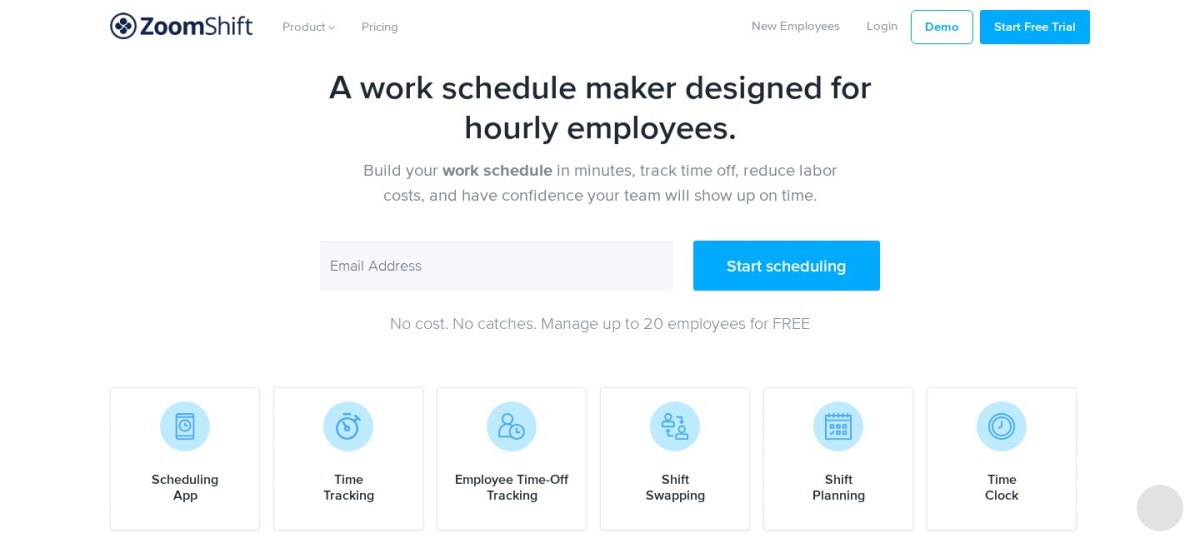
ZoomShift homepage, captured Nov 2026.
ZoomShift is an employee scheduling and time-tracking tool offering a free Essentials plan for up to 20 active team members. Paid plans start at $2 per user per month on Starter and $4 per user per month on Premium.
The trade off is charging per active user on paid tiers and locking time tracking and advanced management behind Starter and Premium. It suits small cafes with up to 20 staff that want a low-cost entry point for shift trades.
What we like
Essentials is free for up to 20 active users
Low paid rates starting at $2/user/month on Starter
High 4.8/5 rating across 50 G2 reviews
Watch out for
Time tracking requires upgrading to a paid plan
Smaller review sample on G2 than major hospitality platforms
Paid Starter adds time tracking and expanded scheduling at $2/user/mo.Visit zoomshift.com
07
Deputy
4.5/5on G2 (978 reviews, checked Nov 2026)
Starts at$5/mo
Best for multi-location compliance and rostering
Entry paid planLite ($5/user/month)
Mid & top tiersCore ($6.50) & Pro ($9/user/mo)
Customer scale390,000+ customers
G2 score4.5/5 across 978 reviews
deputy.com
Deputy homepage, captured Nov 2026.
Deputy is a workforce management platform serving more than 390,000 customers, with paid plans starting at $5 per user per month on Lite. It covers shift scheduling, time tracking, and labor compliance across hourly teams.
The trade off is no free tier and higher per-seat pricing starting at $5 per user per month before add-ons. It suits multi-site cafes and hospitality operators that need structured rostering and compliance tools across locations.
What we like
Built for multi-site rostering, time tracking, and labor compliance
Clear per-user tiers starting at $5/user/month on Lite
Strong 4.5/5 rating across 978 G2 reviews
Watch out for
No permanent free plan, and per-user costs add up for large part-time rosters
Add-ons such as HR, Messaging+, and Analytics+ cost extra per user
Paid Lite starts at $5/user/mo for scheduling and time tracking, with Core and Pro above it.Visit deputy.com
Flat location vs per-user pricing for cafes
Flat per-location pricing becomes predictable once a cafe schedules more than a dozen baristas. Homebase charges $30 per location per month on Essentials for unlimited employees after its 10-employee free plan, and 7shifts starts at $39.99 per month per location on Essentials.
Per-user pricing works best when a team is small or stays inside a generous free cap. Sling is free for up to 30 users and charges $1.70 per user per month billed annually on Premium, while Deputy starts at $5 per user per month on Lite.
How we chose
This shortlist comes from established hourly-workforce and hospitality scheduling platforms with active shift-swapping features and public pricing.
We checked official pricing pages and Capterra or G2 review listings on 30 Nov 2026 to record regular entry prices, free tier limits, and review counts.
We skipped platforms that hide pricing behind custom quotes or lack clear shift-trade workflows for cafe teams. No vendor paid for a place, and we do not claim testing for this list.
How to pick shift swapping software for your cafe
Follow four checks to match a shift-swapping tool to how your cafe schedules staff:
Count active baristas and part-timers first. Check whether a free tier covers your roster or whether per-user fees will exceed a flat location rate.
Confirm manager approval before shifts change. Make sure supervisors can approve swaps and trades so rush hours keep experienced coverage.
Check mobile alerts for last-minute coverage. Verify that staff get prompt app or SMS alerts when shifts open up or get traded.
Watch for add-on fees on tips and labor tools. Compare base plan limits against extra charges for tip pooling, time clocks, or labor forecasting.
FAQ
What is the best shift swapping software for cafes in 2026?
Homebase is the best shift swapping software for cafes, with plans starting at $30 per location per month after its 10-employee free tier. Sling is a strong budget pick starting free up to 30 users or $1.70 per user per month annually.
How much does cafe shift swapping software cost?
Entry paid pricing ranges from $1.70 per user per month billed annually on Sling Premium to flat location plans at $30 per month on Homebase Essentials and $39.99 per month on 7shifts Essentials. Deputy starts at $5 per user per month on Lite.
Which shift swapping apps offer a free plan for small cafes?
Homebase offers a free Basic plan for one location up to 10 employees, Connecteam is free for up to 10 users, ZoomShift Essentials is free up to 20 users, and Sling is free for up to 30 users. When I Work starts with a 14-day free trial instead.
What works best for a small independent cafe?
Homebase suits small single-location cafes with up to 10 staff on its free plan, while ZoomShift or Sling fit small teams that prefer per-user pricing. Look at flat location tiers once your roster grows.
Homebase vs 7shifts: which is better for a cafe?
Homebase starts free for up to 10 staff and costs $30 per location per month on Essentials, making it cheaper at entry than 7shifts Essentials at $39.99 per location per month. 7shifts is built specifically for restaurant and hospitality operations.
SaaS SEO and WordPress specialist with about 8 years of experience. Rakib compares WordPress plugins, themes, hosting and software using public pricing, documentation and user reviews. See how we rank.