NinjaOne is the best of the Goverlan Reach alternatives for most IT teams, with endpoint management, patching and remote access in one console at $3.75 per device a month for small fleets and a 4.7/5 G2 rating. Pick Action1 for patching free on up to 200 endpoints, or ScreenConnect for pure remote support at $30 a month.
How we make this list: we compare pricing pages, product documentation and public user reviews, then re-check every price before each update. No product paid for a place. Disclosure.
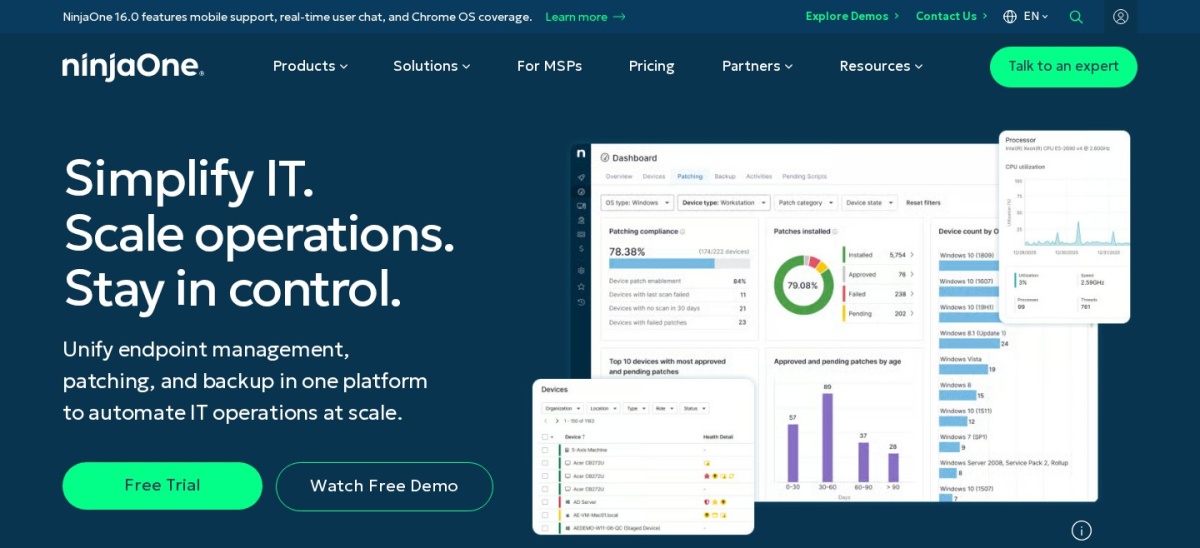
NinjaOne is the closest full replacement, with monitoring, patching, scripting and remote access in one console at $3.75 per device a month for small fleets.
Action1 is the only free pick, covering patching and vulnerability fixes for up to 200 endpoints with no feature limits.
ScreenConnect is the best pure remote support tool here at $30 a month per concurrent technician, with unlimited unattended agents on Standard.
Zoho Assist is the cheapest paid remote support at $10 a technician a month, and its free plan covers one technician and five computers.
Per-device pricing adds up fast: 100 devices cost $375 a month on NinjaOne at the small-fleet rate, while Atera charges a flat $129 a month per technician for unlimited endpoints.
How do you pick the right Goverlan Reach alternatives?
Goverlan Reach is built for background management. Its strength is working on a machine without taking over the screen, so judge each alternative on unattended access and scripting, not just screen sharing.
Start with the job you need done most. If patching and software deployment matter most, a patch-first tool such as Action1 or PDQ Connect covers that half for little or nothing, while a full RMM such as NinjaOne or Atera covers monitoring too.
Pricing models change the bill more than the headline price. Per-device plans such as NinjaOne and PDQ Connect grow with every endpoint, while per-technician plans such as Atera and ScreenConnect stay flat as you add machines. Our guide on writing a WordPress maintenance plan shows the same plan-first thinking applied to routine upkeep.
Free plans are narrow here. Only Action1 and Zoho Assist offer a free tier that a small team can use day to day, and the rest offer only a short free trial, so budget for a paid plan from the start.
NinjaOne is a cloud RMM platform that folds monitoring, patching, scripting, software deployment and remote access into one console and one agent. It covers Windows, macOS and Linux, with support and training included at no extra charge, and it holds a 4.7/5 rating on G2 across 5,864 reviews.
The trade off is price. There is no published plan price, only a range of $1.50 to $3.75 per device a month by volume, so a 50-device fleet pays $187.50 a month at the top rate and the exact figure comes from a sales quote. It suits IT teams that want one console for the whole fleet and can live with quote-based pricing.
What we like
Highest review count here: 4.7/5 across 5,864 G2 reviews
Patching, monitoring, scripting and remote access in one agent
Support and training included at no extra charge
Watch out for
No fixed plan price; the exact rate comes from a sales quote
Per-device billing grows with every endpoint you add
ConnectWise ScreenConnect homepage, captured Nov 2026.
ConnectWise ScreenConnect is a remote support tool that lets a technician see and control a computer from anywhere, in attended sessions or through unattended agents. The One plan costs $30 a month billed yearly and covers one session plus 10 unattended agents, with file transfer, remote printing and mobile technician support.
The trade off is that it is remote support only. There is no patching, monitoring or software deployment, so teams that want Goverlan's management half need a second tool. It suits help desks and MSPs that support many users and want unlimited unattended agents on Standard at $47 a month.
What we like
Per-technician pricing, not per device
Unlimited unattended agents on Standard and Premium
Action1 is a cloud patch management platform that is free forever for the first 200 endpoints, with no feature limits and no credit card required. It covers automated OS and third-party patching plus vulnerability remediation for Windows, macOS and Linux, and the vendor reports a 99% patch success rate across more than 10 million protected endpoints.
The trade off is scope. Action1 is patch-first, not a full RMM: monitoring depth and PSA functions are lighter than NinjaOne or Atera, and pricing above 200 endpoints is quote-only. It suits small teams that want enterprise patching without a licence bill.
What we like
Highest G2 rating in this list at 4.9/5 across 1,270 reviews
Atera is an all-in-one IT management platform that combines RMM, helpdesk and ticketing with AI agents, priced per technician rather than per endpoint. The MSP Pro plan costs $129 per technician a month, and you can manage unlimited endpoints for that flat fee, which makes costs easy to predict as a fleet grows.
The trade off is the entry price. At $129 a month per technician it costs far more than a remote-only tool for a one-person shop, and IT department plans start higher at $149 a month. It suits MSPs and IT teams with large fleets where per-device billing would cost more.
Growth and Power plans add more AI and automationVisit atera.com
05
Splashtop Remote Support
4.7/5on G2 (505 reviews, checked Nov 2026)
Starts at$259/yr
Best value for support teams
Pricing modelPer concurrent technician
Cheapest planSOS, $259/yr, 10 computers
Larger fleet optionSOS, $399/yr, 300 computers
Free planNo, free trial
splashtop.com
Splashtop Remote Support homepage, captured Nov 2026.
Splashtop Remote Support is the value pick for support teams because it bills per concurrent technician instead of per user. Its SOS plan starts at $259 a year per concurrent technician, covering on-demand sessions by code plus unattended access to 10 managed computers, with file transfer, remote printing, multi-monitor support, session recording and chat.
The trade off is scope. SOS is remote support, not endpoint management, so patching and monitoring need another tool, and the $259 option covers only 10 managed computers. It suits teams that share seats, since only technicians working at the same time need a licence.
Zoho Assist is a cloud remote support tool for IT technicians and small help desks, and it is the cheapest paid pick here. Standard costs $10 a technician a month billed annually, with unlimited ad-hoc sessions, file transfer, multi-monitor navigation, remote reboot and a browser-based technician console.
The trade off is depth. Zoho Assist covers remote support well but has no patching, software deployment or fleet monitoring, so it replaces only Goverlan's remote half. It suits small teams, especially those already using Zoho, that want a low bill and a usable free plan.
What we like
Lowest paid start here at $10 a technician a month
Free plan covers one technician and five computers
Rated 4.7/5 on G2 across 768 reviews
Watch out for
No patching or endpoint management
Per-technician billing adds up as the team grows
Professional adds session recording and reports at $15 a monthVisit zoho.com
07
TeamViewer
4.5/5on G2 (4,234 reviews, checked Nov 2026)
Paid from$24.90/mo
Best-known remote access brand
Pricing modelPer licensed user
Cheapest planRemote Access, $24.90/mo
Business plan$50.90/mo, 1 user
Free planPersonal use only
teamviewer.com
TeamViewer homepage, captured Nov 2026.
TeamViewer is the remote support tool most end users already know, which helps when someone calls in with a problem. Remote Access costs $24.90 a month billed yearly for one user and three managed devices, with unattended access, file transfer, multi-monitor support, session recording and audit logs.
The trade off is price. Business, the plan most solo technicians need, costs $50.90 a month billed yearly, and the free tier is for personal use only and can flag suspected commercial use. It suits teams that value a familiar brand and broad device support over the lowest bill.
AnyDesk is a lightweight remote access tool that connects fast and runs on Windows, macOS, Linux, Android and iOS. Solo costs $28.90 a month billed yearly for one licensed user and up to 100 managed devices, with file transfer, session recording and privacy mode.
The trade off is that it is remote control only. There is no patching, monitoring or deployment, and Standard costs $49.90 a month for a single concurrent connection shared by up to 20 users. It suits small teams that want a fast, light remote tool and nothing else.
PDQ Connect is a cloud device management and patching tool whose Basic plan costs $12 per device per year, with a 100-device minimum. It covers software deployment, patching, inventory and remote desktop for Windows and macOS fleets, without a VPN.
The trade off is the minimum buy. One hundred devices cost $1,200 a year before you add a single extra feature, and remote desktop and automated deployments sit on higher tiers. It suits Windows-heavy teams that already know PDQ and want simple, transparent patching.
What we like
Transparent $12 per device a year pricing
Rated 4.6/5 on G2 across 393 reviews
No VPN needed for off-site devices
Watch out for
100-device minimum purchase
Remote desktop needs Plus or higher
Plus adds automation at $18 per device a yearVisit pdq.com
Background management: the Goverlan feature to check first
Goverlan Reach works on machines without disturbing the user. Ask each vendor whether its agent can run scripts, install software and change settings without opening a visible session.
Remote-only tools such as ScreenConnect, Splashtop, Zoho Assist, TeamViewer and AnyDesk need a visible session for most tasks. Full RMM tools such as NinjaOne and Atera, and patch tools such as Action1 and PDQ Connect, do more in the background.
If background work matters to you, shortlist NinjaOne, Atera, Action1 and PDQ Connect first, and use a remote-only tool beside them only for live support calls.
How we chose
We started from the tools listed as Goverlan Reach alternatives on G2, SourceForge and Slashdot, then kept nine established products that cover remote access, patching or full endpoint management.
Prices come from each vendor's pricing page or vendor-supplied G2 pricing data, checked on 29 November 2026. Ratings and review counts come from G2 pages opened the same day. Where a vendor shows a sale, the list shows the regular price.
We left out tools with no published price and no public rating, and quote-only enterprise tools such as BeyondTrust. No vendor paid for a place, and we do not claim to have used these tools ourselves.
How to choose a Goverlan Reach alternative
Start with the half of Goverlan's job you use most, then match the billing model to your fleet.
Count your endpoints and technicians. Per-device plans suit small fleets, while per-technician plans suit large fleets with few technicians. Do the maths for your numbers before you shortlist.
Decide whether you need patching or just remote control. Patch-first tools such as Action1 and PDQ Connect cover updates and deployment, while remote-only tools cover live support calls.
Check background management, not just screen sharing. Ask whether the agent can run scripts and install software without a visible session, and read our guide on updating WordPress safely for the same patch-first habit.
Trial the top two with a real ticket. Use the free trial to run a patch and a remote session on a spare machine, then compare how long each job takes.
FAQ
What is the best Goverlan Reach alternative?
NinjaOne is the best Goverlan Reach alternative for most IT teams. It combines endpoint management, patching, scripting and remote access in one console, and it is rated 4.7 out of 5 on G2 across 5,864 reviews.
What is the best free alternative to Goverlan Reach?
Action1 is the best free alternative to Goverlan Reach. It is free forever for up to 200 endpoints with no feature limits, covering patching and vulnerability fixes, though it is not a full RMM.
How much does a Goverlan Reach alternative cost?
Prices run from free to $1,548 a year per technician. Action1 is free for 200 endpoints, PDQ Connect starts at $12 per device a year, Zoho Assist at $120 a year per technician, and Atera at $1,548 a year per technician.
Which Goverlan Reach alternative is best for small teams?
Zoho Assist is the best pick for small teams on a budget. Its free plan covers one technician and five computers, Standard costs $10 a technician a month, and it is rated 4.7 out of 5 on G2.
Is NinjaOne or ScreenConnect better as a Goverlan Reach alternative?
NinjaOne is better if you want a full replacement, with patching, monitoring and remote access in one console. ScreenConnect is better if you only need remote support, at $30 a month per concurrent technician with unlimited unattended agents on Standard.
Do any Goverlan Reach alternatives work without disturbing the user?
Yes. NinjaOne, Atera, Action1 and PDQ Connect can patch, deploy software and run scripts in the background without opening a visible session. Remote-only tools such as TeamViewer and AnyDesk need a visible session for most tasks.
SaaS SEO and WordPress specialist with about 8 years of experience. Rakib compares WordPress plugins, themes, hosting and software using public pricing, documentation and user reviews. See how we rank.