Runway is the best free Kling AI alternative for cinematic text-to-video, with a free plan of 125 credits and a 4.2 out of 5 rating on G2. Leonardo gives 150 free tokens every day for image-to-video work, while InVideo builds whole videos from a prompt and its paid plan starts at $10 a month.
How we make this list: we compare pricing pages, product documentation and public user reviews, then re-check every price before each update. No product paid for a place. Disclosure.
Runway is the closest free Kling rival: Gen-4.5 clips, 125 free credits once, then $12 a month billed yearly.
Leonardo has the most generous recurring free allowance here: 150 tokens every day, plus access to Kling and other video models.
InVideo has the cheapest paid upgrade at $10 a month billed yearly, and its free plan resets weekly.
HeyGen has the highest rating at 4.8 out of 5 on G2, but it makes avatar videos, not cinematic clips.
Luma and Pika are left out: Luma lists no free tier and Pika's free plan now gives zero credits.
Free exports are watermarked almost everywhere except CapCut, whose basic free exports carry no watermark.
How do you choose the best free Kling AI alternative?
Free does not mean the same thing twice. Some tools refill credits every day or week, some hand out a one-time grant, and some only offer a short trial dressed as a free plan.
Clip length decides more than quality. Kling makes clips of up to 30 seconds in one pass, while most free rivals cap single clips at 5 to 10 seconds, so longer scenes have to be stitched together.
Watermarks and commercial rights are the real price of free. Most free plans watermark exports and keep commercial use behind a paid plan, so check the licence before a clip goes into client work.
Credits burn faster than the headline suggests. A 10-second clip can cost a whole day of free credits on some tools, so a daily refill beats a bigger one-time grant for regular use.
Runway is a browser-based creative studio built around its Gen-4.5 video model, which turns text or images into short cinematic clips with camera controls. The free plan gives 125 credits once, enough for about 10 seconds of Gen-4.5 video, and the studio also runs outside models including Kling 4.0.
The trade off is that the free credits never refill, so it is a short trial rather than a working plan. Standard costs $12 a month billed yearly and adds 625 credits a month, about 52 seconds of Gen-4.5. It suits filmmakers and advertisers who want editing control in one tool.
Leonardo AI is a creator platform for images and short video that bundles its own Motion models with third-party engines including Kling, Hailuo and Wan. The free plan gives 150 fast tokens every day, and free creations are public with a non-exclusive licence.
The trade off is token math. Tokens do not map to a stated number of clips, and video costs more than images, so heavy video use drains the daily allowance fast. Essential costs $12 a month for 8,500 tokens. It suits designers who want many models and a daily free allowance in one account.
What we like
150 free tokens every day
Many image and video models in one account
Trainable personal models for a consistent look
Free plan needs no card
Watch out for
Tokens do not map to a stated clip count
Free creations are public
Video costs far more tokens than images
Essential adds 8,500 tokens a month and private generationsVisit leonardo.ai
03
InVideo AI
4.2/5on G2 (184 reviews, checked Nov 2026)
Paid from$10/mo
Best for whole videos from a prompt
Free planWeekly credits
Video styleFull video from a prompt
Free exportsWatermarked
Paid planStarter, $10/mo
invideo.io
InVideo AI homepage, captured Nov 2026.
InVideo AI is a prompt-to-video platform that builds a complete video from a script, URL or idea, with stock footage, voiceover and subtitles included. The free plan gives weekly credits and four exports a week, with a watermark on every export.
The trade off is control. InVideo builds whole videos rather than single polished clips, so fine motion control is weaker than Runway or Leonardo. Starter costs $10 a month billed yearly for 400 credits a month. It suits marketers who want a finished video fast rather than one perfect shot.
What we like
Builds a full video from one prompt
Cheapest paid upgrade in this list
Stock footage, voiceover and subtitles included
Watch out for
Less fine control over single clips
Credits drain fast on long videos
Free exports carry a watermark
Starter adds 400 credits a month and watermark-free exportsVisit invideo.io
04
LTX Studio
4.2/5on G2 (124 reviews, checked Nov 2026)
Paid from$12/mo
Best for planning a whole short film
Free credits800, one-time
Latest modelLTX-2.5
WorkflowScript to storyboard
Paid planLite, $12/mo
ltx.io
LTX Studio homepage, captured Nov 2026.
LTX Studio is a browser workspace from Lightricks that takes a video from script to storyboard to timeline, with its own LTX-2.5 model and partner models including Kling and Seedance. The free plan gives 800 credits once for personal use, with camera controls and consistent characters across shots.
The trade off is scope. The free credits never refill and cover personal use only, and commercial rights start at Standard for $28 a month billed yearly. Lite costs $12 a month billed yearly for 8,000 credits. It suits creators planning a whole short film rather than single clips.
What we like
Script-to-storyboard workflow in one place
Consistent characters across shots
Includes Kling and Seedance from Standard
Watch out for
Free credits never refill
Desktop browser only
Commercial use starts at Standard
Lite adds 8,000 credits a month and no watermarkVisit ltx.io
05
HeyGen
4.8/5on G2 (1,975 reviews, checked Nov 2026)
Paid from$24/mo
Best for avatar and presenter video
Free plan3 videos a month
Video styleAI avatars
Languages175+
Paid planCreator, $24/mo
heygen.com
HeyGen homepage, captured Nov 2026.
HeyGen is an AI avatar video platform that turns a script into a presenter-led video in more than 175 languages, with voice cloning and translation. The free plan covers 3 watermarked videos a month, and paid plans add 1080p export and no watermark.
The trade off is the job it does. HeyGen makes talking presenters, not cinematic text-to-video scenes, so it replaces Kling only for presenter and training video. Creator costs $24 a month billed yearly. It suits marketers and trainers who need a face on camera without filming.
Canva is a design platform with AI video generation built into its editor, so a still image can become a moving clip without leaving the design. The free plan includes more than 1 million templates, 5GB of storage and a limited set of Magic Studio AI tools.
The trade off is depth. Canva is a design tool first, so its video generation is simpler than Kling or Runway, with fewer motion controls. Pro costs $120 a year and adds the full Magic Studio allowance, a brand kit and 1TB of storage. It suits marketers and small teams who already design in Canva.
What we like
Free plan with no time limit
Video inside a full design editor
Rated 4.7 out of 5 on G2
Watch out for
Video tools are simpler than dedicated rivals
AI use is capped by a monthly credit allowance
No real timeline editor for longer projects
Pro adds the full Magic Studio allowance and 1TB of storageVisit canva.com
07
Synthesia
4.6/5on G2 (2,860 reviews, checked Nov 2026)
Paid from$14/mo
Best for training and onboarding video
Free plan10 minutes a month
Avatars9 on free
Languages140+
Paid planStarter, $14/mo
synthesia.io
Synthesia homepage, captured Nov 2026.
Synthesia is an AI avatar platform for training and internal videos, with more than 140 languages and voices and a newer Syren agent that builds videos from a description. The free Basic plan gives 10 minutes of video a month with 9 avatars, a watermark and share-link only.
The trade off is that Starter costs $14 a month billed yearly yet still gives about 10 minutes a month; you pay for downloads, logo removal and dubbing, not more minutes. It suits teams making onboarding and training videos in many languages.
CapCut is ByteDance's free video editor for web, desktop and mobile, with AI video generation built in through Seedance 2.0 and 2.5. The free plan covers basic editing and templates, and basic exports carry no watermark, which is rare in this list.
The trade off is trust and price. CapCut holds a 1.3 out of 5 score on Trustpilot across 471 reviews, mostly about billing, and Pro costs $19.99 a month with 1,200 AI credits. It suits social creators who edit and generate in the same app.
What we like
Editor and generator in one app
Basic free exports carry no watermark
Seedance models built in
Watch out for
Trustpilot score of 1.3 out of 5
Pro price doubled in the 2026 repricing
Premium assets watermark exports on free
Pro adds 1,200 AI credits a month and 1TB of storageVisit capcut.com
09
FlexClip
4.6/5on G2 (68 reviews, checked Nov 2026)
Paid from$19.99/mo
Best for reaching Kling inside another app
Free AI generations5 a month
Video modelsKling, Veo 3, Sora 2
Free export720p, watermarked
Paid planPlus, $19.99/mo
flexclip.com
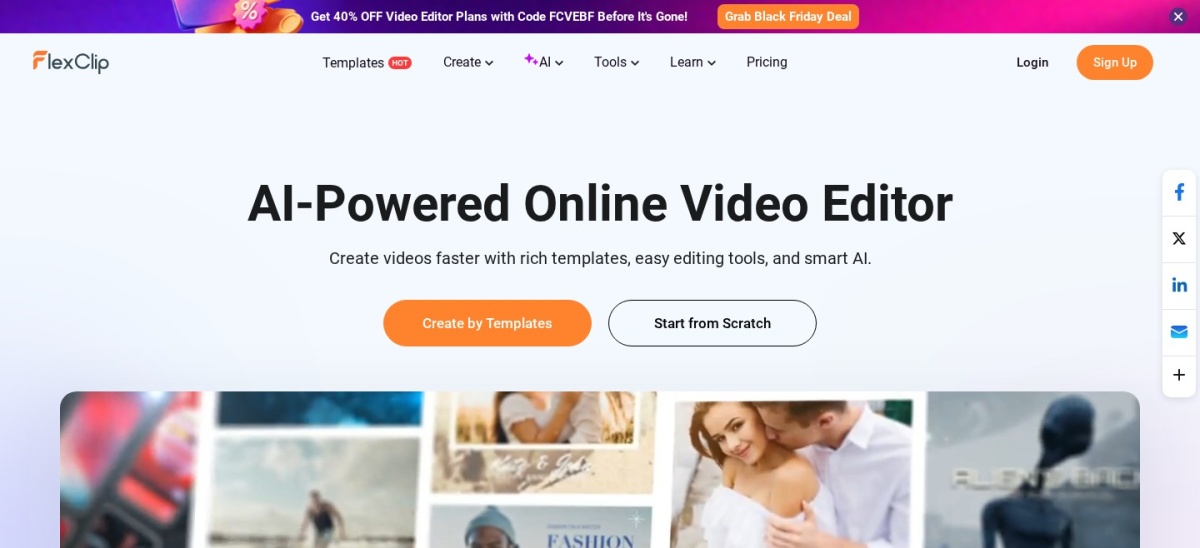
FlexClip homepage, captured Nov 2026.
FlexClip is a browser-based video editor with templates, stock media and AI tools, including text-to-video from five models: Veo 3, Sora 2, Kling, Hailuo and Seedance 2.0. The free plan gives 5 AI text-to-video generations a month and 720p watermarked exports.
The trade off is the free cap. Five generations a month is a taste, and 1080p exports without a watermark need Plus at $19.99 a month, though an $11.99 annual-billing offer is currently shown. It suits beginners who want one cheap account that can also reach Kling itself.
Free tiers split into three kinds. Daily or weekly refills, like Leonardo and InVideo, suit regular use; one-time grants, like Runway and LTX Studio, suit a single test; and trials dressed as free plans, like Pika's zero-credit tier, suit nobody.
Watermarks are the norm. Only CapCut exports basic free edits without one, so expect a logo on free clips from every other tool here.
Commercial use is almost never free. Most tools reserve full commercial rights for paid plans, and free exports are watermarked. Leonardo is the exception: its free tier grants a non-exclusive licence for commercial use.
We started from every direct Kling rival with a text-to-video or image-to-video generator, then kept only those with a genuine free plan we could verify on the vendor's own pricing page.
Prices come from each vendor's pricing page, checked on 29 November 2026. Ratings and review counts come from G2 on the same day, except CapCut, which uses Capterra because its main editor has no G2 listing. Where a vendor shows a sale, the list shows the regular price.
We left out Luma, whose pricing page lists no free tier, and Pika, whose free plan now gives zero monthly credits. No vendor paid for a place, and we do not claim to have used these tools ourselves.
How to choose a free Kling AI alternative
Start with how often you will generate, then match the free allowance to that habit.
Count how many clips you need a week. A daily refill like Leonardo's 150 tokens suits regular use, while a one-time grant like Runway's 125 credits suits a single test.
Check the watermark and licence before you commit. Most free plans watermark exports and keep commercial use behind a paid plan, so a clip for client work needs a paid tier.
Match the tool to the job. Pick Runway, Leonardo or LTX Studio for cinematic clips, InVideo for whole videos from a script, and HeyGen or Synthesia for presenter video.
Price the paid upgrade, not the free plan. The cheapest paid tier runs from $10 to $24 a month billed yearly here, and credits burn faster than the headline suggests, so check the per-second cost first.
FAQ
What is the best free alternative to Kling AI in 2026?
Runway is the best free alternative to Kling AI in 2026 for cinematic clips. Its Gen-4.5 model turns text or images into short video, the free plan gives 125 credits, and it is rated 4.2 out of 5 on G2 from 176 reviews.
Is there a completely free alternative to Kling AI?
Yes. Leonardo gives 150 free tokens every day, InVideo gives weekly free credits, and Canva and CapCut have free plans with no time limit. Every free plan here has limits, usually a watermark, a clip cap, or no commercial use.
Which free Kling AI alternative is best for beginners?
Canva is the easiest start, because video generation sits inside a familiar design editor with templates and no time limit on the free plan. FlexClip is the next simplest, with templates and five free AI generations a month.
Runway vs Leonardo: which free plan is better?
Leonardo is better for regular free use, with 150 tokens refilling every day against Runway's one-time grant of 125 credits. Runway is better for single polished clips, with Gen-4.5 quality and camera controls Leonardo cannot match.
Can I use free Kling AI alternatives for commercial videos?
Usually not. Most free plans here forbid commercial use or grant only a limited licence, and Leonardo is the exception with a non-exclusive commercial licence on free. For client work, the cheapest safe step is a paid tier such as InVideo Starter at $10 a month.
Do free Kling AI alternatives add a watermark?
Almost all of them do. Runway, Leonardo, InVideo, HeyGen, Synthesia, Canva and FlexClip watermark free exports. CapCut is the exception: basic free edits export without a watermark, though premium assets need Pro.
What is the cheapest paid upgrade among free Kling AI alternatives?
InVideo Starter is the cheapest at $10 a month billed yearly, for 400 credits a month. Runway Standard, Leonardo Essential and LTX Studio Lite all cost $12 a month billed yearly, while HeyGen Creator is the dearest here at $24 a month.
SaaS SEO and WordPress specialist with about 8 years of experience. Rakib compares WordPress plugins, themes, hosting and software using public pricing, documentation and user reviews. See how we rank.