OpusClip is the best content repurposing tool for most creators, turning long videos into captioned social clips from $15 a month with a 4.6/5 G2 rating. Vizard is the cheaper clip maker at $14.50 a month, while Descript is the better pick when you also need full transcript editing.
How we make this list: we compare pricing pages, product documentation and public user reviews, then re-check every price before each update. No product paid for a place. Disclosure.
OpusClip turns long videos into captioned clips with a virality score, from $15 a month on Starter with 150 credits.
Vizard gives the most clipping volume for the money: 600 credits a month for $14.50 on yearly billing.
Descript is the only pick here that edits video by editing text, with 10 media hours for $16 a month.
Pictory and Lumen5 start from text and blog posts, not video, so they fit writers more than podcasters.
Repurpose.io and Castmagic publish or draft from finished recordings, but neither has a free plan.
Six of the nine tools have a free plan; paid entry prices run from $14.50 to $35 a month.
How do you choose the best content repurposing tools?
The best content repurposing tool is the one that matches your starting material. Clippers such as OpusClip and Vizard start from long video, while Pictory and Lumen5 start from text and blog posts.
Credits are the real price, not the monthly fee. Most tools sell minutes of source video, so a 60-minute podcast costs far more credits than a 10-minute video.
A free plan is only useful if its exports are usable. Our guide on how to repurpose blog posts shows how one post can feed several formats without new recording.
Scheduling matters once volume grows. Tools that post to Shorts, TikTok and Reels for you save a second round of manual work each week.
Ratings are thin for newer tools, so weigh the review count as well as the score. A 4.7 from 435 reviews says more than a high score from a small sample.
OpusClip is an AI clipping tool that turns long videos into short, captioned clips for Shorts, TikTok and Reels. The free plan includes 60 credits a month, one credit per minute of source video, with 1080p exports that carry a watermark and expire after 3 days.
The trade off is the credit meter. Starter costs $15 a month for 150 credits, so a weekly hour-long video needs the Pro plan at $29 a month, or $14.50 a month billed yearly, for 300 credits. It suits creators who publish clips daily and want the virality score to rank them.
What we like
AI clipping with a virality score
Animated captions in 20+ languages
Auto-posting to Shorts, TikTok and Reels
No watermark from Starter up
Watch out for
Credits bill by source minutes, not finished clips
Vizard is an AI clipping tool that turns podcasts, webinars and long videos into captioned vertical clips. The free plan gives 60 credits a month with 720p watermarked exports, and Creator adds 4K export, no watermark and scheduled posting to 6 accounts.
The trade off is judgement. Reviewers find the viral score useful as a guide but uneven, so clips need a quick manual pass before publishing. It suits podcasters and marketers who want the most clipping minutes per dollar.
Descript is a text-based audio and video editor that also repurposes long recordings into clips. The free plan includes 1 media hour a month and 100 AI credits with 720p watermarked exports, and Hobbyist adds 10 media hours, 400 credits and watermark-free 1080p export.
The trade off is the meter. Media hours and AI credits run out fast on long video, and the Creator plan at $24 a month billed yearly is the realistic step up for weekly publishers. It suits podcasters and video creators who edit by fixing the transcript.
Pictory is an AI video tool that turns scripts, blog posts, URLs and webinars into short captioned videos. Starter costs $25 a month billed yearly for 200 video minutes, with ElevenLabs voices, Getty Images and Storyblocks footage and one brand kit.
The trade off is that there is no free plan, only a 14-day trial, and the stock footage can look generic next to real footage. It suits writers and marketers who start from text and need a finished video without editing skills.
Repurpose.io is a distribution tool that automatically reposts finished videos and audio to Shorts, TikTok, Reels and Facebook. Starter costs $35 a month, or $349 a year, for up to 3 accounts per network and 5,000 published videos a month, with watermarks removed.
The trade off is that it creates nothing. There is no editing, no transcript and no clip maker, and a third of its Trustpilot reviews are one-star complaints about workflows breaking. It suits creators who already finish videos elsewhere and want them everywhere.
Lumen5 is a text-to-video tool that turns blog posts, articles and documents into social videos. The free plan allows 5 videos a month up to 2 minutes each with a Lumen5 branded outro, and Basic adds unlimited videos, 720p export and no branding.
The trade off is the template look. Videos built from stock photos and text slides can feel samey, and 1080p export needs the $59 Starter plan billed yearly. It suits marketing teams that turn written content into video every week.
InVideo is an AI video platform that builds short videos from a prompt, script or URL, with stock footage and voiceovers. The free plan gives 10 AI minutes a week and 4 watermarked exports a week, and Starter costs $20 a month for 400 credits.
The trade off is credit burn. Generation uses credits fast, unused credits do not roll over, and the September 2026 plan change moved the goalposts for older reviews. It suits creators who want prompt-to-video with stock built in.
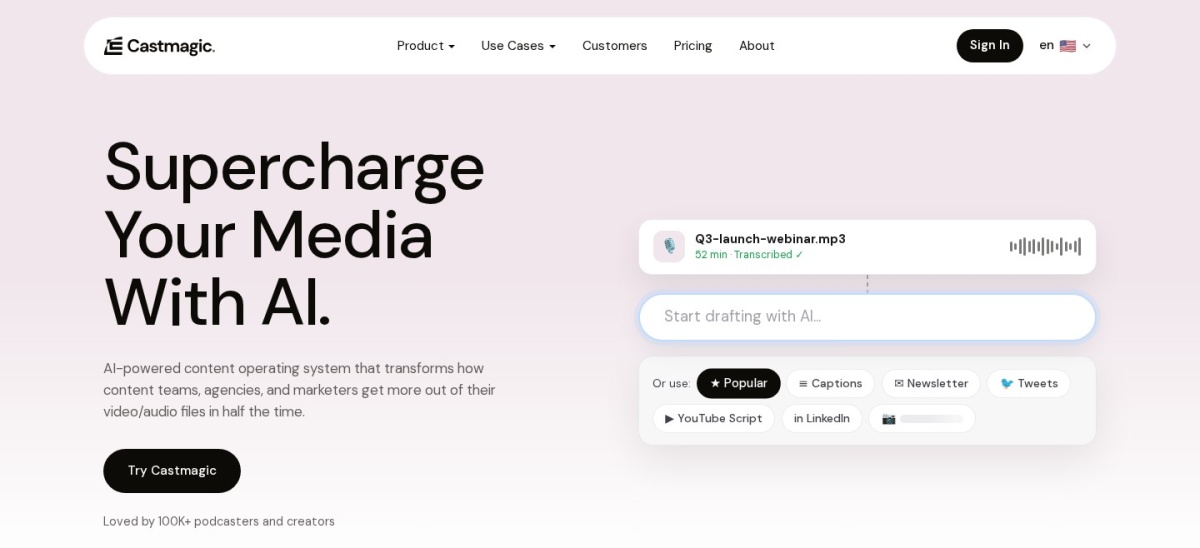
Castmagic is an AI tool that turns one recording into transcripts, show notes, blog drafts, social posts, newsletters and clips. Hobby costs $19 a month billed yearly for 30 transcribed hours across the whole library, with transcription in 60+ languages and 3 seats.
The trade off is the hour ceiling. The 30 hours are a library total, not a monthly allowance, so heavy podcasters outgrow Hobby fast and Starter jumps to $48 a month billed yearly. It suits podcasters who publish weekly and want written content from every episode.
Kapwing is a browser-based video editor whose Repurpose Studio turns long videos into social clips with captions. The free plan gives 10 credits for life with watermarked 720p exports up to 4 minutes, and Pro adds 1,000 credits a month, 4K export and no watermark.
The trade off is the credit pool. Repurpose Studio costs 2 credits per minute, dubbing costs far more, and Pro cannot buy extra credits. It suits small teams that subtitle, translate and clip in one browser editor.
Text-first or video-first? Start from what you already have
Video-first tools win when you already record. If you publish a podcast or a long video each week, OpusClip, Vizard or Descript turn that one recording into a week of clips.
Text-first tools win when you already write. Pictory and Lumen5 turn a blog post into a video without a camera, a microphone or an edit timeline.
The middle ground is audio. Castmagic sits between the two: it starts from a recording but its main output is written content, not clips.
Do not buy both kinds at once. Pick the tool that matches the content you make most often, and add the other kind only when the first one is part of your weekly routine.
How we chose
We started from the tools that appear most often in repurposing roundups and creator forums, then kept nine with published pricing and a public rating.
Prices come from each vendor's pricing page, checked on 29 November 2026. OpusClip, Vizard and Descript prices were read on their official pricing pages that day, and the rest were checked against pricing pages and November 2026 price trackers. Ratings and review counts come from G2, Capterra, Trustpilot or AppSumo on the same day. Where a vendor shows a sale, the list shows the regular price.
We left out tools with no public rating and tools that only schedule posts without creating clips or drafts. No vendor paid for a place, and we do not claim to have used these tools ourselves.
How to choose a content repurposing tool
Start with the content you already make every week, then match the tool to it.
Name your starting material. Long video points to OpusClip or Vizard, audio points to Castmagic, and blog posts point to Pictory or Lumen5.
Count your monthly minutes. Add up the long videos or episodes you publish each month, then check the credit or minute cap on the plan you would buy.
Test the free plan on real footage. Upload one full episode and see whether the clips, captions and exports are good enough to post without heavy fixes.
Check where the clips go next. If you post to Shorts, TikTok and Reels every week, a built-in scheduler is worth more than a slightly lower price.
FAQ
What are the best content repurposing tools in 2026?
OpusClip is the best content repurposing tool for most creators, with AI clipping, captions and a virality score from $15 a month. Vizard is the best-value clip maker at $14.50 a month, and Descript is best when you also want full transcript editing.
How much do content repurposing tools cost?
Paid plans in this list start at $14.50 a month for Vizard and run to $35 a month for Repurpose.io, all billed monthly or yearly as shown. Most tools charge by credits or minutes of source video, so heavy publishers should check the cap before the headline price.
Is there a free content repurposing tool?
Yes. OpusClip, Vizard, Descript, Lumen5, InVideo and Kapwing all have free plans, though exports are usually watermarked or capped. Pictory, Repurpose.io and Castmagic offer trials instead of a permanent free plan.
Which content repurposing tool is best for beginners?
OpusClip is the easiest starting point, because you paste a link and get captioned clips without editing skills. Vizard is nearly as simple and cheaper, while Descript suits beginners who want to fix mistakes by editing the transcript.
OpusClip vs Vizard: which is better?
OpusClip wins on clip quality signals, with its virality score and stronger reframing for multi-speaker footage. Vizard wins on value, giving 600 credits a month for $14.50 against OpusClip Starter at $15 for 150 credits. Pick OpusClip for polish and Vizard for volume.
Can I repurpose a podcast into social clips?
Yes. Descript and Castmagic are built for audio-first work, turning episodes into clips, show notes and social posts. OpusClip and Vizard also work well if you record video alongside the audio, since they clip from the video track.
Do these tools post to social media for me?
Some do. OpusClip schedules posts on its Pro plan, Vizard schedules from its Creator plan, and Repurpose.io publishes finished videos to Shorts, TikTok and Reels automatically. Descript, Pictory, Lumen5 and Castmagic create the content but leave publishing to you.
SaaS SEO and WordPress specialist with about 8 years of experience. Rakib compares WordPress plugins, themes, hosting and software using public pricing, documentation and user reviews. See how we rank.