Best YouTube Plugins for WordPress in 2026: 7 Tools Compared
WLWPLegible EditorsLast verified 22 Nov 2026How we test10 min read
★ Short answer
Feeds for YouTube is the best YouTube plugin for most sites, with a 4.8 out of 5 rating from 205 reviews and auto-updating channel feeds. Pick Presto Player for a branded video player and WP YouTube Lyte for the fastest embeds.
How we make this list: we compare pricing pages, product documentation and public user reviews, then re-check every price before each update. No product paid for a place. Disclosure.
Feeds for YouTube is the strongest all-round pick: 4.8 out of 5 from 205 reviews and auto-updating channel feeds.
Presto Player is the only dedicated video player here: free for YouTube and Vimeo, Pro from $99 a year.
WP YouTube Lyte and Videopack are completely free, with no paid version at all.
EmbedPress covers more than 250 embed sources, not just YouTube, from $69 a year.
Every tool here has a free version, and paid plans run from about $47 to $99 a year.
What a YouTube plugin should do
YouTube gives you a share link, but a plain embed loads YouTube code on every page view and shows YouTube's own suggestions when the video ends. A plugin puts the video on your site on your terms.
The job decides the plugin. A channel feed needs auto-updating galleries, a single video needs lazy loading, and a course needs a branded player with chapters.
Page speed is the hidden cost. Our guide on speeding up WordPress explains why lazy loading matters, and WP YouTube Lyte exists for exactly that reason.
Most of these plugins need a YouTube API key for galleries and feeds. It is free from Google, but it is one more setup step, and EmbedPlus will not build a gallery without one.
List prices in each vendor's currency, checked Nov 2026
YouTube LyteFree
VideopackFree
ARVEFREE€47
YouTube FeedFREE$49
EmbedPressFREE$69
Embed PlusFREE$70
PrestoFREE$99
The 7 best YouTube plugins for WordPress
01
Feeds for YouTube
4.8/5on WordPress.org (205 reviews, checked Nov 2026)
Paid from$49/yr
Best for YouTube channel feeds
Free versionYes, 1 channel feed
Feed sourcesChannel, playlist, search
LayoutsGrid, list, carousel
Paid planBasic, $49/yr
smashballoon.com
Feeds for YouTube homepage, captured Nov 2026.
Feeds for YouTube is the YouTube feed plugin from Smash Balloon, with more than 100,000 active installs and a 4.8 out of 5 rating from 205 reviews. The free version builds a feed from one channel, playlist or search term, with grid, list and carousel layouts and a subscribe button.
The trade off is the renewal price. Basic costs $49 in the first year and renews at $98 a year for one site, and live streams and combined feeds need higher plans. It suits creators and businesses that want their channel on their site without manual updates.
4.8/5on WordPress.org (348 reviews, checked Nov 2026)
Paid from$99/yr
Best video player for courses and video
Free versionYes, YouTube and Vimeo
ChaptersPro only
Video analyticsPro only
Paid planStarter, $99/yr
prestoplayer.com
Presto Player homepage, captured Nov 2026.
Presto Player is a video player built for the WordPress block editor, with more than 100,000 active installs and a 4.8 out of 5 rating from 348 reviews. The free version plays YouTube, Vimeo and self-hosted video with custom poster images, presets and a sticky player.
The trade off is that the useful extras are paid. Starter costs $69 in the first year and renews at $99 a year for one site, and chapters, analytics and Bunny.net hosting are Pro features. It suits course creators and membership sites that sell video.
4.8/5on WordPress.org (308 reviews, checked Nov 2026)
Paid from$69/yr
Best for embedding almost anything
Embed sources250+ in Pro
YouTube controlsPro only
Lazy loadingPro only
Paid planIndividual, $69/yr
embedpress.com
EmbedPress homepage, captured Nov 2026.
EmbedPress is an embedding plugin that covers YouTube videos, PDFs, Google Docs, maps and more than 250 sources, with more than 100,000 active installs and a 4.8 out of 5 rating from 308 reviews. The free version embeds YouTube with a paste of the link, no code needed.
The trade off is that the video controls are paid. Individual costs $69 a year for one site, and YouTube controls, lazy loading, custom branding and analytics are Pro features. It suits sites that embed many kinds of content, not just video.
4.6/5on WordPress.org (571 reviews, checked Nov 2026)
Paid from$69.99/yr
Best for lazy-loaded embeds and live streams
Free galleriesYes, channel and playlist
Lazy loadingYes, with facades
Live streamsYes
Paid planPro, $69.99/yr
embedplus.com
Embed Plus for YouTube homepage, captured Nov 2026.
Embed Plus for YouTube is a YouTube embed plugin with more than 100,000 active installs and a 4.6 out of 5 rating from 571 reviews. The free version builds channel and playlist galleries, embeds live streams and premieres, and lazy-loads videos with facades so pages load fast.
The trade off is that Pro is sold at a discount most of the time. Pro lists at $69.99 a year and is often shown at $49.99, and galleries need a YouTube API key. It suits sites that embed many videos and care about page speed.
What we like
Most generous free version for YouTube embeds
Lazy loading with facades keeps pages fast
Live streams and Shorts supported
Watch out for
Galleries need a YouTube API key
Pro price is usually discounted, so the real cost is unclear
4.8/5on WordPress.org (206 reviews, checked Nov 2026)
PriceFree
Best for page speed and privacy
Free versionYes, fully free
Lazy loadingYes, thumbnail first
Privacy modeYes, no cookies until play
Paid planNone, donations only
futtta.be
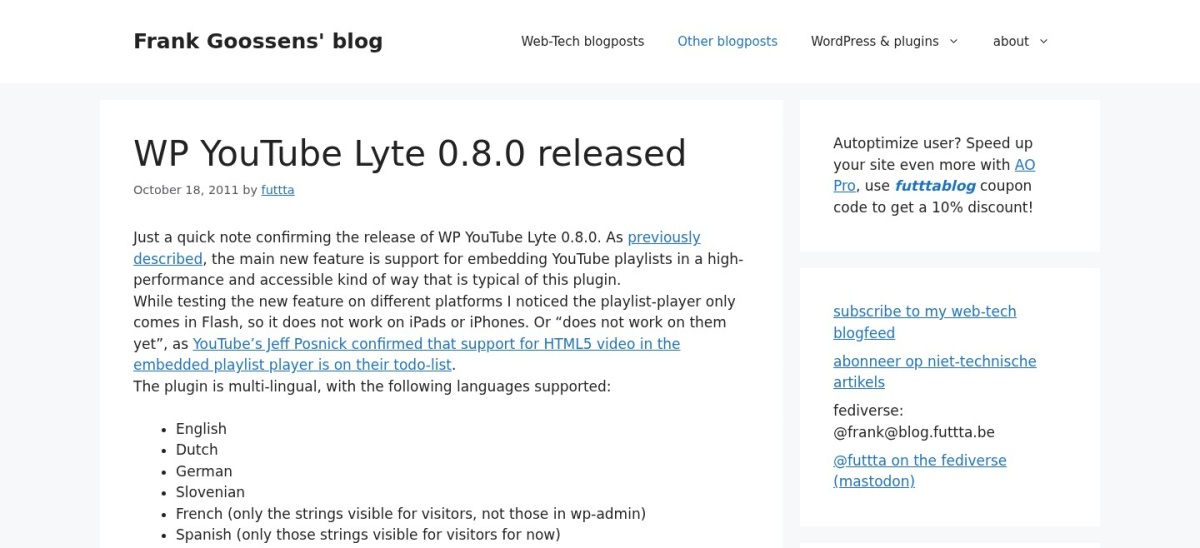
WP YouTube Lyte homepage, captured Nov 2026.
WP YouTube Lyte is a lightweight plugin that lazy-loads YouTube videos, with more than 20,000 active installs and a 4.8 out of 5 rating from 206 reviews. It shows a thumbnail first and loads the video only when a visitor clicks play, so YouTube code does not slow the page.
The trade off is that it does one job only. There is no paid version and no gallery, feed or player styling, so it cannot build a channel page. It suits blogs that embed one or two videos and want the fastest page possible.
4.2/5on WordPress.org (170 reviews, checked Nov 2026)
Paid from€40/yr
Best for responsive embeds from many hosts
Video hostsAlmost every host
Lazy loadingPro only
Privacy modePro, GDPR options
Paid planBudget, €40/yr
nextgenthemes.com
Advanced Responsive Video Embedder homepage, captured Nov 2026.
Advanced Responsive Video Embedder, known as ARVE, makes video embeds responsive on any screen, with more than 20,000 active installs and a 4.2 out of 5 rating from 170 reviews. The free version embeds YouTube, Vimeo and almost every other host that offers an iframe code.
The trade off is price and currency. Budget costs €40 a year for one site, about $47, and lazy loading, GDPR options and sticky videos are Pro features. It suits developers who embed video from many hosts and need clean responsive code.
4.8/5on WordPress.org (63 reviews, checked Nov 2026)
PriceFree
Best for self-hosted video galleries
Free versionYes, fully free
ThumbnailsYes, from your video
Video galleriesYes, popup gallery
Paid planNone, free only
videopack.video
Videopack homepage, captured Nov 2026.
Videopack is a video plugin for self-hosted files, with more than 10,000 active installs and a 4.8 out of 5 rating from 63 reviews. It adds thumbnail generation, multiple resolutions and popup video galleries to videos already in your media library.
The trade off is that it is built for your own files, not YouTube. There is no paid version and no YouTube feed, so it cannot show a channel or playlist. It suits sites that host their own videos and want thumbnails and galleries without a player plugin.
Free versions cover the core job well. Every plugin here embeds YouTube for free, and most build a basic gallery without paying.
Paid plans mostly add layouts, speed and analytics. You get more gallery styles, lazy loading, video SEO and help when something breaks.
Renewal prices are the catch to watch. Feeds for YouTube renews at $98 after a $49 first year, and Presto Player renews at $99 after $69. Budget for year two, not year one.
Common mistakes when adding YouTube videos
Embedding too many videos on one page is the most common mistake. Each embed loads YouTube code, so a page with ten videos needs lazy loading or a facade.
Turning on autoplay is the second. It annoys visitors, uses their data and can hurt your search rankings.
Skipping the API key is the third. Gallery plugins need a free YouTube API key to fetch your videos, and the gallery stays empty without one.
How we chose
We started from every YouTube plugin on WordPress.org with a useful free version and a recent update, then kept the seven that cover feeds, galleries, players and speed.
Prices come from each vendor's pricing page, checked on 22 November 2026. Ratings and install counts come from WordPress.org on the same day. Where a vendor shows a sale, the list shows the regular price.
We left out plugins not updated in the last 12 months and plugins whose paid price could not be confirmed. No vendor paid for a place, and we do not claim hands-on testing for this list.
How to choose a YouTube plugin for WordPress
Start with the job the video has to do, then check the free version before you pay.
List the job the video has to do. A channel feed, a single embed, a gallery and a course player are four different jobs. Match the plugin to the job, not to the longest feature list.
Check the page-speed cost. A plain embed loads YouTube code on every view. Pick a plugin with lazy loading or facades, and test the page after you add the video.
Try the free version first. Every tool here has a free version. Use it for a week before paying, so you know what the paid plan actually adds.
Check the renewal price, not the first year. Feeds for YouTube renews at $98 and Presto Player at $99 a year, both higher than their first-year prices. Budget for year two.
FAQ
What is the best YouTube plugin for WordPress?
Feeds for YouTube is the best overall pick for most sites. It has more than 100,000 active installs and a 4.8 out of 5 rating from 205 reviews, and it builds auto-updating channel and playlist feeds with grid, list and carousel layouts.
Do I need a YouTube API key?
For galleries and channel feeds, yes. EmbedPlus, Feeds for YouTube and similar plugins fetch your videos through the YouTube Data API, which needs a free key from Google. Single-video embeds and WP YouTube Lyte work without one.
Will YouTube embeds slow down my site?
They can. A plain embed loads YouTube scripts on every page view, even before anyone presses play. Lazy-loading plugins such as WP YouTube Lyte and EmbedPlus show a thumbnail first and load the video only on click.
Can I show my whole YouTube channel on WordPress?
Yes. Feeds for YouTube builds a feed from your channel that updates when you publish a new video. EmbedPlus does the same with channel galleries, and both need a YouTube API key to fetch the videos.
Are these YouTube plugins free?
All seven have a free version on WordPress.org. WP YouTube Lyte and Videopack have no paid version at all. The others charge from $49 to $99 a year for extra layouts, analytics and support.
Can I use two YouTube plugins at once?
Avoid it. Two plugins embedding the same videos can load YouTube code twice and conflict on the same page. Pick one for feeds and one for the player only if they do clearly different jobs.