Monday.com is the best work management software with AI workflows for most teams, with AI Sidekick, automations and dashboards, rated 4.7 out of 5 on G2. Pick ClickUp for an all-in-one workspace at $12 a user a month, or Asana for no-code AI Studio workflows.
How we make this list: we compare pricing pages, product documentation and public user reviews, then re-check every price before each update. No product paid for a place. Disclosure.
Monday.com leads on visual boards plus AI Sidekick, with paid plans from $9 per user per month billed annually.
ClickUp packs the most into one workspace, and its Core plan lists at $12 per user per month as the regular price.
Asana AI Studio is the clearest no-code AI workflow builder here, starting at $10.99 per user per month.
Zoho Projects is the cheapest paid plan in this list at $4 per user per month, with Zia AI included.
AI is often metered: check credit limits and expiry before you count on heavy AI use every month.
What AI workflows should do in work management software
AI workflows should take routine work off your list, not add a new dashboard to check. Look for AI that drafts updates, routes tasks, summarises threads and turns a written request into a planned task.
Automations matter as much as the AI itself. A tool that can move a task, notify the owner and update a status when a field changes will save more time than a chatbot alone.
Check what the AI costs beyond the seat price. Some vendors include a credit allowance that expires each month, while others charge per request or per 1,000 credits.
Start with one workflow, such as intake or status updates. Our guide on creating a content calendar shows how teams plan recurring work before they automate it.
The 9 best work management software tools with AI workflows
01
Monday.com
4.7/5on G2 (17,145 reviews, checked Nov 2026)
Paid from$9/mo
Best work management software with AI workflows overall
AI workflowsAI Sidekick and automations
Free planUp to 2 seats, 3 boards
Automation actions250/mo on Standard
Paid planBasic, $9/user/mo
monday.com
Monday.com homepage, captured Nov 2026.
Monday.com is a visual work management platform built on boards, with AI Sidekick, automations and dashboards. The free plan covers up to 2 seats and 3 boards, while paid plans add timeline and Gantt views, guests and automation actions.
The trade off is price. Paid plans start at $9 per user per month billed annually with a 3-seat minimum, and useful automations need Standard at $12, so a small team pays for 3 seats. It suits teams that want a visual board first and AI help second.
What we like
Fast to learn, with boards that are easy to read
AI Sidekick included on paid plans
Large template library and 200+ integrations
Watch out for
3-seat minimum on all paid plans
Automations are capped at 250 a month on Standard
AI credits are metered by plan
Standard adds automations, guests and timeline viewsVisit monday.com
02
ClickUp
4.6/5on G2 (13,719 reviews, checked Nov 2026)
Paid from$12/mo
Best all-in-one workspace with AI
AI featuresClickUp Brain and AI agents
Free planUnlimited tasks and members
Automation actions1,000/mo on Core
Paid planCore, $12/user/mo
clickup.com
ClickUp homepage, captured Nov 2026.
ClickUp is an all-in-one workspace for tasks, docs, whiteboards, goals and time tracking, with ClickUp Brain AI and automations across it. The free plan includes unlimited tasks and members, 60 MB of storage and 100 automation actions a month.
The trade off is price and setup. Core costs $12 per user per month billed annually as the regular price, though the page shows $9 on sale, and the breadth takes time to shape. It suits teams that want one tool for tasks, docs and AI instead of three separate apps.
What we like
Most features in one workspace
Free plan with unlimited tasks and members
1,000 automation actions a month on Core
Watch out for
Learning curve while the workspace is set up
Interface can feel crowded
Advanced AI tiers cost extra
Business adds 10,000 automations and advanced dashboardsVisit clickup.com
03
Asana
4.4/5on G2 (14,048 reviews, checked Nov 2026)
Paid from$10.99/mo
Best for no-code AI Studio workflows
AI workflowsAI Studio and AI Teammates
Free planUp to 2 users
AI credits50,000/mo on Starter
Paid planStarter, $10.99/user/mo
asana.com
Asana homepage, captured Nov 2026.
Asana is a work management platform for projects, tasks and goals, with AI Studio for no-code AI workflows, AI Teammates and an AI assistant called Dash. The free Personal plan covers up to 2 users with unlimited tasks and projects.
The trade off is price. Starter costs $10.99 per user per month billed annually, and AI Studio credits are pooled per account and expire each month, so heavy AI use adds cost. It suits teams that run structured projects and want AI steps inside familiar workflows.
What we like
AI Studio builds workflows without code
Clear task tracking across many projects
Unlimited automations on Starter
Watch out for
AI credits are pooled and expire monthly
Free plan is limited to 2 users
Advanced features need the $24.99 plan
Advanced adds portfolios, goals and time trackingVisit asana.com
04
Notion
4.6/5on G2 (13,876 reviews, checked Nov 2026)
Paid from$10/mo
Best for docs and light project tracking
AI featuresNotion AI and Notion Agent
Free planUnlimited blocks, solo use
AI accessTrial on Free and Plus
Paid planPlus, $10/member/mo
notion.com
Notion homepage, captured Nov 2026.
Notion is a workspace that combines docs, wikis and databases with task tracking, plus Notion AI for writing, summaries and autofill. The free plan covers solo use with databases, forms and a limited AI trial.
The trade off is price. Full Notion AI and Notion Agent sit in Business at $20 per member per month billed annually, so the $10 Plus plan is not the AI plan. It suits teams that live in docs and want light project tracking in the same place.
Smartsheet is a spreadsheet-style work management tool with grids, Gantt charts, dashboards and automated workflows. Its AI features help with formulas, summaries and data work, and Pro covers up to 10 users per account.
The trade off is price. Pro costs $9 per user per month billed annually, but Business at $19 adds the deeper automation and reporting most growing teams need. It suits spreadsheet-friendly teams that manage portfolios of projects.
Wrike is a work management platform with Gantt charts, request forms, proofing, approvals and resource planning. AI Essentials on the Team plan covers content help, comment summaries and board assistance.
The trade off is price. Team costs $10 per user per month billed annually for 2 to 15 users, and the stronger AI agents and resource planning need Business at $25. It suits mid-size teams with approval-heavy work.
Airtable is a spreadsheet-database hybrid for building project trackers, content calendars and client dashboards, with automations and AI agents. The free plan covers up to 5 editors, 1,000 records per base and 500 AI credits per editor.
The trade off is price. Team costs $20 per seat per month billed annually, and outgrowing its 50,000-record cap means a jump to Business at $45. It suits teams that want to build their own trackers around structured data.
Teamwork.com is a project management platform built for client work, with time tracking, budgets, retainers and invoicing from logged time. The free plan covers up to 5 users and 5 projects with time logging.
The trade off is price. Basics costs $9.99 per user per month billed annually with a 3-seat minimum, and workload planning and retainers need Accelerate at $24.99. It suits agencies and services teams that bill by the hour.
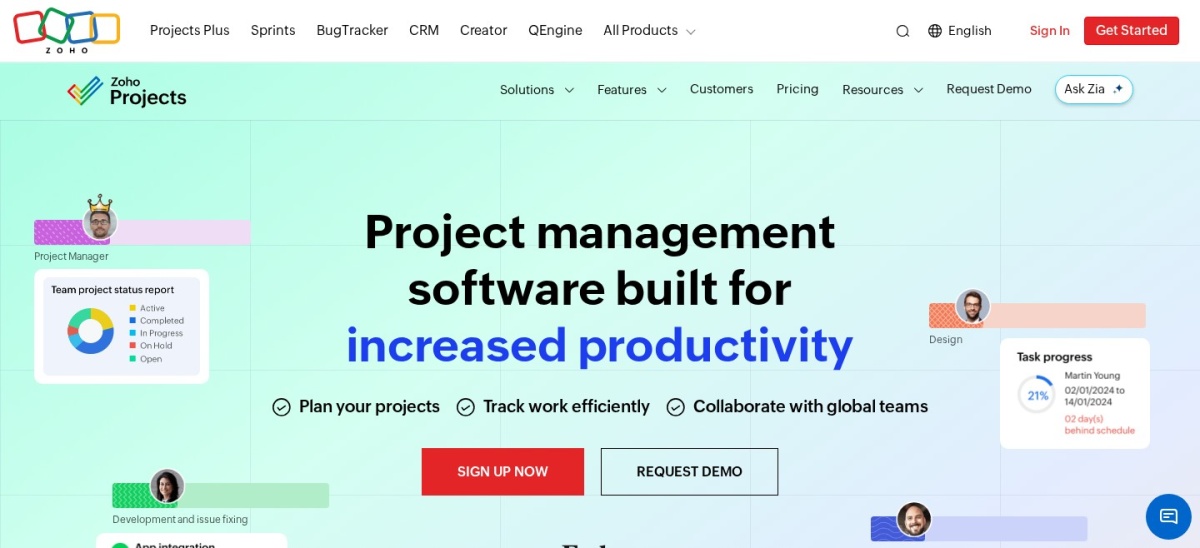
Zoho Projects is a project management tool with task lists, Gantt charts, timesheets, issue tracking and project budgets. Its Zia AI drafts descriptions, summarises updates and turns written requirements into tasks.
The trade off is reach. Premium costs $4 per user per month billed annually, but the interface is busier than Asana or Monday, and portfolios need Enterprise at $9. It suits budget-conscious teams, especially those already using Zoho apps.
Most tools in this list meter AI in some way. Monday.com gives a monthly AI credit allowance per plan, Asana pools AI Studio credits per account, and Airtable and Notion charge credits for custom agents.
Credits that expire each month punish uneven use. A team that automates heavily in one week and rests the next can lose unused allowance.
Ask how much AI a normal month uses before you commit. Start on a paid trial, run your main workflow for two weeks, then check the credit meter before you pay for a year.
How we chose
We started from the established work management tools with named AI features, then kept the nine with a public G2 rating and a published pricing page.
Prices come from each vendor's pricing page, checked on 26 November 2026. Ratings and review counts come from G2 on the same day. Where a vendor shows a sale, the list shows the regular price.
We left out tools with no public rating or no published price. No vendor paid for a place, and we do not claim to have used these tools ourselves.
How to choose work management software with AI workflows
Pick the workflow you want AI to run first, then check the price and limits around it.
Name one workflow to automate. Intake, status updates or approvals are good first picks. A tool that handles that one workflow well beats a tool with a longer feature list.
Check the AI allowance, not just the seat price. Look for monthly credits, per-request charges and expiry rules. See the content calendar guide for how recurring work is planned before it is automated.
Test with a real project, not a demo board. Run the workflow with your own tasks and team for two weeks. Watch the credit meter and the automation caps.
Count the seats you will actually pay for. Minimum seat counts and per-seat pricing change the bill fast. Check who counts as a paid seat and who can be a free viewer or guest.
FAQ
What is the best work management software with AI workflows?
Monday.com is the best pick for most teams, with AI Sidekick, automations and dashboards, rated 4.7 out of 5 on G2. ClickUp is the strongest all-in-one alternative, and Asana suits teams that want no-code AI Studio workflows.
Which work management tool has the best AI?
Asana has the clearest AI workflow builder in AI Studio, which runs no-code AI steps inside projects. Monday.com and ClickUp are close behind, with AI assistants that summarise, draft and route work across boards and tasks.
What is the cheapest work management software with AI?
Zoho Projects is the cheapest paid plan here at $4 per user per month billed annually, with Zia AI included. Monday.com and Smartsheet both start at $9, while ClickUp lists Core at $12 as its regular price.
Do these tools charge extra for AI?
Sometimes. Asana pools AI Studio credits per account, Monday.com gives a monthly AI credit allowance, and Airtable and Notion charge credits for custom agents. Check the allowance and expiry rules before you buy.
Can I use work management software with AI for free?
Yes, most tools here have a free plan, including Monday.com, ClickUp, Asana, Notion, Wrike, Airtable, Teamwork.com and Zoho Projects. Free plans usually limit AI to a trial or a small credit allowance.
Is Monday.com or ClickUp better for AI workflows?
Monday.com is easier to learn and its AI Sidekick sits on visual boards, which suits teams that want fast adoption. ClickUp packs more into one workspace, with docs, goals and time tracking beside its AI, but it takes longer to set up.
SaaS SEO and WordPress specialist with about 8 years of experience. Rakib compares WordPress plugins, themes, hosting and software using public pricing, documentation and user reviews. See how we rank.