Best WooCommerce Request a Quote Plugins in 2026: 7 Tools Compared
WLWPLegible EditorsLast verified 22 Nov 2026How we rank12 min read
★ Short answer
NP Quote Request is the best WooCommerce request a quote plugin for stores that need both quotations and regular checkout, with 8,000+ active installations and a 4.6/5 rating. WPBean is better for inexpensive popup quote forms, while Quotes for WooCommerce suits stores that need quote-to-order workflows.
How we make this list: we compare pricing pages, product documentation and public user reviews, then re-check every price before each update. No product paid for a place. Disclosure.
NP Quote Request has 8,000+ installs and a 4.6/5 rating from 87 reviews; its Plus extension starts at $44.99/year.
WPBean Get a Quote Button has 6,000+ installs and a 5.0/5 rating from 25 reviews; Pro starts at $19.99/year.
Quotes for WooCommerce has 4,000+ installs and a 4.6/5 rating from 61 reviews; Pro costs $79/year.
WISDM Product Enquiry has 10,000+ installs and a 4.1/5 rating from 68 reviews; Pro has a regular price of $99/year.
CatalogX has 5,000+ installs and a 4.2/5 rating from 60 reviews; its Individual plan costs $129/year.
Call for Price has 7,000+ installs and a 3.9/5 rating from 27 reviews; Pro costs $39/year.
What to look for in a WooCommerce request a quote plugin
A WooCommerce request a quote plugin lets customers ask for custom pricing instead of purchasing at a fixed price. This is useful for wholesale orders, manufacturing, custom products, bulk purchases and businesses where the final cost depends on customer requirements.
Start with the quote request workflow. Some plugins add a simple inquiry button that opens a contact form. Others let customers add several products to a quote basket, submit a request, negotiate with the seller and pay after accepting the quotation.
Next, check price visibility and purchasing rules. You may want to hide prices for all visitors, restrict pricing to registered buyers or enable quotations only for selected products. Stores serving retail and wholesale customers often need regular checkout and quotation requests to coexist.
Consider quote management and notifications. A complete workflow should record customer requests, notify administrators, allow custom pricing and provide a way to convert approved quotes into payable WooCommerce orders. PDF quotations, expiration dates and follow-up messages can also be valuable.
Finally, compare regular pricing and compatibility. Check support for variable products, product add-ons, WooCommerce checkout, email delivery and your theme. A lower-priced popup form may be sufficient for simple inquiries, while negotiation-heavy stores need more advanced functionality.
For hiding product prices and encouraging direct inquiries
$39/yr
Free plan
3.9/5
Price ladder: cheapest paid plan per year
List prices, USD, checked Nov 2026
WPBeanFREE$20
Call PriceFREE$39
NP QuoteFREE$45
Product Cat.FREE$79
QuotesFREE$79
WISDMFREE$99
CatalogXFREE$129
The 7 best WooCommerce request a quote plugins
01
NP Quote Request
4.6/5on WordPress.org (87 reviews, checked Nov 2026)
Paid from$44.99/yr
Best overall for flexible WooCommerce quote checkout
Active installs8,000+
Free checkout modesNormal and RFQ
Quote managementWooCommerce Orders
Paid upgradePlus, $44.99/yr
neahplugins.com
NP Quote Request homepage, captured Nov 2026.
NP Quote Request is a WooCommerce quotation plugin with more than 8,000 active installations and a 4.6/5 rating from 87 reviews. Its free version supports normal checkout and request for quote checkout, letting stores accept quotations for selected products or complete shopping carts. Requests appear as WooCommerce orders with dedicated statuses and email notifications.
The trade off is that advanced role restrictions, customer bidding and proposal management require the Plus extension, starting at $44.99/year. Its numerous configuration options can take time to organize. It suits wholesale and mixed retail stores that need quotations without replacing their existing WooCommerce order workflow.
What we like
Free normal checkout and RFQ modes
Quote requests stored as WooCommerce orders
Supports simple and variable products
Customer and administrator email notifications
Affordable paid extension
Watch out for
Advanced role controls require Plus
Many configuration options to review
Proposal and negotiation tools require paid features
Plus adds customer proposals, role-based pricing visibility, bidding and advanced quote management.Visit neahplugins.com
02
WPBean Get a Quote
5/5on WordPress.org (25 reviews, checked Nov 2026)
Paid from$19.99/yr
Best value for popup quote forms and product inquiries
Active installs6,000+
WordPress rating5.0/5
Form integrationsContact Form 7, WPForms
Paid upgradeStarter, $19.99/yr
wpbean.com
WPBean Get a Quote homepage, captured Nov 2026.
WPBean Get a Quote is a WooCommerce inquiry plugin with more than 6,000 active installations and a 5.0/5 rating from 25 reviews. Its free version adds customizable quote buttons to product pages and product grids, opening popup forms through Contact Form 7 or WPForms. Basic multi-product requests, shortcodes and button styling are included.
The trade off is that WPBean relies on an external form plugin and focuses on collecting inquiries rather than managing complete quotation negotiations. Starter costs $19.99/year for one website and adds advanced product rules, cart quote buttons and Elementor integration. It suits smaller stores needing an inexpensive inquiry form instead of a complete quoting platform.
What we like
Lowest paid entry price in this comparison
Free customizable quote buttons
Contact Form 7 and WPForms integration
Supports variable products
Pro includes Elementor integration
Watch out for
Requires a compatible form plugin
Not a complete quote negotiation platform
Advanced product conditions require Pro
Limited built-in quote-to-order management
Pro adds Elementor widgets, advanced button rules, cart inquiries and detailed product data in emails.Visit wpbean.com
03
Quotes for WooCommerce
4.6/5on WordPress.org (61 reviews, checked Nov 2026)
Paid from$79/yr
Best for converting approved quotes into orders
Active installs4,000+
WordPress rating4.6/5
Free price hidingIncluded
Paid upgradePro, $79/yr
woocommerce.com
Quotes for WooCommerce homepage, captured Nov 2026.
Quotes for WooCommerce is a quotation plugin with more than 4,000 active installations and a 4.6/5 rating from 61 reviews. Its free version allows store owners to hide product prices, replace purchasing with quote requests and receive orders without immediate payment. Quote behavior can be controlled through WooCommerce settings and customer roles.
The trade off is that advanced quoting rules, dedicated forms and quote-to-order management require Pro at $79/year. Its free workflow is more limited than the complete paid extension. It suits stores that want customers to request prices before payment and later complete purchases through WooCommerce.
What we like
Free quote-only purchasing workflow
Price hiding for quotation products
User role-based quote options
Pro supports quote-to-order conversion
Maintained WooCommerce integration
Watch out for
Advanced quotation workflows require Pro
Free version has fewer form customization options
Complex product rules need paid features
Pro adds quote forms, product rules, quote approvals and conversion into WooCommerce orders.Visit woocommerce.com
04
WISDM Product Enquiry
4.1/5on WordPress.org (68 reviews, checked Nov 2026)
Paid from$99/yr
Best for product inquiries and custom quotations
Active installs10,000+
Free inquiriesSingle-product
Pro quote cartMulti-product
Paid upgradePro AI, $99/yr
wisdmlabs.com
WISDM Product Enquiry homepage, captured Nov 2026.
WISDM Product Enquiry is a WooCommerce inquiry plugin with more than 10,000 active installations and a 4.1/5 rating from 68 reviews. Its free version adds inquiry buttons to product pages and emails customer questions to store administrators. The paid version provides multi-product quotation requests, custom forms, quote management and PDF proposals.
The trade off is that multi-product quotes and advanced backend management require Pro. The vendor lists Pro AI at a regular $99/year, with a temporary $80 promotional price and an included AI inquiry assistant. It suits businesses selling custom products that need detailed customer requirements before preparing quotations.
What we like
Established WooCommerce product inquiry plugin
Free single-product inquiries
Pro supports multi-product requests
Custom inquiry form builder
PDF quotation and backend reply features
Watch out for
Free version does not provide a complete quote cart
Advanced quote workflows require Pro
Regular paid plan costs more than simpler options
Additional AI features may be unnecessary for basic quoting
Pro AI adds quote carts, PDF proposals, form customization, dashboard management and an AI assistant.Visit wisdmlabs.com
05
CatalogX
4.2/5on WordPress.org (60 reviews, checked Nov 2026)
Paid from$129/yr
Best for catalog-only and wholesale WooCommerce stores
Active installs5,000+
Free catalogUp to 50 products
Quote featuresEnquiries and quotations
Paid upgradeIndividual, $129/yr
catalogx.com
CatalogX homepage, captured Nov 2026.
CatalogX is a WooCommerce catalog and quotation plugin with more than 5,000 active installations and a 4.2/5 rating from 60 reviews. Its free version provides catalog mode, basic quotations, enquiry forms and role-based visibility for up to 50 products. Store owners can hide prices and purchasing buttons while collecting customer inquiries.
The trade off is that advanced quotation management, enquiry carts and broader catalog controls require Pro. Individual costs $129/year for one website, with the vendor also listing a $1 sign-up fee. It suits wholesalers and product catalog businesses that want to combine product enquiries, price visibility rules and quotation requests.
4.7/5on WordPress.org (270 reviews, checked Nov 2026)
Paid from$6.58/mo
Best for catalog quotations without fixed prices
Active installs7,000+
Free catalogIncluded
Quote extensionQuote Cart PRO
Paid entry$6.58/mo
implecode.com
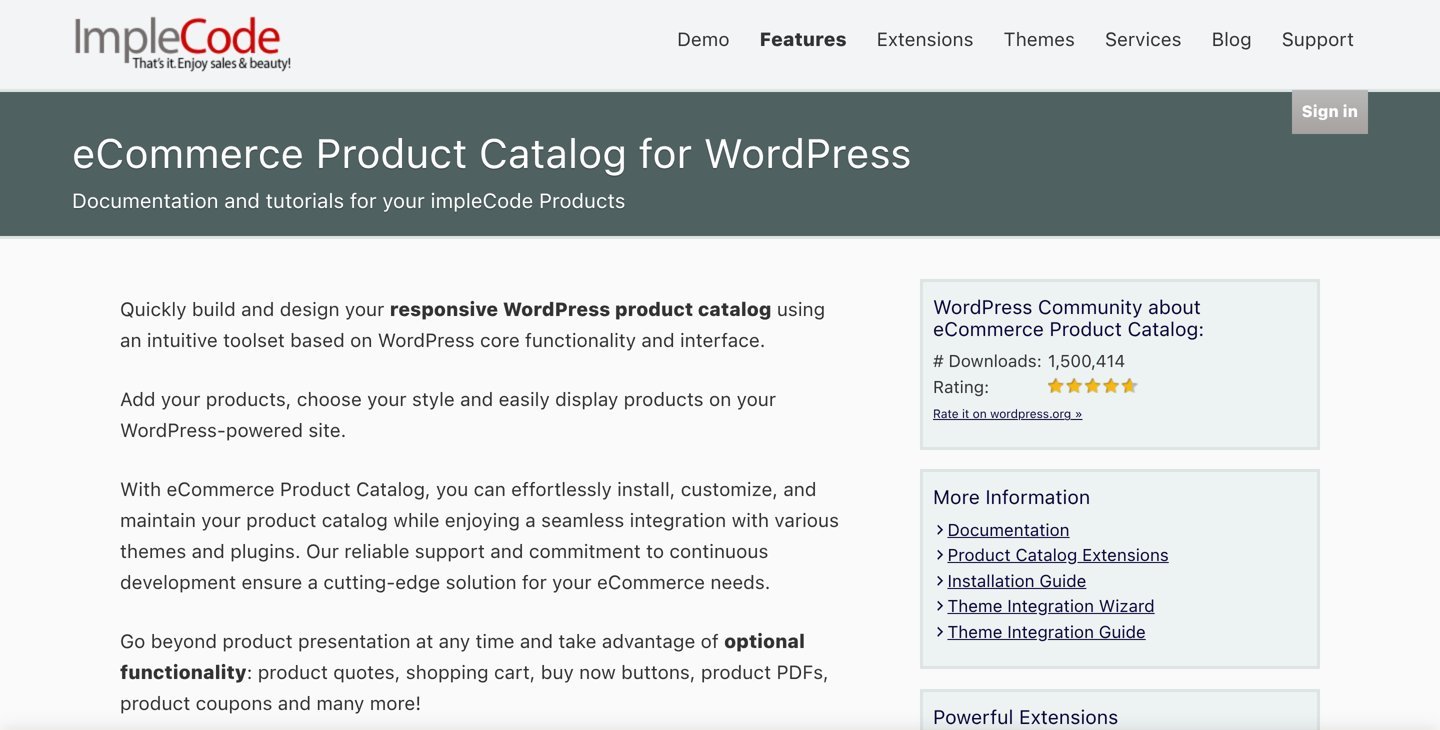
eCommerce Product Catalog homepage, captured Nov 2026.
eCommerce Product Catalog is a WordPress catalog plugin with more than 7,000 active installations and a 4.7/5 rating from 270 reviews. Its free version creates product catalogs with inquiry and quotation possibilities, while the optional Quote Cart PRO extension enables customers to request prices for multiple products. The extension supports customizable forms and products without fixed prices.
The trade off is that Quote Cart PRO is a paid extension and is better suited to catalog-driven selling than a standard WooCommerce checkout replacement. Its published entry price starts at $6.58/month, equivalent to $78.96 annually. It suits businesses that primarily showcase products and collect custom quotation requests.
What we like
Established product catalog plugin
Suitable for products without fixed prices
Multi-product quote cart extension
Customizable quote forms
Can work alongside WooCommerce
Watch out for
Quote Cart PRO requires payment
Catalog-first approach differs from native WooCommerce quoting
May require additional configuration for existing stores
Not the most direct option for quote-to-order workflows
Quote Cart PRO adds multi-product quotes, custom forms, SKU-based additions and payment options.Visit implecode.com
07
Call for Price
3.9/5on WordPress.org (27 reviews, checked Nov 2026)
Paid from$39/yr
Best for hiding product prices and encouraging direct inquiries
Active installs7,000+
Free price hidingIncluded
Contact methodsPhone, email, WhatsApp
Paid upgradePro, $39/yr
tychesoftwares.com
Call for Price homepage, captured Nov 2026.
Call for Price is a WooCommerce pricing visibility plugin from Tyche Softwares, with more than 7,000 active installations and a 3.9/5 rating from 27 reviews. Its free version replaces missing prices with customizable contact messages and can hide purchasing buttons. It supports standard WooCommerce product types and catalog-style selling.
The trade off is that Call for Price is a contact-oriented tool rather than a complete multi-product quote management platform. Pro costs $39/year and adds product-specific rules, user role restrictions, contact forms and direct communication options. It suits stores where customers mainly need to contact a seller for pricing.
What we like
Free product price replacement
Works with standard WooCommerce product types
Supports catalog-style selling
Pro adds multiple contact methods
Affordable annual upgrade
Watch out for
No complete quote negotiation workflow
Lower user rating than several alternatives
Advanced contact rules require Pro
Not designed for multi-product quote baskets
Pro adds role-based rules, custom contact buttons, form integrations and product-specific settings.Visit tychesoftwares.com
Quote request buttons vs complete quotation systems
Not every WooCommerce quote plugin handles the entire sales process. A simple quote button collects customer contact information and product details, while a complete quotation system can manage pricing, negotiations, approvals and payment.
WPBean and Call for Price are suitable when the main objective is encouraging customers to contact the seller. They are relatively inexpensive but do not replace a complete quote management platform.
NP Quote Request and Quotes for WooCommerce offer workflows that work more closely with WooCommerce orders. These are better choices when a customer should receive a customized price and later complete payment through the store.
WISDM Product Enquiry and CatalogX combine inquiry collection with additional quotation features. eCommerce Product Catalog takes a catalog-focused approach through its Quote Cart extension.
Choose based on what should happen after customers submit a request. If the sales team negotiates through email, a basic form may be enough. If quotations must become payable orders, select a plugin that explicitly supports that workflow.
How a WooCommerce B2B quotation workflow should work
A customer begins by selecting products and quantities. Depending on the plugin, they either submit an individual product inquiry or collect several products in a quotation basket.
The quotation form should capture relevant details such as company information, requested quantities, delivery requirements and customization instructions. More complex orders may require product variations or uploaded specifications.
After receiving the request, the store administrator reviews the details, calculates an appropriate price and sends an offer to the customer. Some plugins keep this process inside WooCommerce, while others rely on email communication.
When the customer accepts the offer, a complete quote-to-order system can create or update a WooCommerce order with the agreed price. Payment then follows the store's configured checkout process.
For stores handling repeat wholesale buyers, role-based price visibility and quotation rules can reduce unnecessary requests. Confirm whether these features are included in the free version or require a paid plan.
How we chose
We reviewed established WordPress and WooCommerce plugins offering product inquiries, quotation baskets, catalog pricing controls or quote-to-order workflows. Candidates were selected from WordPress.org listings and official developer documentation, with particular attention to wholesale selling, custom pricing and practical WooCommerce integration.
We opened WordPress.org plugin pages and official vendor pricing pages on 22 Nov 2026. Ratings, review counts and active installations came from WordPress.org. Prices use published regular paid plans rather than promotional discounts, and monthly amounts were annualized for the price ladder.
We excluded plugins closed on WordPress.org, products without recent maintenance and options lacking confirmable regular paid pricing. We also excluded recently launched plugins with insufficient adoption and distinguished simple inquiry buttons from complete quotation platforms. No vendor paid for a place, and we do not claim testing for this list.
How to choose a WooCommerce request a quote plugin
Define how customers should request pricing and how your team will respond before comparing plugin subscriptions.
Choose between inquiries and complete quotations. Use a simple quote button when customers only need to contact your sales team. Choose a complete quotation system when customers must submit multiple products, negotiate prices, approve offers and pay through WooCommerce. NP Quote Request and Quotes for WooCommerce are strong starting points for order-based workflows.
Check product and customer restrictions. Decide whether quotes should be available for every product or only selected categories. Confirm support for variable products, custom options, wholesale users and guest visitors. Stores serving both retail and trade buyers should check that normal checkout remains available.
Compare management features and regular pricing. Review quote statuses, email notifications, custom pricing, approval links and PDF quotation support. WPBean starts at $19.99/year for a basic paid inquiry upgrade, while CatalogX starts at $129/year for broader catalog and quotation features. Choose based on the workflow rather than price alone.
Verify compatibility before launching. Create a backup and review your WooCommerce version, theme, checkout configuration and product extensions. Confirm that product variations, customer details and quoted prices are recorded correctly. Check email delivery and payment handling before allowing customers to submit real quotation requests.
FAQ
What is the best WooCommerce request a quote plugin in 2026?
NP Quote Request is our top choice because it supports quotations alongside regular WooCommerce checkout. It has more than 8,000 active installations and a 4.6/5 rating from 87 reviews. Its free version supports basic quotation workflows, while Plus starts at $44.99/year.
Is there a free WooCommerce request a quote plugin?
Yes. NP Quote Request, WPBean Get a Quote Button, Quotes for WooCommerce and WISDM Product Enquiry all offer free versions. Their capabilities differ: some collect product inquiries, while others support quotation checkout. Review the free features before assuming that negotiation, PDF generation or quote-to-order conversion is included.
Which WooCommerce quote plugin is cheapest?
WPBean Get a Quote Button has the lowest regular paid entry price in this comparison at $19.99/year for one website. Call for Price Pro costs $39/year, while NP Quote Request Plus starts at $44.99/year. These plugins offer different workflows, so compare features before choosing.
Can customers request quotes for multiple WooCommerce products?
Yes. NP Quote Request supports cart-based quotation requests, while Quotes for WooCommerce Pro provides additional quotation workflows. WISDM Product Enquiry Pro and eCommerce Product Catalog's Quote Cart PRO also support multi-product requests. Check whether the feature is available in the free edition or requires payment.
Can I hide WooCommerce prices and show a request a quote button?
Yes. Several plugins support replacing visible prices or purchasing buttons with quotation prompts. CatalogX provides catalog mode, Call for Price replaces pricing with contact messages, and NP Quote Request supports quote-oriented selling. The exact controls for individual products, categories and customer roles vary by plan.
Which plugin is best for WooCommerce wholesale stores?
NP Quote Request is suitable for wholesalers that need quotations and ordinary checkout together. CatalogX is an alternative for catalog-oriented wholesale stores with role-based pricing visibility. WISDM Product Enquiry Pro may fit businesses collecting detailed bulk-order requirements. Compare customer role controls and quotation approvals before selecting.
Can a WooCommerce quote become a regular order?
Yes, when the plugin supports quote-to-order conversion. NP Quote Request uses WooCommerce order statuses and can prepare orders for payment after prices are agreed. Quotes for WooCommerce Pro also supports converting quotation requests into orders. Simpler inquiry-button plugins may require administrators to create orders separately.
Do WooCommerce request a quote plugins support variable products?
Many do, including NP Quote Request, WPBean Get a Quote Button, CatalogX and WISDM Product Enquiry. However, support for variations does not guarantee compatibility with every product configurator or add-on. Confirm that selected attributes, quantities and customization details appear correctly in customer requests.
Do I need a paid plugin to generate PDF quotations?
Not necessarily for every quotation workflow, but PDF generation is often a premium feature. WISDM Product Enquiry Pro includes PDF quotation capabilities, while other plugins may require a separate extension. Confirm whether the generated document includes quantities, taxes, agreed prices and the customer details your business needs.