Camtasia is the best video editing software for training videos, with screen recording, quizzes and SCORM export, rated 4.6 out of 5 on G2 from 1,764 reviews. Pick Synthesia for avatar-led lessons in 140+ languages and Descript when you need to cut long talking-head recordings fast.
How we make this list: we compare pricing pages, product documentation and public user reviews, then re-check every price before each update. No product paid for a place. Disclosure.
Camtasia is the only tool here built around training, with quizzes and SCORM export on its $179.88 a year Essentials plan.
Synthesia and HeyGen replace filming with AI avatars: Synthesia covers 140+ languages and HeyGen 175+.
Descript edits video by editing the transcript, which makes cutting filler from long training recordings fast.
Vyond is the pick for animated scenarios, but SCORM export needs the Enterprise or Agency plan.
Seven of the nine tools have a free plan, but most watermark exports or cap minutes. Paid plans start at $39 a year.
What training video software should do
Most training videos are screen recordings, talking heads or slides with a voiceover. The editor matters less than the workflow: record, cut the pauses, add captions and export in a format your learners can open.
Captions are the first feature to check. They help learners who watch without sound and learners who use a second language, and most tools here add them automatically.
Quizzes and LMS export separate training tools from general editors. Only Camtasia in this list adds quizzes and SCORM export on a plan most teams can buy.
Once a video is finished, it still has to reach learners. Our guide on embedding a video in WordPress shows the options for putting finished training on a site.
The 9 best video editing software tools for training videos
01
Camtasia
4.6/5on G2 (1,764 reviews, checked Nov 2026)
Starts at$39/yr
Best video editing software for training videos overall
Screen recordingYes, up to 4K
Quizzes and SCORMEssentials plan
CaptionsYes, automatic
Cheapest paid planStarter, $39/yr
techsmith.com
Camtasia homepage, captured Nov 2026.
Camtasia is a screen recording and video editing tool built for training, tutorials and software demos. The free download lets you record and edit, and Starter at $39 a year adds Snagit, while Essentials at $179.88 a year removes the watermark and adds quizzes, SCORM export and Audiate text-based editing.
The trade off is the price structure. Starter exports carry a watermark, so the usable plan for published training is Essentials at $179.88 a year, and AI voice and avatars need the higher Create and Pro plans. It suits trainers who record their screen every week and need quizzes and LMS export in one tool.
Synthesia is an avatar video platform that turns a script into a video with a digital presenter. The free Basic plan gives 10 minutes of video a month with 9 avatars, and Starter at $19 a month adds 125+ avatars, downloads, no watermark, AI dubbing and 3 personal avatars.
The trade off is the credit meter. Starter includes 1,250 credits a month, about 12 extra minutes of video, so heavy output needs a higher plan. It suits training, onboarding and explainer teams that publish presenter-led video in several languages.
Descript is a text-based video and audio editor: you cut words from the transcript and the video follows. The free plan gives 1 media hour a month with watermarked exports, and Hobbyist at $24 a month, or $16 a month billed yearly, adds 10 media hours, 400 AI credits, 1080p export and the Underlord AI assistant.
The trade off is the meter. Every AI action spends credits and media hours run out fast on long recordings, so heavy users land on Creator at $35 a month. It suits trainers who record long talking-head lessons and want the fastest route from raw recording to a clean cut.
What we like
Transcript editing is the fastest way to cut filler
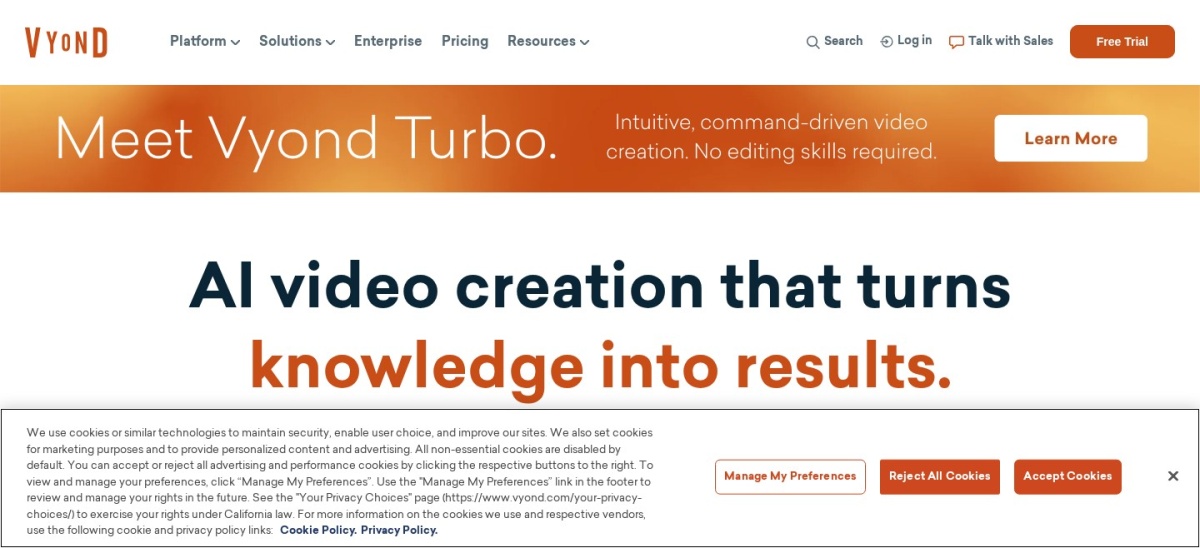
Vyond is a character animation platform for business training, built around animated workplace scenarios. Starter at $58 a month billed yearly, or $99 a month billed monthly, includes AI avatars, 650+ text-to-speech voices, screen and webcam recording and 10,000 AI credits a month.
The trade off is price and LMS export. Starter videos cap at 25 minutes, and SCORM export needs the Enterprise or Agency plan, so LMS teams pay far more than $58 a month. It suits compliance and soft-skills training where animated scenarios work better than a talking head.
VEED is a browser-based video editor that pairs editing with auto captions, translation and templates. The free plan covers basic editing with a watermark, and Lite at $24 a month, or $12 a month billed yearly, removes the watermark and adds 1080p export with a basic AI allowance.
The trade off is the credit layer. AI avatars, dubbing and eye-contact correction need the Pro plan, and heavy AI use spends credits on top of the subscription. It suits teams that edit short captioned training clips in a browser and share them the same day.
What we like
Captions and translation in 125+ languages
No install, works in the browser
Templates speed up repeat lesson formats
Watch out for
Free exports carry a watermark
AI features cost extra credits on top of the plan
Pro adds 4K export, AI avatars and all AI toolsVisit veed.io
06
Loom
4.7/5on G2 (2,415 reviews, checked Nov 2026)
Paid from$15/mo
Best for quick async training clips
Screen and camera recordingYes
Free plan25 videos, 5-minute cap
AI summariesBusiness + AI plan
Cheapest paid planBusiness, $15/mo
loom.com
Loom homepage, captured Nov 2026.
Loom is an async video messaging tool that records your screen, camera or both and shares the result as a link. The free Starter plan allows 25 videos of up to 5 minutes each, and Business at $15 a month billed yearly removes the limits and adds uploads, downloads and 4K recording.
The trade off is depth. Loom is a recorder with light editing, not a full editor, so polished courses still need a second tool for cutting and captions. It suits onboarding and walkthroughs where a quick recorded explanation beats a written doc.
What we like
Fastest record-to-share workflow here
Viewer analytics show who watched
Transcripts in 50+ languages
Watch out for
Free plan caps videos at 5 minutes
Light editing only, no timeline editor
Business + AI adds summaries, chapters and filler removalVisit loom.com
07
HeyGen
4.8/5on G2 (1,973 reviews, checked Nov 2026)
Paid from$29/mo
Best for multilingual avatar presenters
AI avatarsYes, plus personal avatars
Languages175+
Video translationYes
Cheapest paid planCreator, $29/mo
heygen.com
HeyGen homepage, captured Nov 2026.
HeyGen is an AI avatar video platform that turns a script into a presenter-led video. The free plan covers short trial videos, and Creator at $29 a month adds more video minutes, personal avatars, video translation and downloads without a watermark.
The trade off is that avatar video suits presenter-led lessons, not screen demos or animation. It suits global training teams that need the same lesson delivered by a presenter in many languages without re-filming.
Filmora is a desktop video editor for Windows and Mac aimed at beginners. The free version includes the full editor with a watermark on exports, and Basic at $49.99 a year removes the watermark and adds 4K export, 1 GB of cloud storage and 2.9 million creative assets.
The trade off is training-specific depth. There are no quizzes, no SCORM export and no screen-recording workflow like Camtasia, so it edits finished footage rather than running a course. It suits small teams that record elsewhere and need a cheap, capable editor for the cut.
Best free browser editor for simple training video
Auto captionsYes
Free plan1080p export
Stock libraryPremium plan
Cheapest paid planPremium, $11.99/mo
clipchamp.com
Clipchamp homepage, captured Nov 2026.
Clipchamp is a browser video editor from Microsoft, built for quick edits without an install. The free plan covers recording, trimming, auto captions and 1080p export, and Premium at $11.99 a month adds the full stock library, brand kits and 4K export.
The trade off is scale and proof. It has the thinnest review base in this list, only 50 G2 reviews, and no quizzes, SCORM or avatar presenters. It suits simple internal training clips where a free, no-install editor is enough.
Avatar video or screen recording: which fits training?
Screen recording fits software training, because learners need to see the clicks. Camtasia and Loom lead here, and Camtasia adds the quizzes that turn a demo into a lesson.
Avatar video fits policy, onboarding and compliance lessons, where the words matter more than the screen. Synthesia and HeyGen update a lesson by editing text, not re-filming a presenter.
Many teams use both: an avatar video for the intro and the why, then a screen recording for the how. That split keeps each tool on the job it does best.
How we chose
We started from the best-known video editors on G2 and review roundups, then kept nine that cover the three main jobs in training video: screen recording, avatar presenters and general editing.
Prices come from each vendor's pricing page, checked on 26 November 2026. Ratings and review counts come from G2 on the same day. Where a vendor shows a sale or a first-month discount, the list shows the regular price.
We left out tools with no public pricing and tools built for a single narrow job, such as clip cutting alone. No vendor paid for a place, and we do not claim to have used these tools ourselves.
How to choose video editing software for training videos
Start with the format your learners need, then match the tool to it.
Name the format first. Software demos need screen recording, policy lessons need a presenter, and scenarios need animation. The format picks the shortlist.
Check captions and translation. Auto captions are standard here, but translation depth varies from 125+ languages at VEED to 175+ at HeyGen.
Check LMS export before you buy. Only Camtasia adds quizzes and SCORM on a mid-priced plan. Vyond needs Enterprise or Agency for SCORM, which changes the budget.
Start on the free plan. Record one real lesson end to end before paying. The free plan shows whether the editor fits your workflow and whether the watermark is a problem.
FAQ
What is the best video editing software for training videos?
Camtasia is the best pick for most trainers. It combines screen recording with quizzes and SCORM export on its Essentials plan, and it is rated 4.6 out of 5 on G2 from 1,764 reviews.
Can I make training videos without filming myself?
Yes. Synthesia and HeyGen turn a written script into a video with an AI avatar presenter, and Vyond builds animated scenes instead. You update a lesson by editing text, not by re-filming.
Which tools export SCORM for an LMS?
Camtasia exports quizzes and SCORM on its Essentials plan at $179.88 a year. Vyond offers SCORM only on Enterprise and Agency, and none of the other tools in this list export SCORM.
Is there a free video editor for training videos?
Yes. Clipchamp, VEED, Descript, Loom, Synthesia, HeyGen and Filmora all have free plans. Most watermark exports or cap minutes, so check the free limits before building a course on one.
Do training videos need captions?
Yes, captions help learners who watch without sound and learners working in a second language. Every tool in this list adds captions automatically, and VEED and HeyGen translate them into many languages.
What is the cheapest good option for training videos?
Filmora Basic at $49.99 a year is the cheapest full desktop editor here, and Clipchamp Premium at $11.99 a month is the cheapest browser option. For training-specific features, Camtasia Starter starts at $39 a year but exports carry a watermark.
SaaS SEO and WordPress specialist with about 8 years of experience. Rakib compares WordPress plugins, themes, hosting and software using public pricing, documentation and user reviews. See how we rank.