Best Trading Backtesting Software in 2026: 8 Tools Compared
WLWPLegible EditorsLast verified 22 Nov 2026How we rank11 min read
★ Short answer
TradingView is the top trading backtesting software for most traders thanks to its 150,000+ community scripts and $155.40/yr Essential plan. Choose QuantConnect for free unlimited Python or C# backtesting, or TrendSpider for no-code multi-symbol strategy testing.
How we make this list: we compare pricing pages, product documentation and public user reviews, then re-check every price before each update. No product paid for a place. Disclosure.
TradingView Essential starts at $155.40/yr billed annually ($14.95/mo monthly) and unlocks Bar Replay and 10,000 historical bars.
QuantConnect offers unlimited free backtesting in Python or C#, with live Researcher plans starting at $720/yr ($60/mo billed annually).
TrendSpider has no free plan; its Standard tier is $82/mo ($984/yr regular rate) for no-code multi-symbol and variance testing.
NinjaTrader includes free desktop backtesting and Market Replay, while its optional Lifetime license costs $1,499 one-time.
One-time and annual replay platforms like Forex Tester Online ($199/yr regular list price) and ProRealTime ($32/mo) suit manual and European market testing.
What to look for in trading backtesting software
Good backtesting software models realistic execution costs, including commissions, bid-ask spreads, and slippage. Without configurable transaction costs, high-frequency or short-timeframe setups often look profitable in historical simulations and lose money live.
Check how a platform handles lookahead bias and data resolution. Tools that rely on 1-minute OHLC bars rather than tick-by-tick data can miscalculate intrabar stop-loss and take-profit fills during volatile market sessions.
Your coding comfort also narrows the field quickly. Visual rule builders and bar-replay simulators let discretionary traders validate setups without programming, while Python, C#, and Pine Script engines support custom portfolio logic and automated parameter sweeps.
TradingView is a browser and desktop charting platform with an integrated Strategy Tester and Bar Replay mode. Its free Basic plan supports 1 chart per tab, 2 indicators per chart, and daily-or-higher historical data across stocks, futures, forex, and crypto.
The trade off is that free users cannot run intraday Bar Replay and are capped at 5,000 historical bars. Upgrading to Essential costs $155.40/yr billed annually ($14.95/mo monthly), and Deep Backtesting requires Premium at $59.95/mo. It suits chart-focused traders who want quick single-symbol validation.
What we like
Over 150,000 community-built scripts and 400+ built-in indicators
Runs in any browser with synced desktop and mobile apps
Free Basic plan never expires and requires no credit card
Watch out for
Pine Script is designed primarily around single-symbol backtests
Deep Backtesting is locked behind the Premium tier
Real-time exchange data feeds cost extra per market
Essential ($155.40/yr) unlocks 5 indicators per chart, 10,000 bars, and Bar Replay.Visit tradingview.com
02
QuantConnect
3.7/5on Trustpilot (70 reviews, checked Nov 2026)
Paid from$720/yr
Best for Python and C# algorithmic quants
LanguagesPython and C# (LEAN)
Free tierUnlimited cloud backtests
Cheapest paid$60/mo billed yearly
Data resolutionTick, second, minute, daily
quantconnect.com
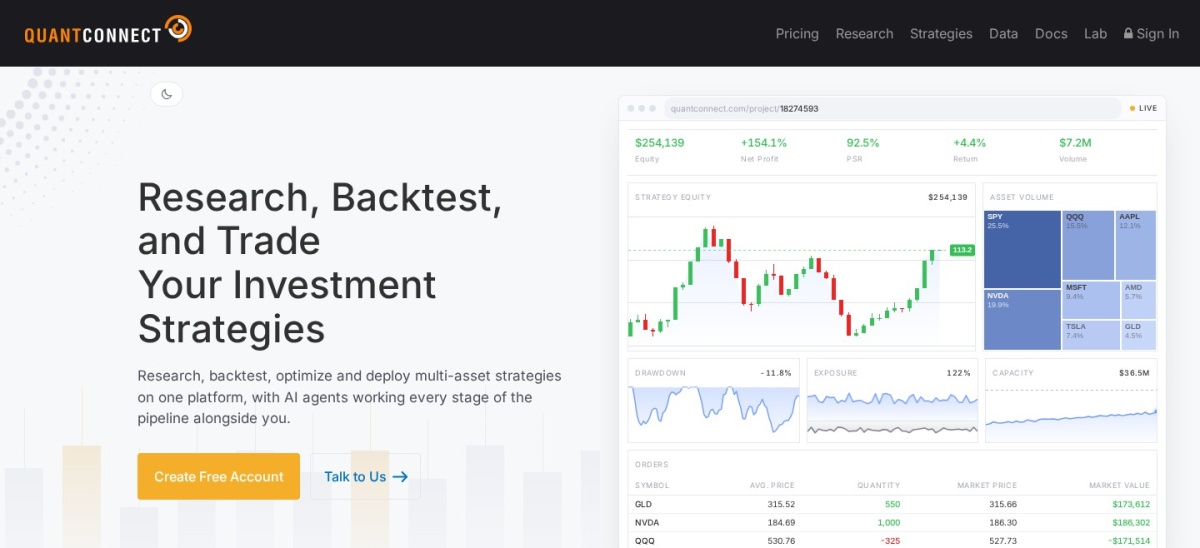
QuantConnect homepage, captured Nov 2026.
QuantConnect is an algorithmic trading platform built on the open-source LEAN engine. Its Free tier includes unlimited cloud backtesting across equities, options, futures, forex, and crypto, complete with Jupyter research notebooks and tick-to-daily historical datasets.
The trade off is that live trading and dedicated compute nodes require a paid subscription, and there is no visual rule builder. The Researcher plan starts at $60/mo billed annually ($720/yr) or $84/mo on monthly billing. It suits quantitative developers who want institutional data depth without managing local servers.
What we like
Unlimited backtesting on the free tier across multiple asset classes
Identical Python or C# code runs in backtests and live brokerages
Includes fundamental corporate data and options chains
Watch out for
Requires proficiency in Python or C# with no no-code mode
Does not connect directly to European stock exchanges
Researcher ($720/yr) adds live trading support, local CLI coding, and up to 2 compute nodes.Visit quantconnect.com
03
TrendSpider
4.9/5on Trustpilot (971 reviews, checked Nov 2026)
Starts at$82/mo
Best for no-code multi-symbol testing
Strategy engineVisual builder + Sidekick AI
Free tierNone ($19 7-day trial)
Regular price$82/mo (Standard)
MarketsStocks, ETFs, options, crypto, FX
trendspider.com
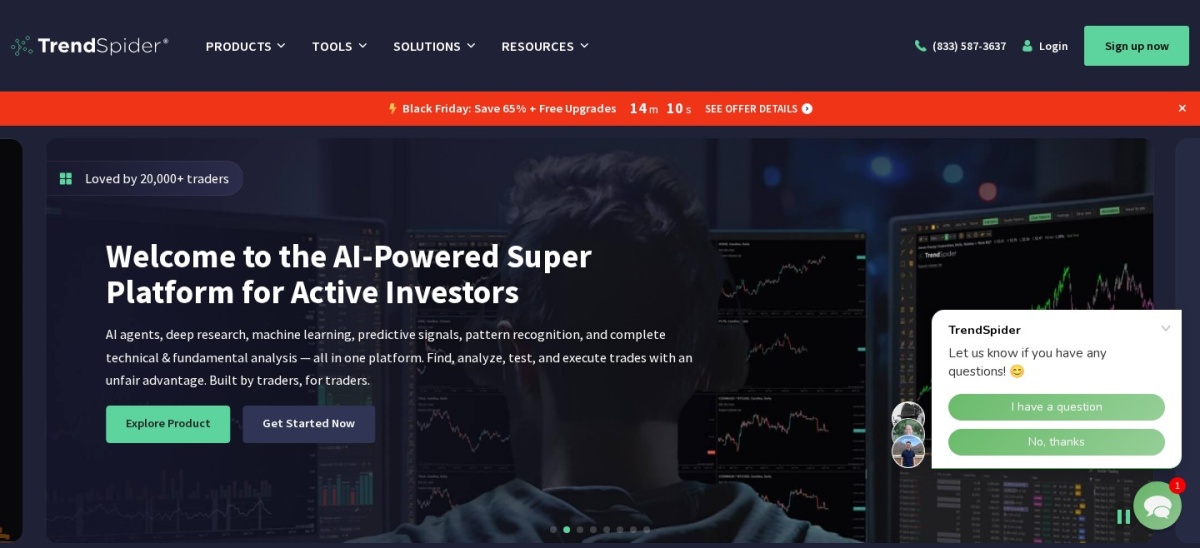
TrendSpider homepage, captured Nov 2026.
TrendSpider is a web-based technical analysis and automation platform featuring a no-code strategy tester, variance testing, and Sidekick AI. Traders can define entry and exit rules visually or in plain English, configure slippage and commission assumptions, and run multi-symbol backtests.
The trade off is the absence of a permanent free plan and a higher starting price than chart-only tools. Its Standard plan carries a regular price of $82/mo ($984/yr), though promotional first-year discounts are frequently advertised on its pricing page. It suits active stock and crypto traders who want automated scanning and bot deployment without coding.
What we like
No-code condition builder with variance testing and CSV export
Includes real-time US equities data for non-professional accounts
Converts passing backtests into automated alerts or trading bots
Watch out for
No free tier; a 7-day Standard trial costs $19
Deeper 20,000-candle backtest depth costs $39/mo extra on Standard
Standard ($82/mo) unlocks visual backtesting, variance testing, and 5 automated orders per month.Visit trendspider.com
04
NinjaTrader
3.8/5on Trustpilot (1,264 reviews, checked Nov 2026)
Paid from$99/mo
Best for US futures tick backtesting
Strategy engineStrategy Analyzer & Replay
Free tier$0 platform fee
Paid tiers$99/mo or $1,499 lifetime
Primary focusUS and global futures
ninjatrader.com
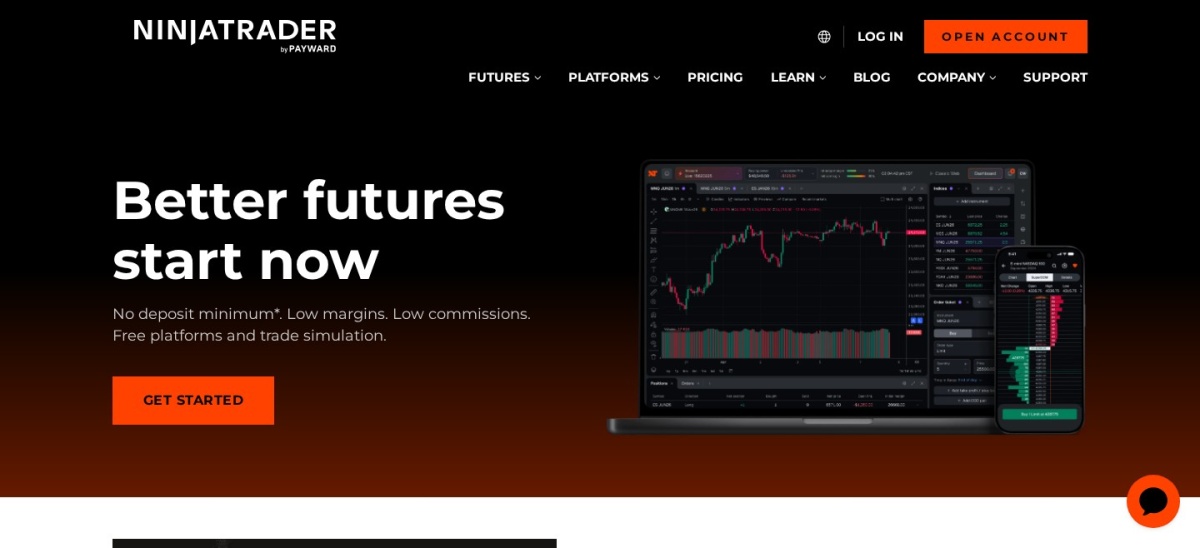
NinjaTrader homepage, captured Nov 2026.
NinjaTrader is a futures trading platform and brokerage whose desktop software includes Strategy Analyzer, Market Replay, and simulated trading at no platform fee. Users can build strategies in C# via NinjaScript or assemble rules with its point-and-click Strategy Builder.
The trade off is that its desktop client is Windows-only, and free users pay higher per-side live futures commissions ($0.39 per micro contract). Paid plans cost $99/mo ($1,188/yr) or $1,499 one-time to lower commissions and bundle the Order Flow+ suite. It suits futures traders who need tick-level playback and optimization.
What we like
Full backtesting, Market Replay, and sim trading are free to use
Supports tick-by-tick playback and multi-objective parameter optimization
Low intraday margin rates starting at $50 for micro futures
Watch out for
Desktop application runs natively on Windows only
Focuses strictly on futures rather than spot stocks or crypto
Monthly ($99/mo) lowers micro commissions to $0.29/side, while Lifetime ($1,499) includes Order Flow+.Visit ninjatrader.com
05
Composer
3.5/5on Trustpilot (28 reviews, checked Nov 2026)
Paid from$10/mo
Best for no-code stock and ETF portfolios
Strategy engineVisual node editor + AI
Free tierStarter ($0, 1 live bot)
Cheapest paid$10/mo (Advanced)
AssetsUS stocks and ETFs
composer.trade
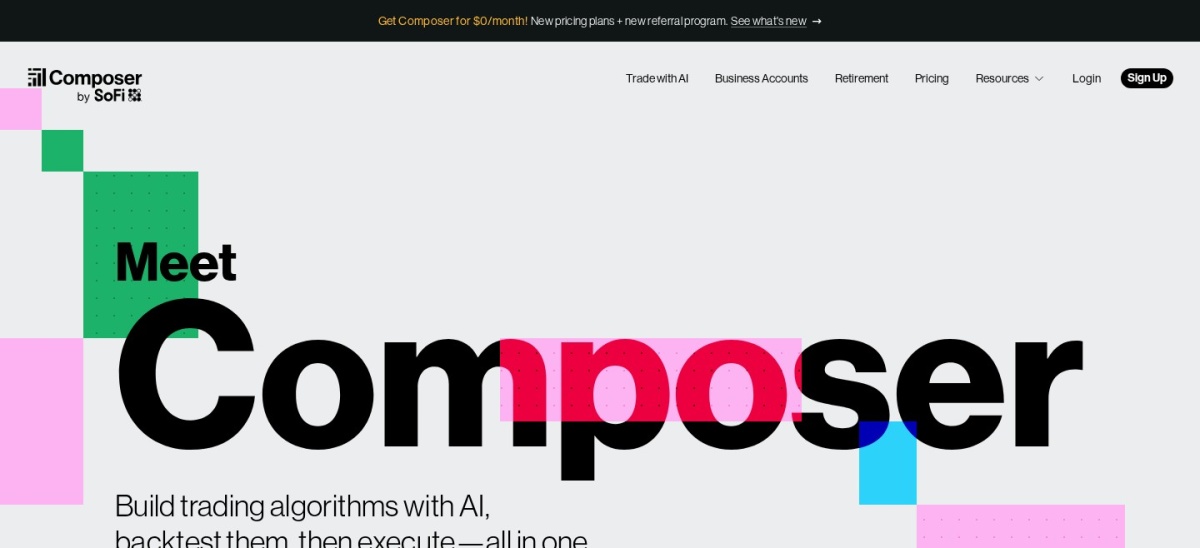
Composer homepage, captured Nov 2026.
Composer is a browser-based algorithmic investing platform that represents trading rules as visual conditional trees called symphonies. Its free Starter tier lets users build and backtest unlimited strategies and automate 1 live strategy up to 200 nodes.
The trade off is that Composer focuses on end-of-day US stock and ETF allocation rather than intraday scalping or forex. The Advanced plan costs $10/mo ($120/yr) to automate up to 5 strategies of 350 nodes each, while Pro is $384/yr billed annually ($40/mo monthly). It suits systematic equity investors who want hands-off rebalancing.
What we like
Unlimited backtesting and 1 automated live strategy on the $0 Starter plan
Clean visual logic blocks with AI-assisted strategy drafting
Low $10/mo entry price for running up to 5 live portfolios
Watch out for
Limited to US equities and ETFs without futures or spot forex
Not built for sub-minute or tick-level intraday execution
Advanced ($10/mo) raises live automation to 5 strategies and expands maximum strategy size to 350 nodes.Visit composer.trade
06
Forex Tester Online
4.5/5on Trustpilot (117 reviews, checked Nov 2026)
Starts at$199/yr
Best for manual multi-chart bar replay
Strategy engineManual replay + Exit Optimizer
Free tierFree browser demo only
Regular price$199/yr (Starter Annual)
Historical dataUp to 23 years of tick data
forextester.com
Forex Tester Online homepage, captured Nov 2026.
Forex Tester Online is a browser-based market simulator built for discretionary replay practice and prop-firm challenge preparation. It includes 95 built-in indicators, an Exit Optimizer, and up to 23 years of tick-level historical data across 293 forex, index, crypto, stock, and commodity symbols.
The trade off is that there is no ongoing free plan beyond its sandbox demo. Starter carries a regular list price of $199/yr (discounted to $139/yr during site promotions), while Pro lists at $299/yr regularly ($179/yr promo) for full symbol access and automated robot testing. It suits manual traders practicing execution speed and risk rules.
What we like
Synchronizes up to 10 charts across timeframes with jump-to-date controls
Simulates variable spreads, swaps, commissions, and prop-firm drawdown rules
Backed by a 30-day money-back guarantee
Watch out for
No permanent free tier for saving long-term replay projects
Automated algorithmic robot testing requires the Pro tier
Starter ($199/yr list price) unlocks 69 core symbols, tick data, and 10,000 monthly AI MCP tokens.Visit forextester.com
07
FX Replay
4.8/5on Trustpilot (673 reviews, checked Nov 2026)
Paid from$180/yr
Best for TradingView-style manual replay
Charting UITradingView-powered web app
Free tier$0 (2 sessions, 50 trades)
Cheapest paid$15/mo billed yearly
JournalingBuilt-in analytics & tags
fxreplay.com
FX Replay homepage, captured Nov 2026.
FX Replay is a web-based manual backtesting and journaling platform built on TradingView charts. Its free tier includes 2 replay sessions, 1 indicator per chart, and up to 50 simulated trades per session so traders can test its workflow before subscribing.
The trade off is that FX Replay focuses on manual bar-by-bar practice rather than automated strategy scripting, and futures, stocks, and 1-second data require the top tier. Intermediate costs $15/mo billed annually ($180/yr) or $17.99/mo monthly, while Pro is $30/mo. It suits discretionary forex traders who want replay and trade analytics in one tab.
What we like
Familiar TradingView charting interface with built-in position sizing tools
Combines manual backtest replay with trade tagging and win-rate analytics
Permanent free tier lets you test 2 sessions without a credit card
Watch out for
No automated code-based backtesting engine for algorithmic bots
Seconds-level data and futures/stocks are restricted to the $30/mo Pro plan
Intermediate ($180/yr) expands session limits, indicators, and trade retention for regular forex practice.Visit fxreplay.com
08
ProRealTime
4.8/5on Trustpilot (1,096 reviews, checked Nov 2026)
Paid from$32/mo
Best for European exchanges and server bots
Strategy engineProBacktest (assisted or code)
Free tierProRealTime Web ($0)
Cheapest paid$32/mo (Complete desktop)
ExecutionServer-side automated trading
prorealtime.com
ProRealTime homepage, captured Nov 2026.
ProRealTime is a charting and algorithmic trading suite with a strong footprint across European and US exchanges. Its ProRealTime Web version is free with no ads, while ProBacktest lets traders create rules via a no-code wizard or ProBuilder scripting and run tick-by-tick simulations.
The trade off is that real-time exchange data feeds cost extra unless offset by active brokerage trading rebates. For standalone users without a partner broker, the Complete desktop license starts at $32/mo ($384/yr), and Premium is $84/mo. It suits European and multi-asset traders who want server-side bot execution.
What we like
Supports both point-and-click strategy creation and custom ProBuilder code
Executes automated strategies server-side even when your computer is off
Free web version and end-of-day desktop access with no advertisements
Watch out for
Real-time exchange subscriptions add $4 to $25/mo per market
Desktop workspace setup has a steeper initial learning curve
Complete ($32/mo) unlocks the downloadable desktop workstation, 50 workspaces, and 100 alerts.Visit prorealtime.com
Automated backtesting vs. manual bar replay
Automated backtesting engines such as QuantConnect, TrendSpider, and TradingView Strategy Tester evaluate coded or visual rules across thousands of historical bars in seconds. They excel at measuring statistical expectancy, maximum drawdown, and parameter sensitivity across large samples.
Manual replay tools such as Forex Tester Online and FX Replay hide future price action and let you place discretionary orders candle by candle. While slower than automated sweeps, replay testing trains pattern recognition and measures whether you can follow your own stop and target rules under simulated pressure.
How we chose
We selected eight established backtesting platforms across algorithmic coding, no-code rule builders, and manual chart replay workflows. Each tool had to maintain active public documentation, clear tier limits, and verifiable user reviews.
All prices, plan allowances, and review ratings were checked directly on vendor pricing pages and public review profiles on 22 Nov 2026. Where platforms offer promotional discounts alongside standard rates, we list the regular non-promotional price in the comparison ladder and note active sales in the text.
We excluded discontinued desktop utilities, unverified signal scripts, and platforms without publicly disclosed regular pricing. No vendor paid for a place, and we do not claim testing for this list.
How to choose trading backtesting software
Match the testing engine to your strategy style, data resolution needs, and budget before committing to an annual plan.
Decide between automated rules and manual replay. Pick an automated backtester if your entries and exits follow strict mathematical rules, or choose a bar-replay simulator if you trade discretionary price action.
Verify historical data depth and resolution. Swing traders testing daily bars can use entry-level tiers, whereas scalpers need tick-by-tick or 1-second data to avoid inaccurate intrabar fill assumptions.
Check total cost including exchange data feeds. Factor in separate real-time market data subscriptions for futures, options, or regional stock exchanges before comparing base software prices.
Test deployment parity before going live. Choose a platform that exports or executes the exact rules you validated so you do not introduce coding bugs when translating a strategy to your broker.
FAQ
What is the best free trading backtesting software?
QuantConnect offers the most comprehensive free automated backtesting, giving Python and C# coders unlimited cloud backtests across stocks, options, futures, forex, and crypto. For no-code stock portfolios, Composer lets you backtest unlimited strategies and automate one live strategy for free.
Can I backtest trading strategies without knowing how to code?
Yes. TrendSpider and Composer provide visual point-and-click rule builders with AI assistance, while FX Replay and Forex Tester Online let discretionary traders test strategies manually using historical bar replay.
Does TradingView include backtesting on its free plan?
TradingView's free Basic plan includes the Pine Script Strategy Tester on daily and higher timeframes up to 5,000 historical bars. However, intraday Bar Replay requires at least the Essential plan ($155.40/yr), and Deep Backtesting requires Premium.
Why do backtest results often differ from live trading?
Backtests frequently overestimate profits when they omit commissions, bid-ask spreads, slippage, or lookahead bias. Overfitting parameters to past market noise also causes strategies to underperform once market conditions shift.
Which backtesting tool is best for futures traders?
NinjaTrader is purpose-built for US futures, offering free desktop backtesting, tick-level Market Replay, and low intraday margins on micro contracts. Traders who prefer browser-based multi-asset testing can also use TradingView or TrendSpider with CME data add-ons.