Best Timekeeping Software for Small Business in 2026: 9 Tools Compared
WLWPLegible EditorsLast verified 24 Nov 2026How we rank8 min read
★ Short answer
Clockify is the best timekeeping software for most small businesses, with a free plan for up to 5 users and Basic at $3.99 per user a month. Pick Buddy Punch for GPS punch clocks on job sites and Homebase for scheduling and payroll in one app.
How we make this list: we compare pricing pages, product documentation and public user reviews, then re-check every price before each update. No product paid for a place. Disclosure.
Clockify is the cheapest way in: free for up to 5 users, then $3.99 per user a month.
Buddy Punch is the highest-rated punch clock here at 4.8 on Capterra, with GPS and photo verification.
Homebase charges $24 per location a month, not per person, so a big crew at one site costs the same as a small one.
Connecteam is free for up to 10 users, but each hub is a separate subscription at $29 a month.
QuickBooks Time needs QuickBooks Online and a $20 monthly base fee before the $10 per user charge.
Harvest's $9 seat price is only part of the bill now: usage fees for projects, clients and invoices sit on top.
What to look for in timekeeping software
Small businesses track time for two reasons: to pay hourly staff correctly, and to bill clients for the hours worked. A punch clock answers the first, a timer with billable rates answers the second, and a few tools do both.
If you bill clients by the hour, tracked time has to become an invoice without retyping. Harvest, Clockify and TimeCamp all turn hours into invoices, and our guide on selling services with WooCommerce covers the same bill-by-the-hour logic for service businesses.
Price shapes differ more than headline rates. Most tools charge per user, but Homebase charges per location and Connecteam charges per hub, so a team of 20 can cost less on a flat plan than on a per-seat plan. Free plans here cover 3, 5 or 10 users, or unlimited users on TimeCamp.
GPS clock-ins matter when staff work away from the office. They stamp each punch with a location and, on some tools, block punches outside a set area. Check the payroll link too: hours should reach payroll or an invoice without a spreadsheet in between.
The 9 best timekeeping software for small business
01
Clockify
4.8/5on Capterra (9,262 reviews, checked Nov 2026)
Paid from$3.99/user/mo
Best timekeeping software overall
Free planUp to 5 users
Cheapest paid planBasic, $3.99/user/mo
GPS trackingPro plan
InvoicingStandard plan
clockify.me
Clockify homepage, captured Nov 2026.
Clockify is a time tracker and timesheet app with a free plan for up to 5 users, unlimited projects and reports. Basic costs $3.99 per user a month on annual billing and adds billable rates, a shared kiosk and bulk editing.
The trade off is that invoicing waits for Standard at $5.49 a month, and GPS tracking waits for Pro at $7.99. It suits small teams that want to start free and pay only for the features they use.
4.8/5on Capterra (1,127 reviews, checked Nov 2026)
Starts at$4.99/user/mo
Best GPS punch clock for hourly teams
Free planNo, 14-day trial
Cheapest paid planStarter, $4.99/user/mo
GPS on punchesYes
Payroll syncQuickBooks, Gusto, ADP
buddypunch.com
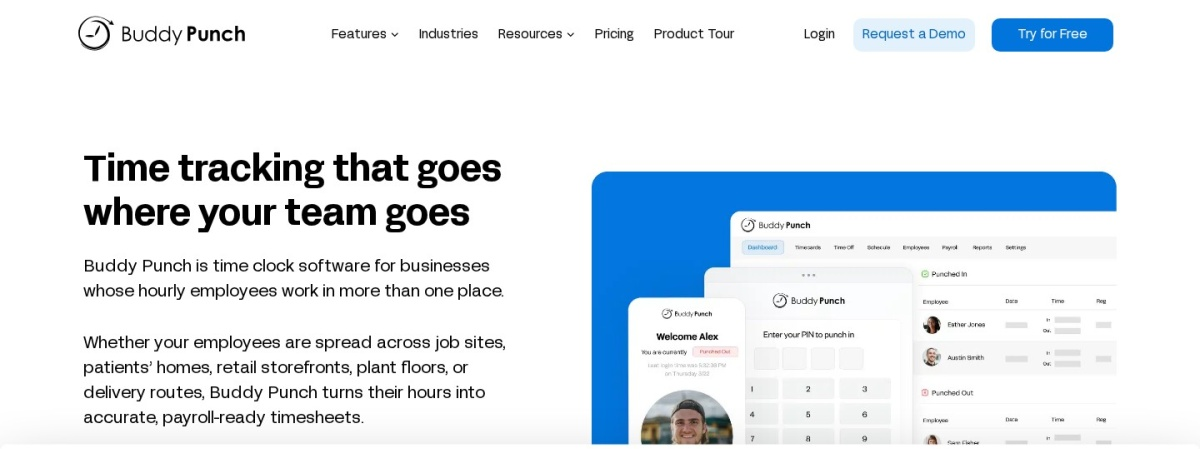
Buddy Punch homepage, captured Nov 2026.
Buddy Punch is a cloud time clock built for hourly staff who work across job sites, shops and homes. Starter costs $4.99 per user a month on annual billing and includes GPS punch locations, photo verification, time off and overtime calculations.
The trade off is the $19 monthly base fee on every plan, which makes it pricey for a team of two or three. Scheduling is a $1 per user add-on on Starter. It suits crews of 5 to 200 hourly workers who need proof of where each punch happened.
4.6/5on Capterra (1,157 reviews, checked Nov 2026)
Paid from$24/location/mo
Best for hourly teams that also schedule
Free plan1 location, up to 10 staff
Cheapest paid planEssentials, $24/location/mo
Payroll add-on$49/mo + $6 per employee
GPS time trackingEssentials plan
joinhomebase.com
Homebase homepage, captured Nov 2026.
Homebase is a scheduling, time clock and payroll app built for hourly teams in shops, restaurants and clinics. The free Basic plan covers one location and up to 10 employees, and Essentials costs $24 per location a month on annual billing with unlimited employees.
The trade off is per-location pricing. A second site needs a second plan, and payroll is a separate add-on at $49 a month plus $6 per employee paid. It suits single-site small businesses that want scheduling, clock-ins and payroll in one app.
4.6/5on Capterra (5,320 reviews, checked Nov 2026)
Paid from$29/mo
Best all-in-one app for deskless teams
Free planUp to 10 users, all hubs
Cheapest paid planOperations Basic, $29/mo
Users coveredFirst 30 per hub
GPS time clockYes, with geofencing
connecteam.com
Connecteam homepage, captured Nov 2026.
Connecteam is an all-in-one app for deskless teams that combines a GPS time clock, scheduling, team chat and HR tools. The Small Business plan is free for up to 10 users with every hub, and Operations Basic costs $29 a month on annual billing for the first 30 users.
The trade off is hub pricing. The time clock, chat and HR tools are separate subscriptions, so all three hubs on Basic cost $87 a month, not $29. It suits field and frontline teams that want clock-ins, schedules and messaging in one mobile app.
4.7/5on Capterra (7,021 reviews, checked Nov 2026)
Starts at$10/user/mo
Best for teams already on QuickBooks
Free planNo, 30-day trial
Cheapest paid planPremium, $10/user/mo
Monthly base fee$20
QuickBooks OnlineRequired
quickbooks.intuit.com
QuickBooks Time homepage, captured Nov 2026.
QuickBooks Time is Intuit's time clock for teams that run payroll in QuickBooks. Premium costs $20 a month plus $10 per user, and includes mobile clock-ins, a time kiosk, scheduling, time off and sync to QuickBooks payroll and invoicing.
The trade off is the base fee and the QuickBooks Online account it requires, which starts at $38 a month. Elite adds geofencing and mileage at $40 plus $12 per user. It suits small businesses whose books already live in QuickBooks.
What we like
Approved hours flow straight into QuickBooks payroll
4.7/5on Capterra (2,590 reviews, checked Nov 2026)
Paid from$9/user/mo
Best simple timer for billable work
Free planUp to 3 users
Cheapest paid planStarter, $9/user/mo
Billable ratesStarter plan
Integrations100+
toggl.com
Toggl Track homepage, captured Nov 2026.
Toggl Track is a timer-first tracker with one-click start and stop on web, desktop, mobile and browser extensions. The free plan covers up to 3 users, and Starter costs $9 per user a month on annual billing with billable rates, project estimates and team reports.
The trade off is that it is a timer, not a punch clock. There is no GPS clock-in, no kiosk and no scheduling, and timesheet approvals wait for Premium at $16. It suits office and agency teams that bill clients by the hour.
What we like
Fastest timer to start in this list
Clean reports with project estimates
100+ integrations
Free plan for up to 3 users
Watch out for
No GPS, kiosk or scheduling
Approvals need the Premium plan
No built-in invoicing
Premium adds approvals, labor costs and profitabilityVisit toggl.com
07
TimeCamp
4.7/5on Capterra (600 reviews, checked Nov 2026)
Paid from$3.99/user/mo
Best free plan for unlimited users
Free planUnlimited users, projects
Cheapest paid planStarter, $3.99/user/mo
AttendanceStarter plan
InvoicingStarter plan
timecamp.com
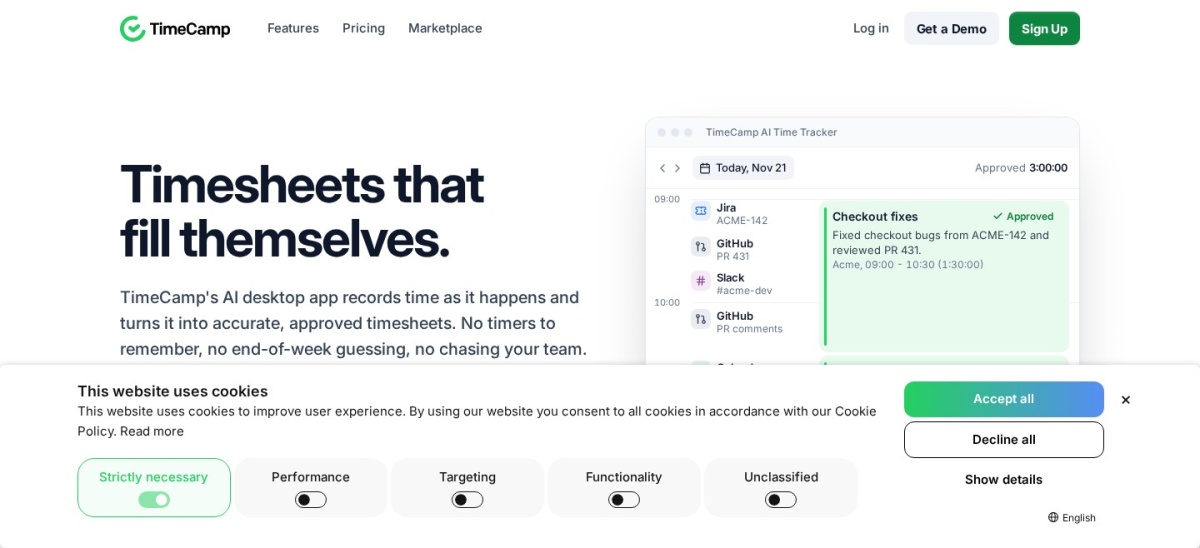
TimeCamp homepage, captured Nov 2026.
TimeCamp is a time tracker with automatic desktop tracking, timesheets, attendance and invoicing. Its free plan covers unlimited users and projects, and Starter costs $3.99 per user a month on annual billing with attendance, time off, overtime and invoicing.
The trade off is that billable rates wait for Premium at $6.99, and approvals and screenshots wait for Ultimate at $9.99. It suits small teams that want a free tracker for everyone and pay only when billing features matter.
Harvest is a time and expense tracker built to end in a client invoice. The free plan covers one seat and two projects, and Teams costs $9 per user a month on annual billing with team reports, expenses and integrations with QuickBooks and Xero.
The trade off is billing. Since 2026 Harvest adds usage fees for active projects, clients, tasks and invoices on top of the seat price, and the rates are not published. It suits freelancers and small agencies that invoice clients for tracked hours.
What we like
Invoicing and expenses built in
Simple timers with project budgets
Syncs with QuickBooks and Xero
Long track record with agencies
Watch out for
Free plan stops at one seat
Usage fees can raise the bill beyond the seat price
4.5/5on Capterra (1,615 reviews, checked Nov 2026)
Starts at$4.99/seat/mo
Best for activity and GPS proof of work
Free planNo, 14-day trial
Cheapest paid planStarter, $4.99/seat/mo
Seat minimum2 seats
Screenshots500 per seat a month
hubstaff.com
Hubstaff homepage, captured Nov 2026.
Hubstaff is a time tracker with activity levels, screenshots and GPS for remote and field teams. Starter costs $4.99 per seat a month on annual billing and includes time tracking, timesheets, activity levels and invoicing for up to 5 clients.
The trade off is the 2-seat minimum, so a solo user pays for two seats, and GPS job sites need the Team plan plus a Locations add-on. It suits managers who need proof of hours for remote or field staff.
What we like
Activity levels and screenshots show how time was spent
Free plans cover the basics well. Six of the nine tools here have one, and TimeCamp's covers unlimited users with no seat cap.
Paid plans mostly add billing and proof. Invoicing, approvals, GPS and screenshots sit on paid tiers in most tools, while timers and timesheets stay free.
Base fees are the hidden cost. Buddy Punch adds $19 a month and QuickBooks Time adds $20, so a team of three pays far more per person than the headline rate suggests.
If you pay hourly staff, the first paid month often costs less than one payroll error. Start on a free plan, then pay for the tier that fixes the gap you actually hit.
How we chose
We started from the timekeeping tools most often recommended for small businesses, then kept the nine with published prices and a free plan or a trial.
Prices come from each vendor's pricing page, checked on 24 November 2026. Ratings and review counts come from Capterra on the same day. Where a vendor shows a sale, the list shows the regular price.
We left out tools that do not publish a price and tools built only for large enterprises. No vendor paid for a place, and we do not claim hands-on testing for this list.
How to choose timekeeping software for a small business
Start with how your team works, then match the tool to the clock-in method, not the feature list.
Decide how staff clock in. A shared kiosk or phone app suits hourly crews, while a desktop timer suits office staff who bill clients.
Check the free plan limits. Count your team first: free plans here cover 3, 5 or 10 users, or unlimited users on TimeCamp.
Price the whole bill, not the headline rate. Add base fees, per-location charges and hub subscriptions. Buddy Punch adds $19 a month and QuickBooks Time adds $20.
Check the payroll and invoice link. Hours should reach payroll or an invoice without retyping. Confirm the sync your business already uses before you buy.
FAQ
What is the best timekeeping software for a small business?
Clockify is the best pick for most small businesses. Its free plan covers up to 5 users with unlimited projects, and Basic costs $3.99 per user a month. It is rated 4.8 out of 5 on Capterra from more than 9,000 reviews.
Is there free timekeeping software for small business?
Yes. TimeCamp is free for unlimited users and projects, Connecteam is free for up to 10 users, Homebase is free for up to 10 employees at one location, and Clockify is free for up to 5 users.
What is the cheapest timekeeping software?
Clockify and TimeCamp both start at $3.99 per user a month on annual billing. Homebase charges $24 per location a month, which can be cheaper than per-user pricing for a large crew at one site.
Do I need GPS tracking in timekeeping software?
Only if staff work away from the office. GPS stamps each punch with a location and can block punches outside a set area. Buddy Punch, Homebase and Connecteam include it; Toggl Track and Harvest do not.
Does QuickBooks Time work without QuickBooks?
No. QuickBooks Time requires a QuickBooks Online account, and Premium costs $20 a month plus $10 per user. If your books live elsewhere, pick a standalone tool such as Clockify or Buddy Punch.
Can timekeeping software replace a paper timesheet?
Yes. Every tool here builds timesheets from clock-ins or timers, and most export them to CSV or send them to payroll. Approve the timesheet each pay period before you run payroll.