TeamGantt is the best software for project scheduling for most small teams, with a drag-and-drop Gantt chart, dependencies and a 4.8/5 rating on G2. GanttPRO is the cheapest dedicated Gantt tool at $7 a month, and Microsoft Project is the pick for large Microsoft-based teams.
How we make this list: we compare pricing pages, product documentation and public user reviews, then re-check every price before each update. No product paid for a place. Disclosure.
TeamGantt leads with a 4.8 out of 5 G2 rating and flat per-account pricing from $59 a month.
GanttPRO is the cheapest dedicated Gantt tool at $7 per user a month, with critical path on every plan.
Microsoft Project Plan 3 at $30 a month adds baselines, critical path and the desktop app. Plan 5 is no longer sold.
monday.com and Asana hide Gantt views behind paid plans, so budget for Standard at $12 or Starter at $10.99.
ClickUp Core lists at $12 a month after a $9 sale price, and its free plan already covers unlimited tasks.
What project scheduling software should cover
A schedule is more than a list of dates. The tool should show tasks on a timeline, link them with dependencies and flag the critical path, so one late task shows its effect on the finish date.
Check what the entry plan actually includes. Some tools put Gantt charts, baselines or workload views on higher tiers, so the cheapest price on the page may not buy the scheduling features you need.
Planning a content calendar has the same shape as planning a project: one shared plan beats five spreadsheets. Our guide on planning a content calendar shows how a single timeline keeps a team aligned.
Free plans suit one small project. Once several people share a schedule, paid plans add unlimited projects, collaborators and the views that keep dates honest.
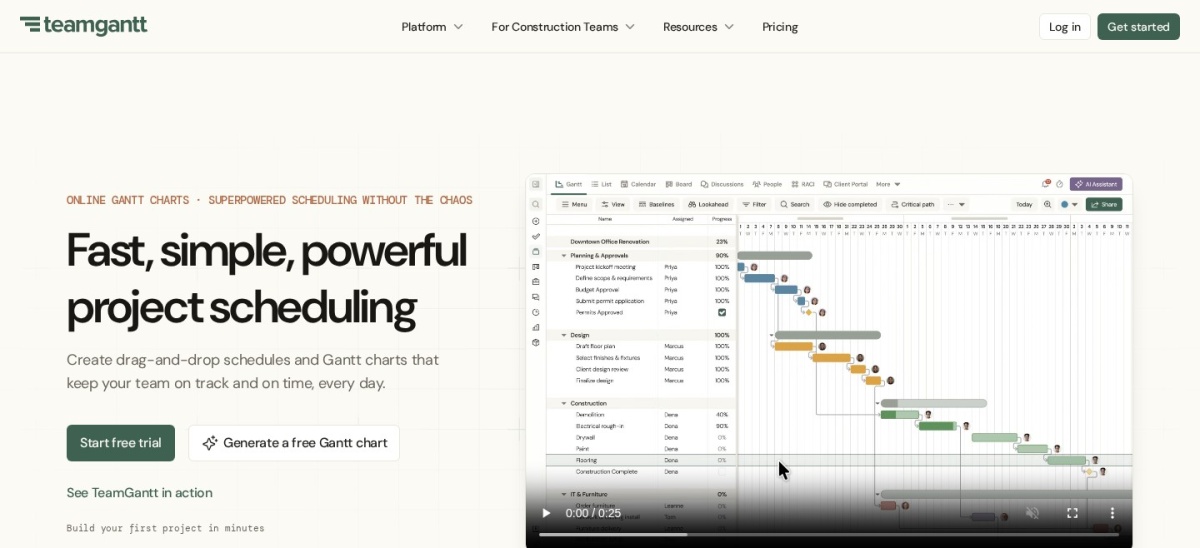
TeamGantt is a scheduling-first tool built around one drag-and-drop Gantt chart. The free Personal plan covers 1 user, 1 project and 40 tasks, while paid plans add unlimited managers and collaborators, baselines, workload views and time tracking. Every paid plan shows the critical path.
The trade off is the price model. TeamGantt charges a flat $59 a month per account for the Base plan, or $589 a year, which is steep for one planner but cheap for a large crew. It suits small teams and construction crews that want one shared schedule without per-seat billing.
What we like
Highest G2 rating in this list at 4.8 out of 5
Flat per-account price, so adding collaborators costs nothing
Critical path, baselines and workload views included
Imports and exports Microsoft Project files
Watch out for
Base plan caps at 5 projects and 150 tasks each
Advanced dependencies and baselines need Business
Flat $59 a month is steep for a single user
Business adds workload, portfolios and time tracking from $120 a monthVisit teamgantt.com
02
GanttPRO
4.8/5on G2 (590 reviews, checked Nov 2026)
Starts at$7/mo
Best dedicated Gantt chart for small teams
Free planNo, 14-day trial
Critical pathYes, all plans
DependenciesYes
Paid planCore, $7/user/mo
ganttpro.com
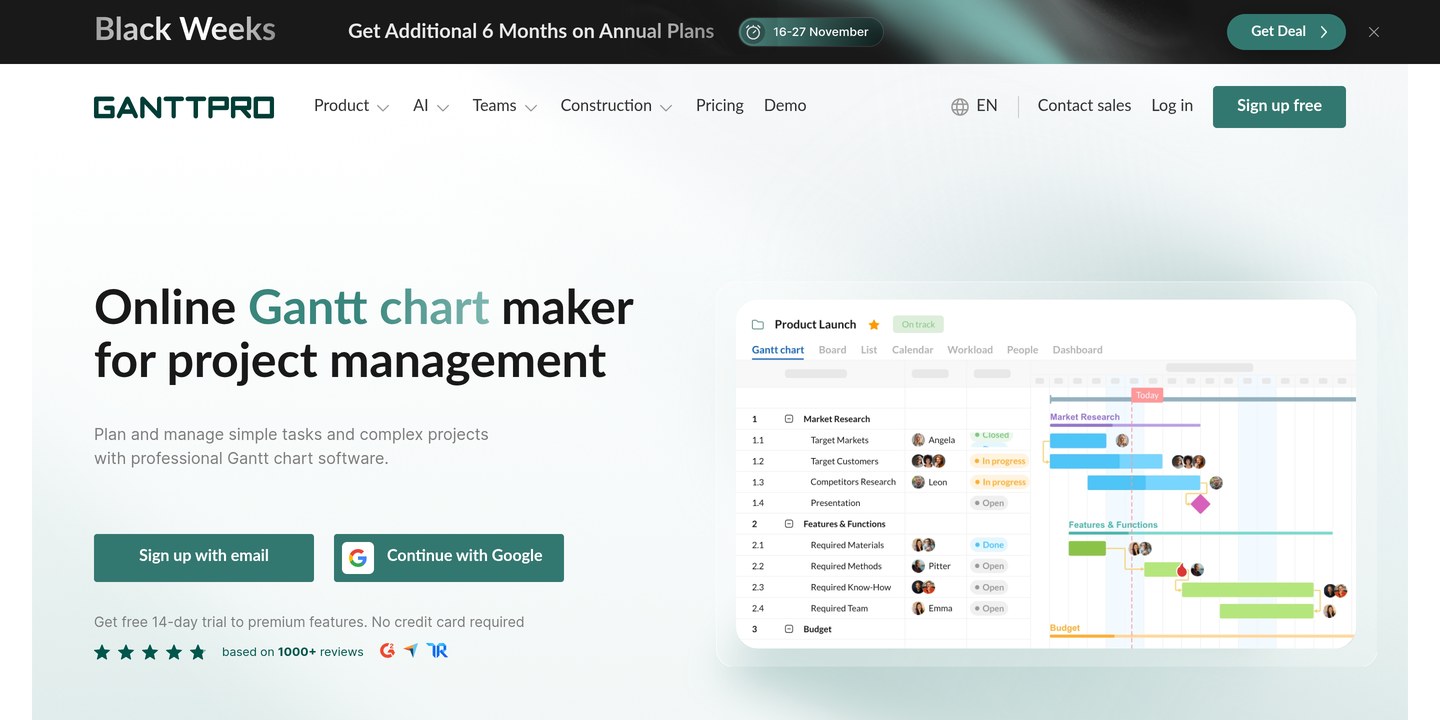
GanttPRO homepage, captured Nov 2026.
GanttPRO is an online Gantt chart maker that opens straight onto a timeline. The Core plan at $7 per user a month billed annually includes auto scheduling, dependencies, milestones, baselines and the critical path, with workload and time tracking on higher plans. More than 1 million project managers use it, according to the vendor.
The trade off is that there is no free plan, only a 14-day trial, and collaboration features are basic next to monday.com or Asana. It suits teams that plan by dates every day and want a simple visual plan at a low per-user price.
What we like
Cheapest dedicated Gantt tool in this list
Critical path and baselines on the cheapest plan
Rated 4.8 out of 5 on G2 from 590 reviews
Auto scheduling moves dependent tasks for you
Watch out for
No free plan, only a 14-day trial
Collaboration and messaging feel basic
Portfolios and workload need the $17 Business plan
Advanced adds custom fields and templates at $10 per user a monthVisit ganttpro.com
03
Microsoft Project
4/5on G2 (1,627 reviews, checked Nov 2026)
Starts at$10/mo
Best classic scheduler for Microsoft shops
Free planNo, 1-month trial
Critical pathYes, Plan 3
Desktop appYes, Plan 3
Paid planPlanner Plan 1, $10/user/mo
microsoft.com
Microsoft Project homepage, captured Nov 2026.
Microsoft Project is the long-running standard for detailed schedules, now sold as Planner plans. Planner Plan 1 costs $10 per user a month and adds a timeline view, dependencies and sprints, while Planner and Project Plan 3 at $30 adds baselines, critical path and the desktop app. It works best inside Microsoft 365.
The trade off is complexity and cost. The desktop app and the features most schedulers need sit on Plan 3 at $30, and Plan 5 is no longer sold to new customers. It suits large teams already on Microsoft 365 that manage portfolios with strict dates.
What we like
Deepest scheduling features in this list
Desktop app with baselines and critical path on Plan 3
Built into Microsoft 365 and Teams
Largest review base for a scheduling-first tool
Watch out for
Lowest G2 rating in this list at 4.0 out of 5
Real scheduling features need Plan 3 at $30
Steep learning curve for new users
Planner and Project Plan 3 adds the desktop app at $30 per user a monthVisit microsoft.com
04
Smartsheet
4.4/5on G2 (23,251 reviews, checked Nov 2026)
Paid from$9/mo
Best spreadsheet-style scheduling
Free planYes, up to 2 seats
Gantt viewYes, all plans
AutomationsYes, from Pro
Paid planPro, $9/member/mo
smartsheet.com
Smartsheet homepage, captured Nov 2026.
Smartsheet is a spreadsheet-style work tool with Gantt, card, calendar and grid views of the same plan. The free plan covers up to 2 seats, and Pro at $9 per member a month billed annually adds Gantt views, automations, dashboards and reports. It is rated 4.4 out of 5 on G2 from more than 23,000 reviews.
The trade off is the seat cap and the price jump. Pro covers 1 to 10 members, and growing past that moves the team to Business at $19 per member a month. It suits teams that think in rows and columns and want a familiar grid behind the schedule.
What we like
Largest G2 review base in this list, over 23,000 reviews
monday.com is a visual work platform built on boards, timelines and dashboards. The free plan covers up to 2 seats, and Basic at $9 per seat a month billed annually adds unlimited items and viewers. Timeline and Gantt views arrive on Standard at $12, with guest access and 250 automation actions a month.
The trade off is that the cheapest plan cannot show a Gantt chart, and paid plans need at least 3 seats. It suits teams that want one colourful board for tasks, dates and owners, with automations that chase overdue work.
What we like
Rated 4.7 out of 5 on G2 from 17,885 reviews
Visual boards, timelines and dashboards
250 automation and integration actions on Standard
Free plan for up to 2 seats
Watch out for
No Gantt or timeline view on the $9 Basic plan
Paid plans need at least 3 seats
Time tracking needs the $19 Pro plan
Standard adds timelines, guests and automations at $12 per seat a monthVisit monday.com
06
ProjectManager.com
4.4/5on G2 (103 reviews, checked Nov 2026)
Starts at$15/mo
Best Gantt plus workload in one place
Free planNo, 30-day trial
Gantt chartYes, all plans
WorkloadYes, Business
Paid planTeam, $15/user/mo
projectmanager.com
ProjectManager.com homepage, captured Nov 2026.
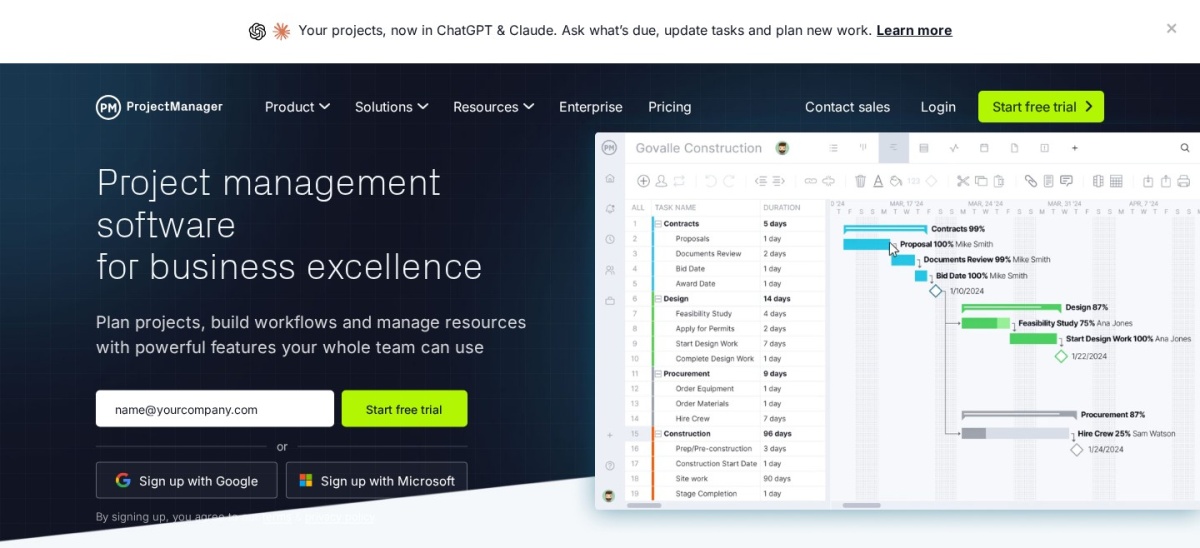
ProjectManager.com is a work management tool with Gantt, list, sheet, board and calendar views of the same project. The Team plan at $15 per user a month billed annually covers up to 10 users and 20 projects, with real-time dashboards and 5 GB of storage. It also imports and exports Microsoft Project files.
The trade off is the thin review base. It holds 4.4 out of 5 on G2, but from only 103 reviews, and workload planning and timesheets need the Business plan at $28. It suits construction and field teams that want Gantt charts plus time tracking in one place.
What we like
Five views of the same project, including Gantt
Real-time dashboards and reporting on every plan
Imports and exports Microsoft Project files
Free guest licences with read-only access
Watch out for
Only 103 G2 reviews, the thinnest base in this list
Wrike is a work management platform with Gantt charts, workload views, time tracking and proofing in one workspace. The free plan covers unlimited users with 200 active tasks, and Team at $10 per user a month billed annually adds interactive Gantt charts, custom workflows and AI features for teams of 2 to 15.
The trade off is the seat model. Team stops at 15 users and seats come in groups of five, so a growing team jumps to Business at $25 per user a month. It suits mid-sized teams running many projects in parallel that will invest time in setup.
What we like
Gantt charts, workload and proofing in one tool
Free plan covers unlimited users
Strong request forms and approvals
Rated 4.2 out of 5 on G2 from 4,539 reviews
Watch out for
Team plan stops at 15 users
Seats sold in groups of five, so small teams overpay
Takes time to learn and set up well
Business adds workload and time tracking at $25 per user a monthVisit wrike.com
08
Asana
4.4/5on G2 (14,048 reviews, checked Nov 2026)
Paid from$10.99/mo
Best for cross-team task schedules
Free planYes, up to 2 users
TimelineYes, Starter
AutomationsUnlimited, Starter
Paid planStarter, $10.99/user/mo
asana.com
Asana homepage, captured Nov 2026.
Asana is a work management platform with list, board, calendar and timeline views for every project. The free Personal plan covers up to 2 users, and Starter at $10.99 per user a month billed annually adds timeline and Gantt views, unlimited automations, custom fields and reporting dashboards. It is rated 4.4 out of 5 on G2 from more than 14,000 reviews.
The trade off is that Gantt views and resource management sit behind paid tiers, and time tracking needs an add-on or a higher plan. It suits cross-functional teams that connect daily tasks to milestones and want a clean, easy interface.
What we like
Clean, easy interface with a large review base
Timeline and Gantt views on Starter
Unlimited automations from the first paid plan
Free guests on paid plans
Watch out for
No timeline or Gantt view on the free plan
No built-in time tracking on Starter
Resource management needs Advanced at $24.99
Advanced adds portfolios and resource management at $24.99 per user a monthVisit asana.com
09
ClickUp
4.6/5on G2 (13,551 reviews, checked Nov 2026)
Paid from$12/mo
Best value all-in-one with Gantt
Free planYes, unlimited tasks
Gantt chartYes, Core
Automations1,000/mo, Core
Paid planCore, $12/user/mo
clickup.com
ClickUp homepage, captured Nov 2026.
ClickUp is an all-in-one workspace with tasks, docs, chat, goals and Gantt charts in one place. The free plan covers unlimited tasks and members, and Core at $12 per user a month billed annually adds unlimited Gantt charts, storage, custom fields and 1,000 automations a month. The page currently shows Core at $9 on sale.
The trade off is setup time. ClickUp is highly customisable, which means a new workspace needs care before the schedule reads clearly. It suits small teams that want to replace several tools with one workspace at a low entry price.
What we like
Most generous free plan in this list
Gantt charts, docs, chat and goals in one workspace
Rated 4.6 out of 5 on G2 from 13,551 reviews
Lowest entry price among the all-in-one tools here
Watch out for
Needs careful setup before it reads clearly
Many features can feel cluttered at first
Advanced dashboards need Business at $17 on sale
Business adds resource management and timesheets, $25 regular, $17 on saleVisit clickup.com
Free vs paid: what you give up
Free plans cover one small project well. TeamGantt, Smartsheet, monday.com, Wrike, Asana and ClickUp all let you start without paying, usually for 1 or 2 people.
Paid plans mostly add projects, seats and views. Gantt charts, baselines, workload views and time tracking often sit on the first or second paid tier, not the free plan.
Watch the plan split. monday.com needs Standard for Gantt views, Asana needs Starter for timelines, and Wrike needs Team for interactive Gantt charts. Price the plan you would actually buy, not the cheapest one on the page.
For a single project with a small crew, a free plan is often enough. For several projects running at once, budget for the paid tier and the seats your planners need.
How we chose
We started from the scheduling tools most often named in Gantt and project management roundups, then kept those with a public rating and published pricing.
Prices come from each vendor's pricing page, checked on 26 November 2026. Ratings and review counts come from G2 on the same day. Where a vendor shows a sale, the list shows the regular price.
We left out tools with no public rating and tools that no longer sell a scheduling plan. No vendor paid for a place, and we do not claim to have used these tools ourselves.
How to choose project scheduling software
Start with how your team actually plans, then match the tool to the schedule, not the other way round.
List the dates that cannot move. If deadlines, dependencies and a critical path decide your plan, pick a Gantt-first tool such as TeamGantt, GanttPRO or Microsoft Project.
Count the people who edit the schedule. Flat per-account pricing suits large crews with few planners, while per-user pricing suits small teams where everyone edits.
Check which tier holds the Gantt view. monday.com needs Standard, Asana needs Starter and Wrike needs Team, so price the tier you would actually buy.
Run a trial on a real project. Import one live project, set dependencies and move a date to see whether the schedule updates cleanly before you pay.
FAQ
What is the best software for project scheduling?
TeamGantt is the best pick for most small teams, with a drag-and-drop Gantt chart, dependencies and a 4.8 out of 5 rating on G2. GanttPRO is the cheapest dedicated Gantt tool, and Microsoft Project suits large Microsoft-based teams.
What is the cheapest project scheduling software?
GanttPRO Core is the cheapest dedicated Gantt tool at $7 per user a month billed annually, with critical path and baselines included. Smartsheet Pro at $9 and ClickUp Core at $12 are low-priced all-in-one options with Gantt views.
Does Microsoft Project still exist in 2026?
Yes, but it is now sold as Planner plans. Planner Plan 1 costs $10 per user a month, and Planner and Project Plan 3 costs $30 and adds baselines, critical path and the desktop app. Plan 5 is no longer sold to new customers.
Do I need a paid plan for Gantt charts?
It depends on the tool. TeamGantt, GanttPRO, Smartsheet and ProjectManager.com include Gantt charts on their entry paid plans, while monday.com needs Standard at $12 and Asana needs Starter at $10.99. ClickUp includes Gantt charts on Core.
What is the difference between scheduling software and project management software?
Scheduling software starts from the timeline, with Gantt charts, dependencies and a critical path. General project management software starts from tasks and boards, and often keeps Gantt views on a paid tier. Pick scheduling-first tools when dates drive the plan.
Can I try these tools for free?
Most of them, yes. TeamGantt, Smartsheet, monday.com, Wrike, Asana and ClickUp have free plans, and GanttPRO, Microsoft Project and ProjectManager.com offer 14-day or 30-day free trials. Free plans usually cap projects, seats or views.
SaaS SEO and WordPress specialist with about 8 years of experience. Rakib compares WordPress plugins, themes, hosting and software using public pricing, documentation and user reviews. See how we rank.