SimScale is the best software for fluid simulation for most teams. It runs CFD in the browser, offers a free Community plan with 2,000 core hours, and holds a 4.6/5 G2 rating from 284 reviews. Pick Ansys Fluent for deep engineering CFD and Houdini for film-quality fluid effects.
How we make this list: we compare pricing pages, product documentation and public user reviews, then re-check every price before each update. No product paid for a place. Disclosure.
SimScale is the only tool here with a free plan for real CFD work: 10 simulations and 2,000 core hours on its Community plan.
Ansys Fluent (4.5/5, 122 reviews) and Simcenter STAR-CCM+ (4.5/5, 231 reviews) are the two deepest engineering solvers, and both are quote-only.
Autodesk CFD is the only engineering CFD tool here with a published price: $7,900 a year, with a 30-day trial.
Houdini Indie costs $299 a year and Blender costs nothing, but both are VFX tools first, not engineering CFD.
Five of the eight tools publish no price, so budget for a sales conversation before you commit.
What fluid simulation software does
Fluid simulation covers two different jobs. Engineers simulate air, water and heat to test a product before it is built. Film and game artists simulate smoke, fire and splashing water to make a shot look real.
The engineering tools in this list solve fluid flow with meshes, turbulence models and heat transfer. The VFX tools at the end solve fluids with particles and volumes, and trade physical accuracy for speed and looks.
Price is the hardest part of this market. Five of the eight tools publish no price and sell by quote, so the ladder below shows Quote for those and the published price where one exists.
When you share renders or result images on the web, sizing images properly keeps pages fast and readable.
SimScale is a cloud simulation platform that runs CFD, FEA and thermal studies in the browser, with no workstation or local install. The free Community plan covers 10 simulations with quantitative results and 2,000 core hours, and paid plans add private projects and more compute.
The trade off is price transparency. Mechanical, Professional and Enterprise plans are all quote-only, so you cannot budget from a price list, and heavy use can add overage charges. It suits small teams and consultants who want serious CFD without buying hardware.
What we like
Runs in the browser, no workstation needed
Free Community plan with 2,000 core hours
Highest G2 rating in this list, 4.6/5 from 284 reviews
CAD links to SOLIDWORKS, Fusion 360 and Onshape
Watch out for
Paid plans are quote-only, with no published price
Ansys Fluent is the reference CFD solver for complex fluid flow and heat transfer, used across aerospace, automotive and energy work. It covers turbulence, multiphase flow, combustion and conjugate heat transfer, with post-processing built into the same workflow.
The trade off is cost and learning curve. Ansys publishes no price and sells by quote, reviewers call it expensive, and the depth of the solver takes time to learn. It suits engineering teams that run demanding simulations and can justify the price.
Simcenter STAR-CCM+ is Siemens' all-in-one CFD platform, with meshing, solving and post-processing in a single environment. It covers multiphase flow, heat transfer, fluid-structure interaction and reacting flows, and supports design exploration across many variants.
The trade off is price and learning curve. Siemens publishes no price, G2 reviewers report a steep learning curve and high licence costs, and G2 lists about 2 months to implement. It suits teams that want one environment for the whole CFD workflow.
What we like
One environment from mesh to results
Rated 4.5/5 from 231 G2 reviews
Wide model range, incl. multiphase and reacting flow
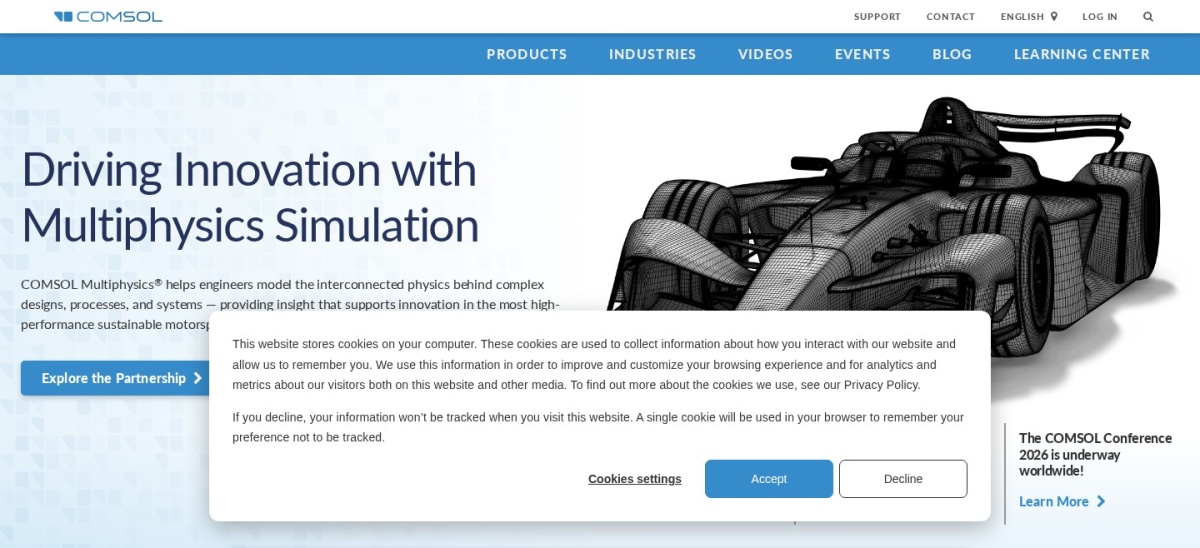
COMSOL Multiphysics is a general simulation platform that couples fluid flow with heat transfer, structural mechanics, electromagnetics and chemical reactions in one model. Its Model Builder gives one workflow from geometry to results, and add-on modules cover CFD and heat transfer.
The trade off is the buying process. COMSOL publishes no price, every licence needs a sales quote, and add-on modules are priced separately, so the total depends on the physics you need. It suits research teams whose problems cross several physics domains at once.
What we like
Couples many physics in one model
Equation-based modelling for custom physics
Application Builder turns models into apps
Free trial to test a real case
Watch out for
No published price, quote only
Modules priced separately, so costs add up
Smaller review base than Fluent or STAR-CCM+
Licences are quote-only, with modules priced separatelyVisit comsol.com
05
Autodesk CFD
4.3/5on G2 (31 reviews, checked Nov 2026)
Starts at$7,900/yr
Best desktop CFD with a published price
Price$7,900/yr subscription
Free option30-day trial
Runs onWindows desktop
InstallsUp to 3 computers
autodesk.com
Autodesk CFD homepage, captured Nov 2026.
Autodesk CFD is a desktop CFD tool for fluid flow and heat transfer in products, electronics and buildings. It simulates liquid and gas flow, free surface movement and thermal impact, and links with Autodesk Inventor and other CAD tools in the same workflow.
The trade off is price for the depth you get. At $7,900 a year it costs far more than Houdini Indie or Blender, and reviewers note it handles complex cases less well than Fluent or STAR-CCM+. It suits Autodesk shops that want CFD beside their CAD work.
What we like
Published price, $7,900 a year
30-day free trial and 30-day returns
Beginner-friendly interface, rated for ease of use
SOLIDWORKS Flow Simulation homepage, captured Nov 2026.
SOLIDWORKS Flow Simulation is a CFD add-in that runs inside SOLIDWORKS, so designers simulate liquid and gas flow without leaving CAD. It covers internal and external flow, conjugate heat transfer and what-if studies on the same model used for design.
The trade off is access and price. It needs a SOLIDWORKS licence, Dassault Systemes publishes no price and sells through resellers, and the HVAC and Electronic Cooling modules cost extra. It suits SOLIDWORKS users who want flow checks inside their design tool.
Houdini is a procedural 3D tool for film, TV and games, and its fluid work is built on Pyro FX for fire and smoke and FLIP fluids for liquids. The Indie licence at $299 a year carries the full FX feature set for studios under the $100,000 revenue cap.
The trade off is learning curve and scope. Houdini is hard to learn, its commercial FX rental costs $3,505 a year, and it is a VFX tool, not an engineering solver. It suits artists who need film-quality smoke, fire and water in a production pipeline.
Blender is a free, open-source 3D suite, and its Mantaflow solver handles liquid, smoke and fire simulation beside modelling, animation and rendering. It costs nothing, runs on Windows, Mac and Linux, and has a large library of free tutorials.
The trade off is depth and learning curve. Its fluid tools are one feature in a broad suite, not a dedicated solver, and reviewers cite a steep learning curve. It suits hobbyists and small studios that want fluid effects without a licence fee.
Engineering CFD tools solve fluid flow against measured physics, so results can feed a design decision. They need meshes, turbulence models and boundary conditions, and they report numbers such as pressure drop and heat transfer.
VFX fluid tools solve for the look. They use particles and volumes to make smoke, fire and water read well on screen, and they trade physical accuracy for speed and art direction.
Pick from the top of this list when a wrong answer costs money. Pick Houdini or Blender when the audience is a viewer, not a test rig.
How we chose
We started from the CFD and VFX tools with public G2 ratings and review counts, then kept eight that cover engineering simulation, VFX fluids and free options.
Prices and ratings were checked on 26 November 2026. Ratings and review counts come from G2 on that day. Where a vendor publishes no price, the list shows Quote. Blender is free, so its price is $0.
We left out tools without a verifiable public rating and review count, including OpenFOAM, which we could not verify on G2 today. No vendor paid for a place, and we do not claim to have used these tools ourselves.
How to choose fluid simulation software
Start with the job the simulation has to do, then match the tool to it.
Decide whether you need engineering answers or pictures. If a design decision depends on the result, use an engineering CFD tool from the top of this list. If the result only needs to look right on screen, a VFX tool is enough.
Check the price model before you fall in love. Five tools here are quote-only, so ask for a full-year quote that includes support and training before you plan a budget around them.
Match the tool to the CAD or pipeline you already use. SOLIDWORKS Flow Simulation fits SOLIDWORKS shops, Autodesk CFD fits Inventor users, and Houdini fits film pipelines. A tool that fits your workflow saves more time than a faster solver.
Try the free option first. SimScale Community, Blender and Houdini Apprentice all cost nothing to start. Run a small case that matches your real work before you pay for a licence.
FAQ
What is the best software for fluid simulation?
SimScale is the best pick for most teams. It runs CFD in the browser, offers a free Community plan with 2,000 core hours, and holds a 4.6/5 G2 rating from 284 reviews. Ansys Fluent leads for deep engineering work, and Houdini leads for film effects.
Is there free fluid simulation software?
Yes. Blender is free and open source, with a Mantaflow solver for liquid, smoke and fire. SimScale offers a free Community plan with 10 simulations and 2,000 core hours, and Houdini Apprentice is free for non-commercial learning.
How much does Ansys Fluent cost?
Ansys publishes no price for Fluent and sells licences by quote, so the cost depends on your modules, seats and support. G2 reviewers describe it as expensive but justified for complex work. Ask Ansys for a quote that covers the full first year.
What is the difference between CFD and VFX fluid simulation?
CFD tools solve fluid flow against measured physics and report numbers such as pressure drop and heat transfer, so they can support a design decision. VFX tools simulate smoke, fire and water to look right on screen, and trade physical accuracy for speed and art direction.
Can Blender simulate fluids?
Yes. Blender includes the Mantaflow solver for liquid, smoke and fire, inside a free 3D suite. It works well for hobbyists and small studios, but it is less deep than Houdini FX and it is not an engineering solver, so do not use it for design decisions.
Do I need a workstation for fluid simulation?
Not always. SimScale runs CFD in the browser, so any computer with a good connection can run a case. Desktop tools such as Fluent, STAR-CCM+ and Houdini need a strong workstation, and large models can demand a lot of memory and CPU time.
SaaS SEO and WordPress specialist with about 8 years of experience. Rakib compares WordPress plugins, themes, hosting and software using public pricing, documentation and user reviews. See how we rank.