Enscape is the best software for architectural visualization for most architects, rendering live inside Revit and SketchUp with VR walkthroughs at $47.90 a month. Pick D5 Render for the best value at $360 a year, Twinmotion if your firm earns under $1 million, and V-Ray for photoreal hero stills.
How we make this list: we compare pricing pages, product documentation and public user reviews, then re-check every price before each update. No product paid for a place. Disclosure.
Enscape leads for architects, rendering live inside Revit and SketchUp at $47.90 a month with 416 G2 reviews.
D5 Render has the highest G2 score here at 4.8 and the cheapest paid real-time seat at $360 a year.
Twinmotion and Blender cost nothing for most small firms, and Unreal Engine is free to download.
V-Ray remains the photorealism standard at $540 a year, while Corona offers simpler photorealism at $414.
Chaos is running a 20% sale in November 2026; this list shows regular prices, not the sale prices.
What to look for in architectural visualization software
Architectural visualization turns a model into images, video and walkthroughs a client can understand before anything is built. The tools in this list all do that job, but they split into two kinds: real-time renderers that show the finished image as you design, and offline renderers that take longer per frame but reach higher photorealism.
Real-time tools such as Enscape, D5 Render, Lumion and Twinmotion suit client meetings, because you can move a wall or change a material and the client sees the result at once. Offline tools such as V-Ray and Corona suit hero marketing stills, where one image has to sell the project.
Walkthroughs and VR are the third thing to weigh. Enscape, Twinmotion and Unreal Engine all let clients walk through a scheme, which is often more persuasive than a set of stills. Our guide on creating a portfolio site with WordPress shows how to present that work once it is rendered.
Hardware decides more than price. Lumion and D5 Render need a strong NVIDIA GPU on Windows, OctaneRender needs CUDA or Apple silicon, and V-Ray and Corona run on CPU alone. Check the GPU in your workstation before paying for any subscription.
List prices in each vendor's currency, checked Nov 2026
BlenderFree
UnrealFree
Lumion$229
OctaneFREE€240
D5 RenderFREE$360
Corona$414
TwinmotionFREE$445
V-Ray$540
Enscape$575
The 9 best software for architectural visualization
01
Enscape
4.6/5on G2 (416 reviews, checked Nov 2026)
Starts at$574.80/yr
Best architectural visualization overall
HostsRevit, SketchUp, Rhino
Assets6,700 included
VRWalkthroughs included
Paid planSolo, $574.80/yr
enscape3d.com
Enscape homepage, captured Nov 2026.
Enscape is a real-time renderer from Chaos that plugs into Revit, SketchUp, Rhino, Archicad and Vectorworks and shows the finished view the moment you move a wall. Solo costs $47.90 a month billed annually and includes 6,700 assets, cloud collaboration and Veras AI.
The trade off is top-end image quality. Enscape is excellent for live design reviews but does not match a tuned V-Ray render for marketing hero shots. It suits architects who present live in client meetings and want no export step.
D5 Render is a real-time renderer for architecture with path tracing, 16K stills and AI tools, and the highest G2 score in this list at 4.8 from 1,109 reviews. The free Community version covers learning and non-commercial work, and Pro costs $360 a year with 16,000+ assets and unlimited AI features.
The trade off is hardware and platform. D5 Render runs on Windows only and needs a dedicated NVIDIA GPU, so Mac-based firms need a separate machine. It suits Windows studios that want the cheapest paid real-time seat without giving up quality.
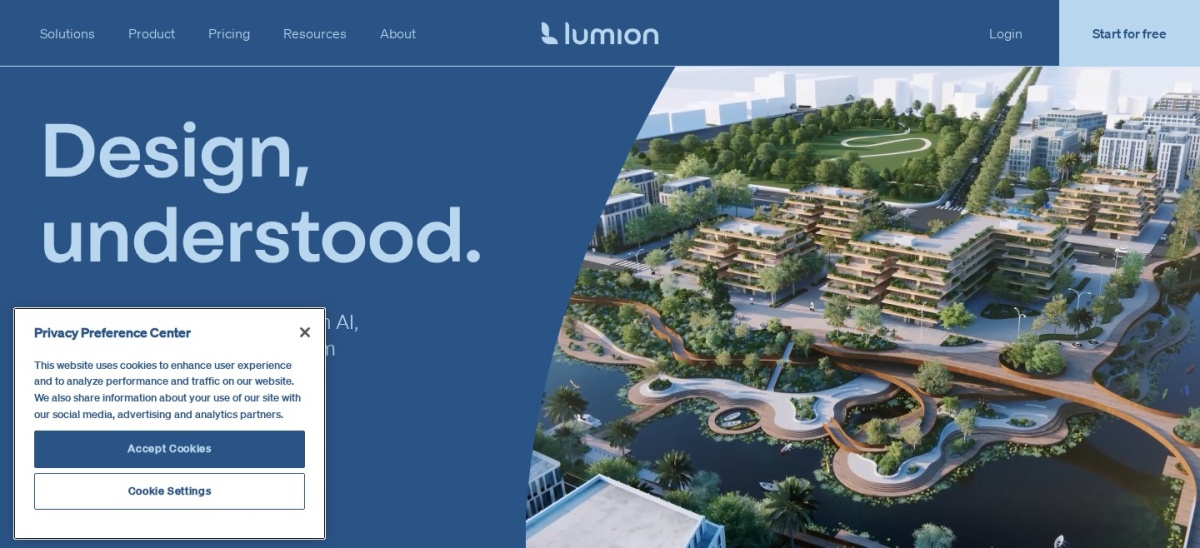
Lumion is a standalone real-time renderer for architects that turns a SketchUp, Revit or Rhino model into finished stills and animations in minutes. Its library of 10,000+ objects and materials dresses scenes fast, and LiveSync keeps the render view updated as you edit. The cheapest paid plan, View, costs $229 a year.
The trade off is price at the top end. Full Pro costs $1,149 a year for a named user, and Lumion runs on Windows only with no Mac version. It suits firms where architects produce their own presentation visuals and bill for the speed.
Twinmotion is Epic Games' real-time visualiser, free for commercial use for individuals and companies under $1 million in annual gross revenue, with no watermark and no feature restrictions. It imports from Revit, SketchUp, Archicad and Rhino and adds landscape, weather, people and animation.
The trade off is the revenue cap and the cloud. Above $1 million, seats cost $445 a year, and Twinmotion Cloud needs a paid seat even under the limit. It suits freelancers and small studios who want professional visualisation for free.
V-Ray is Chaos's offline renderer and the quality ceiling for final-frame photorealism in this list. It plugs into 3ds Max, SketchUp, Rhino, Revit, Cinema 4D and Maya, and renders on CPU, GPU or both. Solo costs $45 a month billed annually and includes up to 15,000 Cosmos assets.
The trade off is time and learning. V-Ray exposes many more settings than real-time tools, so simple scenes take longer to set up and renders take minutes or hours, not seconds. It suits visualisation specialists who produce hero marketing stills and animations.
What we like
Highest photorealism in this list
Works across 8 host applications
CPU or GPU rendering
Huge Cosmos asset library
Watch out for
Steep learning curve
Slow renders vs real-time tools
Needs a host application as well
Premium adds floating licences and cloud renderingVisit chaos.com
06
Corona
4.6/5on G2 (170 reviews, checked Nov 2026)
Starts at$414/yr
Best simple photoreal renderer
Hosts3ds Max, Cinema 4D
RenderCPU only
Trial30 days
Paid planSolo, $414/yr
chaos.com
Corona homepage, captured Nov 2026.
Corona is Chaos's simpler photoreal renderer for 3ds Max and Cinema 4D, with predictable, high-quality output and far fewer settings to learn than V-Ray. Solo costs $34.50 a month billed annually and includes the full engine, up to 15,000 Cosmos assets and a 30-day free trial.
The trade off is scope. Corona covers only 3ds Max and Cinema 4D, runs on CPU only, and has no real-time mode, so it is slower than the real-time tools for client meetings. It suits 3ds Max studios that want beautiful stills without a steep learning curve.
Blender is a free, open-source 3D suite with two built-in render engines: Cycles for path-traced stills and EEVEE for real-time viewport rendering. Every user gets the full feature set with no watermarks, resolution caps or commercial restrictions, plus modelling, animation and compositing tools.
The trade off is the learning curve and the missing asset library. The interface takes time for CAD-trained architects to learn, and there is no bundled catalogue of ready-made furniture and foliage. It suits solo artists and small studios that want full pipeline ownership for free.
OctaneRender is OTOY's GPU spectral path tracer, with fast interactive previews that update the moment you move a light. Studio+ costs €19.99 a month billed yearly and covers the full plugin ecosystem, cloud rendering and network rendering.
The trade off is hardware and currency. OctaneRender needs a CUDA NVIDIA card on Windows and Linux or Apple silicon on Mac, and it bills in euros, so the dollar cost moves with exchange rates. It suits artists who already own a strong GPU.
Unreal Engine is Epic Games' free real-time engine, and the most capable tool here for interactive walkthroughs and VR presentations. Lumen lighting and Nanite geometry produce detailed scenes that clients can explore freely instead of watching a fixed video. It is free to download and use.
The trade off is effort. Unreal Engine is a game engine first, so building a polished architectural walkthrough takes more setup than a dedicated visualiser such as Twinmotion. It suits studios that want fully interactive client presentations and have the time to build them.
Real-time renderers update the image as you move the camera, so they fit design reviews and client meetings. Offline renderers calculate light bounces one frame at a time, so they fit final marketing images.
Most firms end up with one of each. A real-time tool handles the weekly client meeting, and an offline tool produces the hero stills for the brochure and the website.
Budget for the host app too. V-Ray, Corona and Enscape all plug into modelling software you must already licence, while Lumion, D5 Render, Twinmotion and Blender are standalone.
How we chose
We started from the renderers architects actually use for client presentations: real-time tools for live walkthroughs, offline tools for hero stills, and free engines for small firms. Every tool here has a public rating and a published price.
Prices come from each vendor's pricing page, checked on 26 November 2026. Ratings and review counts come from G2 on the same day. Chaos was running a 20% sale on its annual plans in November 2026, and this list shows regular prices, not sale prices.
We left out modelling-only tools with no rendering engine, and product-only renderers that do not handle buildings. No vendor paid for a place, and we do not claim to have used these tools ourselves.
How to choose architectural visualization software
Start with how you present, then match the tool to the meeting.
Decide how you present. If clients sit beside you, pick a real-time tool such as Enscape or Twinmotion. If you deliver stills by email, an offline renderer such as V-Ray or Corona fits better.
Check your hardware first. Real-time tools need a strong GPU, and most run on Windows only. V-Ray and Corona run on CPU alone, and Blender runs on Windows, macOS and Linux.
Price the whole seat, not the headline. Add the host app licence for plugins, and remember subscriptions renew every year. Free tools such as Blender and Twinmotion keep that total at zero for small firms.
Try the free tier before paying. Twinmotion, D5 Render, Blender and Unreal Engine all cost nothing to start with, and the paid tools offer trials. Render one of your own projects before committing to a year.
FAQ
What is the best software for architectural visualization?
Enscape is the best pick for most architects. It renders live inside Revit, SketchUp, Rhino, Archicad and Vectorworks, includes VR walkthroughs, and costs $47.90 a month billed annually, with a 4.6 out of 5 rating on G2 from 416 reviews.
What is the cheapest architectural visualization software?
Blender and Twinmotion are the cheapest, because both are free for most users. Blender is fully free with no commercial restrictions, while Twinmotion is free for individuals and firms earning under $1 million a year. D5 Render Pro is the cheapest paid real-time seat at $360 a year.
Is Lumion or Enscape better for architects?
Enscape is better for live design reviews, because it renders inside your CAD tool and updates as you edit. Lumion is better for polished presentations and animation, because its asset library dresses a scene fast. Enscape costs $574.80 a year and Lumion Pro costs $1,149 a year.
Do I need a powerful GPU for architectural visualization?
It depends on the tool. Real-time renderers such as Lumion, D5 Render and OctaneRender need a strong dedicated GPU, while V-Ray and Corona render on the CPU alone. Blender and Twinmotion run on a wider range of hardware, including Macs.
Can I use architectural visualization software for free?
Yes. Blender is completely free, Twinmotion is free under $1 million in revenue, D5 Render has a free Community version for non-commercial work, and Unreal Engine is free to download. The paid tools in this list offer free trials of 14 to 30 days.
What is the difference between real-time and offline rendering?
Real-time rendering shows the finished image as you work, which suits client meetings and walkthroughs. Offline rendering calculates each frame slowly for higher photorealism, which suits hero marketing stills. Most firms use one of each.
SaaS SEO and WordPress specialist with about 8 years of experience. Rakib compares WordPress plugins, themes, hosting and software using public pricing, documentation and user reviews. See how we rank.