WLWPLegible EditorsLast verified 22 Nov 2026How we rank6 min read
★ Short answer
WordPress.org is the top choice for SEO blogs because it gives complete control over URLs, sitemaps, schema markup, and performance plugins. Ghost suits fast independent publications with built-in SEO defaults, while Webflow fits design-led teams wanting visual control and structured content collections.
How we make this list: we compare pricing pages, product documentation and public user reviews, then re-check every price before each update. No product paid for a place. Disclosure.
WordPress.org holds a 4.4/5 rating across 9,559 G2 reviews and gives full technical control over SEO structure.
Hashnode offers a free tier with custom-domain support on its $5/mo Pro plan ($60/yr).
Ghost(Pro) starts at $15/mo on annual billing ($180/yr) with clean publishing and newsletter defaults.
Webflow starts at $15/mo on Basic ($180/yr) and $25/mo on Premium ($300/yr) with CMS collections.
Wix Light starts at $17/mo on annual billing ($204/yr) with guided setup and built-in SEO settings.
What to look for in an SEO blog platform
An SEO blog platform shapes technical defaults every time you publish. Clean URL structures, automatic XML sitemaps, canonical tag controls, and structured data help search engines crawl and index posts without manual workarounds.
Page speed and mobile layout stability also matter once your site grows. Heavy scripts, unoptimized images, or rigid templates can slow down page rendering and complicate technical maintenance over time.
Consider whether you want a self-hosted or open-source stack with full extensibility, or a hosted builder that bundles hosting, security, and updates into one bill. Hosted tools reduce maintenance overhead, though some restrict custom code or subdirectory hosting.
Finally, check how the platform handles growth features like custom domains, RSS feeds, redirects, and content organization. A clear hierarchy of categories, tags, and collections keeps large archives easy to navigate for readers and search crawlers.
For newsletter-driven blogs with growth and ad tools
$49/mo
Free plan
4.5/5
Price ladder: cheapest paid plan per year
List prices, USD, checked Nov 2026
WordPressFree
HashnodeFREE$60
Ghost$180
WebflowFREE$180
WixFREE$204
Squarespace$228
beehiivFREE$588
The 7 best seo blog platform
01
WordPress.org
4.4/5on G2 (9,559 reviews, checked Nov 2026)
PriceFree
Best for full technical SEO control and customization
LicenseFree open-source software
G2 Rating4.4/5 (9,559 reviews)
HostingSelf-hosted (separate cost)
ExtensibilityThemes and plugins
wordpress.org
WordPress.org homepage, captured Nov 2026.
WordPress.org is free, open-source publishing software that lets you control permalinks, templates, structured data, and SEO plugins without platform lock-in. You can add dedicated SEO and caching plugins to manage sitemaps, redirects, and metadata across large content libraries.
The trade off is that WordPress.org software is free at $0, while you pay separately for hosting, a domain name, and ongoing updates or maintenance. It suits publishers and marketing teams that want maximum technical ownership over their blog.
What we like
Complete control over URLs, templates, and SEO plugins
No software licensing fees or platform lock-in
Large ecosystem for schema, redirects, and performance
Watch out for
Requires separate web hosting and domain setup
Ongoing plugin, theme, and core updates need management
Software is free; hosting, domain, and optional premium plugins or themes are separate.Visit wordpress.org
02
Ghost
4/5on G2 (40 reviews, checked Nov 2026)
Starts at$15/mo
Best for fast independent blogs and built-in newsletters
Entry PlanStarter at $15/mo yearly
G2 Rating4.0/5 (40 reviews)
Member CapUp to 1,000 members on Starter
Platform Fee0% on Ghost(Pro) subscriptions
ghost.org
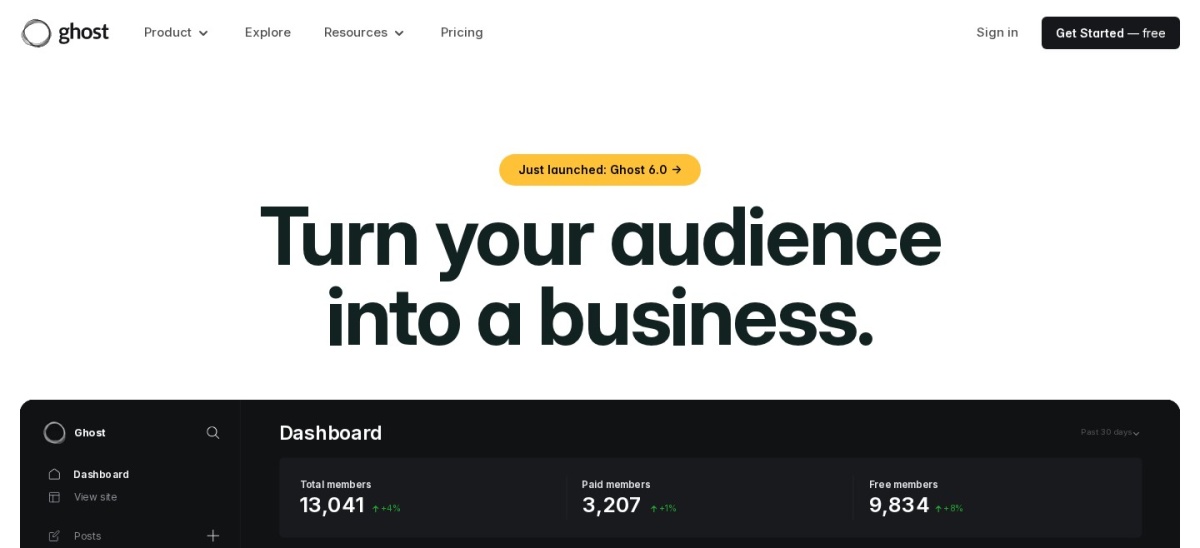
Ghost homepage, captured Nov 2026.
Ghost is a publishing platform built around articles, email newsletters, and memberships, with Starter priced at $15/mo on annual billing ($180/yr). It includes built-in metadata controls, RSS feeds, a custom domain, and support for up to 1,000 members on the entry plan.
The trade off is that Ghost(Pro) has no permanent free tier after its trial and costs $180/yr on Starter, while custom themes and paid memberships require higher tiers. It suits independent writers and publications that want speed and newsletters in one place.
What we like
Clean publishing workflow with built-in SEO metadata and RSS
Combines blog posts, newsletters, and member management
0% Ghost platform fee on paid subscriptions
Watch out for
Starter caps at 1,000 members and restricts custom themes
Subdirectory hosting add-on is only available on Business
Starter ($15/mo yearly) includes custom domain and 1,000 members; Publisher ($29/mo yearly) adds paid subscriptions and custom themes.Visit ghost.org
03
Hashnode
4.5/5on G2 (40 reviews, checked Nov 2026)
Paid from$5/mo
Best low-cost hosted blog with Markdown and custom domains
Free Plan$0 with unlimited articles
Entry Paid PlanPro at $5/mo ($50/yr or $60/yr)
EditorMarkdown-first with export
Custom DomainIncluded on Pro with SSL
hashnode.com
Hashnode homepage, captured Nov 2026.
Hashnode is a hosted blogging platform with a $0 free plan for unlimited articles and a Pro plan starting at $5/mo. The free tier includes a hosted blog and Markdown export, while Pro adds your own custom domain with SSL and API access.
The trade off is that connecting a custom domain requires upgrading to Pro at $5/mo, and built-in AI citation tracking sits on higher tiers. It suits technical writers and solo bloggers who want fast setup and clean Markdown workflows.
What we like
Generous free tier with unlimited articles and Markdown export
Low entry price for custom domain and SSL on Pro
Built-in RSS, series organization, and developer integrations
Watch out for
Custom domain requires a paid Pro plan
AI search citation tracking is limited to higher plans
Pro adds custom domain with SSL, headless GraphQL API, and up to 10 publications; Growth adds multi-assistant AI citation tracking.Visit hashnode.com
04
Webflow
4.4/5on G2 (997 reviews, checked Nov 2026)
Paid from$15/mo
Best for design-led sites with structured CMS collections
Free TierStarter with webflow.io domain
Entry Paid PlanBasic at $15/mo yearly ($180/yr)
G2 Rating4.4/5 (997 reviews)
CMS PlanPremium at $25/mo yearly
webflow.com
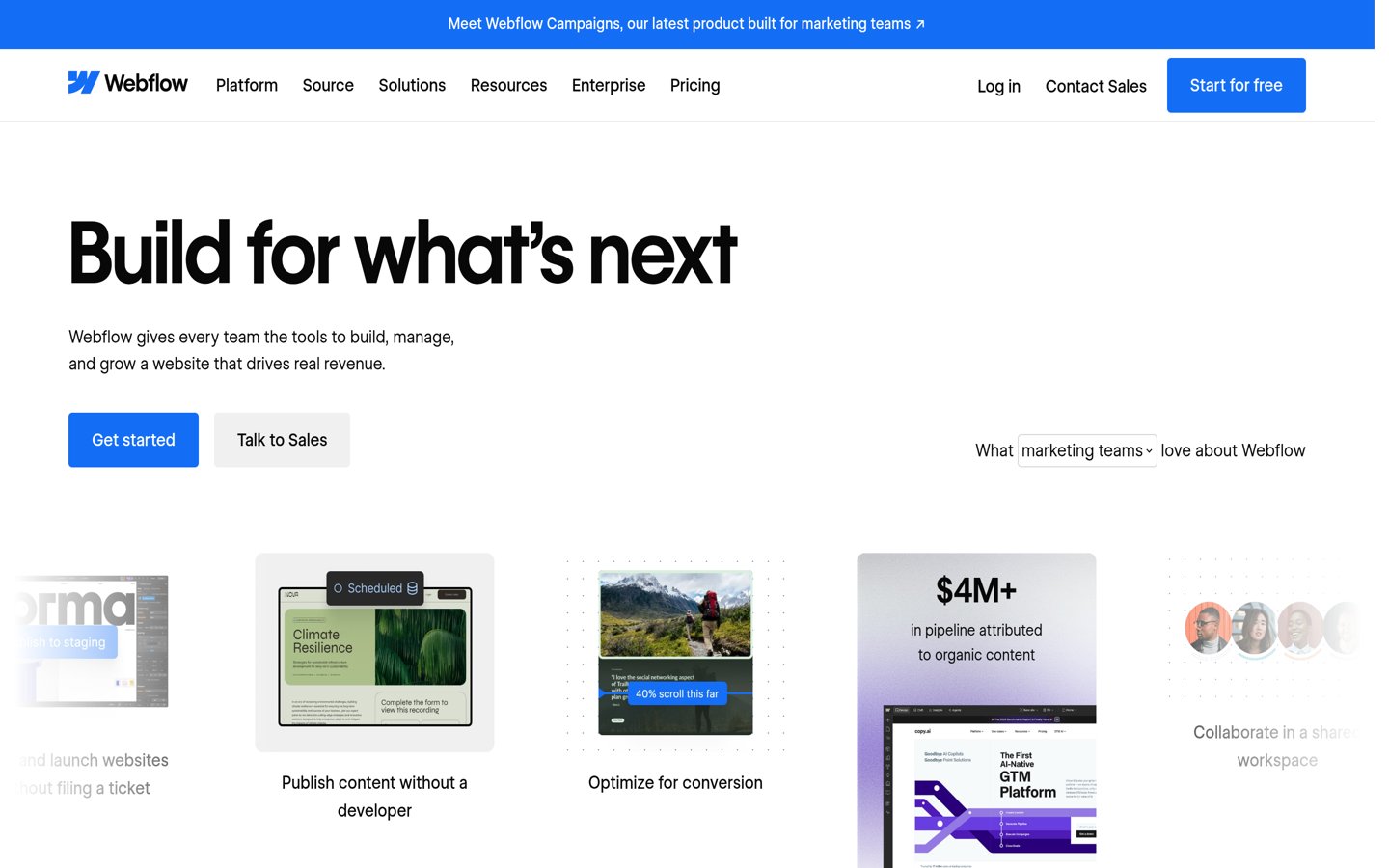
Webflow homepage, captured Nov 2026.
Webflow is a visual website and CMS platform with a free Starter tier and paid site plans starting at $15/mo on annual billing ($180/yr) for Basic. It provides custom meta titles and descriptions, alt text controls, Open Graph settings, and global CDN hosting.
The trade off is that Basic costs $180/yr without CMS collections, so blog collections require the $25/mo annual Premium plan and visual layout controls take time to learn. It suits design-focused teams that want pixel control alongside clean HTML output.
What we like
Granular control over page titles, meta descriptions, and alt text
Global CDN hosting and clean semantic code output
Structured CMS collections on Premium for scaling blog posts
Watch out for
Basic plan at $15/mo yearly does not include CMS collections
Visual layout system has a noticeable learning curve
Basic ($15/mo yearly) covers static pages and custom domain; Premium ($25/mo yearly) adds CMS collections, site search, and higher bandwidth.Visit webflow.com
05
Wix
4.2/5on G2 (1,942 reviews, checked Nov 2026)
Paid from$17/mo
Best for guided setup and visual drag-and-drop editing
Free Plan$0 with Wix subdomain
Entry Paid PlanLight at $17/mo yearly ($204/yr)
G2 Rating4.2/5 (1,942 reviews)
Storage (Light)2 GB with 1-year free domain
wix.com
Wix homepage, captured Nov 2026.
Wix is a hosted website builder offering a $0 free tier and paid plans starting at $17/mo on annual billing ($204/yr) for Light. It includes a visual editor, built-in SEO settings, and a free custom domain voucher for the first year on annual plans.
The trade off is that Light costs $204/yr and caps storage at 2 GB, while template switching and deep code tweaks are more restricted than open-source CMS tools. It suits small businesses and solo creators that prefer guided setup over server management.
What we like
Guided setup and drag-and-drop editor with minimal technical overhead
Built-in SEO tools and site analytics in one dashboard
Includes a 1-year free domain voucher on annual plans
Watch out for
Light plan limits storage to 2 GB at $204/yr
Less code and template flexibility than open-source platforms
Light ($17/mo yearly) adds a custom domain and 2 GB storage; Core ($29/mo yearly) expands storage to 50 GB and adds online payments.Visit wix.com
06
Squarespace
4.5/5on G2 (1,751 reviews, checked Nov 2026)
Starts at$19/mo
Best for polished templates and low-maintenance publishing
Entry Paid PlanBasic at $19/mo yearly ($228/yr)
G2 Rating4.5/5 (1,751 reviews)
Contributors2 on Basic; unlimited on Core
Trial14-day free trial (no free tier)
squarespace.com
Squarespace homepage, captured Nov 2026.
Squarespace is a hosted website builder with cohesive templates and built-in SEO and mobile optimization, starting at $19/mo on annual billing ($228/yr) for Basic. Annual plans include a custom domain free for the first year and support up to two contributors on Basic.
The trade off is that there is no free tier after the trial and Basic costs $228/yr while limiting contributors to two and adding store and digital fees. It suits brands and creators that want clean design defaults without managing plugins.
What we like
Cohesive templates with built-in mobile and SEO basics
Includes a custom domain free for the first year on annual plans
Managed hosting with no plugin patching required
Watch out for
No permanent free plan and Basic starts at $228/yr
Basic caps contributors at two and charges platform fees on sales
Basic ($19/mo yearly) covers essentials and 2 contributors; Core ($29/mo yearly) unlocks unlimited contributors and 0% store transaction fees.Visit squarespace.com
07
beehiiv
4.5/5on G2 (40 reviews, checked Nov 2026)
Paid from$49/mo
Best for newsletter-driven blogs with growth and ad tools
Free Plan$0 up to 2,500 subscribers
Entry Paid PlanLite at $49/mo yearly ($588/yr)
G2 Rating4.5/5 (40 reviews)
Monetization0% subscription fee on Lite+
beehiiv.com
beehiiv homepage, captured Nov 2026.
beehiiv is a publishing and newsletter platform that pairs web posts with email distribution, starting with a $0 free plan for up to 2,500 subscribers and Lite at $49/mo yearly ($588/yr). Every plan includes a hosted website, landing pages, and unlimited email sends.
The trade off is that paid subscriptions, ad monetization, and automations start on Lite at $588/yr, and branding removal requires Pro at $95/mo yearly. It suits writers and media brands growing an email list alongside web articles.
What we like
Free plan supports up to 2,500 subscribers with a hosted site
Built-in newsletter growth, referrals, and ad network tools
0% platform take rate on paid subscriptions starting on Lite
Watch out for
Lite starts at $49/mo billed yearly ($588/yr) for monetization
Removing beehiiv branding requires the Pro plan at $95/mo yearly
Lite ($49/mo yearly) adds paid subscriptions, ad monetization, and automations; Pro ($95/mo yearly) removes branding and expands team seats.Visit beehiiv.com
Hosted builders vs. self-hosted WordPress for SEO
Hosted platforms like Ghost, Wix, Squarespace, and beehiiv bundle hosting, security, and core updates into a single subscription. That saves setup time and reduces server headaches, though you work within each vendor's URL, schema, and customization rules.
Self-hosted WordPress.org gives you full control over templates, plugins, caching, and technical SEO details, while shifting hosting and maintenance onto you. The right choice depends on whether your team values simplicity or granular technical control.
How we chose
We compiled established blog and publishing platforms commonly used for organic search content, including open-source CMS software, hosted website builders, and newsletter-focused publishers.
All pricing tiers, plan features, and G2 review scores in this guide were checked on 22 Nov 2026 directly from official vendor pages and G2 listings.
We excluded unmaintained tools, platforms without clear public pricing or active review records, and products that do not fit general blog publishing. No vendor paid for a place, and we do not claim testing for this list.
How to choose an SEO blog platform
Follow four practical checks before committing your domain and content archive to a platform.
Check how URLs, sitemaps, and metadata are controlled. Make sure you can edit title tags, meta descriptions, and canonical settings cleanly without awkward workarounds.
Match the CMS structure to your content format. Confirm whether you need categories and tags, structured collections, custom fields, or built-in email newsletters.
Calculate true annual cost at realistic scale. Compare yearly billing rates, domain renewal fees, storage limits, and upgrade thresholds as your post count and traffic grow.
Verify export options before publishing at scale. Check that you can export posts, media, and subscriber data cleanly if you ever migrate to another platform.
FAQ
Which platform is best overall for an SEO-focused blog?
WordPress.org is the strongest overall choice when you want complete control over URLs, templates, sitemaps, and technical SEO plugins. If you prefer managed hosting with less maintenance, hosted builders like Ghost, Webflow, Wix, or Squarespace trade some flexibility for convenience.
Can I start an SEO blog for free?
Yes. WordPress.org software is free to download if you supply hosting and a domain, while Hashnode, Webflow, Wix, and beehiiv offer free tiers with platform subdomains or starter limits until you upgrade.
Do hosted website builders rank well in search engines?
Yes. Platforms such as Webflow, Wix, and Squarespace support custom titles, meta descriptions, alt text, and clean mobile layouts, though they offer less low-level control than self-hosted WordPress.
When should I pick a newsletter platform like beehiiv or Ghost?
Choose a newsletter-capable platform when building an email subscriber list and audience distribution is central to your publishing workflow alongside search traffic. If your main focus is broad multi-page marketing or complex custom layouts, a general CMS or website builder may fit better.
Why do annual plan prices differ from monthly prices?
Most hosted platforms offer a lower effective monthly rate when billed annually compared to month-to-month billing. Always check whether a quoted price reflects an annual commitment and what features sit on higher tiers.
What is the biggest mistake people make when picking a blog platform?
Many creators pick a platform based on setup speed alone without checking how it handles custom domains, content exports, or growing storage and feature limits. Thinking through long-term publishing needs early avoids costly migrations later.