Adobe Premiere Pro is the best professional video editor for most editors, at $22.99 a month with the After Effects and Audition links agencies expect. Pick DaVinci Resolve if you want a free pro editor with a $295 one-time Studio upgrade, or Final Cut Pro if you edit only on a Mac.
How we make this list: we compare pricing pages, product documentation and public user reviews, then re-check every price before each update. No product paid for a place. Disclosure.
Premiere Pro is the agency standard at $22.99 a month, but Adobe marks that as a first-year price for new subscribers.
DaVinci Resolve is free with no watermark, and Studio costs $295 once, with free updates for life.
Final Cut Pro costs $299.99 once and is the fastest editor here on Apple Silicon, but it runs only on Mac.
Avid Media Composer Standard costs $259.99 a year; shared projects on third-party storage need Enterprise at $899.99.
Filmora at $49.99 a year and PowerDirector at $74.99 a year are the cheapest paid plans for creators.
What makes an editor professional
Professional video editing software is built for paid work: long timelines, many tracks, colour grading, audio mixing and delivery in broadcast formats. The editors in this list all handle 4K, and most handle 8K, multicam and HDR.
Price models split three ways. Premiere Pro, Avid and CapCut are subscriptions, Resolve, Final Cut Pro and VEGAS Pro can be bought once, and Filmora, PowerDirector and Movavi sell both. A one-time licence usually pays for itself within two years against a subscription.
Platform is the first filter. Final Cut Pro is Mac only, VEGAS Pro is Windows only, and only Resolve and Premiere Pro run across Windows and Mac. Check your computer before you compare features.
Once a cut is finished it still has to reach viewers. Our guide on how to embed a video in WordPress shows how to put a finished video on a site without slowing it down.
Adobe Premiere Pro is the timeline editor most agencies and production houses expect, so project files move between editors, clients and post houses without conversion. The single-app plan costs $22.99 a month on an annual plan billed monthly and includes Premiere on desktop and mobile, 100 GB of cloud storage, Frame.io review and Adobe Express Premium.
The trade off is the subscription. Adobe marks the $22.99 price as a first-year price for new subscribers, and there is no perpetual licence, so the cost never stops. It suits editors who earn from client work and need After Effects, Audition and Photoshop beside the timeline.
What we like
Industry-standard project files agencies accept
Dynamic Link to After Effects and Audition
25 generative credits a month included
Frame.io review built into the plan
Watch out for
Subscription only, with no one-time purchase
$22.99 is marked as a first-year price
Can be unstable on large projects with some codecs
DaVinci Resolve is a full professional editor, colour grader, effects tool and audio suite in one free download, with no watermark and no time limit. The free version covers 4K editing up to 60 frames per second, Fusion visual effects and Fairlight audio, and it is the colour tool used on major film productions.
The trade off is the learning curve and the Studio-only extras. Noise reduction, AI tools, advanced HDR grading and frame rates above 60 fps need Studio, a one-time $295 purchase with free updates. It suits editors and colourists who want pro depth without a monthly bill.
Final Cut Pro is Apple's professional editor, built for Mac and tuned for Apple Silicon, where 4K and 8K timelines play back with little waiting. The Mac app costs $299.99 as a one-time purchase with free updates, and its magnetic timeline keeps clips connected as you trim, so gaps do not open up behind an edit.
The trade off is the platform lock-in. Final Cut Pro runs only on Mac and iPad, so projects cannot move to a Windows machine, and the magnetic timeline divides editors used to fixed tracks. It suits Mac-only editors who want speed and a single purchase.
What we like
Fastest playback on Apple Silicon here
One-time purchase, no subscription
Magnetic timeline keeps edits tidy
90-day free trial
Watch out for
Mac and iPad only, no Windows
Magnetic timeline is divisive
Smaller plug-in library than Premiere
Creator Studio subscription is $129/yr with more appsVisit apple.com
04
Avid Media Composer
4.4/5on TechJockey (3 reviews, checked Nov 2026)
Paid from$259.99/yr
Best for broadcast and shared film work
Standard plan$259.99/yr
Free versionMedia Composer First
Video tracks99 in Standard
PlatformsWindows, Mac
avid.com
Avid Media Composer homepage, captured Nov 2026.
Avid Media Composer is the editor broadcast and film cutting rooms have used for decades, built for shared projects where several editors work on the same media. The Standard plan costs $259.99 a year and includes 99 video tracks and 99 audio tracks, while Media Composer First is a free version for learning the Avid timeline.
The trade off is cost and complexity. Shared projects on third-party storage now need the Enterprise plan at $899.99 a year, and the interface takes longer to learn than any rival here. It suits film and TV teams where the Avid workflow is already the house standard.
What we like
The broadcast and film cutting-room standard
Built for editors sharing one project
Free First version for learning
Handles very large projects well
Watch out for
Enterprise needed for shared projects on third-party storage
Filmora is Wondershare's mid-tier editor, built for creators who want a clean timeline, ready templates and AI helpers without the depth of Premiere or Resolve. The annual plan costs $49.99 a year, and the free version covers the full editor, though exports carry a watermark until you pay.
The trade off is professional depth. Filmora lacks the colour tools, shared-project workflow and format support of the top four here, and a perpetual licence does not include major version upgrades. It suits solo creators and small teams who ship short videos fast.
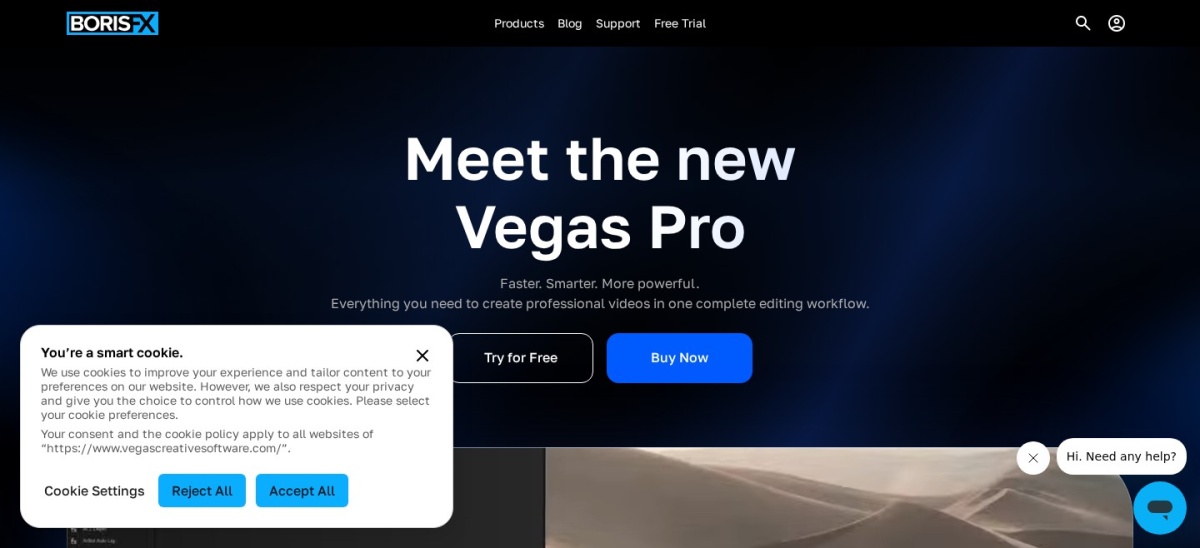
VEGAS Pro is a Windows-only non-linear editor with a long history in freelance and event video, now owned by Boris FX after its 2026 move from MAGIX. The subscription costs $19.99 a month and includes the core editor with GPU timeline editing, AI tools and colour grading, and a perpetual licence costs $399.
The trade off is the platform and the thin rating record. VEGAS Pro runs only on Windows, and its public rating rests on 26 SpotSaaS reviews, far fewer than the leaders here. It suits Windows editors who want to own their licence and work alone.
PowerDirector is CyberLink's Windows and Mac editor, built around AI helpers such as text-to-video, auto reframing and AI music, plus a large library of titles, transitions and effects. PowerDirector 365 costs $74.99 a year and includes 100 AI credits a month, 50 GB of cloud storage and ongoing updates.
The trade off is that AI use is metered. Heavy AI work can burn through the monthly credit allowance, and the perpetual 2027 edition at $139.99 gets no future major-version upgrades. It suits creators who want AI speed on routine edits.
CapCut is the free editor behind much of TikTok, Reels and Shorts, built for vertical video with templates, auto-captions and one-click effects. The free plan covers core editing with no watermark on basic exports, Standard costs $9.99 a month, and Pro at $19.99 a month adds 4K export and the full template library.
The trade off is long-form control. Timelines get unwieldy past ten minutes, Pro-tagged templates and effects add a watermark on the free plan, and there is no multi-track depth for complex projects. It suits social creators who need speed over control.
4.8/5on Capterra (1,135 reviews, checked Nov 2026)
Starts at$69.95/yr
Best simple editor for vloggers
Annual plan$69.95/yr
Monthly plan$19.95/mo
Free planNo, trial only
AI subtitles100+ languages
movavi.com
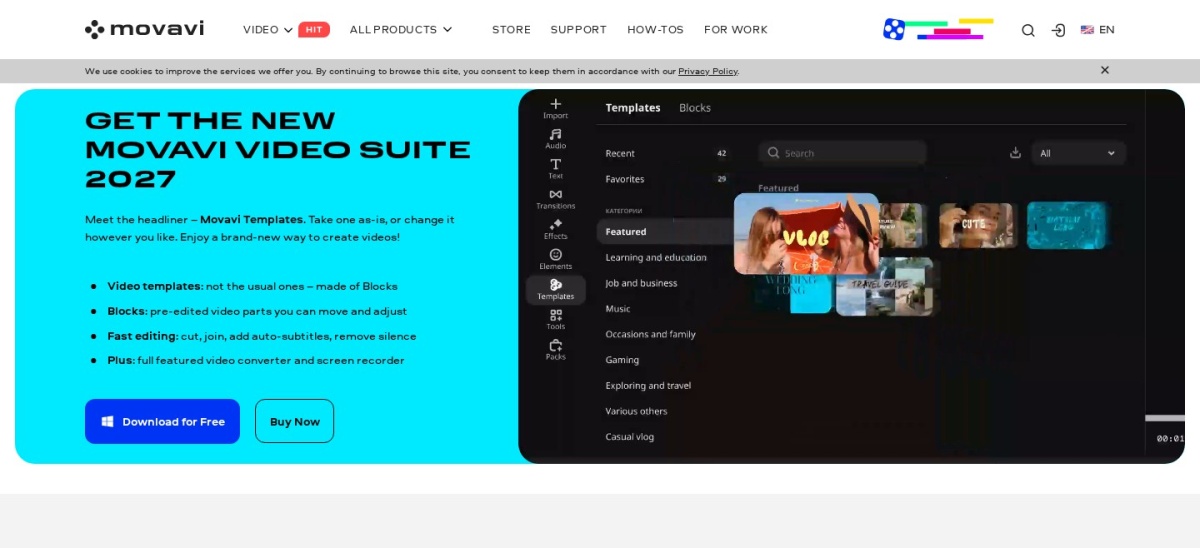
Movavi Video Editor homepage, captured Nov 2026.
Movavi Video Editor is a drag-and-drop editor for Windows and Mac, built for vloggers and tutorial makers who want clean results without learning a pro suite. The annual plan costs $69.95 a year and includes one-click AI tools such as auto subtitles in more than 100 languages, noise removal and hundreds of built-in effects.
The trade off is depth and the trial limit. There is no free plan, only a trial, and Movavi has fewer detailed controls than the professional editors above, with no web version or cloud integration. It suits beginners who publish regular talking-head and tutorial videos.
Resolve and CapCut prove a free plan can be a real editor. Resolve's free version is a full pro tool, and CapCut's free plan covers core social editing.
Free plans usually cap something: export resolution, AI credits, stock assets or watermark-free export. Filmora stamps a watermark on free exports, and CapCut locks 4K behind Pro.
Paid plans mostly buy time and depth. You get faster renders, pro colour and audio tools, and support when a deadline is near.
If video is client work, a paid plan is a business cost. One missed deadline costs more than a year of any editor in this list.
How we chose
We started from the professional editors most often named in 2026 round-ups and vendor lists, then kept the nine with a published price and a public rating.
Prices come from each vendor's pricing page, checked on 26 November 2026. Ratings come from G2, Capterra, SpotSaaS or TechJockey on the same day. Where a vendor shows a sale, the list shows the regular price.
We left out editors with no published price and editors with no public rating. No vendor paid for a place, and we do not claim to have used these tools ourselves.
How to choose professional video editing software
Start with your platform and your clients, then weigh price against the work you actually ship.
Check your platform first. Final Cut Pro needs a Mac and VEGAS Pro needs Windows. Do not shortlist an editor your computer cannot run.
Match the editor to your clients. Agencies and broadcasters expect Premiere Pro or Avid project files. If you work alone, Resolve or Final Cut Pro give the same finish for less.
Price the second year, not the first. Premiere Pro's $22.99 is a first-year price, and Resolve Studio at $295 once beats most subscriptions within two years.
Use the trial on a real project. Cut one finished video end to end before you pay. See our guide on how to post a video on WordPress for a quick publishing test.
FAQ
What is the best professional video editing software?
Adobe Premiere Pro is the best professional video editor for most editors. It is the agency standard, links to After Effects and Audition, and is rated 4.5 out of 5 from 1,677 G2 reviews. DaVinci Resolve is the best free alternative, with a $295 one-time Studio upgrade.
Is DaVinci Resolve really free for professional work?
Yes. The free version is a full professional editor with 4K export, Fusion effects and Fairlight audio, and it carries no watermark. Studio at $295 once adds AI tools, noise reduction, advanced HDR grading and frame rates above 60 fps.
Which professional video editor is cheapest?
Filmora is the cheapest paid plan here at $49.99 a year, followed by Movavi at $69.95 a year and PowerDirector at $74.99 a year. DaVinci Resolve is free, and its Studio upgrade costs $295 once, which beats a year of Premiere Pro.
Do I need Avid Media Composer to work in film and TV?
Not always, but it helps. Many film and broadcast cutting rooms run Avid, so knowing its timeline and shared-project workflow matters for staff jobs. Freelancers can usually deliver in Premiere Pro or Resolve, which most clients accept.
Is Final Cut Pro better than Premiere Pro?
It depends on your computer. Final Cut Pro is faster on Apple Silicon and costs $299.99 once, with no subscription. Premiere Pro runs on Windows and Mac, links to After Effects, and is the safer pick for mixed-platform teams.
Can I use CapCut for professional video editing?
For short social video, yes. CapCut is fast, free, and strong on captions and templates, but its timeline struggles with long-form work and 4K export needs the Pro plan at $19.99 a month. Long-form client work belongs in Premiere Pro or Resolve.
SaaS SEO and WordPress specialist with about 8 years of experience. Rakib compares WordPress plugins, themes, hosting and software using public pricing, documentation and user reviews. See how we rank.