Canva is the best presentation tool for most non-designers, with a free plan covering 250,000+ templates and Pro at $144 a year with 100GB of storage. Pick Gamma if you want AI to draft the whole deck, and Beautiful.ai if you want layouts that stop slides looking messy.
How we make this list: we compare pricing pages, product documentation and public user reviews, then re-check every price before each update. No product paid for a place. Disclosure.
Canva leads at 4.7/5 on G2 from 7,678 reviews, with the widest template library and a free plan.
Gamma drafts a whole deck from a prompt for $9 a month, but its G2 base is small at 39 reviews.
Beautiful.ai has the strictest layout guardrails, yet Pro now costs $14.50 a month and there is no free plan.
Google Slides, Zoho Show and PowerPoint on the web are free, so a paid tool has to earn its price.
Paid plans here run from $30 a year for Zoho Show Professional to $174 a year for Beautiful.ai Pro.
What non-designers should look for in a presentation tool
A good presentation tool for a non-designer does the design work for you. Templates, locked layouts and AI drafts matter more than a long feature list, because the goal is a deck that looks finished without hours of formatting.
Start with the free plan. Most tools here let you build and share a deck without paying, so you can see whether the templates and the editor suit you before you spend anything.
Check the export options before you commit. If your audience expects a PowerPoint file, pick a tool that exports editable slides, not only PDF or a web link.
Brand consistency is the quiet win. A tool that holds your colours, fonts and logo in one place keeps every deck looking like it came from the same team. Our guide on adding a logo in WordPress covers the same idea for a site.
Canva is a browser-based design platform with a huge library of presentation templates that look finished with very little design skill. The free plan includes 250,000+ templates, 5GB of storage and basic Magic Studio AI tools, and decks can be presented, shared as a link or exported as PDF or PowerPoint.
The trade off is that the best parts sit behind Pro. Background removal, Brand Kit, Magic Resize and the full AI allowance need Pro at $144 a year. It suits anyone who makes slides, social posts and documents in one place and wants one tool for all of it.
What we like
Largest template library in this list
Free plan is genuinely useful for slides
Highest G2 rating here at 4.7/5
One tool for slides, graphics and documents
Watch out for
Key features sit behind the Pro paywall
Fine layout control is limited next to desktop tools
Pro adds background removal, Brand Kit and full Magic StudioVisit canva.com
02
Gamma
3.9/5on G2 (39 reviews, checked Nov 2026)
Paid from$9/mo
Best for AI-drafted decks
Free planYes, 400 AI credits
AI credits on Plus1,500/month
Slides per promptUp to 100 on Plus
Paid planPlus, $9/mo
gamma.app
Gamma homepage, captured Nov 2026.
Gamma is an AI-first presentation tool that turns a prompt or a document into a full deck of cards, with layouts, text and images filled in for you. The free plan gives 400 AI credits at sign-up, up to 10 slides per prompt and PDF, PowerPoint and Google Slides export, with a Gamma watermark on exports.
The trade off is the credit meter and a thin review base. Credits do not refill on the free plan, and Plus costs $9 a month billed annually for 1,500 credits a month and no watermark. It suits people who need a first draft fast and will edit it before sharing.
What we like
Fastest first draft in this list
Clean, modern output with little manual design
Exports to PDF, PowerPoint and Google Slides
Watch out for
Free credits never refill
Small G2 review base of 39 reviews
Billing complaints are common on Trustpilot
Plus removes the watermark and adds 1,500 AI credits a monthVisit gamma.app
03
Beautiful.ai
4.6/5on G2 (196 reviews, checked Nov 2026)
Starts at$14.50/mo
Best for layouts that stay tidy
Free planNo, 14-day trial
Smart Slide layouts300+
PowerPoint exportYes, editable
Paid planPro, $14.50/mo
beautiful.ai
Beautiful.ai homepage, captured Nov 2026.
Beautiful.ai is a cloud presentation tool built around Smart Slides, layouts that re-space, re-size and re-align content as you edit so a slide stays balanced. Pro includes unlimited AI content generation, custom branding, PowerPoint import and export, viewer analytics and more than 300 Smart Slide layouts.
The trade off is price and freedom. There is no free plan, only a 14-day trial that needs a card, and Pro costs $14.50 a month billed annually. It suits consultants and founders who present often and want guardrails that stop a slide looking messy.
Google Slides is a free, browser-based presentation tool that comes with any Google account, with real-time co-editing that works well for group work. It includes themes, speaker notes, version history and 15GB of shared Google storage, and it opens and exports PowerPoint files.
The trade off is design depth. Templates are plain next to Canva or Beautiful.ai, and AI help with Gemini needs a paid Workspace plan from $7 a month per user. It suits students, teachers and teams who already live in Google Workspace and need free, shared decks.
Prezi is a presentation tool built around a zooming canvas instead of a flat slide order, so a talk moves across one big visual map. Standard includes unlimited projects and advanced privacy options, Prezi AI can draft a presentation from a topic, and it can import existing PowerPoint slides.
The trade off is the learning curve and the price of the fuller plans. The zooming style takes practice, and unlimited AI use and PDF export sit in Plus at $19 a month billed annually. It suits teachers and speakers who want a talk that feels different from a standard slide deck.
What we like
Distinctive zooming style for live talks
Large G2 review base of 5,726 reviews
Imports PowerPoint slides
Watch out for
Zooming style takes practice to use well
Full AI use and PDF export need the Plus plan
Plus adds unlimited Prezi AI, PDF export and premium imagesVisit prezi.com
06
Pitch
4.4/5on G2 (67 reviews, checked Nov 2026)
Paid from$13/mo
Best for small teams building decks together
Free planYes, up to 5 members
AI credits100 one-time
Pitch RoomsPro only
Paid planPlus, $13/seat/mo
pitch.com
Pitch homepage, captured Nov 2026.
Pitch is a collaborative presentation platform where a small team can edit the same deck at once, with more than 100 professional templates. The free plan covers up to 5 members, unlimited presentations, AI creation and custom templates, which is more than most rivals give away.
The trade off is that the team features cost more as you grow. Plus costs $13 a seat a month and adds custom fonts, video uploads and no Pitch branding, while Pitch Rooms and analytics need higher plans. It suits small teams that build sales and pitch decks together.
What we like
Generous free plan for up to 5 members
Strong real-time collaboration
Pitch Rooms track how viewers engage
Watch out for
AI generation is slower than Gamma
Per-seat pricing adds up for larger teams
Plus adds custom fonts, video uploads and no Pitch brandingVisit pitch.com
07
Visme
4.5/5on G2 (512 reviews, checked Nov 2026)
Paid from$12.25/mo
Best for charts and infographics in slides
Free planYes, Basic
Storage on Basic500MB
Downloads on freeNo, web share only
Paid planStarter, $12.25/mo
visme.co
Visme homepage, captured Nov 2026.
Visme is a visual content platform for presentations, infographics, documents and reports, with charts and data widgets built in. The free Basic plan includes standard templates, 500MB of storage and web sharing, and Starter unlocks JPG, PNG and PDF downloads.
The trade off is that the free plan cannot download files. Starter costs $12.25 a month billed annually, and PowerPoint export needs Pro at $24.75 a month. It suits marketers who need charts and infographics inside the same tool as their slides.
What we like
Charts and data widgets built in
Rated 4.5/5 on G2 from 512 reviews
One tool for slides, infographics and reports
Watch out for
Free plan cannot download files
PowerPoint export needs the Pro plan
Starter unlocks downloads; Pro adds PowerPoint export and Brand KitVisit visme.co
08
Zoho Show
4.4/5on G2 (63 reviews, checked Nov 2026)
Paid from$2.50/mo
Best budget paid plan
Free planYes
Upload limit on free500MB
Offline modeYes
Paid planProfessional, $2.50/mo
zoho.com
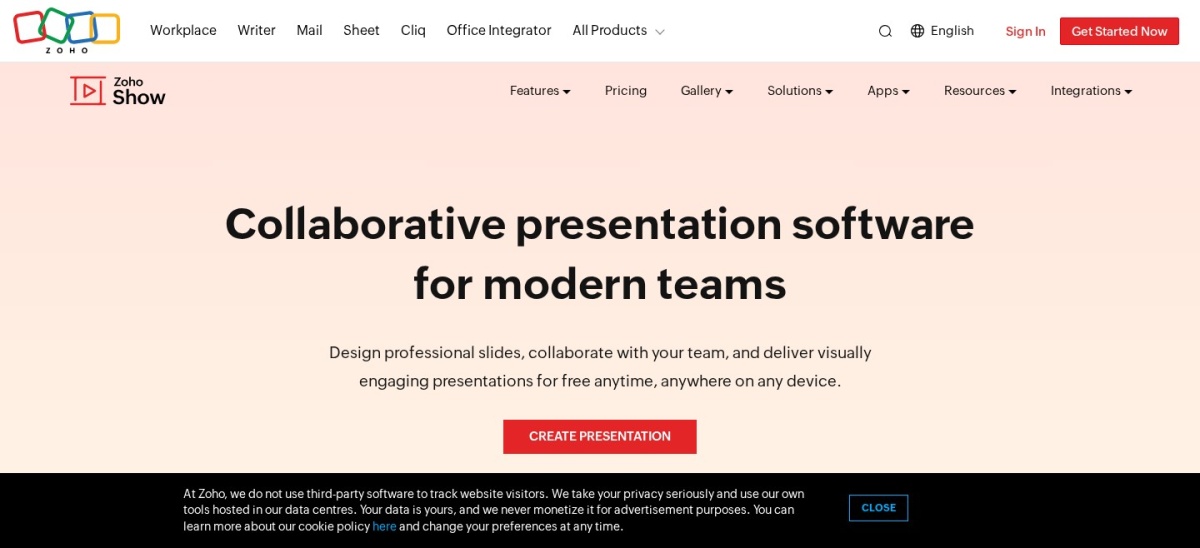
Zoho Show homepage, captured Nov 2026.
Zoho Show is a cloud presentation tool for creating, editing and presenting slide decks in the browser, with real-time co-editing and mobile apps. The free plan includes templates, collaboration, offline mode and version history, with uploads up to 500MB.
The trade off is template range and polish. Reviewers praise its ease of use but note fewer modern templates than Canva, and Professional costs $2.50 a user a month billed annually. It suits Zoho users and anyone who wants a capable free slide tool with no card required.
What we like
Free plan with no card required
Cheapest paid upgrade in this list at $30 a year
Rated 4.4/5 on G2 from 63 reviews
Watch out for
Fewer modern templates than Canva
Free uploads stop at 500MB
Professional adds 1TB of team storage and a brand libraryVisit zoho.com
09
Microsoft PowerPoint
4.6/5on G2 (4,398 reviews, checked Nov 2026)
Paid from$99.99/yr
Best if your audience expects PowerPoint files
Free planYes, on the web
Desktop appsMicrosoft 365 only
Storage on Personal1TB
Paid planPersonal, $99.99/yr
microsoft.com
Microsoft PowerPoint homepage, captured Nov 2026.
Microsoft PowerPoint is the standard slide tool, with desktop apps for Windows and Mac, mobile apps and a free version that runs in the browser. The web version covers everyday decks, and Microsoft 365 Personal adds the desktop apps, 1TB of cloud storage and Copilot for $99.99 a year.
The trade off is that the full tool is a subscription, not a slide-only purchase. The desktop apps need Microsoft 365, and the design help is thinner than the AI-first tools here. It suits anyone whose audience, employer or school already works in PowerPoint files.
Free plans cover the basics well. Most include templates, sharing links and basic export, which is enough for a class talk or an internal update.
Paid plans mostly add removal of limits. You get no watermark, file downloads, brand kits, more AI credits and analytics on who viewed the deck.
The dearest plan here is not always the best value. Zoho Show Professional costs $30 a year, while Beautiful.ai Pro costs $174 a year, so check what the extra money removes before you pay it.
If you present to clients every week, a paid plan is worth it for the brand kit and the editable PowerPoint export alone. For a one-off deck, the free plan of Canva, Google Slides or Zoho Show is enough.
How we chose
We started from the presentation tools most often recommended for people without design training, then kept nine with a free plan or trial, published pricing and a public G2 rating.
Prices come from each vendor's pricing page, checked on 26 November 2026. Ratings and review counts come from G2 on the same day. Where a vendor shows a sale, the list shows the regular price.
We left out tools whose homepage no longer loads and tools with no public rating. No vendor paid for a place, and we do not claim to have used these tools ourselves for this list.
How to choose a presentation tool as a non-designer
Start with the deck you have to make next, then pick the tool that fits that job.
Decide how the deck will be shared. If the audience needs a PowerPoint file, shortlist tools with editable export. If a web link is fine, Gamma and other AI-first tools work well.
Try the free plan with a real deck. Build the actual talk, not a blank test. You will learn in one evening whether the templates and the editor suit you.
Check the paid price for the feature you need. Downloads, brand kits and AI credits are the usual paywalls. Compare the yearly price, not the monthly headline.
Pick one tool and stay with it. Learning one editor well beats switching between three. Templates and brand settings carry over from deck to deck.
FAQ
What is the best presentation tool for non-designers?
Canva is the best pick for most non-designers. Its free plan includes 250,000+ templates, the editor is drag-and-drop, and Pro costs $144 a year with 100GB of storage and the full AI allowance.
Is there a free presentation tool that looks professional?
Yes. Canva, Google Slides and Zoho Show all have free plans that produce clean, professional decks. Canva has the best free templates, while Google Slides is the simplest for group work.
Can AI make a whole presentation for me?
Yes, Gamma and Beautiful.ai both draft decks from a prompt. Gamma builds the whole deck from a prompt or document, while Beautiful.ai focuses on layouts that keep each slide balanced as you edit.
Which presentation tool is best for teams?
Pitch is the best team pick here, with real-time co-editing and a free plan for up to 5 members. Canva and Google Slides also work well for teams that already use them for other design work.
Do I need PowerPoint to make a good presentation?
No. Canva, Gamma, Google Slides and Zoho Show all make good decks in the browser, and most export PowerPoint files. PowerPoint is the best choice only when your audience expects that exact file format.
What is the cheapest paid presentation tool?
Zoho Show Professional is the cheapest paid plan here at $2.50 a user a month billed annually, or $30 a year. Prezi Standard and Google Workspace Starter both cost $84 a year.
SaaS SEO and WordPress specialist with about 8 years of experience. Rakib compares WordPress plugins, themes, hosting and software using public pricing, documentation and user reviews. See how we rank.