LightBurn is the best laser cutting software for most owners, with a $99 one-time Core licence covering design, layout and machine control in one app and a 4.3 out of 5 Trustpilot rating. Adobe Illustrator is the pick for precise vector artwork, and Inkscape is the free design alternative.
How we make this list: we compare pricing pages, product documentation and public user reviews, then re-check every price before each update. No product paid for a place. Disclosure.
LightBurn is the only tool here that designs, lays out and drives the laser in one app, from $99 one time.
Adobe Illustrator is the strongest vector design app, rated 4.6 out of 5 on G2 from 6,192 reviews, at $22.99 a month.
Inkscape and Tinkercad are free, so a full design-to-cut workflow can cost nothing with a free control tool.
Autodesk Fusion is the pick for engineered parts, with parametric CAD and CAM from $57 a month.
CorelDRAW is the print-shop pick at $269 a year, with tracing and layout tools built for sign and engraving work.
What laser cutting software has to do
Laser cutting software does two jobs. Design software creates the artwork, and control software turns it into machine instructions. Some tools do both, and some do one well.
The controller decides more than the feature list. GRBL, DSP and galvo controllers speak different languages, so check that the software talks to your machine before you pay.
Vector files drive cut lines, and raster files drive engraved fills. SVG, DXF, AI and PDF are the formats that matter most for cut paths.
Price models vary widely here. LightBurn and Affinity Designer are one-time purchases, Illustrator and Fusion are subscriptions, and Inkscape and Tinkercad are free.
4.3/5on Trustpilot (225 reviews, checked Nov 2026)
Starts at$99/one-time
Best laser cutting software overall
ControllersG-code, DSP, galvo
PlatformsWindows, macOS, Linux
Free trial30 days
Paid planCore, $99 one time
lightburnsoftware.com
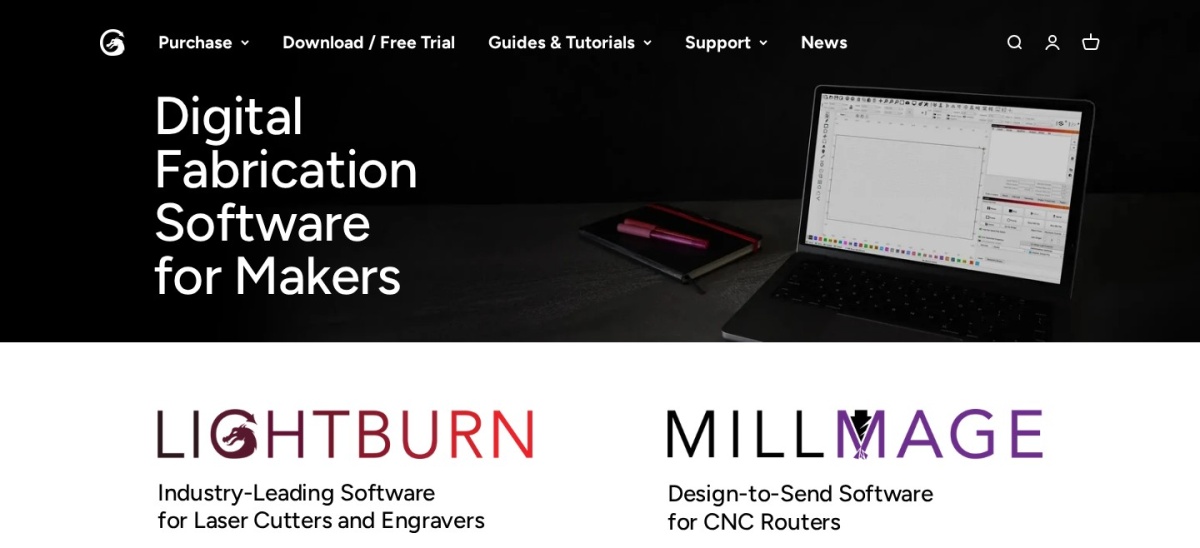
LightBurn homepage, captured Nov 2026.
LightBurn is layout, editing and control software for laser cutters, in one desktop app for Windows, macOS and Linux. You import or draw artwork, set cut and engrave layers with speed and power, preview the toolpath, then send the job straight to the laser. Core costs $99 one time and covers G-code controllers, with a 30-day free trial.
The trade off is the upgrade path. Pro costs $199 one time and adds DSP and galvo controllers, so CO2 and fibre owners pay more than diode owners. It suits most diode and CO2 laser owners who want one app for the whole job instead of a design app plus a separate sender.
Adobe Illustrator is the industry-standard vector design app, and for laser work it sits at the front of the workflow where artwork is created. You draw precise, scalable vector paths, then export clean SVG, DXF or PDF files for a control tool or LightBurn to cut. The standalone plan costs $22.99 a month on an annual commitment, with a 7-day free trial.
The trade off is that Illustrator never talks to a laser. It is design only, so you still need a control layer downstream, and the subscription never stops. It suits designers and teams already in Adobe workflows whose laser projects start as precise vector artwork.
Autodesk Fusion is a cloud-based CAD and CAM platform that covers design, simulation and manufacturing in one place. For laser cutting, its value is parametric modelling: you model a part, change one dimension and the whole design updates, then export cut-ready geometry. Paid plans start at $57 a month billed yearly, and a free personal-use tier renews yearly for qualifying hobbyists.
The trade off is weight. Fusion is far more than a vector editor, so simple shapes and photo engraving are slower here than in LightBurn or Inkscape. It suits makers and shops cutting engineered parts, enclosures and furniture where exact dimensions matter.
Inkscape is a free, open-source vector editor built around SVG, the format most laser tools import cleanly for cut paths. It imports and exports SVG, AI, EPS, PDF and PNG, and community extensions add laser-specific helpers. There is no paid tier, so the design stage of a laser workflow costs nothing.
The trade off is polish and support. The interface is less refined than Illustrator, and help comes from the community rather than a support team. It suits beginners and budget makers who pair it with a free control tool for a full workflow at zero cost.
CorelDRAW Graphics Suite homepage, captured Nov 2026.
CorelDRAW Graphics Suite is a long-standing vector and layout package for print shops, sign makers and engravers. It bundles CorelDRAW for illustration and multipage layout, PHOTO-PAINT for bitmap work, a font manager and PowerTRACE for turning bitmaps into clean vector paths. The annual plan costs $269 a year, and a one-time purchase of the 2026 version costs $549.
The trade off is that it is design only, and the first-year price is often lower than the $269 regular price. It suits production-art teams whose laser work sits beside vinyl cutting, screen printing and large-format jobs, not hobbyists who only need cut paths.
Affinity Designer is a professional vector editor sold as a one-time purchase of $69.99, with no subscription. It covers vector and pixel work in one app, with artboards, symbols and clean SVG, PDF and EPS export for laser control tools. A free trial is available before you buy.
The trade off is ecosystem. It lacks the plug-in range and team sharing of Illustrator, and it never drives a laser itself. It suits solo designers and small shops who want Illustrator-grade vector tools without a monthly bill.
What we like
One-time $69.99 purchase, no subscription
Vector and pixel work in one app
Rated 4.5 out of 5 on G2 from 454 reviews
Clean SVG and PDF export for laser tools
Watch out for
Does not control a laser on its own
Smaller plug-in and template range than Illustrator
Onshape is a cloud-based CAD tool that runs in the browser, with parametric modelling, built-in version control and release management. You design parts, share them with a team and export DXF, STEP and other formats for laser cutting. A free plan covers public documents, and the paid Standard plan costs $1,500 per user a year.
The trade off is price and privacy. Private documents need a paid plan, and $1,500 a year is far more than any other tool here. It suits engineering teams who design laser-cut parts together and need version control, not solo makers.
What we like
Highest G2 rating here, 4.7 out of 5 from 724 reviews
Runs in the browser, nothing to install
Built-in version control and release management
Free plan for public documents
Watch out for
Standard plan costs $1,500 per user a year
Free plan keeps documents public
No direct laser control
Professional adds more controls at $2,500 per user a yearVisit onshape.com
08
Sketch
4.5/5on G2 (1,226 reviews, checked Nov 2026)
Starts at$10/mo
Best for Mac design teams
ControllersNone, design only
PlatformsmacOS only
Free trial30 days
Paid planStandard, $10/editor/mo
sketch.com
Sketch homepage, captured Nov 2026.
Sketch is a Mac-native vector design tool for interface and graphic design, with symbols, shared libraries and real-time collaboration. For laser work it is a clean way to draw precise vector artwork and export SVG files for a control tool. The Standard plan costs $10 per editor a month, with a 30-day free trial and no free plan.
The trade off is platform. Sketch runs only on macOS, so Windows and Linux team members cannot use it, and it never drives a laser itself. It suits Mac-only teams who already design in Sketch and want cut files from a familiar app.
Tinkercad is a free, browser-based CAD tool from Autodesk for simple 3D designs, circuits and lesson plans. You build parts from basic shapes, then export SVG files for laser cutting or STL files for 3D printing. It is free, with no paid tier, and it runs in any modern browser.
The trade off is depth. Tinkercad handles simple shapes and flat laser parts well, but it has no parametric modelling or CAM features for complex work. It suits beginners, schools and hobbyists cutting their first flat parts.
Design tools make the artwork. Illustrator, Inkscape, Affinity Designer, CorelDRAW and Sketch draw the vectors that become cut lines.
Control tools run the machine. Only LightBurn in this list does both, which is why it leads for most owners.
CAD tools sit in between for parts. Fusion, Onshape and Tinkercad model exact shapes, then export files for a control tool to cut.
How we chose
We started from the laser tools makers actually use, covering all-in-one control, vector design and CAD, then kept nine with a public rating and a verifiable price.
Prices come from each vendor's pricing page or vendor-published pricing, checked on 25 November 2026. Ratings and review counts come from G2, except LightBurn, which comes from Trustpilot. Where a vendor shows a sale, the list shows the regular price.
We left out vendor-only control tools with no public rating, such as RDWorks and EZCad, because their ratings could not be verified. No vendor paid for a place, and we do not claim hands-on testing for this list.
How to choose laser cutting software
Start with your controller, then match the software to the work you actually do.
Check your controller first. GRBL, DSP and galvo controllers need different software. LightBurn covers all three, while most design tools cover none.
Decide design, control, or both. If you only need to drive the machine, LightBurn alone may be enough. If you draw artwork all day, add a vector app upstream.
Match the tool to the part. Flat logos and signs suit Illustrator, Inkscape or Affinity Designer. Engineered parts suit Fusion or Onshape.
Try the free tier before you pay. LightBurn has a 30-day trial, and Inkscape and Tinkercad are free. Confirm the software talks to your machine before buying.
FAQ
What is the best laser cutting software?
LightBurn is the best pick for most laser owners. It designs, lays out and drives the laser in one app from $99 one time, and it is rated 4.3 out of 5 on Trustpilot from 225 reviews.
Is there free laser cutting software?
Yes. Inkscape and Tinkercad are free for the design stage, and Autodesk Fusion and Onshape have free tiers. None of them drives a laser on its own, so pair them with a control tool.
Can Adobe Illustrator cut with a laser?
No. Illustrator creates precise vector artwork, then you export SVG, DXF or PDF and open that file in LightBurn or another control tool to run the machine.
Do I need LightBurn Pro or Core?
Core at $99 one time covers G-code controllers, which most diode lasers use. Pro at $199 one time adds DSP and galvo controllers for CO2 and fibre lasers.
What file format is best for laser cutting?
Vector formats such as SVG, DXF, AI and PDF work best for cut and score lines because they define exact paths. Raster files such as JPG and PNG work for engraved fills and photos.
Is CorelDRAW good for laser cutting?
Yes, for the design stage. CorelDRAW is a print-shop favourite with tracing and layout tools, and its files export cleanly for laser control tools. It does not drive a laser itself.
SaaS SEO and WordPress specialist with about 8 years of experience. Rakib compares WordPress plugins, themes, hosting and software using public pricing, documentation and user reviews. See how we rank.