Best IT Project Management Tools in 2026: 9 Tools Compared
WLWPLegible EditorsLast verified 23 Nov 2026How we rank13 min read
★ Short answer
Jira is the best IT project management tool for most software and IT teams: it is free for up to 10 users, with Standard at $9.70 per user a month, and rated 4.3 out of 5 on G2. Pick Asana for cross-team work and monday.com for visual boards.
How we make this list: we compare pricing pages, product documentation and public user reviews, then re-check every price before each update. No product paid for a place. Disclosure.
Jira is the default for software teams: free for up to 10 users, with backlogs, sprints and releases built in.
monday.com has the highest G2 rating in this list at 4.7 out of 5 from more than 17,000 reviews.
Trello is the cheapest paid option at $5 per user a month, while ClickUp packs the most features at $7.
Smartsheet is the only tool here with no free plan, only a 30-day trial, and its Pro plan covers 1 to 10 members.
Paid plans start at $5 a month and climb to $10.99, but seat minimums and user tiers change the real bill.
What an IT project management tool should cover
IT work is a mix of planned projects and unplanned incidents. A good tool tracks both: sprint work with a backlog, and requests, bugs and changes that arrive during the week.
Look for boards and timelines first, then check how work moves between teams. If engineering, support and operations cannot see the same queue, tickets get lost between tools.
Free plans differ more than prices suggest. Jira is free for up to 10 users, ClickUp is free for unlimited members, and Asana's free plan now stops at 2 users, so price your real team before you compare.
Agencies running client work face the same problem across many sites. Our guide on managing many WordPress sites from one dashboard shows why one shared queue beats a separate tracker per client.
Jira is Atlassian's tracker for agile software teams, covering backlogs, sprints, Kanban boards, releases and roadmaps in one place. The free plan covers up to 10 users with 2 GB of storage, boards, a backlog, timeline and calendar views, and 150 automation steps a month for the whole site.
The trade off is setup and price. Standard costs $9.70 per user a month for the first 100 users on monthly billing, Premium costs $19.60, and the per-user rate only falls above 100 users. It suits software and IT teams that run Scrum or Kanban and can invest time in configuration.
What we like
Built for agile work: backlogs, sprints and releases
Free for teams of up to 10 users
Deep reporting and cross-team planning on Premium
Watch out for
Needs an admin to configure it well
Per-user rates stay high until the team passes 100 users
Asana is a work management platform that organises work as tasks inside projects, which roll up into portfolios and goals. The free Personal plan covers up to 2 users with unlimited tasks and projects, list, board and calendar views, and 100 MB per file.
The trade off is price. Starter costs $10.99 per user a month billed annually, or $13.49 billed monthly, and the portfolios, goals and workload features most teams want sit on Advanced at $24.99. It suits cross-team projects where clear ownership matters more than sprints.
What we like
Clear task ownership and deadlines
Timeline, Gantt and dashboards on Starter
Unlimited automations from the first paid plan
Watch out for
Free plan now stops at 2 users
Portfolios and goals need the $24.99 Advanced plan
Seats are sold in blocks above 5 users
Advanced adds portfolios, goals and workload planningVisit asana.com
03
monday.com
4.7/5on G2 (17,182 reviews, checked Nov 2026)
Paid from$9/mo
Best for visual boards and workflows
Free planUp to 2 seats
Paid minimum3 seats
Automation250 actions a month on Standard
Paid planBasic, $9/seat/mo
monday.com
monday.com homepage, captured Nov 2026.
monday.com is a visual work platform that turns work into boards where status is visible at a glance, with columns for owner, dates and priority. The free plan covers up to 2 seats and 3 boards, and Basic at $9 per seat a month billed annually adds unlimited items and free viewers.
The trade off is the seat rules. Paid plans need at least 3 seats, seats are sold in fixed bundles, and the Standard plan adds timeline and Gantt views plus 250 automation actions a month. It suits visual teams that want fast onboarding and custom workflows without code.
What we like
Highest G2 rating in this list at 4.7 out of 5
Boards are easy to read and quick to set up
Unlimited free viewers on paid plans
Watch out for
Paid plans start at 3 seats, so small teams overpay
ClickUp is an all-in-one workspace for tasks, docs, goals, time tracking and chat, with sprints and dependencies on every plan. The Free Forever plan covers unlimited members with 100 MB of storage, and Unlimited at $7 per user a month billed annually adds unlimited storage, Gantt charts and integrations.
The trade off is learning time. The depth that makes ClickUp good value also means more settings to learn, and AI features cost extra: Brain AI is $9 per user a month on top of the plan. It suits teams that want one tool to replace several and can invest in setup.
What we like
Free plan covers unlimited members
Sprints, goals and time tracking included
Cheapest paid plan with Gantt charts
Watch out for
Takes longer to learn than simpler rivals
AI is a paid add-on, not included
New signups may see a Core plan at $9 instead of Unlimited at $7
Business adds dashboards, workload and more automationsVisit clickup.com
05
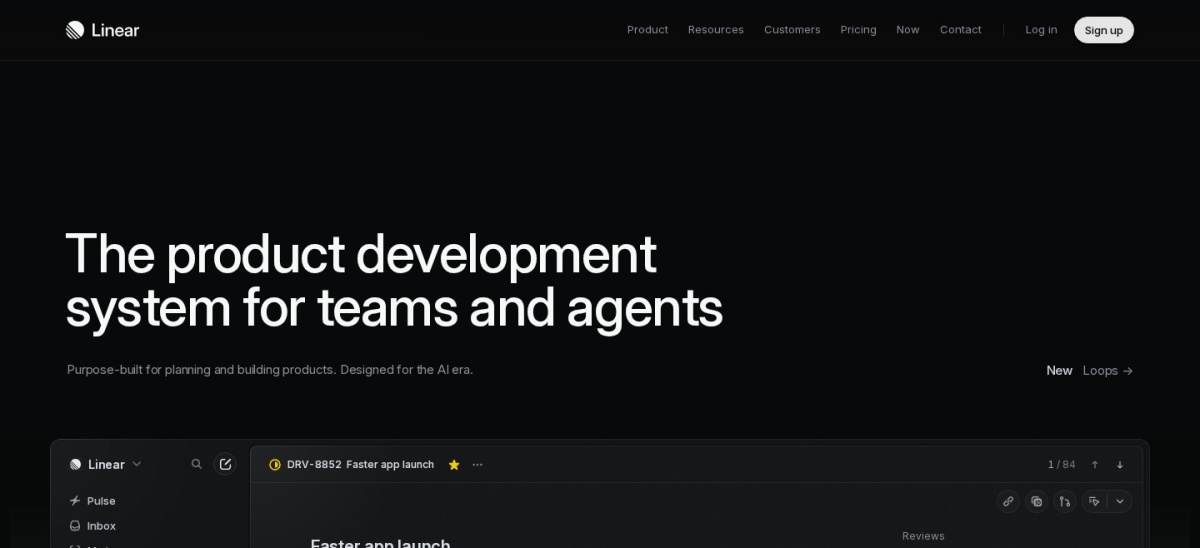
Linear
4.6/5on G2 (127 reviews, checked Nov 2026)
Paid from$8/mo
Best for fast-moving engineering teams
Free planUp to 250 issues
CyclesOn every plan
IntegrationsGitHub, Slack and Figma
Paid planStandard, $8/user/mo
linear.app
Linear homepage, captured Nov 2026.
Linear is an issue tracker built for product and engineering teams that find Jira slow and Trello too simple. The free plan covers unlimited members and up to 250 issues, and Standard at $8 per user a month billed annually adds unlimited issues, cycles, projects and integrations.
The trade off is scope. Linear is built for engineering work, so cross-functional teams report lower satisfaction than pure technical teams, and reporting is lighter than Jira. It suits small engineering teams that want speed without an admin.
Wrike is a work management platform for mid-size and enterprise teams, with request forms, proofing, approvals, time tracking and resource planning. The free plan covers unlimited users, and Team at $10 per user a month billed annually adds Gantt charts, custom fields and shareable dashboards for 2 to 15 users.
The trade off is the tier jump. Business costs $25 per user a month and is the plan that adds time tracking, proofing and resource management, while Pinnacle and Apex are quoted by sales. It suits teams that need approvals and workload views across many projects.
What we like
Free plan covers unlimited users
Proofing and approvals built in
Strong reporting and resource planning
Watch out for
Business costs 2.5 times the Team plan
Team plan stops at 15 users
Needs setup time before it pays off
Business adds time tracking, proofing and resource managementVisit wrike.com
07
Smartsheet
4.4/5on G2 (22,709 reviews, checked Nov 2026)
Starts at$9/mo
Best for spreadsheet-style project tracking
Free planNo, trial only
Pro members1 to 10
Automations250 a month on Pro
Paid planPro, $9/member/mo
smartsheet.com
Smartsheet homepage, captured Nov 2026.
Smartsheet is a spreadsheet-style work platform with grid, Gantt, board and calendar views, formulas, forms and dashboards. Pro costs $9 per member a month billed annually, or $12 billed monthly, for 1 to 10 members, with 250 automations a month and 20 GB of storage.
The trade off is the missing free plan. There is only a 30-day trial, and Business at $19 per member a month is the realistic tier for program work, adding timeline view, workload tracking and unlimited automations. It suits teams whose work already lives in structured trackers.
Trello is Atlassian's card-based Kanban tool: boards, lists and cards that take minutes to set up. The free plan covers up to 10 collaborators and 10 boards per Workspace with 250 automation runs a month, and Standard at $5 per user a month billed annually adds unlimited boards and custom fields.
The trade off is depth. Trello has no built-in dependency management, and Timeline, Table, Calendar, Dashboard and Map views start on Premium at $10 per user a month. It suits freelancers and small teams that want a simple shared board.
What we like
Cheapest paid plan in this list
Fastest to set up of any tool here
Free plan is usable for small teams
Watch out for
No built-in dependencies
Timeline and dashboard views need Premium
Weak for complex multi-team projects
Premium adds timeline, dashboard and unlimited automationVisit trello.com
09
Notion
4.6/5on G2 (13,876 reviews, checked Nov 2026)
Paid from$10/mo
Best for docs and projects in one workspace
Free planYes
Page history7 days free
AI featuresTrial on Plus, full on Business
Paid planPlus, $10/member/mo
notion.com
Notion homepage, captured Nov 2026.
Notion is a workspace that combines notes, docs, databases and tasks, so a team can keep project plans beside the docs that explain them. The free plan covers databases, basic forms and sites with 10 guests, and Plus at $10 per member a month billed annually adds unlimited guests, charts and 30-day page history.
The trade off is that Notion is not a delivery tool first. Full AI features sit on Business at $20 per member a month, and teams that need sprints, workload views or strong reporting will outgrow it. It suits teams that want one place for docs and light project tracking.
What we like
Docs, wiki and tasks in one workspace
Flexible databases for any workflow
Generous free plan for small teams
Watch out for
No native sprints or workload views
Full AI needs the $20 Business plan
Needs setup before it feels like a project tool
Business adds Notion Agent, SAML SSO and 90-day historyVisit notion.com
What IT teams should check first
Start with the free plan limits, not the headline price. A free plan that stops at 2 users or 250 issues will force a paid upgrade sooner than the price page suggests.
Then check the seat rules. monday.com needs at least 3 seats, Asana sells seats in blocks above 5 users, and Jira charges per user with lower rates only above 100 users.
Finally, check where the features you need actually sit. Portfolios, timelines and time tracking often live one or two tiers above the cheapest paid plan.
How we chose
We started from the established project management tools most often compared for IT and software teams, then kept nine with a real free plan or trial, published pricing and a large review base.
Prices come from each vendor's pricing page, checked on 23 November 2026. Ratings and review counts come from G2 on the same day. Where a vendor shows a sale, the list shows the regular price.
We left out tools without published per-user pricing and tools built only for one niche. No vendor paid for a place, and we do not claim hands-on testing for this list.
How to choose an IT project management tool
Start with how your team actually works, then match the tool to that shape.
List the work you track. Sprints and releases point to Jira or Linear, while mixed project and request work fits Asana, monday.com or ClickUp.
Count your real team, not your wish list. Check free-plan caps and seat minimums first: a 3-seat minimum or a 10-user free cap changes the bill before any feature does.
Check where the key feature sits. Timelines, portfolios and time tracking often need the second or third tier, so price the plan that has them, not the cheapest one.
Trial it with one real project. Run a current sprint or request queue in the free plan or trial for two weeks, then decide on the team's feedback.
FAQ
What is the best IT project management tool?
Jira is the best pick for most software and IT teams. It is built for backlogs, sprints and releases, it is free for up to 10 users, and it is rated 4.3 out of 5 on G2 from nearly 8,000 reviews.
Which IT project management tool is cheapest?
Trello is the cheapest paid option at $5 per user a month billed annually. ClickUp follows at $7 and Linear at $8, while Jira is free for teams of up to 10 users.
Is there a free IT project management tool?
Yes. Jira, Asana, monday.com, ClickUp, Linear, Wrike, Trello and Notion all have free plans, though the limits differ. Smartsheet is the exception: it has no free plan, only a 30-day trial.
Is Jira or Asana better for IT teams?
Jira is better for software teams running sprints, because it has backlogs, releases and agile reporting built in. Asana is better when the work spans engineering, marketing and operations and clear task ownership matters most.
Do I need a paid plan for agile sprints?
Not always. Jira, Linear and ClickUp include sprints or cycles on their free plans. Trello needs Premium for timeline views, and Asana keeps portfolios and goals on its Advanced plan.
Why do prices differ between sources?
Vendors change prices and plan names, and some show different prices for new and existing accounts. ClickUp, for example, lists both an Unlimited plan at $7 and a newer Core plan at $9. Always confirm the price on the vendor's own pricing page before you buy.