DaVinci Resolve is the best inexpensive video editor for most people, with a free version that exports 4K with no watermark and covers editing, color, effects and audio, rated 4.7 out of 5 on G2. Pick Filmora for the easiest start at $49.99 a year, or CapCut for free short-form social video.
How we make this list: we compare pricing pages, product documentation and public user reviews, then re-check every price before each update. No product paid for a place. Disclosure.
DaVinci Resolve is free and exports 4K with no watermark; Studio costs $295 once and never renews.
Filmora is the cheapest paid desktop editor here at $49.99 a year, with a free version that watermarks exports.
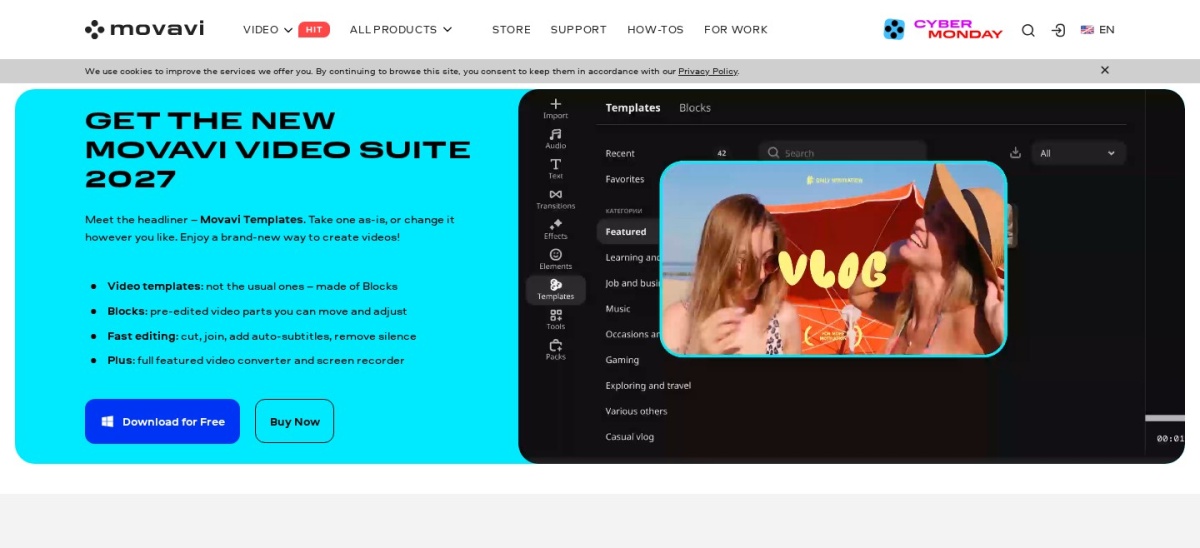
Movavi lists at $79.95 a year but was on sale at $54.95 when checked, with one-click AI subtitles and no AI credit limits.
VSDC Pro is the cheapest paid plan in the list at $19.99 a year, and its free version has no watermark.
CapCut has no G2 or Capterra listing; its only public review score is 1.3 out of 5 on Trustpilot, driven by billing complaints.
What to look for in an inexpensive video editor
Inexpensive does not have to mean weak. Four editors in this list export without a watermark for free, and the cheapest paid plan is $19.99 a year. The money usually buys watermark removal, 4K export, AI tools or stock assets, not the timeline itself.
Start with the free version. Most paid editors here let you edit for free and only charge when you export without a watermark or want the AI extras. Our guide on embedding a video in WordPress shows where the finished video ends up once it is exported.
Watch the renewal price, not the first-year price. Several vendors show a sale price with the regular price struck through, and this list uses the regular price throughout.
Check the platform before you pay. VSDC runs on Windows only, Clipchamp and WeVideo run in a browser, and the desktop editors need a reasonably fast computer for 4K work.
DaVinci Resolve is a professional editor that combines editing, color correction, visual effects and audio post in one free download. The free version exports 4K with no watermark and includes multicam editing, the Fusion effects page and the Fairlight audio page.
The trade off is the learning curve and the hardware. The interface is built for professionals, so beginners need a few hours to find their way around, and some GPU effects such as noise reduction need the $295 Studio license. It suits creators who want pro tools at no monthly cost.
What we like
Free version exports 4K with no watermark
Editing, color, effects and audio in one app
Studio is a one-time $295 license, not a subscription
Filmora is a beginner-friendly desktop editor from Wondershare with drag-and-drop editing, dual timelines and keyframe controls. The free version includes all editing features and 4K editing, and the Basic plan at $49.99 a year removes the watermark and adds 1 GB of cloud storage.
The trade off is that the extras add up. Advanced AI features use credits, and the best templates and effects sit behind higher plans or separate purchases, so the $49.99 plan is not the whole cost for heavy users. It suits YouTubers and small teams who want a gentle start.
What we like
Easiest learning curve of the desktop editors here
Movavi Video Editor is a simple timeline editor for Windows and Mac with one-click AI subtitles, noise removal, background removal and silence removal. The paid version exports up to 4K with no watermark and puts no credit limits on its AI tools.
The trade off is the price on the page. The yearly plan lists at $79.95 and was on sale at $54.95 when checked on 8 November 2026, so the price you pay depends on the promotion running that week. It suits beginners who want quick AI cleanup without learning a pro editor.
What we like
One-click AI subtitles, denoise and background removal
No AI credit limits on the paid version
Rated 4.6 out of 5 on G2
4K export with no watermark on paid plans
Watch out for
Free exports are watermarked and capped at 60 seconds
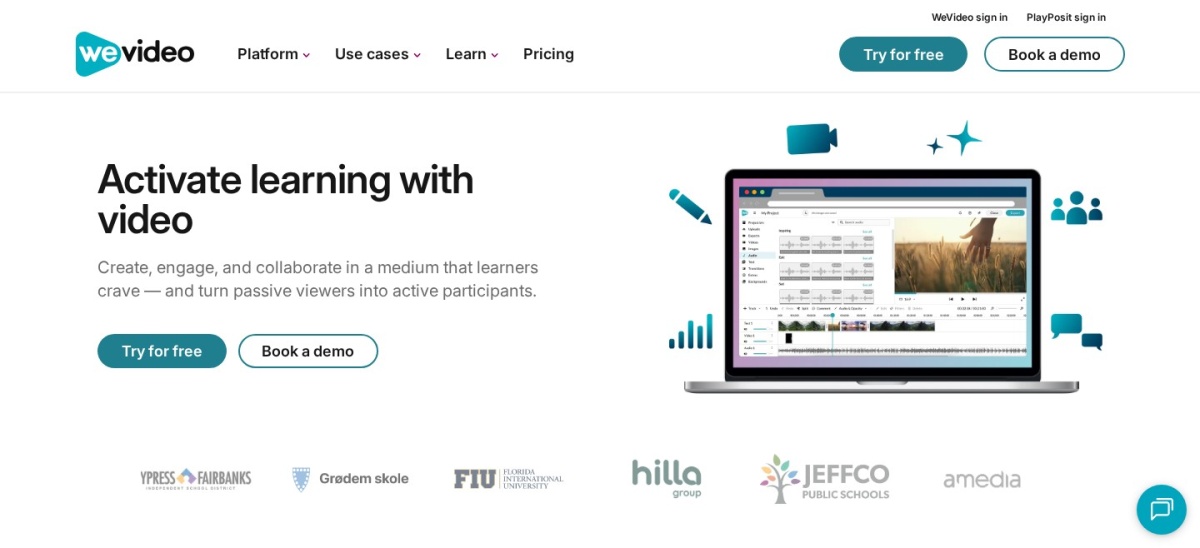
WeVideo is a cloud-based editor that runs in the browser, so there is nothing to install and projects open on any computer. The Power plan at $9.99 a month adds watermark-free exports, more storage and stock video, audio and images for social and classroom projects.
The trade off is the monthly cost and the internet connection. At $119.88 a year it costs more than Filmora or PowerDirector, and editing stops when the connection drops. It suits teachers and small teams who edit together from different computers.
What we like
Nothing to install, works in the browser
Built for collaboration and classroom use
Stock media included on paid plans
Rated 4.6 out of 5 on G2
Watch out for
Costs more per year than the desktop rivals
Needs a steady internet connection
Free version watermarks exports and limits features
PowerDirector is CyberLink's desktop editor for Windows and Mac, with multi-track editing, keyframes, AI captions, object removal and a stock library. The 365 plan at $79.99 a year adds monthly updates, 50 GB of cloud storage and 100 AI credits a month.
The trade off is the sale price. The 365 plan lists at $79.99 a year and was on promotion at $59.99 when checked in October 2026, so the first year can cost less than the renewal. It suits enthusiasts who want AI tools and fast rendering without a pro learning curve.
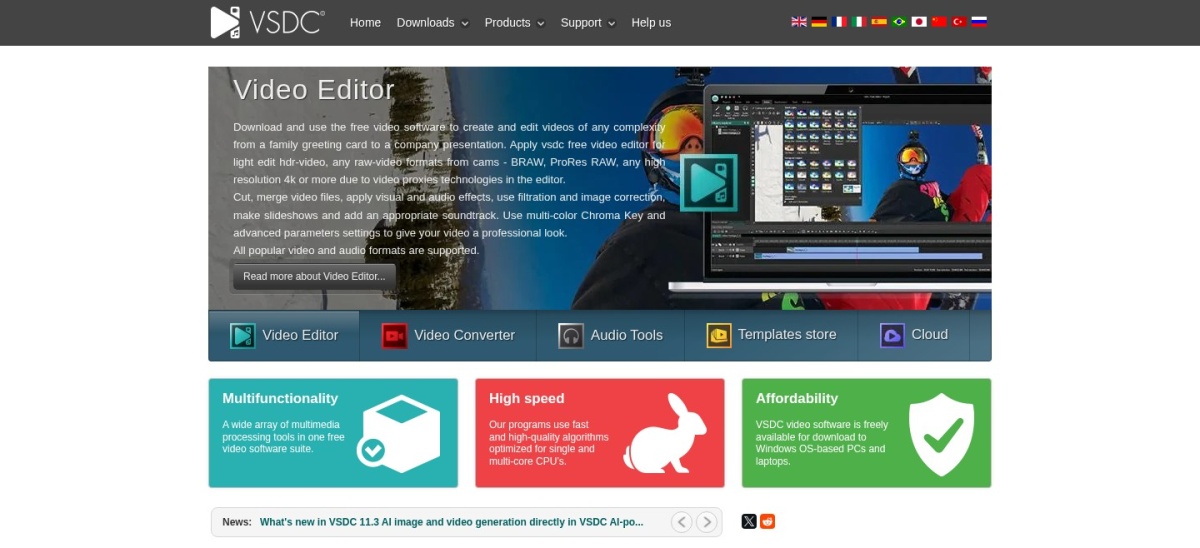
VSDC Free Video Editor homepage, captured Nov 2026.
VSDC Free Video Editor is a non-linear editor for Windows with 4K export, color correction, chroma key and a wide range of effects. The free version has no watermark and no time limit, which is rare at this price, and Pro costs $19.99 a year.
The trade off is the interface and the platform. The layout is dense and dated, with a steep learning curve for new users, and there is no Mac or Linux version. It suits Windows users on older hardware who want a free editor with real depth.
What we like
Free version has no watermark or time limit
Cheapest paid plan in this list at $19.99 a year
4K export and color correction for free
Runs well on older or budget hardware
Watch out for
Windows only, no Mac or Linux version
Dense, dated interface with a steep learning curve
Clipchamp is Microsoft's browser-based editor, built into Windows 11, with a timeline, screen and camera recorder, AI subtitles and text-to-speech voices. The free plan exports up to 1080p with no watermark, which covers most social and work videos.
The trade off is that the paid tier is not sold on its own. 4K export, the brand kit and premium stock come only with Microsoft 365 Personal at $99.99 a year, which is a lot to pay for 4K alone. It suits Windows users who already pay for Microsoft 365.
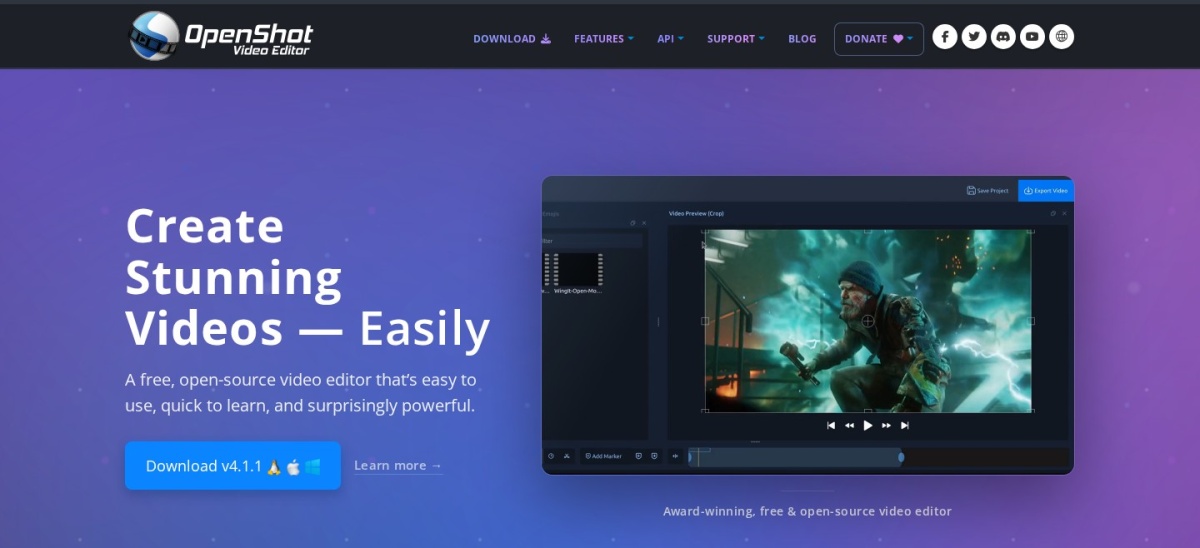
OpenShot is a free, open-source editor for Windows, Mac and Linux with drag-and-drop editing, unlimited tracks, keyframe animation and 3D animated titles. There is no paid plan, no watermark and no account, so the full editor costs nothing.
The trade off is performance and polish. G2 reviewers praise the simple interface but report slow rendering and occasional crashes on large projects, and advanced effects are thin next to DaVinci Resolve. It suits beginners who want a free editor for short, simple videos.
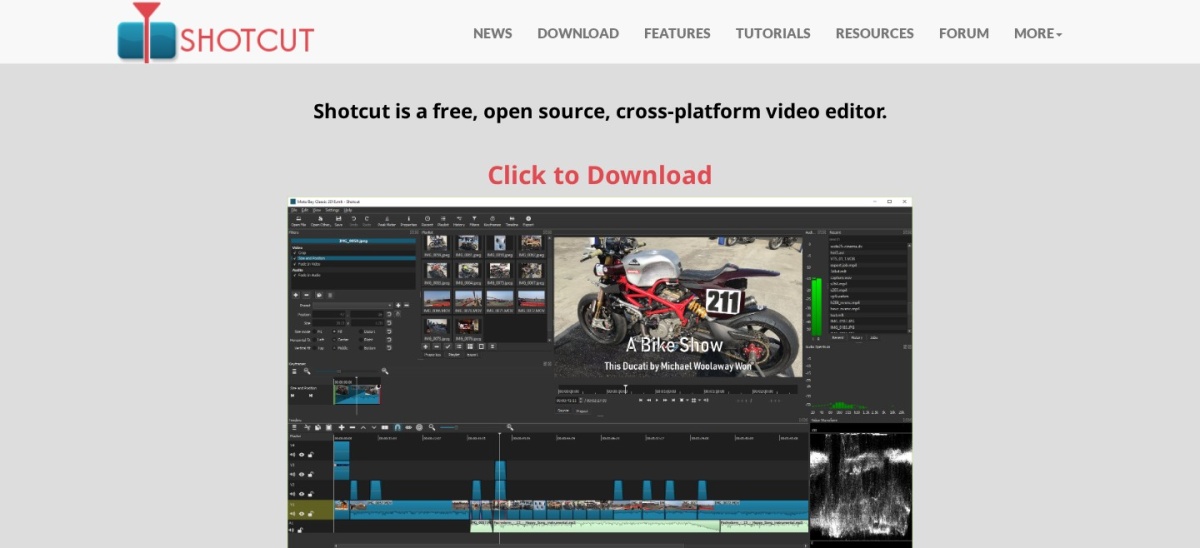
Shotcut is a free, open-source editor for Windows, Mac and Linux with no paid tier, no watermark and no account. It handles a wide range of formats natively, supports GPU rendering and exports up to 8K, which is more than most paid editors offer.
The trade off is the interface. Panels and filters are powerful but hard to find, and there is no thumbnail preview for transitions, so beginners spend time hunting for features. It suits patient editors who want a free tool that handles almost any file.
What we like
Free with no watermark and no paid tier
Exports up to 8K with GPU rendering
Handles almost any video format natively
Runs on Windows, Mac and Linux
Watch out for
Interface is confusing for beginners
No thumbnail previews for transitions
No official support beyond the forum
There is no paid version; donations support developmentVisit shotcut.org
10
CapCut
1.3/5on Trustpilot (471 reviews, checked Nov 2026)
Paid from$179.99/yr
Best free editor for short-form social video
Cheapest paid planPro, $179.99/yr
Free versionYes, no watermark on basics
TemplatesTrending social templates
PlatformsBrowser, desktop, mobile
capcut.com
CapCut homepage, captured Nov 2026.
CapCut is ByteDance's free editor for short-form social video, with trending templates, auto captions, background removal and a multi-track timeline on mobile, desktop and web. The free tier exports without a watermark on basic edits, which is why so many creators start here.
The trade off is trust in the billing. CapCut has no G2 or Capterra listing, and its Trustpilot score of 1.3 out of 5 from 471 reviews reflects billing complaints, while its App Store rating is 4.6 out of 5 from 1.1 million ratings. It suits creators who stay on the free tier.
What we like
Free tier exports without a watermark
Best template library for short-form social video
Auto captions and AI tools included free
Works on mobile, desktop and web
Watch out for
Trustpilot score of 1.3 reflects billing complaints
Pro costs $179.99 a year, the most in this list
Some features have moved from free to Pro over time
Pro adds premium templates and AI features for $19.99 a monthVisit capcut.com
Free vs paid: what you give up
Free plans cover the basics well. DaVinci Resolve, OpenShot, Shotcut and VSDC all export without a watermark for free, and CapCut and Clipchamp do the same for basic edits.
Paid plans mostly add convenience. You pay to remove a watermark, export in 4K, use AI tools without limits or get stock assets and cloud storage.
The cheapest way in is VSDC Pro at $19.99 a year, or Filmora Basic at $49.99 a year if you want an easier editor. Our guide on self-hosting videos vs embedding YouTube helps once the edit is done and the video needs a home.
If you edit every week, a $50 to $80 yearly plan is usually better value than paying $10 to $25 a month. Monthly billing costs two to three times more over a year for the same editor.
How we chose
We started from the best-known inexpensive editors across desktop, browser and mobile, then kept the 10 with a free plan or a paid plan under $300 in the first year.
Prices come from each vendor's pricing page or a vendor-page read dated in November 2026, checked on 25 November 2026. Ratings come from G2 on the same day, except CapCut, which has no G2 listing and uses Trustpilot. Where a vendor shows a sale, the list shows the regular price.
We left out editors with no public price and no free plan, and Adobe Premiere Pro, which costs more than every tool here. No vendor paid for a place, and we do not claim to have used these tools ourselves.
How to choose an inexpensive video editor
Match the editor to where you edit and how often you publish, then check the free version first.
Decide where you edit. Desktop editors suit long videos and 4K work. Browser editors suit quick social clips and shared computers.
Try the free version for one real project. Export it and check the watermark, the resolution and the speed. See how to resize a video in WordPress if the export does not fit your page.
Check the renewal price, not the sale price. Several editors in this list show a first-year discount. Work out the second-year cost before you pay.
Pick the cheapest plan that removes your one blocker. If the watermark is the only problem, VSDC Pro at $19.99 a year may be enough. Do not pay for AI tools you will not use.
FAQ
What is the best inexpensive video editing software?
DaVinci Resolve is the best inexpensive editor for most people. Its free version exports 4K with no watermark and covers editing, color, effects and audio, and it is rated 4.7 out of 5 on G2 from 221 reviews.
Is there a truly free video editor with no watermark?
Yes. DaVinci Resolve, OpenShot, Shotcut and VSDC all export without a watermark for free. CapCut and Clipchamp also export without a watermark on their free plans, though CapCut limits some templates and effects to Pro.
How much should I pay for a video editor?
The cheapest paid plans run from $19.99 to $79.99 a year. VSDC Pro costs $19.99 a year, Filmora Basic costs $49.99 a year, and PowerDirector 365 lists at $79.99 a year. Browser editors cost more: WeVideo is $119.88 a year and CapCut Pro is $179.99 a year.
Is CapCut really free?
The basic editor is free and exports without a watermark on basic edits. Pro costs $19.99 a month or $179.99 a year and adds premium templates, AI features and 1 TB of storage. CapCut has no G2 listing, and its Trustpilot score reflects billing complaints.
Which inexpensive editor is best for beginners?
Filmora is the easiest desktop editor here, with drag-and-drop editing and a $49.99 yearly plan. Movavi is a close second with one-click AI subtitles and cleanup. OpenShot is the simplest free option if you want to pay nothing at all.
Can I edit 4K video for free?
Yes. DaVinci Resolve, VSDC and Shotcut all export 4K for free, and Shotcut exports up to 8K. Filmora also edits in 4K for free but adds a watermark until you pay. You still need a fast computer for smooth 4K editing.
SaaS SEO and WordPress specialist with about 8 years of experience. Rakib compares WordPress plugins, themes, hosting and software using public pricing, documentation and user reviews. See how we rank.