Photomatix Pro is the best HDR software for most photographers, with a $99 one-time licence and the deepest deghosting controls in this list. Pick Adobe Lightroom if you already subscribe to Adobe, or Affinity Photo if you want a free HDR merger with no subscription.
How we make this list: we compare pricing pages, product documentation and public user reviews, then re-check every price before each update. No product paid for a place. Disclosure.
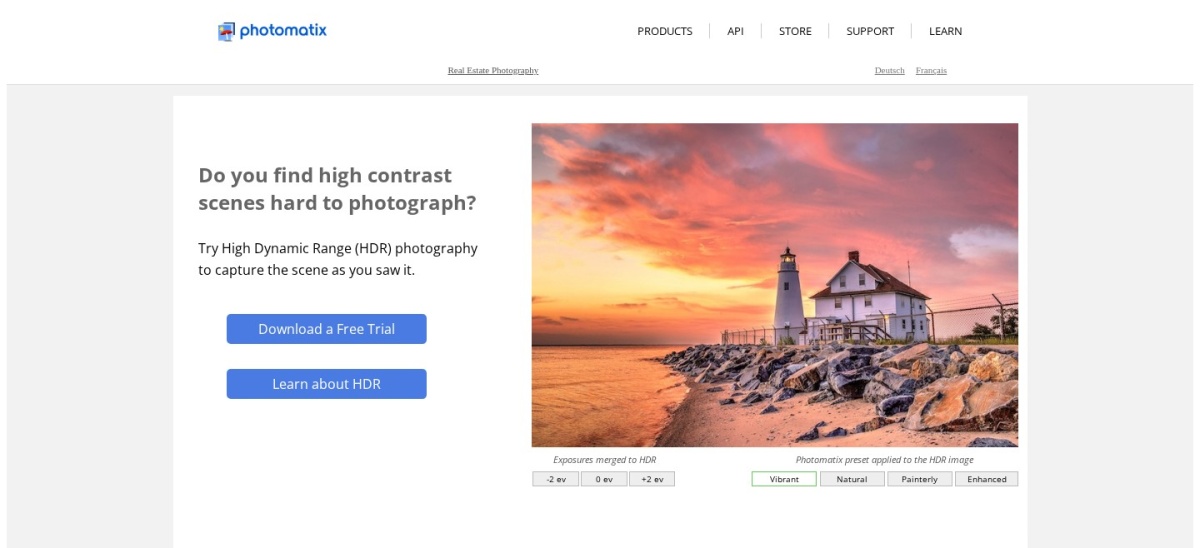
Photomatix Pro is the only dedicated HDR merger at the top, at $99 one-time, with selective deghosting for moving subjects.
Adobe Lightroom merges brackets to an editable 16-bit DNG, so subscribers need no extra purchase for most HDR work.
Affinity Photo is now free and merges HDR to 32-bit, which makes it the best no-cost path to pro-level results.
Luminar Neo adds a single-image HDR look from one RAW file, useful when you cannot bracket a shot.
Paid prices in this list run from $0 to $239.88 a year, and five of the eight tools offer a one-time licence.
What to look for in HDR software
HDR software combines several exposures of the same scene into one image that keeps detail in both shadows and highlights. Good merging starts with automatic alignment for handheld brackets and deghosting that handles movement without smearing.
Check the bit depth of the workflow. True HDR tools merge to a 32-bit file that keeps the full captured range, then tonemap it down for screens and print. Tools that skip straight to an 8-bit result throw away data you may want later.
Then consider where the tool lives in your workflow. A Lightroom plugin keeps you in one catalog, while a standalone merger plus your existing editor works fine as long as file handoff is simple. Batch processing matters if you shoot real estate volume.
Finally, weigh the licence model against your usage. Occasional HDR shooters do fine with free tools or Lightroom's built-in merge. Weekly bracket shooters should pay once for Photomatix Pro or ON1 Photo RAW rather than renting forever. Once the file is finished, our guide on optimizing images for WordPress covers sizing and compression before you publish it.
Photomatix Pro is the reference dedicated HDR merger, from HDRsoft, and it costs $99 as a one-time licence. It merges bracketed exposures to 32-bit HDR, offers tone mapping and exposure fusion, and runs standalone or as a Lightroom plugin.
The trade off is the interface, which looks dated and packs in many sliders that take time to learn. The trial also watermarks output, so serious evaluation means buying. It suits photographers who shoot brackets weekly, especially in real estate and architecture.
What we like
Best deghosting and alignment controls in this list
Huge preset library from natural to dramatic
Works as a Lightroom plugin or standalone
One-time licence, no subscription
Watch out for
Interface looks dated next to modern editors
Trial watermarks output
Learning curve on the advanced sliders
Paid licence adds watermark-free output and all presetsVisit hdrsoft.com
02
Adobe Lightroom
4.6/5on G2 (3,299 reviews, checked Nov 2026)
Starts at$11.99/mo
Best HDR merge for Adobe subscribers
HDR mergePhoto Merge to HDR, 16-bit DNG
Cloud storage1 TB
Free trial7 days
Paid planLightroom, $11.99/mo
adobe.com
Adobe Lightroom homepage, captured Nov 2026.
Adobe Lightroom is the standard RAW editor and catalog, and its Photo Merge to HDR handles bracketed sets with clean alignment and solid deghosting. The merged file is a 16-bit DNG that stays fully editable, and the Lightroom plan costs $11.99 a month with 1 TB of cloud storage.
The trade off is creative range. Lightroom's tonemapping controls are conservative by design, so the punchy HDR look needs round-tripping to Photoshop or a plugin. It suits photographers who already subscribe to Adobe and want natural-looking HDR without another purchase.
What we like
HDR merge built into the RAW workflow
DNG output stays fully editable
Excellent highlight recovery
Strong catalog and batch editing
Watch out for
Subscription only, no perpetual licence
Fewer creative tonemapping controls than Photomatix
Merge can be slow on large brackets
Photography plan at $19.99/mo adds Photoshop and the same 1 TBVisit adobe.com
03
Luminar Neo
4.4/5on G2 (116 reviews, checked Nov 2026)
Starts at$119/yr
Best AI-assisted HDR look
HDR mergeHDR Merge extension
Single-image HDRYes, from one RAW
Free trialYes
Paid planDesktop, $119 one-time
skylum.com
Luminar Neo homepage, captured Nov 2026.
Luminar Neo is Skylum's AI photo editor and the successor to the discontinued Aurora HDR. Its HDR Merge extension combines brackets, and then AI tools for sky, structure and relighting add the stylized finish Aurora was known for. The Desktop licence costs $119 as a one-time purchase.
The trade off is the extension. HDR Merge costs extra on some tiers, and Skylum runs frequent promotions, so the price you see may be lower than the $119 regular price. It suits photographers who want a punchy HDR look with AI doing the heavy lifting.
What we like
HDR Merge extension plus AI enhancement tools
Single-image HDR look from one RAW
Modern, fast interface
One-time licence, no subscription required
Watch out for
HDR Merge is a paid extension on some tiers
Catalog features trail Lightroom
Generative tools need renewal after about a year
Higher tiers add the extension and the Creative LibraryVisit skylum.com
04
Affinity Photo
4.5/5on G2 (234 reviews, checked Nov 2026)
PriceFree
Best free HDR software
HDR mergeTo 32-bit
PriceFree, Canva account needed
LayersFull layer editing
PlatformsWindows and macOS
affinity.studio
Affinity Photo homepage, captured Nov 2026.
Affinity Photo is now free, after Canva merged Photo, Designer and Publisher into one app. The core photo tools include genuine HDR merging to 32-bit, full layer-based editing, focus stacking and panorama stitching, with no watermark and no feature limits on the core tools.
The trade off is guidance. The HDR merge holds your hand less than Photomatix, with fewer presets and simpler deghosting, and you need a free Canva account to sign in. It suits beginners and small studios cutting subscription costs who still want pro-level HDR.
4.1/5on Trustpilot (3,228 reviews, checked Nov 2026)
Starts at$99.99/yr
Best all-in-one editor with HDR built in
HDR mergeBuilt in
Licence$99.99 one-time
Computers2 computers
Free trialYes
on1.com
ON1 Photo RAW homepage, captured Nov 2026.
ON1 Photo RAW is an all-in-one RAW editor with HDR merging, panorama stitching, layers, masking and effects built in. The $99.99 perpetual licence covers two computers, and a subscription option also exists for photographers who want every annual upgrade.
The trade off is depth. Its HDR controls are less deep than Photomatix, and the interface can feel cluttered on older machines, with occasional stability complaints in user reviews. It suits photographers leaving Adobe who want one program for the whole HDR workflow.
What we like
HDR merge inside a full Lightroom alternative
Perpetual licence available
Layers, masking and effects included
Panorama stitching built in
Watch out for
HDR controls less deep than Photomatix
Interface can feel cluttered
Performance varies on older machines
MAX adds plugins for Photoshop and Lightroom plus cloud syncVisit on1.com
06
Capture One Pro
4.5/5on G2 (79 reviews, checked Nov 2026)
Starts at$179/yr
Best HDR merge for studio colour work
HDR mergeMultiple RAW files
Subscription$179/yr
Perpetual licence$299 one-time
Free trial30 days
captureone.com
Capture One Pro homepage, captured Nov 2026.
Capture One Pro is a professional RAW editor known for colour accuracy and tethered shooting, and it merges multiple RAW images with different exposures into HDR. The subscription costs $179 a year, and a $299 perpetual licence for the current version is also available.
The trade off is price and learning curve. It is the most expensive subscription in this list for HDR alone, and the interface takes time to master. It suits studio and commercial photographers who need exact colour and tethered capture beside their HDR work.
Adobe Photoshop is the deepest pixel editor in this list, and its Merge to HDR Pro combines brackets into a 32-bit image for detailed tonemapping and retouching. The cheapest way to get it is the Photography plan at $19.99 a month, which also includes Lightroom and 1 TB of cloud storage.
The trade off is cost and complexity. Photoshop is far more than an HDR tool, so beginners face a steep learning curve, and the subscription never ends. It suits photographers who finish HDR images with layers, masks and retouching rather than stopping at the merge.
HDR Efex Pro is part of DxO's Nik Collection 9, and it applies HDR-style tonemapping and effects to a single image or a pre-merged 32-bit file. Its presets, structure controls and U Point local adjustments are the fastest path from a flat RAW file to a striking image. The full collection costs $179.99 as a one-time licence.
The trade off is scope. HDR Efex Pro is not a bracket merger, so it cannot recover highlight and shadow detail that true bracketing captures, and it ships only inside the full Nik Collection. It suits architectural and fine-art photographers who want HDR looks as a finishing step.
What we like
Gorgeous preset looks with fine control
U Point local adjustments for highlights and shadows
HDR has a bad reputation for one reason: pushing tonemapping until every photo looks like a video game screenshot. Halos around rooflines, glowing skies and crunchy textures are all signs the strength slider went too far.
Start from the most natural preset and add drama slowly. Pull the effect back until the image looks almost flat, then add contrast with normal editing tools instead.
Shoot with the merge in mind. Three brackets at two-stop intervals cover most scenes, while interiors with bright windows benefit from five or seven. A tripod helps, but modern alignment handles handheld brackets well for three-shot sets.
How we chose
We started from dedicated HDR mergers and full photo editors with a documented HDR merge or tonemapping feature, then kept tools that are still sold and have a public rating on G2 or Trustpilot.
Prices come from each vendor's pricing page or a current reliable source, checked on 25 November 2026. Ratings and review counts come from G2 or Trustpilot on the same day. Where a vendor shows a sale, the list shows the regular price.
We left out Aurora HDR because Skylum discontinued it and points buyers to Luminar Neo, and we left out tools with no public rating, such as EasyHDR, SNS-HDR and Picturenaut. No vendor paid for a place, and we do not claim hands-on testing for this list.
How to choose HDR software
Start with what you already pay for, then fill the gap with one dedicated tool if needed.
Check what you already own. If you subscribe to Lightroom or Photoshop, try their built-in HDR merge first before spending on a specialist.
Decide if you bracket or not. Bracket shooters need a true merger such as Photomatix Pro, while single-image shooters can use Luminar Neo or HDR Efex Pro.
Test the trial on your hardest bracket. Use a scene with moving people or bright windows, not an easy sunset, and check the deghosting and halos closely.
Weigh the licence against your volume. Occasional shooters do fine with free Affinity Photo, while weekly bracket shooters save money with a one-time licence.
FAQ
What is the best HDR software?
Photomatix Pro is the best dedicated HDR software for most photographers, with the deepest deghosting controls at $99 one-time. Adobe Lightroom is the best choice if you already subscribe to Adobe, and Affinity Photo is the best free option.
How many bracketed exposures do I need?
Three exposures two stops apart cover most outdoor scenes and exteriors. Interiors with bright windows, sunsets and other extreme-contrast scenes benefit from five or seven frames, which give smoother merges but take longer to shoot and process.
Can I make HDR from a single RAW file?
Yes, and tools such as Luminar Neo and HDR Efex Pro specialize in it. A single RAW holds more range than a JPEG, so you can pull a convincing HDR look from one frame, but it cannot match true bracketing for highlight and shadow detail.
Why do my HDR photos look unnatural?
Over-tonemapping is the usual cause. Pushing strength, structure and saturation too far creates halos, gray skies and crunchy texture. Start from the most natural preset, reduce the effect until the image looks almost flat, then finish with normal contrast and color edits.
Is Aurora HDR still available?
No. Skylum discontinued Aurora HDR and points buyers to Luminar Neo instead. Avoid buying old Aurora HDR licences from third-party sellers, since activation may not work. Luminar Neo with the HDR Merge extension is the current Skylum path.
Do I need a tripod for HDR?
It helps, but it is not required. Modern auto-alignment in Lightroom, Photomatix and Capture One corrects handheld shake well for three-shot brackets. Use a tripod for seven-frame brackets, long exposures or critical architectural work where pixel alignment matters.
SaaS SEO and WordPress specialist with about 8 years of experience. Rakib compares WordPress plugins, themes, hosting and software using public pricing, documentation and user reviews. See how we rank.