Adobe Illustrator is the best graphic design software for most professionals, with precise vector tools rated 4.6/5 on G2 from 6,208 reviews. Pick Affinity Designer if you want full vector tools for free, or Canva Pro for fast templates and marketing graphics at $144 a year.
How we make this list: we compare pricing pages, product documentation and public user reviews, then re-check every price before each update. No product paid for a place. Disclosure.
Illustrator leads for vector work: rated 4.6/5 on G2 from 6,208 reviews at $22.99 a month.
Affinity Designer is the best free pick: the full Vector, Pixel and Layout studios cost $0 for individuals.
Photoshop is the raster pick at the same $22.99 a month, with 13,451 G2 reviews behind its 4.6/5 rating.
Figma is the team pick for interface design, with a free Starter plan and Professional Full seats at $16 a month billed annually.
Canva Pro is the fastest option for marketing graphics at $144 a year, while Inkscape covers vector work for free.
What professional graphic design software should cover
Professional graphic design splits into three jobs: vector art, photo editing and page layout. No single tool leads at all three, so the right pick depends on which job fills most of your week.
Vector tools build logos, icons and illustrations that scale without losing sharpness. Illustrator, Affinity Designer, CorelDRAW and Inkscape all work this way, and files in these formats are what printers and brand clients expect.
Photo work and layout need different tools. Photoshop handles retouching and compositing, InDesign handles multi-page documents, and Figma and Sketch handle interface design and team collaboration. Our guide on optimizing images for WordPress covers the export side once a design is finished.
Price ranges from free to $275.88 a year for a single Adobe app. Free tools cover real professional work, so pay only when a client, printer or team workflow demands a specific file format or feature.
The 9 best graphic design software tools for professionals
01
Adobe Illustrator
4.6/5on G2 (6,208 reviews, checked Nov 2026)
Starts at$22.99/mo
Best graphic design software overall
Vector editingPen, shape and type tools
File formatsAI, SVG, EPS, PDF
PlatformsWindows, macOS, iPad
Paid planSingle app, $22.99/mo
adobe.com
Adobe Illustrator homepage, captured Nov 2026.
Adobe Illustrator is the industry-standard vector editor for logos, icons, illustrations and brand artwork. Its pen, shape and type tools build artwork that scales to any size without losing sharpness, and files open in print shops and studios everywhere. The single-app plan costs $22.99 a month and includes Adobe Express Premium and 100 GB of cloud storage.
The trade off is the subscription and the learning curve. There is no free plan or one-time purchase, so the cost keeps coming every month, and beginners face a dense interface. It suits professional designers who produce vector work daily and need files clients and printers accept without conversion.
What we like
Industry-standard vector files
Precise pen and type tools
Deep integration with other Adobe apps
100 GB of cloud storage included
Watch out for
No free plan
Subscription only, no one-time purchase
Steep learning curve for beginners
Single-app plan includes Express Premium and 100 GB storageVisit adobe.com
02
Adobe Photoshop
4.6/5on G2 (13,451 reviews, checked Nov 2026)
Starts at$22.99/mo
Best for photo editing and compositing
Photo editingLayers, masks, retouching
AI toolsGenerative Fill
PlatformsWindows, macOS, web, mobile
Paid planSingle app, $22.99/mo
adobe.com
Adobe Photoshop homepage, captured Nov 2026.
Adobe Photoshop is the standard raster editor for photo retouching, compositing and digital art. Layers, masks and selection tools give precise control over images, and Generative Fill speeds up removing objects and extending backgrounds. The single-app plan costs $22.99 a month and covers desktop, web and mobile, with 100 GB of cloud storage.
The trade off is that it is not a vector tool. Logos and illustrations built in Photoshop do not scale cleanly, so it works best beside Illustrator rather than instead of it. It suits designers and photographers who edit images every day and need the deepest raster toolset available.
What we like
Deepest raster editing toolset
Generative Fill for fast edits
Works on desktop, web and mobile
Strong integration with other Adobe apps
Watch out for
Not a vector tool
No free plan, trial only
Subscription cost adds up over time
Single-app plan adds 100 GB storage and Express PremiumVisit adobe.com
03
Affinity Designer
4.5/5on G2 (452 reviews, checked Nov 2026)
PriceFree
Best free vector tool for professionals
Vector studioPen, nodes, grids
Also includedPixel and Layout studios
PlatformsWindows, macOS, iPad
Paid planCore app free
affinity.studio
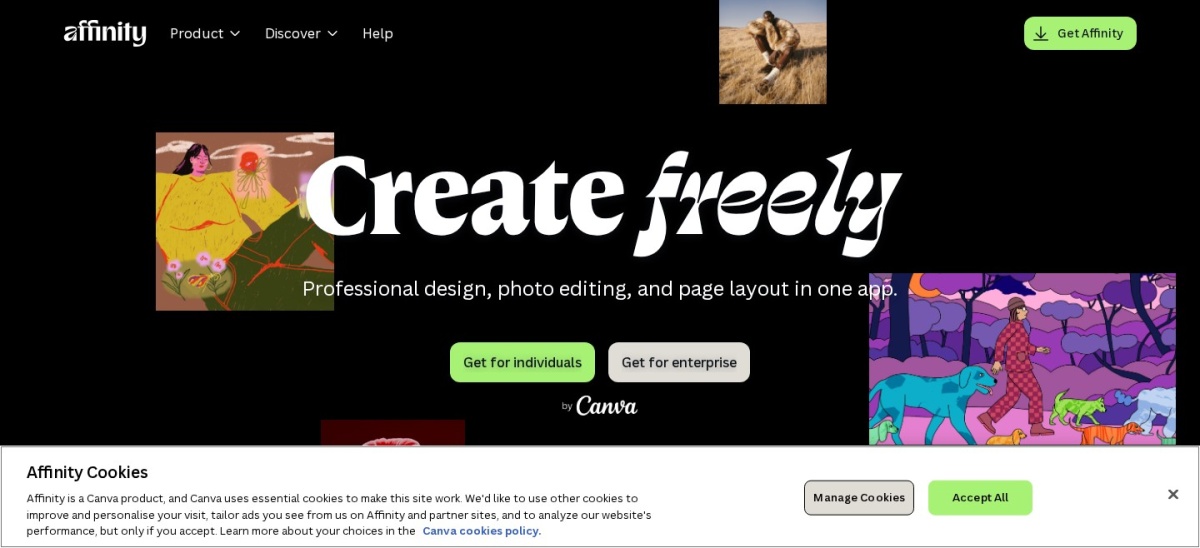
Affinity Designer homepage, captured Nov 2026.
Affinity Designer is the Vector studio inside the free Affinity app, relaunched by Canva on 30 October 2025. The core app costs nothing for individuals and includes the Vector, Pixel and Layout studios with full export features. A free Canva account is needed to download and activate it.
The trade off is AI. Generative Fill and other AI studio tools need a Canva premium plan, and Affinity has a smaller plugin library than Adobe. It suits freelancers and small studios that want professional vector tools without a monthly subscription.
Figma is a browser-based design tool built for interface design, vector work, prototyping and team collaboration. Several editors can work in the same file at once, and shared libraries keep components consistent across a team. The free Starter plan covers 3 design files, and viewers and commenters are free.
The trade off is price per seat and focus. A Professional Full seat costs $16 a month billed annually, so team costs rise with every editor, and Figma is weaker for print layout than Illustrator or InDesign. It suits product and UI teams that design together in real time.
What we like
Real-time collaboration in one file
Free Starter plan for small work
Viewers and commenters are free
Large plugin and library ecosystem
Watch out for
Per-seat costs rise with team size
Weaker for print layout
Needs an internet connection for full use
Professional adds unlimited files, team libraries and Dev ModeVisit figma.com
05
Canva
4.7/5on G2 (7,762 reviews, checked Nov 2026)
Paid from$12/mo
Best for fast marketing graphics
Templates3.6M+ templates, 141M+ assets
Free planYes, 5 GB storage
PlatformsWeb, iOS, Android, desktop
Paid planPro, $12/mo billed yearly
canva.com
Canva homepage, captured Nov 2026.
Canva is a template-led design platform for social posts, presentations, marketing graphics and print. The free plan includes 5 GB of storage and a large template library, while Pro adds 141 million premium assets, background removal and 5 Brand Kits. Pro costs $12 a month billed yearly, or $144 a year for one person.
The trade off is depth. Canva cannot match Illustrator for precise vector work or Photoshop for detailed photo editing, and premium assets sit behind the paywall. It suits marketers, small businesses and non-designers who need polished graphics fast without learning a desktop editor.
What we like
Huge template and asset library
Easy for non-designers to use
Generous free plan
Pro is $144 a year for one person
Watch out for
Limited vector control
Premium assets sit behind the paywall
Large projects can lag
Pro adds premium assets, background removal and 5 Brand KitsVisit canva.com
06
CorelDRAW
4.3/5on G2 (556 reviews, checked Nov 2026)
Starts at$269/yr
Best for print and signage work
Vector and layoutIllustration plus page layout
Photo editingPHOTO-PAINT included
PlatformsWindows, macOS, web
Paid planAnnual, $269/yr
coreldraw.com
CorelDRAW homepage, captured Nov 2026.
CorelDRAW Graphics Suite is a vector illustration and page layout suite aimed at print, signage and packaging work. It pairs CorelDRAW with PHOTO-PAINT for pixel editing and a font manager, and the 2026 release adds AI background removal and text-to-vector tools. The annual plan costs $269 a year, with a 15-day free trial.
The trade off is price and reach. The subscription costs more than a year of Illustrator alone, and fewer studios and freelancers share CorelDRAW files, so collaboration can need conversion. It suits print shops and sign makers that want illustration, layout and photo editing in one suite.
Sketch is a Mac-native design app for interface and vector design, with symbols, shared libraries and a large plugin library. The Standard plan costs $12 per editor a month billed yearly and includes real-time collaboration, unlimited documents and free viewers. A Mac-only licence costs $120 as a one-time purchase.
The trade off is the platform. Sketch runs only on Mac, so Windows and Linux teams cannot use it, and there is no free editing tier beyond a 30-day trial. It suits Mac-based product teams that want a fast native app instead of a browser tool.
What we like
Fast native Mac app
Symbols and shared libraries
Free viewers for stakeholders
$120 Mac-only licence option
Watch out for
Mac only
No free editing tier
Team costs rise per editor
Standard adds collaboration, unlimited documents and version historyVisit sketch.com
08
Adobe InDesign
4.6/5on G2 (3,443 reviews, checked Nov 2026)
Starts at$22.99/mo
Best for multi-page print layout
Layout focusBooks, magazines, brochures
TypographyStyles, grids, master pages
PlatformsWindows, macOS
Paid planSingle app, $22.99/mo
adobe.com
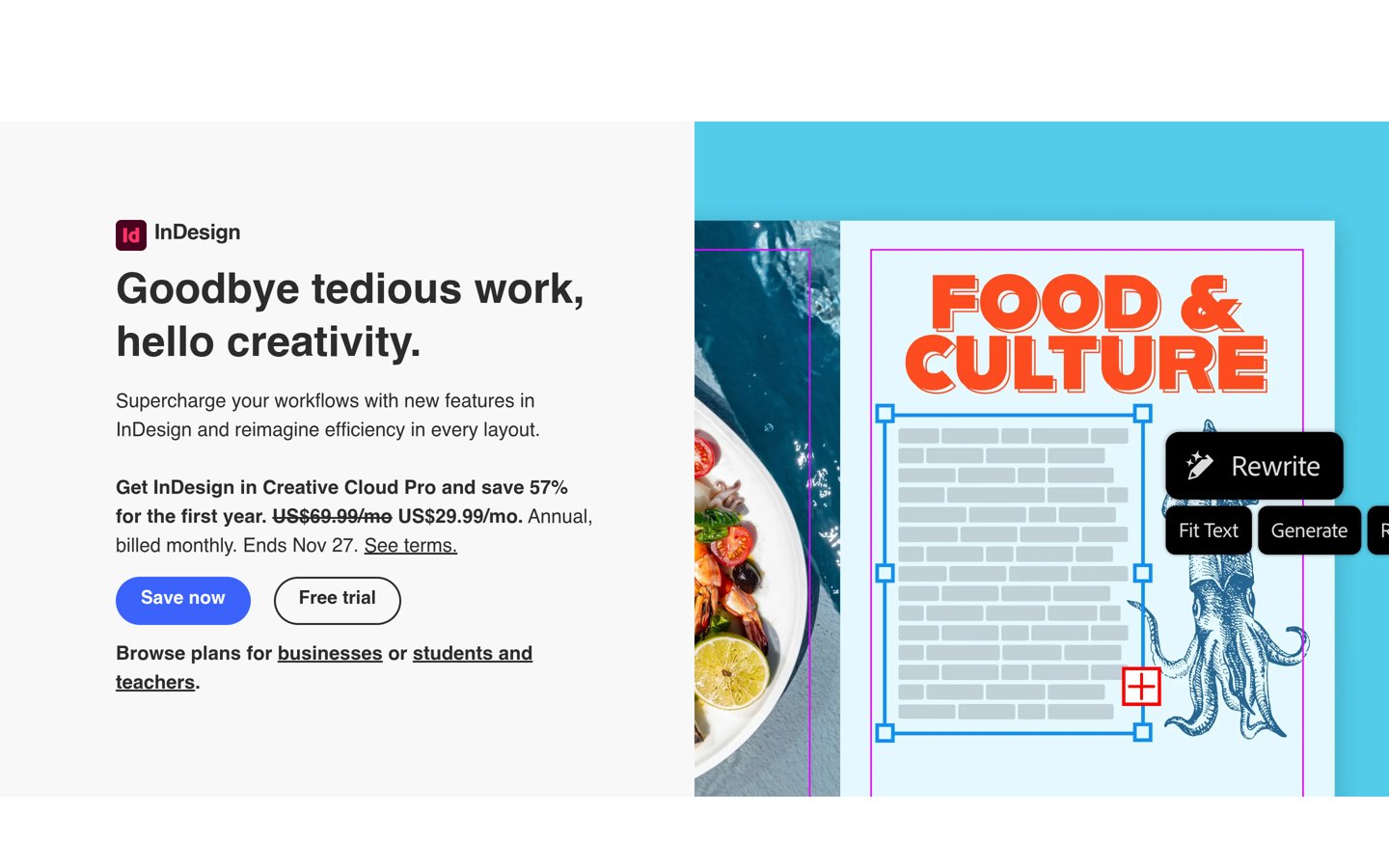
Adobe InDesign homepage, captured Nov 2026.
Adobe InDesign is the standard layout tool for magazines, books, brochures and catalogues. Master pages, styles, grids and precise typography handle long documents that illustration tools struggle with, and it exports print-ready PDF files. The single-app plan costs $22.99 a month and includes Adobe Express Premium.
The trade off is scope and cost. InDesign is built for multi-page layout, not logo or illustration work, and the subscription adds up if layout is only an occasional job. It suits publishers, agencies and designers who produce print documents every week.
What we like
Best long-document layout
Precise typography and grids
Print-ready PDF export
Adobe Fonts library included
Watch out for
Subscription only, no free plan
Steep learning curve
Not for illustration or logo work
Single-app plan adds Express Premium and 100 GB storageVisit adobe.com
09
Inkscape
4.4/5on G2 (417 reviews, checked Nov 2026)
PriceFree
Best free open source vector editor
Vector editingSVG-native, open source
PriceFree, no paid tier
PlatformsWindows, macOS, Linux
Paid planNone
inkscape.org
Inkscape homepage, captured Nov 2026.
Inkscape is a free, open source vector editor that works natively with SVG files. It covers drawing, node editing, text on paths and export to AI, EPS, PDF and PNG, with no paid tier and no licence fee for commercial work. It runs on Windows, macOS and Linux.
The trade off is polish and support. The interface feels dated beside paid tools, reviewers note occasional crashes, and help comes from community forums and documentation rather than a vendor desk. It suits illustrators and small shops that need real vector files at no cost.
Free tools in this list are not demos. Affinity Designer gives individuals its full Vector, Pixel and Layout studios, and Inkscape gives a complete vector editor with no paid tier at all.
Paid plans mostly add convenience and compatibility. You pay for industry-standard files, cloud storage, collaboration and AI tools rather than for the ability to draw.
Start free if you work alone and deliver common formats such as SVG, PDF and PNG. Move to a paid plan when a client asks for native Illustrator or InDesign files, or when a team needs shared libraries and version history.
How we chose
We started from the design tools professionals name most often for vector work, photo editing, layout and interface design, then kept the nine with the largest public review counts on G2.
Prices come from each vendor's pricing page and press material, checked on 25 November 2026. Ratings and review counts come from G2 on the same day. Where a vendor shows a sale, the list shows the regular price.
We left out tools built only for one niche, such as 3D modelling, and tools with no public rating. No vendor paid for a place, and we do not claim hands-on testing for this list.
How to choose graphic design software
Start with the work you do most, then check the file formats your clients and printers need.
Name your main job. Vector logos, photo retouching, multi-page layout and interface design each favour a different tool. Pick the tool that leads at your main job, not the one with the longest feature list.
Check the file formats. Ask clients and printers which formats they need. Native Illustrator and InDesign files matter in print workflows, while SVG, PDF and PNG cover most web and brand work.
Try the free tier first. Affinity Designer, Inkscape, Figma Starter and Canva Free all cover real work at no cost. Use one for a week before paying for a subscription.
Price the team, not the seat. Figma and Sketch bill per editor, so five editors cost five seats. Add up the yearly total before choosing, and see our portfolio guide for showing the work once it is done.
FAQ
What is the best graphic design software for professionals?
Adobe Illustrator is the best pick for most professionals. It is the industry standard for vector logos, icons and illustrations, rated 4.6 out of 5 on G2 from 6,208 reviews, and its files are accepted by printers and studios everywhere.
Is there a free professional graphic design tool?
Yes. Affinity Designer is free for individuals and includes vector, pixel and layout studios, while Inkscape is a free open source vector editor. Both handle real client work, though Affinity needs a free Canva account to activate.
Is Affinity Designer really free?
Yes, for individuals. Canva relaunched Affinity on 30 October 2025 as one free app combining the old Designer, Photo and Publisher toolsets. The core app costs nothing, but AI studio tools need a Canva premium plan.
Do I need Photoshop as well as Illustrator?
It depends on your work. Illustrator covers logos and illustrations, while Photoshop covers photo retouching and compositing. Designers who edit photos daily need both; designers who only draw vector work can skip Photoshop.
Which tool is best for designing for print?
Adobe InDesign leads for multi-page print such as magazines, books and brochures, with master pages and precise typography. CorelDRAW suits print shops that want vector drawing, layout and photo editing in one suite.
Can Canva replace Illustrator for professional work?
Not for precise vector work. Canva is fast for social posts, presentations and marketing graphics, but it cannot match Illustrator for logos and illustrations that must scale cleanly. Many designers use Canva for speed and Illustrator for brand work.
SaaS SEO and WordPress specialist with about 8 years of experience. Rakib compares WordPress plugins, themes, hosting and software using public pricing, documentation and user reviews. See how we rank.